
If you’d like to cancel your subscription, you can do so at any time.
For subscriptions purchased through our website
- Log in to your account.
- Open the tool you subscribed to (for example, AI Music Detector, Music Copyright Checker, ClearDrop).
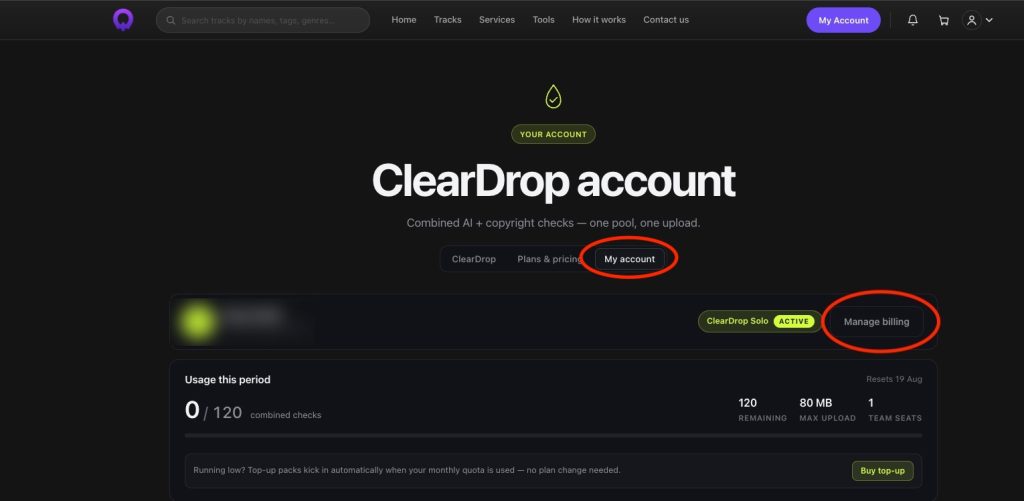
- Click the My Account tab.
- Select Manage billing.
- You’ll be redirected to Stripe’s secure customer portal, where you can cancel your subscription.
Once cancelled, your subscription will remain active until the end of your current billing period. No further charges will be made unless you reactivate your subscription.
Need help?
If you’re unable to access the billing portal or experience any issues cancelling your subscription, please contact our support team and we’ll be happy to assist you.
Last updated on July 31, 2026