 By Alex Mercer · October 17, 2026
TL;DR
- A crossfader blends or switches assigned DJ channels near the end of the mixer signal path.
- Channel faders are usually better for long, controlled transitions.
- Sharp crossfader curves and short cut-in distances suit scratching and fast cuts.
- Disable the crossfader if accidental movement can kill your mix.
- Courses help when they give measured drills, recordings, and feedback, not vague motivation.
What is crossfader is a plain question with a mechanical answer: it is the horizontal fader on a DJ mixer or controller that blends assigned channels from left to right. Type what is crossfader into search and you will also hit course names, apps, Reddit threads, and slang. Ignore that for 90 seconds. The hardware function comes first.
On a two-deck setup, push it left and you hear Deck A. Push it right and you hear Deck B. Put it in the centre and, depending on the curve, you hear both. That sounds simple. It is not always the right control to use. For long house blends at 124 BPM, channel faders usually behave better. For cuts, scratches, drops, and fast deck switching, the crossfader earns its slot.
What is crossfader on a DJ Mixer?
A crossfader is a variable audio switch. It does not beatmatch, sync, EQ, quantise, or fix bad gain staging. It only decides how much of each assigned channel reaches the master bus. On a basic two-channel controller, left is Channel 1, right is Channel 2. On a four-channel mixer, each channel can often be assigned to A, B, or Thru.
The textbook answer says the crossfader is for mixing between songs. That is half true. In practice, most club DJs mix with channel faders and EQ, then leave the crossfader open or disabled. Scratch DJs do the opposite. They live on the crossfader because the hand movement is shorter and repeatable.
What is crossfader in signal terms
Think of it as a two-sided gain control after the channel strips. Your trim, EQ, filter, effects send, and channel fader usually happen before the signal hits the crossfader assignment. The exact order varies by mixer, but the working result is the same: the crossfader is late in the path.
- Left position: A side passes, B side is reduced or muted.
- Centre position: A and B both pass, usually near full level.
- Right position: B side passes, A side is reduced or muted.
What is crossfader used for in real DJ sets?
It is used for fast transitions, cuts, scratch patterns, and hard swaps between decks. If you are running a CDJ-3000 pair into a club mixer, you might use it for a 1-beat drop or a clean vocal stab. If you are mixing deep house for 64 bars, the crossfader is usually the blunt tool.
Set trims so each channel peaks around -6 dB on the mixer meters before you blame the fader. A bad trim setting will make any crossfade sound like a volume mistake.
- Use it for fast cuts, not for fixing loose beatmatching.
- Keep both channel gains matched before moving it.
- Assign unused channels to Thru if the mixer allows it.
- For long blends, start with channel faders and EQ instead.
Crossfader vs Channel Faders
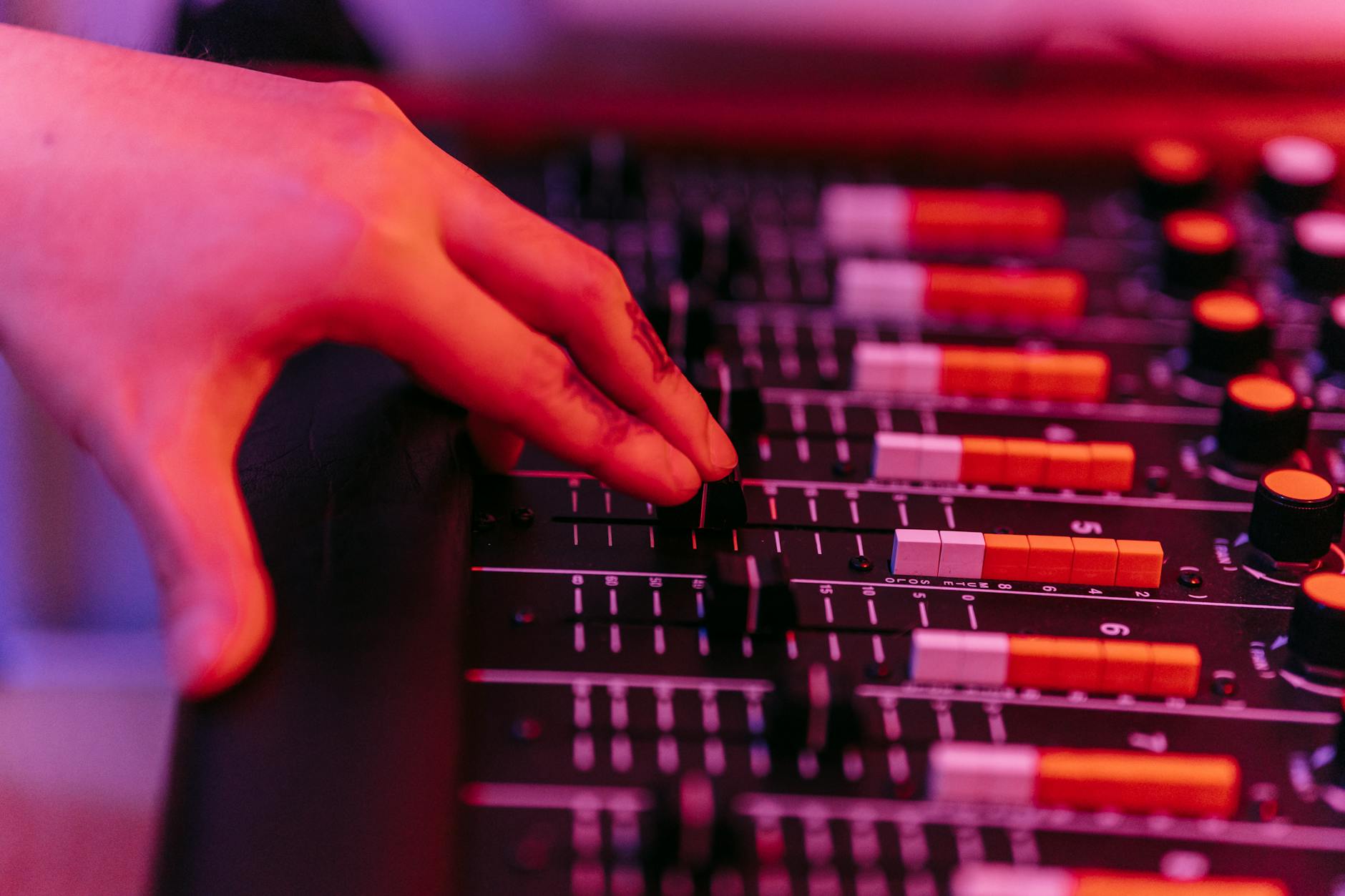
The crossfader moves sideways and controls assigned sides. Channel faders move vertically and control one channel each. That physical difference changes the technique. A 45 mm channel fader gives more travel for slow level changes. A 45 mm crossfader with a sharp curve can act almost like a switch.
If the mix needs small changes over 16 or 32 bars, use channel faders. If the mix needs an instant A/B decision inside one beat, use the crossfader. Do not make this philosophical. The room only hears the level change.
When channel faders are cleaner
For techno, trance, afro house, and most open-format blends, channel faders give finer control. You can bring a track in at -18 dB, sit it under the outgoing groove, cut 200 Hz on the incoming EQ, then lift over 32 bars. Try that with a sharp crossfader and it will feel cramped.
A safe working method is simple: incoming channel fader at zero, cue gain checked, low EQ reduced by 3 to 6 dB, then bring the channel fader up slowly while the crossfader stays centred or disabled.
When the crossfader is the correct tool
Use it when timing matters more than gradual level. Scratch patterns, word cuts, doubles, and quick drops need repeatable on/off movement. A sharp crossfader curve with a 1 to 2 mm cut-in can mute and open the sound with minimal hand travel.
- Baby scratch: fader open, record movement does the work.
- Transform: fader chops the sound in 16th-note pulses.
- Drop swap: outgoing deck cut, incoming deck open on the downbeat.
- Channel faders are better for 16-bar and 32-bar blends.
- Crossfader moves are better for cuts shorter than one beat.
- A sharp curve is poor for smooth blending.
- A linear curve is poor for tight scratching.

Curve, Cut-In, Reverse, and Disable Settings
The crossfader setting matters more than the fader cap. Most decent DJ software and mixers let you adjust the curve. Rekordbox and Serato DJ Pro both offer software-side curve control on supported hardware. Many club mixers also provide a hardware curve knob or switch.
Three controls matter: curve, cut-in, and reverse. Curve decides how level changes across travel. Cut-in decides how far the fader moves before audio opens. Reverse, often called hamster, swaps left and right behavior.
Curve settings in numbers
A smooth blend curve gives gradual level change across the full travel. It is usable for basic transitions but too slow for scratching. A sharp curve opens almost immediately, often within the first 1 to 3 mm. That is useful for cuts because the fader hand does not waste distance.
For a 128 BPM track, a 16th note lasts about 117 ms. Your fader movement must happen well inside that if you want clean rhythmic chops. A long, soft curve will smear the transient.
Reverse mode is not a gimmick
Hamster style reverses the crossfader direction. Some scratch DJs prefer it because pulling the fader inward opens the sound. That can feel more natural for crab scratches and fast transforms. For standard club blending, leave reverse off unless your hand already expects it.
Mark the setting before a set. A reversed crossfader on unfamiliar hardware is a reliable way to mute the wrong deck at the wrong time.
- Blend curve: use for slow transitions and basic practice.
- Sharp curve: use for scratch cuts and instant drops.
- Cut-in below 2 mm: useful for scratch control.
- Reverse mode: only useful if your muscle memory is built around it.
- Disable or Thru: safest when you never touch the crossfader.
Crossfader DJ Courses, Apps, and Reddit Advice
Searches like what is crossfader course, Crossfader app, and Crossfader DJ courses point to a separate thing: Crossfader is also a DJ education brand. That can confuse beginners because the same word means both a mixer control and a training company.
A course can help if it gives you measured drills, not vague encouragement. You want assignments with BPM, bar counts, recording checks, and clear pass/fail criteria. Anything less is just video consumption.
Is a Crossfader DJ course worth it?
It is worth paying for structured feedback if you are stuck at the same fault for weeks: late drops, gain jumps, weak phrasing, or panic EQ moves. It is not worth buying if you have not recorded ten 30-minute practice mixes and listened back with notes.
A useful beginner drill: record a 20-minute mix at 124 BPM, make every transition 32 bars long, keep master peaks below -3 dB, and write down every obvious level jump with the timestamp.
What is crossfader Reddit advice good for?
Reddit is good for hardware fault checks and bad for building technique. You will get ten answers from ten setups. Someone using a battle mixer will recommend a sharp curve. Someone mixing melodic house will say disable it. Both can be correct inside their own booth.
- Trust posts that include mixer model and settings.
- Ignore advice with no genre, tempo, or use case.
- Record your own test before changing habits.
- Courses help most when they force recording and review.
- Free lessons are enough for basic crossfader vocabulary.
- Paid feedback is useful for persistent timing faults.
- Reddit advice needs context: mixer, music style, and goal.

How to Disable the Crossfader Safely
If you never use the crossfader, disable it. Accidental contact is common on small controllers, especially when the headphone cue buttons sit close to the fader slot. One sleeve drag can remove the wrong deck from the master.
On hardware mixers, look for channel assign switches marked A, B, or Thru. Set active channels to Thru if available. In software, check the mixer or controller settings. Rekordbox, Serato DJ Pro, and Traktor Pro can all behave differently depending on the mapped controller.
Disable checklist before a set
Do the check with audio running, not in silence. Load two tracks, set both channel faders up, centre the EQs, and move the crossfader left to right. If the master level changes, it is still active. Fix it before the room fills.
- Assign every playing channel to Thru where possible.
- Set software crossfader curve to smooth only if you still use it.
- Check MIDI mappings if the physical fader behaves strangely.
- Test with the booth monitor at low level, around 75 dB SPL.
When not to disable it
Do not disable it if your set includes scratch routines, tone play cuts, double drops, or fast acapella chops. In that case, set it correctly and leave it alone. The worse option is a half-active crossfader with the wrong curve.
For hybrid sets with drum machines like the Roland TR-8S on a spare mixer channel, assign the drum channel to Thru. You do not want a crossfader move killing the external rhythm source.
- Disable it when you mix entirely with channel faders.
- Test the setting with two audible tracks before doors.
- Leave scratch and cut routines active only on assigned channels.
- Put external drum machines or live inputs on Thru.
| Task | Suggested Setting | Reason | Main Trade-Off |
|---|---|---|---|
| Long house or techno blend | Disabled or smooth curve | Channel faders give finer level control over 16 to 64 bars | Less useful for sudden cuts |
| Basic A/B transition | Linear or medium curve | Centre position keeps both tracks audible without abrupt switching | Can cause level build-up if gains are poor |
| Scratch cuts | Sharp curve, 1 to 2 mm cut-in | Audio opens fast enough for 16th-note fader work | Bad for gradual blends |
| Drop swap | Sharp or medium curve | One hand can kill Deck A and open Deck B on the downbeat | Mistiming is obvious |
| External drum machine channel | Thru assignment | Crossfader movement will not mute the live input | Requires mixer with assign options |
FAQ
What is crossfader and what does it do?
A crossfader blends or switches between assigned DJ mixer channels. Left usually plays the A side, right plays the B side, and the centre can pass both. DJs use it for fast cuts, scratches, and deck swaps. For slow blends, channel faders are usually more accurate.
What does crossfade mean in slang?
In slang, crossfaded usually means being affected by alcohol and cannabis at the same time. That meaning has nothing to do with DJ mixer technique. In audio, crossfade means one sound fades down while another fades up, often with an overlap.
Is Crossfader course worth it?
A Crossfader course can be worth it if you need structured DJ lessons, practice tasks, and feedback. It is less useful if you have not recorded your own mixes yet. Do ten 30-minute recordings first, note the timing and gain errors, then decide whether paid coaching solves a specific problem.
How do I disable the crossfader?
On many mixers, set each active channel assignment to Thru instead of A or B. On controllers, check the DJ software mixer settings or controller preferences. Test it with two audible tracks: move the crossfader fully left and right. If the master level changes, it is not disabled.
The bottom line
what is crossfader should not stay a vocabulary question. Treat it as a routing and control decision. If you are blending two tracks for 32 bars, use channel faders, EQ, and sensible gain staging. If you are cutting a vocal, scratching, or swapping decks on a downbeat, set the crossfader curve for the job.
The practical test is dull and reliable: record five transitions with the crossfader active, then record the same five with it disabled. Match peak levels within 1 dB and listen for timing, not ego. Use the method that leaves fewer audible mistakes in your next session.
My Career makes videos from your own track and posts them for you, pitches your release to 34,000+ labels, playlists, radio stations, YouTube channels and blogs, puts it in every store and briefs you every morning. Free plan, no card, two minutes to set up.