 By Alex Mercer · August 11, 2026
Key takeaways
- Use a stereo line feed from the mixer or internal DJ software recorder.
- Record WAV or AIFF at 48 kHz / 24-bit when possible.
- Leave headroom and target peaks around -10 to -6 dBFS.
- Phone recording is acceptable only with an external audio interface.
- Record stereo, then check mono compatibility after capture.
- Test for 90 seconds before committing to the full set.
Record a dj mix like you are printing a master, not grabbing a voice note from the booth. The phrase record a dj mix sounds simple until the file comes back with clipped kick drums, a mono low end that vanished, or crowd noise louder than the transition you spent four bars fixing.
The job is mostly unglamorous. Pick the right output. Leave headroom. Record in stereo. Check the file before sending it anywhere. A clean 24-bit WAV at 48 kHz with peaks around -6 dBFS is boring, and boring is correct. This matters if you are pitching a guest mix, archiving a club set, filming content, or sending a reference to a ghost producer who needs to hear your programming taste without decoding bad gain staging first.
Best Tools to record a DJ mix Without Guesswork
The tool is less important than the signal path. Still, some tools make mistakes harder. A recorder with proper line input will beat a phone microphone every time. A DJ software recorder will beat a lossy screen capture. A mixer with a dedicated record out keeps the master fader from ruining the print.
The textbook answer says use the highest quality interface you own. In practice, the best tool is the one that takes a stable stereo line feed and does not need attention during a two-hour set.
Hardware recorders that do not complain
A Zoom H5, Tascam DR-40X, or Sound Devices MixPre-3 II will take line-level audio properly if you set it right. Do not feed a mic input with a hot booth output and hope. Use line input, record WAV, set 24-bit, and leave more headroom than feels necessary.
For most DJ mixes, 48 kHz / 24-bit is enough. Peaks at -6 dBFS are healthy. If the loudest snare reaches -1 dBFS during the first track, you are already out of room.
Software recorders that are fine when configured
Rekordbox, Serato DJ Pro, Traktor Pro, and VirtualDJ can all record internally. That is useful when you are mixing inside the laptop or using a supported controller. The file stays clean because it never leaves the digital system.
The catch is routing. Streaming tracks, external inputs, and some DVS setups may not record, depending on license and configuration. Test with two tracks before recording a full set. Engineers call this basic. DJs call it finding out at 3 a.m.
Phones are last in the chain, not first
You can record on an iPhone or Android phone, but not through the built-in microphone if you care about the mix. Use a class-compliant audio interface, a proper cable, and airplane mode. The phone is just the storage device. Treat it that way.
If you record a DJ set with phone video, route line audio into the phone or sync a separate WAV later. Camera audio is a reference track, not a deliverable.
- Use WAV, not MP3, for the recording master.
- Set 48 kHz / 24-bit unless a client asks otherwise.
- Aim for peaks around -6 dBFS during the loudest section.
- Record a 90-second test before the real pass.
- Name files with date, BPM range, and version number.
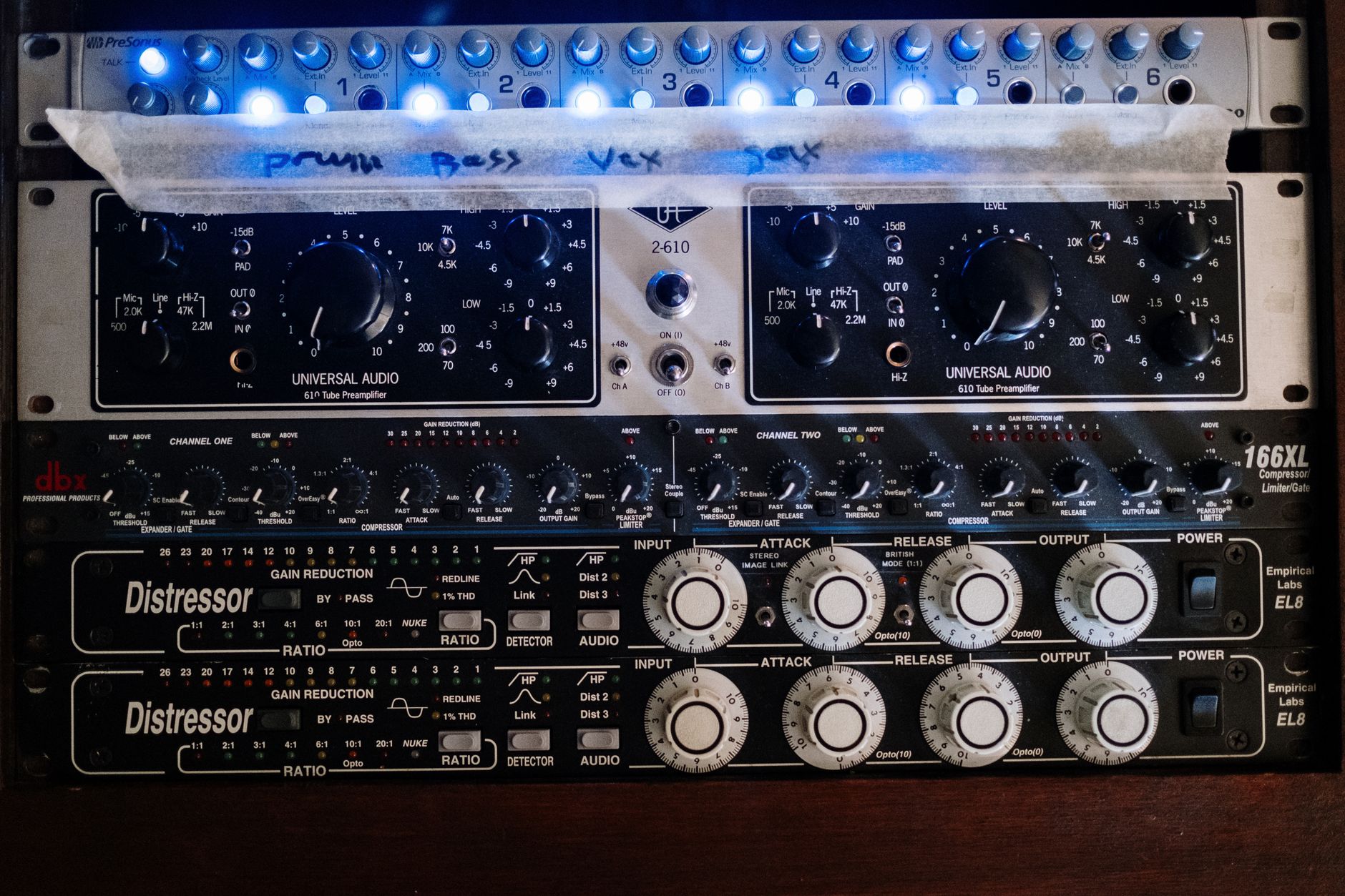
Signal Chain: How to Record DJ Set from Mixer
The cleanest chain is usually mixer record out into a recorder or interface. Not booth out. Not headphone out. Not the room microphone. A fixed record output gives you a steady level and ignores last-minute master fader moves.
If the mixer has no record out, use a secondary master, booth out at a controlled level, or an audio interface fed from the mixer. Know whether the sockets are RCA, TRS, XLR, or USB before the night starts.
How to record a DJ mix from a mixer
To record a dj mix from a mixer, run the dedicated REC OUT or MASTER 2 into a stereo line input. On a DJM-style mixer, REC OUT is commonly RCA at consumer level. On club install mixers, you may see balanced XLR or TRS outputs. Use the right cable, not an adapter chain built from panic.
Set channel trims so individual channel meters average around 0 dB on the mixer, with occasional peaks. Then set the recorder so the digital file peaks around -6 dBFS. The mixer meter and recorder meter are not measuring the same scale.
Why master out can be the wrong output
Master out changes when someone touches the master knob. In a booth, that someone may be you, a sound tech, or a well-meaning resident. If your recording feed follows that knob, the file will jump in level halfway through the set.
Record out is usually pre-master, which is what you want. It captures the mix balance before the PA gain structure. If the house system is too loud or too quiet, the recording should not care.
Cable and level checks
RCA to dual TS is acceptable for short runs. Balanced TRS or XLR is better for long runs over 3 meters. Keep audio cables away from laptop power supplies and LED wall power where possible. Hum at 50 or 60 Hz is not character.
If the recorder shows only the left channel, stop. If the waveform is a flat rectangle, stop. If the low end disappears when summed to mono, check cable polarity and routing.
- REC OUT is preferred when available.
- MASTER 2 works if its level is independent and stable.
- BOOTH OUT works only if nobody changes it during the set.
- HEADPHONE OUT is for emergencies, not a serious recording.
- Built-in phone mic is documentation, not audio capture.

Rekordbox, Serato and Traktor Recording Settings
Internal recording is convenient because it avoids cables, noise, and bad converters. It also hides problems until export if you never check the settings. The main concerns are source, file format, headroom, and whether your content is allowed to be recorded by the software.
How to record your DJ set Rekordbox is a common search because the button is easy to find and the routing rules are less obvious.
Rekordbox recording setup
In Rekordbox Performance mode, open the recorder panel, choose the recording source, and record a short test. If you are using a DDJ controller or supported mixer, internal recording is usually straightforward for local files. Streaming services can be restricted. External line inputs may need mixer routing.
Check the exported file in a DAW or audio editor. A stereo waveform with controlled peaks is the goal. A single-channel file or clipped bus means the setup was wrong, not unlucky.
Serato DJ Pro and Traktor Pro
Serato DJ Pro records from the REC panel when hardware and source permissions allow it. Set the input source correctly if you use external channels. Traktor Pro records through its mix recorder, either internal or external, depending on your routing.
Do not normalize on export. Normalizing a clipped file makes a clipped file louder or quieter. It does not restore transients. If the kick top is squared off, record again.
File format choices
Use WAV or AIFF for the master. Export MP3 or AAC copies later for messaging, previews, or rough client notes. A 320 kbps MP3 is acceptable for review, not for archive.
For video platforms, 48 kHz is the practical rate. For audio-only platforms, 44.1 kHz also works. Do not sample-rate convert three times because one app defaulted to something strange.
- Record internally when all music sources are supported.
- Use external recording when playing vinyl, CDJs, or external inputs.
- Check software permissions before using streaming tracks.
- Keep one unprocessed WAV or AIFF master.
- Export compressed copies from the clean master only.

Recording on iPhone or Android Without the Phone Mic
How to record a dj mix properly on iPhone and Android comes down to one rule: send the phone line-level audio. The built-in mic captures the room, the table knock, the monitors, the bartender, and your gain mistakes after the PA has already mangled them.
A phone can make a usable recorder. It needs the right interface and enough battery. No mysticism required.
IPhone signal path
For iPhone, use a class-compliant USB audio interface through USB-C or the appropriate Apple camera adapter. Feed the interface from the mixer REC OUT or MASTER 2. Apps such as Ferrite, GarageBand, or a camera app that accepts external audio can record the feed.
Set the interface gain low. Many DJ mixers output hotter than expected. If the app has no input meter, use another app. Recording blind is not a workflow.
Android signal path
For Android, use a USB-C class-compliant interface and an app that can address external audio cleanly. USB Audio Recorder PRO is often used because it talks directly to USB interfaces on many devices. Test your exact phone. Android audio behavior varies more than anyone wants.
Disable notifications, charge the phone, and keep the screen awake if the app is prone to sleeping. A perfect chain is useless if the operating system kills it at minute 38.
Video capture with proper audio
To record a DJ set with video, the reliable method is separate capture: camera for picture, recorder for audio, then sync in editing. Clap once near the start or make a visible cue with a sharp transient. The waveform spike makes sync fast.
If you feed audio directly into the phone camera, monitor the result with headphones after a test clip. Some camera apps apply automatic gain control. AGC will pump during breakdowns and make transitions sound unstable.
- Use airplane mode during recording.
- Use external power for sets over 45 minutes.
- Record a test clip and play it back on headphones.
- Avoid automatic gain control when the app allows it.
- Keep camera audio as a sync reference if recording audio separately.

Levels, Stereo and Loudness Targets
Most bad DJ recordings are not ruined by the song selection. They are ruined by level. The recorder clips, the mixer clips, or both. Digital clipping at the input stage is not fixed by mastering. It is printed damage.
The textbook answer says record as hot as possible without clipping. That advice belongs to older 16-bit workflows. At 24-bit, leave headroom. Noise floor is not your main enemy. Clipping is.
Peak level and headroom
Set the recorder so the loudest expected section peaks between -10 and -6 dBFS. If a later track is mastered 2 dB louder, you still survive. Club promos and edits are not level-matched by a committee.
If the file peaks at -18 dBFS, it is still usable at 24-bit. If it peaks at 0 dBFS and sounds gritty on hi-hats, it is not clean. Pick the boring failure mode.
Stereo or mono
Record stereo. DJ mixes contain stereo reverbs, panned percussion, widened synths, and transition effects that collapse badly in mono. Mono is only correct for a speech reference, a camera scratch track, or a specific broadcast requirement.
Do check mono compatibility after recording. Low-end cancellation below 120 Hz points to cable, routing, or phase issues. A centered kick should stay solid when summed.
Loudness after recording
Do not chase streaming loudness while recording. Print a clean file first. Afterward, a limiter can bring a promo copy to around -14 to -10 LUFS integrated, depending on destination and genre. Hard techno DJ mixes often sit louder. A podcast platform may not need that.
Leave the raw file untouched. Make processed copies. Label them clearly: RAW, CLEAN_LIMITED, VIDEO_SYNC. This prevents one stupid overwrite from becoming the whole job.
- Target -10 to -6 dBFS peaks during recording.
- Record stereo unless a delivery spec says mono.
- Check mono below 120 Hz after recording.
- Do loudness processing after capture, not during.
- Keep an untouched raw master.
Preflight Checklist and the Mistakes That Waste Sets
A DJ recording should get a line check like any other session. The boring five minutes before the set save the angry hour after it. Use the same process every time and you will stop losing mixes to avoidable faults.
Reddit threads on how to record a dj mix properly usually say the same thing in different words: test the chain, do not clip, and stop trusting the phone mic. That advice survives because it is correct.
The 90-second test
Play two loud tracks. Mix for 90 seconds. Record it. Stop. Play it back on headphones. Confirm stereo, level, noise, and whether both channels appear. This is not optional.
Use the loudest material in the set for the test, not the tasteful intro at -18 LUFS. If the first peak test is gentle, it tells you almost nothing.
Common DJ recording mistakes
The usual mistakes are plain: recording the room instead of the mixer, clipping the recorder, recording only one channel, using the wrong output, and forgetting that streaming tracks may not record internally.
Another common fault is post-processing the file into mush. A DJ mix is already mastered music running through EQ and summing. Heavy compression after the fact often makes kick drums smaller and cymbals harsher.
Hand-off files for feedback or custom production
If you are sending the mix to a producer, engineer, manager, or label contact, send a clean stereo WAV plus a smaller MP3 reference if needed. Include BPM range, tracklist if cleared to share, and notes on sections you want reviewed.
For ghost production or custom music production conversations, a clean DJ mix shows arrangement taste, energy curve, transition style, and reference direction. A distorted recording only shows that the recorder was set wrong.
- Record 90 seconds before the real set.
- Play back the test on headphones, not laptop speakers.
- Confirm left and right channels are present.
- Check the file immediately after the set.
- Back up the raw file before editing.
- Export delivery copies from the raw master.
| Method | Best Use | Main Risk | Recommended Setting |
|---|---|---|---|
| Mixer REC OUT to handheld recorder | Club sets, CDJ setups, external mixers | Wrong input level or RCA cable fault | 48 kHz / 24-bit WAV, peaks -10 to -6 dBFS |
| Rekordbox internal recorder | Controller sets using local files | Unsupported streaming or external inputs | WAV or AIFF, test source routing first |
| Serato or Traktor internal recorder | Laptop-based sets and DVS with correct routing | Recording the wrong bus | Internal mix recorder, no normalization |
| Mixer to phone via USB interface | Portable recording and video capture | Automatic gain control or app sleep | External stereo input, airplane mode, test clip |
| Phone built-in microphone | Room reference only | Crowd noise, PA coloration, mono capture | Use only as video sync or documentation |
Frequently asked questions
What is the cleanest way to record a DJ mix at home?
Use the mixer or controller record output into a stereo line input, or record internally in Rekordbox, Serato, or Traktor when routing allows it. Set 48 kHz / 24-bit WAV and aim for peaks around -6 dBFS. Record a 90-second test and check it on headphones before the full pass.
Should I record my DJ mix in mono or stereo?
Record in stereo. DJ mixes rely on stereo effects, panned percussion, reverbs, delays, and wide synth parts. Mono can be useful for a rough speech reference or a specific broadcast spec, but it is the wrong default for music. Check mono compatibility afterward, especially below 120 Hz.
What are common DJ mistakes when recording a set?
The common mistakes are clipping the recorder, using the phone mic, recording only one channel, taking audio from the wrong mixer output, and failing to test the file before the set. Another one is normalizing or limiting a distorted file and expecting it to sound repaired. It will not.
Can I record a DJ set from a mixer on iPhone?
Yes, if the iPhone receives line audio through a class-compliant USB interface or compatible adapter. Feed the interface from the mixer REC OUT or MASTER 2, then use an app that records external stereo audio. Avoid the built-in microphone unless the recording is only a room reference.
How do I record your DJ set in Rekordbox?
Open the recorder panel in Rekordbox, choose the correct source, and make a short test recording. Local files and supported controllers usually work cleanly. Streaming tracks and external inputs may be restricted or require extra routing. Always inspect the exported file before assuming the full set was captured.
Can I record a DJ set with video and good audio?
Yes. The reliable method is separate capture: record video on a camera or phone and record audio from the mixer to a recorder or interface. Clap or create a sharp cue at the start, then sync the waveform in editing. Direct phone audio can work if automatic gain control is disabled.
Conclusion
Clean DJ recording is mostly discipline. Use the right output, record stereo, leave headroom, and check the file before the room fills or the upload deadline arrives. The best gear will not save a clipped input, and the cheapest recorder can do the job if it receives a stable line feed at a sane level.
If you need to record a dj mix for a promo, video upload, label pitch, or production reference, run the 90-second test first. Listen back. Confirm both channels. Then record the full set and keep the raw WAV untouched. Try this exact chain in your next session before changing anything else.
My Career makes videos from your own track and posts them for you, pitches your release to 34,000+ labels, playlists, radio stations, YouTube channels and blogs, puts it in every store and briefs you every morning. Free plan, no card, two minutes to set up.