 By TGP DJ Desk · October 18, 2026
Midi fighter controllers are small MIDI performance boxes built for people who want arcade-button timing, tight effects control and hands-on clip triggering without a full keyboard taking over the desk.
A midi fighter makes the most sense when you already know what job you need: finger drumming, Ableton clip launches, Traktor effects, stem mutes, loop rolls or smooth filter moves. Buy the wrong one and it becomes a cool-looking paperweight. Buy the right one and it can sit next to a mixer, laptop or Ableton Push 3 and handle the parts that feel awkward on a trackpad.
The short version: pads for hits, encoders for mix moves, tilt for performance tricks. The details matter, because the Midi Fighter 3D, Twister, 64, Spectra and Classic are not interchangeable.
MIDI fighter Models Worth Knowing First
Pick the model by control type, not by hype.
The lineup splits into three practical lanes: arcade buttons, rotary encoders and motion control. If you want hard, repeatable triggering, go for a button model. If you want filter sweeps, send levels and macro control, the Twister is the cleanest fit.
The Midi Fighter 3D adds tilt data, so it can send extra MIDI CC messages when you move the box. That is useful for effects throws, but it is also easy to over-map. One tilt-controlled delay feedback macro is musical. Six tilt mappings at once gets messy fast.
Best MIDI fighter Choice by Job
Finger drummers should look at the 64, while producers who mix with automation should start with the Twister.
- Midi Fighter 64: 64 arcade buttons for drum racks, chops and one-shot layouts.
- Midi Fighter Twister: 16 endless encoders with push switches for macros, EQ, sends and synth control.
- Midi Fighter 3D: 16 arcade buttons plus motion data for performance effects.
- Midi Fighter Spectra: 16 arcade buttons with strong visual feedback for cue-heavy setups.
- Midi Fighter Classic: older 16-button unit, still useful if the price is sane.
- Pads suit drums, cue points and clip launching.
- Encoders suit filters, sends, macros and automation rides.
- Tilt control is best used sparingly.
- Older used units need careful USB and button checks.

MIDI Fighter Twister for Mixing Moves
The Twister is the strongest studio pick because endless encoders solve problems pads cannot touch.
Sixteen knobs give you instant control over Ableton Live racks, Bitwig device macros, Traktor effects or stem levels. The push switch under each encoder can reset a parameter, mute a send, trigger a kill EQ or swap an effects bank.
A practical Ableton layout: top row for filter cutoff, resonance, delay send and reverb send. Second row for drum bus drive, parallel compression blend, transient amount and sidechain depth. Keep the bottom row for utility moves such as mono bass, clip gain trims and reference-track level.
Twister Mapping That Stays Musical
Use smaller parameter ranges than the defaults. A filter mapped from 20 Hz to 20 kHz jumps too far. Set the useful range instead: 120 Hz to 12 kHz for a low-pass performance sweep, or 80 Hz to 350 Hz for kick-and-bass cleanup moves.
For reverb sends, cap the macro around 35 percent unless you are building breakdowns. For delay feedback, keep the normal range under 55 percent and use a push switch for the big throw. That keeps live moves repeatable instead of risky.
- Map one encoder to one musical decision.
- Cap wet effects below runaway feedback levels.
- Use push switches for resets and mutes.
- Color-code banks by drums, bass, music and FX.
MIDI Fighter 3D, 64 and Spectra for Performance
Button models are best when timing matters more than gradual control.
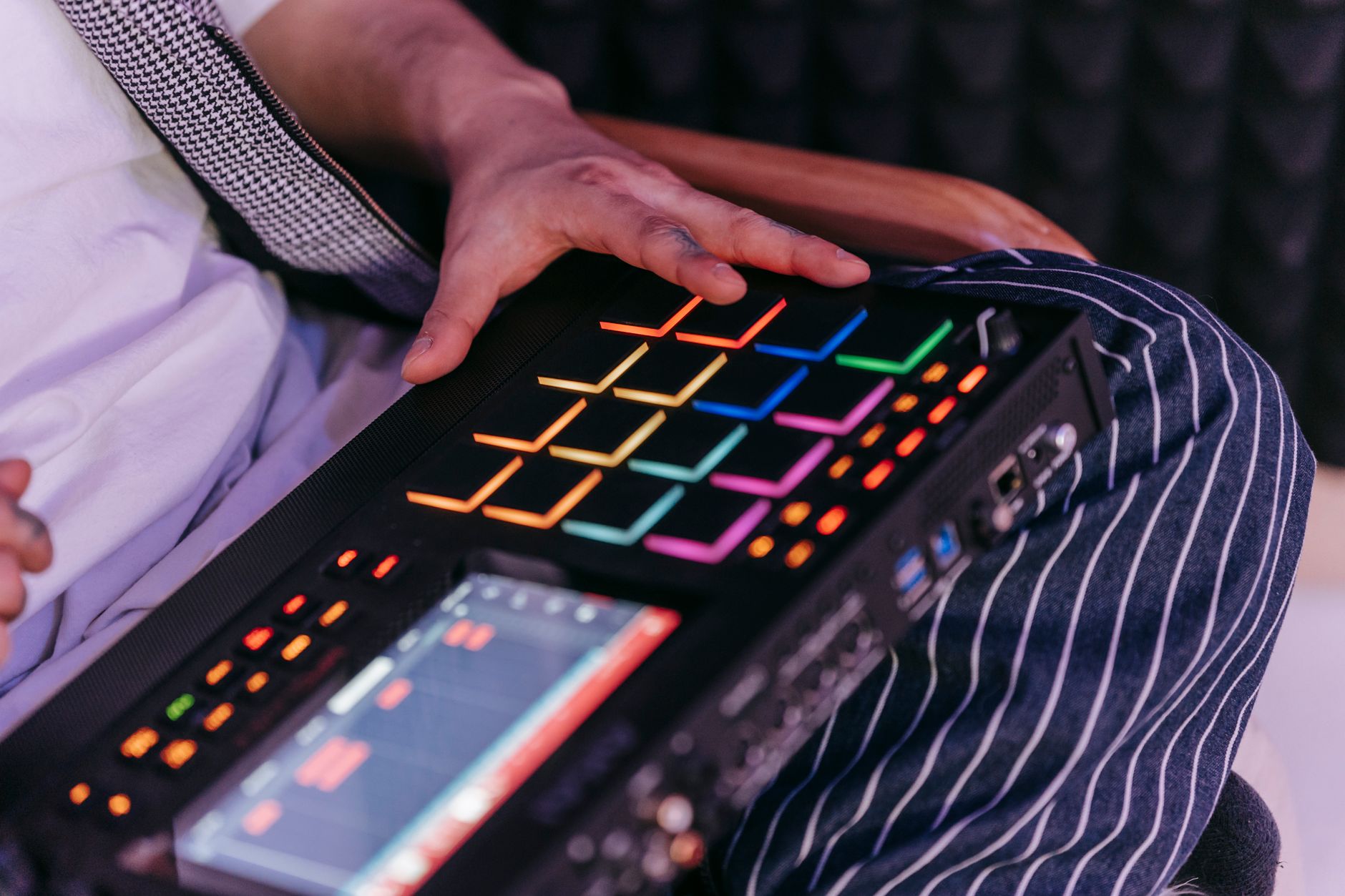
The 3D, 64 and Spectra all suit performance, but they push you toward different habits. The Midi Fighter 64 is basically a compact grid for one-shots, drum racks and sample chops. The 3D is better for 16-button DJ routines where tilt adds movement. The Spectra works well when you need clear LED feedback for hot cues, loop states or sample banks.
If you are building sets around finished tracks, think in 4-bar chunks. Map one row to cue points, one row to loop rolls, one row to one-shot fills and one row to effects triggers. Random mapping kills muscle memory.
A 16-Button DJ Layout That Works
Keep the danger buttons away from the performance buttons.
- Row 1: hot cues 1 to 4.
- Row 2: loop sizes at 1/8, 1/4, 1/2 and 1 bar.
- Row 3: echo out, filter sweep, reverb freeze and beat repeat.
- Row 4: sampler hits or stem mutes.
Put stop, sync, deck load and track skip somewhere else. One bad button press can wreck a clean transition.
- Use rows for functions, not random favorites.
- Keep destructive commands off the main grid.
- Practice transitions in 4-bar and 8-bar phrases.
- Use LEDs for status, not decoration.

Why a MIDI Fighter Costs More Than Basic Pads
The price is mostly about switches, build and niche production, not secret tech.
Arcade buttons feel different from the rubber pads on cheap controllers. They bottom out fast, spring back hard and make repeated 1/16-note hits feel more reliable. That matters for finger drumming and cue juggling, where a soft pad can feel late even when the MIDI data is fine.
The other cost is small-batch hardware. A basic 16-pad controller can be sold at scale through every music shop. A Midi Fighter 64 or Twister speaks to a narrower crowd, so the price does not get watered down by mass-market volume.
Used MIDI Fighter for Sale Checks
Used can be smart, but test every control before paying. Ask for a MIDI monitor video, not just a photo. Every button should trigger once per press with no double hits. Every encoder should turn smoothly and send clean increments both ways.
Check the USB port for wiggle, missing screws, sticky buttons and cracked corners. If the unit has custom firmware or an old mapping, make sure you can reset it before a gig. A bargain is not a bargain if you spend two nights troubleshooting before rehearsal.
- Test every button for double triggering.
- Check encoder turns in both directions.
- Look for loose USB ports and damaged casing.
- Confirm the unit connects without driver drama.
- Budget for a proper USB cable and spare.

Mapping It Into Ableton, Traktor or Rekordbox
A controller only becomes useful after the map matches your set structure.
In Ableton Live, use MIDI Map Mode for simple assignments, then build Instrument Racks and Audio Effect Racks for repeatable banks. For a custom music production session, a Twister can handle automation passes faster than drawing every curve by mouse.
In Traktor, map buttons through Controller Manager for hot cues, loop sizes and effects. In Rekordbox, MIDI mapping is tighter around supported functions, so check the exact command list before you plan a complex routine.
Keep the Mapping Stage Boring
Label the job before you touch the software. Write the layout on paper first: cue, loop, FX, sampler, stems. Then map. If you map while excited, you will overbuild.
We see this constantly with professional presentation: buyers often trust a finished-looking setup before they even hear the preview. The same applies on stage. A clean controller layout makes your set look intentional and helps you play tighter under pressure.
- Build one bank for one task.
- Save mappings with dates and software versions.
- Leave empty buttons for future set changes.
- Rehearse with the same USB hub used live.
- Keep a no-controller backup plan ready.
| Model | Best Use | Watch Out For | Best Buyer |
|---|---|---|---|
| Midi Fighter Twister | Macros, sends, filters, stem levels | Too many banks can slow you down | Producer-DJs and mix-focused performers |
| Midi Fighter 3D | Hot cues, effects, motion control | Tilt mappings can get chaotic | DJs who rehearse performance routines |
| Midi Fighter 64 | Finger drumming, samples, drum racks | Larger grid needs serious muscle memory | Beatmakers and live finger drummers |
| Midi Fighter Spectra | 16-button cue and sample control | Used prices vary heavily | DJs who want bright status feedback |
| Midi Fighter Classic | Basic 16-button control | Older hardware needs careful testing | Budget buyers comfortable buying used |
Worth a deeper read: Ableton MIDI mapping.
Frequently asked questions
What does a MIDI fighter do?
A midi fighter sends MIDI notes and control messages to software such as Ableton Live, Traktor or Rekordbox. You can use it to trigger samples, launch clips, play drum racks, fire hot cues, control effects, move filters or adjust mixer-style parameters, depending on the model and mapping.
Why is the MIDI Fighter so expensive?
The cost comes from arcade-style switches, metal-heavy construction on some models, niche manufacturing and performance-focused design. It is not just a generic pad controller with a different name. The feel, response and durability are the reason people pay more, especially for finger drumming and club use.
What is MIDI Fighter Twister?
Midi Fighter Twister is the rotary-encoder model. It has 16 endless knobs with push functions, making it better for Ableton macros, filter sweeps, send levels, effects control, stem volume and automation rides than button-heavy models. It is usually the best choice for producers who want hands-on mix control.
How do MIDI fighters work?
They connect by USB and send MIDI data when you press a button, turn an encoder or move a motion-capable unit. Your software receives that MIDI message and performs the mapped action, such as triggering a cue, launching a clip or changing a parameter value.
The short version
- Choose a Midi Fighter by control type: buttons for triggering, encoders for gradual moves.
- The Twister is the safest pick for studio macros, sends and DJ effects control.
- The 3D, 64 and Spectra work best when your layout follows rows and phrases.
- Used units are worth considering only after testing every button, encoder and USB connection.
- Good mappings stay boring, repeatable and easy to rehearse under pressure.
Where to go from here
The midi fighter is not a magic box. It is a focused MIDI controller that rewards preparation. The Twister gives producers fast access to macros and mix moves. The 3D, 64 and Spectra suit players who need tight button timing for cues, loops, samples and finger drumming.
If you are shopping, start with the action you perform most: turn, trigger or tilt. Then build one clean mapping around that action and rehearse it for a full 30-minute set, not just a bedroom test. Try a four-row layout in your next session and remove every button you do not use twice.
My Career makes videos from your own track and posts them for you, pitches your release to 34,000+ labels, playlists, radio stations, YouTube channels and blogs, puts it in every store and briefs you every morning. Free plan, no card, two minutes to set up.