 By TGP DJ Desk · September 16, 2026
If you searched headphones sennheiser hd25, you are probably not asking for a museum piece. You want to know if the HD 25 still earns a spot in a loud booth, a bedroom setup, or a backpack that gets kicked under a DJ table.
The headphones sennheiser hd25 question has a simple answer: yes, if you need isolation, replaceable parts, loud output, and one-ear cueing. No, if you want plush hi-fi listening or wireless convenience. Treat them like a working tool. Set the headband properly. Learn their bass and upper-mid push. Use them for cueing, editing, and rough balance checks, then confirm the low end somewhere larger. We are going to handle this like a workshop. Put the headphones on. Split the headband. Listen, adjust, repeat.
Why headphones sennheiser hd25 Still Works in Booths
The HD 25 survives because it solves the ugly club problem: loud monitors, bad booth acoustics, and a cue mix that has to cut through. It is light at roughly 140 g without the cable, closed-back, and rated at 70 ohms. Most DJ mixers and controllers can drive it hard without falling apart.
The split headband matters more than the spec sheet. Open it. Lock the cups against your head. You get clamp, isolation, and enough stability to turn one ear off the cup without losing the other side.
Set headphones sennheiser hd25 On Your Head Correctly
Do this first. Put both cups on. Split the headband until the pressure sits across two points, not one hot spot. Now rotate the right cup off your ear and keep the left sealed. That seal is the whole trick.
If the bass vanishes, the cup is not sealing. Move the cable side behind your neck if it catches your shoulder. In a booth, comfort is not luxury. Comfort is timing. If you keep adjusting the cup, you miss the transient you were cueing.
What You Actually Hear
The HD 25 has a forward upper-mid bite around the vocal and snare area. That is why kicks, claps, hats, and lead stabs feel easy to place while cueing. Sub-bass is present, but it is not a room-filling 40 Hz reference.
Use that honestly. Beatmatch on attack, not on sub weight. Listen for the click of the kick at 2 to 4 kHz, the clap crack around 1.5 to 3 kHz, and the hat pattern above 7 kHz. The headphones are telling you timing first.
- 70-ohm impedance suits proper DJ mixer headphone amps.
- Closed-back cups reduce booth bleed better than open studio cans.
- The rotatable cup is built for one-ear cueing, not just storage.
- Replaceable pads, cable, capsules, and headband padding extend the working life.
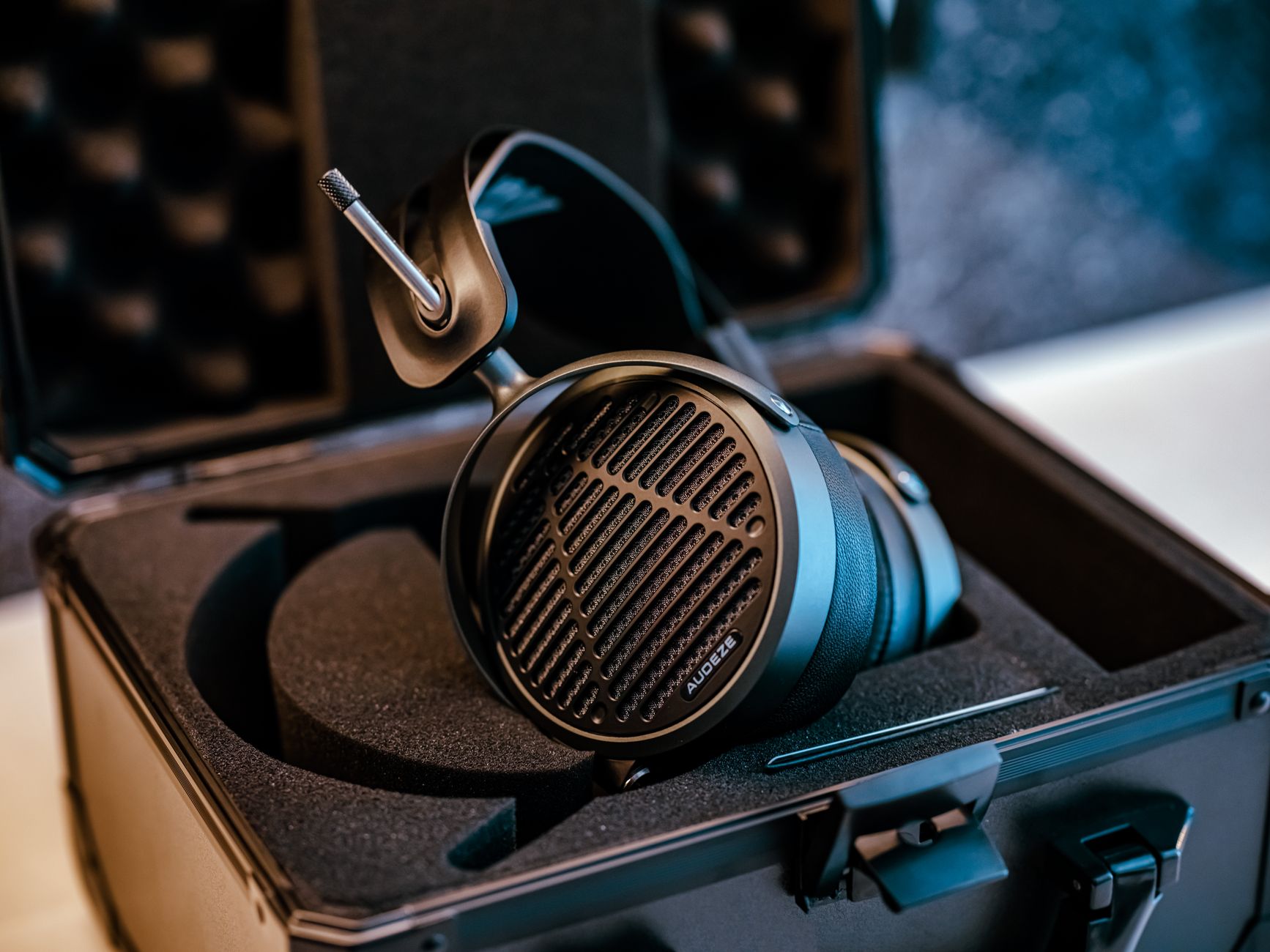
Sennheiser HD 25 vs HD 25 Plus: Buy the Right Box
The driver is the story. The standard HD 25 and the Sennheiser HD 25 Plus use the same core headphone design, so do not expect a magic sound upgrade from the Plus box. You are paying for accessories.
For most DJs, the standard HD 25 is the clean buy. Get the Plus if you want the coiled cable, straight cable, spare velour pads, and pouch from day one. The Sennheiser HD 25 Limited Edition usually changes color or trim, not the reason it works.
Wired Beats Wireless Here
Skip wireless headphones sennheiser hd25 searches for DJ work. Latency is the enemy. Even 30 ms can make a tight cue feel smeared when you are nudging a track against the master.
Use wired headphones sennheiser hd25 with a proper 3.5 mm to 6.3 mm screw-on adapter. Tape a spare adapter inside your case. It weighs nothing, and it saves a set when the booth adapter has walked away.
About Sennheiser HD 25 PRO Naming
You will see Sennheiser HD 25 PRO used by stores, DJs, and forum posts. Check the actual model and included accessories before you buy. The name alone does not tell you whether you are getting the Plus accessory pack, the Light variant, or a regional listing.
When in doubt, look for the split headband, rotatable capsule, replaceable steel cable, and 70-ohm spec. Those details matter more than a retailer label.
- Buy standard HD 25 if you already own a case and prefer a straight cable.
- Buy HD 25 Plus if you want spare pads and both cable types included.
- Buy Limited Edition only if the color matters to you.
- Avoid HD 25 Light for heavy one-ear cueing because the headband design is less secure.

One-Ear Cueing Drill for DJs
Now train the move. Do not wait until a dark booth with a shouting promoter beside you. Open Traktor Pro 4, rekordbox, Serato DJ Pro, or whatever you actually use. Load two tracks with clean 4-bar intros. House at 124 to 128 BPM is perfect.
This drill teaches you to use the HD 25 as a timing microscope. Keep the master low enough that you are not fighting yourself.
Run the Four-Bar Lock
Start Track A through your speakers. Cue Track B in the headphones. Put the left cup on your cue ear. Rotate the right cup off. Set cue/master blend to 100% cue for the first pass.
Count four bars. On bar five, press play on Track B. Nudge until the kick attacks line up. Now bring cue/master blend toward 50/50. If the groove drifts after 16 beats, fix tempo first, then phase. Do not touch the EQ yet.
Use Numbers, Not Hope
Set headphone level around 60 to 70% on the mixer, then raise only if the booth demands it. Running at full blast all night makes your ears compress. After that, every hi-hat sounds fake.
Practice at home with the booth monitor muted for one pass, then at low level for the next pass. You are teaching your cue ear to work under both conditions.
- Load two tracks with clear kick drums and 16-bar intros.
- Set cue/master blend fully to cue.
- Start Track B on the first beat of a 4-bar phrase.
- Nudge until kick attacks lock, then move blend to 50/50.
- Listen for drift over 16 beats before touching EQ.
Production Checks You Can Trust, and Ones You Cannot
The HD 25 is useful in a production session, but it is not a full mix room. Use it for edits, clicks, vocal timing, stereo problems, and transient balance. Do not sign off sub-bass only in these headphones.
At The Ghost Production, we see this constantly with tracks that almost work: the drop idea is strong, but the low end was judged too quietly or too close to the ear. Then the kick and bass fight on proper playback.
The 240 Hz Mud Check
Open your EQ. FabFilter Pro-Q 4 is fine, but any parametric EQ works. Loop the drop. Put on the HD 25 and listen for the boxy build-up between 180 and 300 Hz.
Now cut 3 dB at 240 Hz with a Q around 1.2 on the bass bus. Bypass it. Listen. If the kick gets clearer without the bass getting thin, keep half the move. Try 1.5 dB instead of 3 dB. Small moves travel better.
Reference Outside the Headphones
Check the same section on monitors if you have them. A pair like Neumann KH 120 will show low-mid pressure differently because the room is involved. If you do not own monitors, bounce a 30-second WAV and test in a car or on a small Bluetooth speaker.
Leave at least -6 dB headroom before mastering. The HD 25 can make a loud premaster feel exciting while the limiter is already chewing the kick. Watch the meters. Trust the meters when your ears are tired.
- Use HD 25 for timing edits, clicks, noise, and vocal placement.
- Check sub decisions below 60 Hz on speakers or a second system.
- Cut low-mid mud in 1 to 3 dB moves, not huge scoops.
- Keep premaster peaks around -6 dB before sending a track out.

Pads, Cables and Booth Survival
The reason these headphones stay around is boring and brilliant: parts. A dead cable does not mean dead headphones. Worn pads do not mean a new purchase. Keep the tool alive and it will outlast plenty of flashier gear.
Change pads when the seal softens or the vinyl flakes. A bad seal changes the bass response, and then you start making wrong cue and mix decisions.
Pack the Small Spares
Keep one spare 6.3 mm adapter, one cable if you gig often, and one set of pads. Store the headphones with the cup rotated flat, not crushed under a laptop stand.
If one side cuts out, swap the cable before blaming the capsule. Most failures I have seen on DJ pairs are cable stress, adapter abuse, or sweat-damaged pads. Fix the cheap part first.
Clean Without Killing the Pads
Use a slightly damp microfiber cloth. No alcohol soak. Wipe the pads, cable, and headband after sweaty sets. Let them dry before throwing them in a sealed case.
For bedroom producers, this still matters. Dust and skin oil harden pads over time, and hardened pads leak bass. If your best headphones sennheiser hd25 suddenly sound thinner, check the pads before blaming your interface.
- Replace pads when isolation drops or the surface cracks.
- Carry a screw-on 6.3 mm adapter for club mixers.
- Check the cable first when one ear cuts out.
- Avoid alcohol-heavy cleaning on vinyl pads.
- Store them flat, not crushed.
| Model | What Changes | Best Use | Skip If |
|---|---|---|---|
| Sennheiser HD 25 | Core headphone, straight cable, split headband | Regular DJ sets, editing, travel monitoring | You want spare pads and cables in the box |
| Sennheiser HD 25 Plus | Adds coiled cable, straight cable, velour pads and pouch | Gigging DJs who want backups immediately | You already own spares and a case |
| Sennheiser HD 25 Limited Edition | Usually cosmetic changes over the standard model | Buyers who want a specific look | You expect a different sound |
| Sennheiser HD 25 Light | Different headband and cable layout | Casual listening or lighter-duty use | You rely on firm one-ear booth cueing |
FAQ
Are headphones sennheiser hd25 worth it for DJs?
Yes, if you need loud wired monitoring, strong isolation, one-ear cueing, and repairable parts. They are not luxurious, and they are not the best choice for relaxed hi-fi listening. For DJ booths, mobile sets, and editing on the move, the value is still strong because one cable or pad swap can keep them working for years.
What makes the HD 25 headphones special?
The HD 25 is special because it is light, loud, closed-back, and built around a split headband with a rotatable ear cup. That makes it practical for cueing in noisy spaces. The replaceable cable, pads, capsules, and headband padding also mean it behaves like serviceable work gear rather than a disposable accessory.
Which Sennheiser HD series is considered the best?
There is no single best HD series because the jobs are different. HD 25 is the DJ and location-monitoring workhorse. HD 600 and HD 650 are open-back studio and hi-fi references. If you are cueing in a booth, choose HD 25. If you are mixing in a quiet room, the open-back models make more sense.
Is the Sennheiser HD 650 still good?
Yes. The HD 650 is still a solid open-back reference for mixing, tonal balance, and long listening sessions. It is not a DJ headphone because it leaks sound and offers little isolation. Think of HD 650 as a quiet-room checking tool, while HD 25 is the loud-booth, closed-back working pair.
The headphones sennheiser hd25 search leads to a practical answer: buy them if your work involves cueing, travel, loud monitoring, or fast production checks. Buy the standard model if you want the cleanest spend. Buy the Plus if the spare cable and pads will save you a separate order. Skip wireless for DJ timing. Skip judging sub-bass on them alone.
Your next move is simple. Put on a track you know well, split the headband, run the four-bar cueing drill, then check one unfinished mix for 240 Hz build-up and low-end translation. Ten focused minutes will tell you more than another night of scrolling forum opinions.
My Career makes videos from your own track and posts them for you, pitches your release to 34,000+ labels, playlists, radio stations, YouTube channels and blogs, puts it in every store and briefs you every morning. Free plan, no card, two minutes to set up.