Key takeaways
- Your feed should prove sound, taste, and reliability within seconds.
- Build posts from real music decisions instead of random content panic.
- One finished track can become seven useful posts across two weeks.
- Clean audio matters more than flashy booth footage.
- Track saves, DMs, profile visits, and inquiries before raw views.
- Review weekly and keep only formats that create real interaction.
Dj social media fails when your feed looks like a storage folder, not a signal. dj social media should make one thing obvious fast: what you play, why people should care, and what they can do next.
Open your last ten posts. Be honest. Are they building a story, or are they just proof that you own decks? A blurry booth clip, a flyer, a screenshot of Ableton, then silence for twelve days. That pattern does not make you mysterious. It makes you forgettable.
We are going to fix the system. Not with fake hype. With a simple workshop method: pick your listener, cut weak content, turn one track into multiple posts, record cleaner clips, and review the numbers that actually matter. Treat dj social media like an arrangement. Every part needs a job.
Fix the DJ Social Media Feed Before You Post More
Do not post again yet. Scroll your profile like a promoter who has thirty seconds before a meeting. Your feed should answer three questions without you explaining anything: sound, taste, proof.
Most bad dj social media is not bad because the DJ lacks skill. It is bad because every post has a different job. One clip says underground house. The next says EDM festival edit. Then a random meme. Then a studio photo with no audio. That is not range. That is confusion.
Run the dj social media three-lane test
Make three columns in Notion, Google Sheets, or a cheap paper notebook. Label them performance, music, and personality. Put your last twenty posts into those lanes. If one lane is empty, your feed has a weak leg.
Performance is you mixing, playing, preparing, or reacting to a crowd. Music is your edits, IDs, ghost-produced records, custom intros, bootlegs, or studio sketches. Personality is taste: records you rate, scenes you care about, what you will not play even if it is trending.
Cut the posts that say nothing
Delete or archive the filler if it hurts the first impression. Yes, even the flyer with the bad PNG logo. Your grid is not a scrapbook. Keep posts that teach the viewer what you sound like.
One strong CDJ-3000 transition clip with clean audio beats six dark booth videos where the kick is clipping at 0 dB. Listen like an engineer. If the sound is harsh, the post is harsh.
- Pin one performance clip with clean crowd or booth energy.
- Pin one music post showing your production taste.
- Pin one identity post that tells people what you stand for.
- Archive posts that fight the direction you want now.
Stop Talking to Everyone With Headphones
Aspiring DJs love broad wording. Open format. All genres. Good vibes. That copy tells nobody where to place you. A booker cannot remember a foggy brand.
Your dj social media needs a defined room. Not a demographic spreadsheet. A room. Picture the booth, the crowd, the tempo, the lights, the first three records. Now write to that person.
Choose the room before the caption
If you make melodic techno at 124 BPM, stop posting like a bass-house DJ. If your strongest work is Afro house, stop chasing every hard techno audio trend because it got 40,000 uses.
Say it plainly. “Warm-up house for small dark rooms.” “Peak-time tech house edits for sweaty bars.” “Vocal-led dance records for artists who need a finished single.” Specific beats cool every time.
Write captions like booth notes
Do not write a motivational poster. Write the decision you made. “Cut the low end on the incoming track at 220 Hz so the kick stayed clean.” That is useful. It also proves you know what you are doing.
For bedroom producers, this matters even more. If you use ghost production or custom music production, show the taste decisions around the record. You do not need to expose private client details. Show the sonic direction.
- Name your main tempo range.
- Name the club context you fit best.
- Name two artists your audience already trusts.
- Name one sound you avoid on purpose.
Build Content From Music, Not From Panic
Posting because you feel guilty is how feeds get messy. Pull content from the music first. A track gives you hooks, process, taste, contrast, and proof.
Good dj social media starts inside the session. Open Ableton Live, FL Studio, or Logic. Look at the project. The arrangement already contains posts if you know where to look.
Find the strongest eight bars
Do not preview the whole track. Find the eight bars where the listener understands the idea fastest. Usually that is the drop entry, the vocal switch, the bass change, or the drum fill before the first full groove.
Set locators. Bounce that section at -6 dB headroom, 24-bit WAV if you are editing video elsewhere, or a clean MP3 if you are moving fast. Keep the master clean. Over-limited previews sound cheap through phone speakers.
Show one decision per post
One post can show sidechain ducking. One can show the vocal before and after tuning. One can show the kick swap from a soft 909-style hit to a tighter sample from a Splice pack. Do not cram the whole production story into one reel.
This is where dj social media becomes easier. You stop inventing ideas from nothing. You document decisions you already made.
- A/B the kick before and after processing.
- Show the bassline solo, then in the full groove.
- Record a 4-bar loop on Ableton Push 3.
- Film the CDJ cue point that makes the transition work.
- Use captions to explain one clear production choice.
Step-by-Step: Turn One Track Into Seven Posts
Now we do the practical bit. One track. Seven posts. No drama. This works for your own record, a custom production demo, a private edit, or a ghost-produced track you are allowed to promote.
The technique is simple: split the track into moments, then assign each moment a job. That is the core of dj social media when you are short on time.
One dj social media session, seven assets
Open the project. Set markers at the intro groove, first hook, breakdown, build, drop, second variation, and outro mix-out. Bounce each section as a short audio file. Keep them named cleanly: trackname_drop_15sec, trackname_breakdown_12sec, trackname_mixout_10sec.
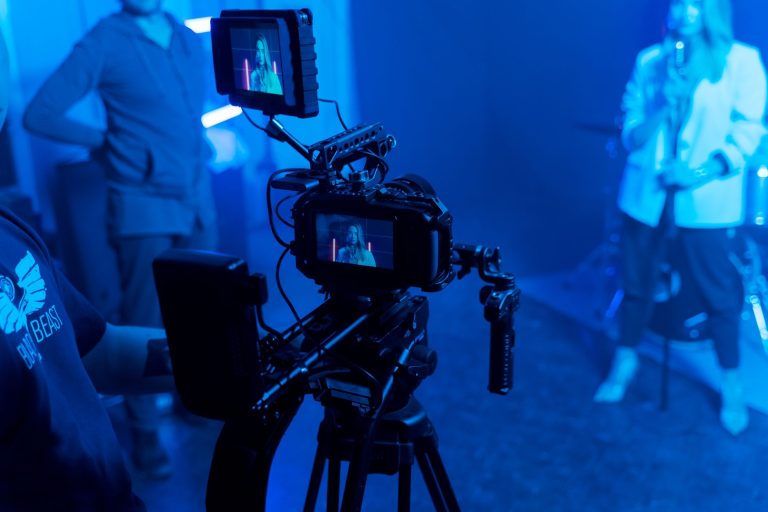
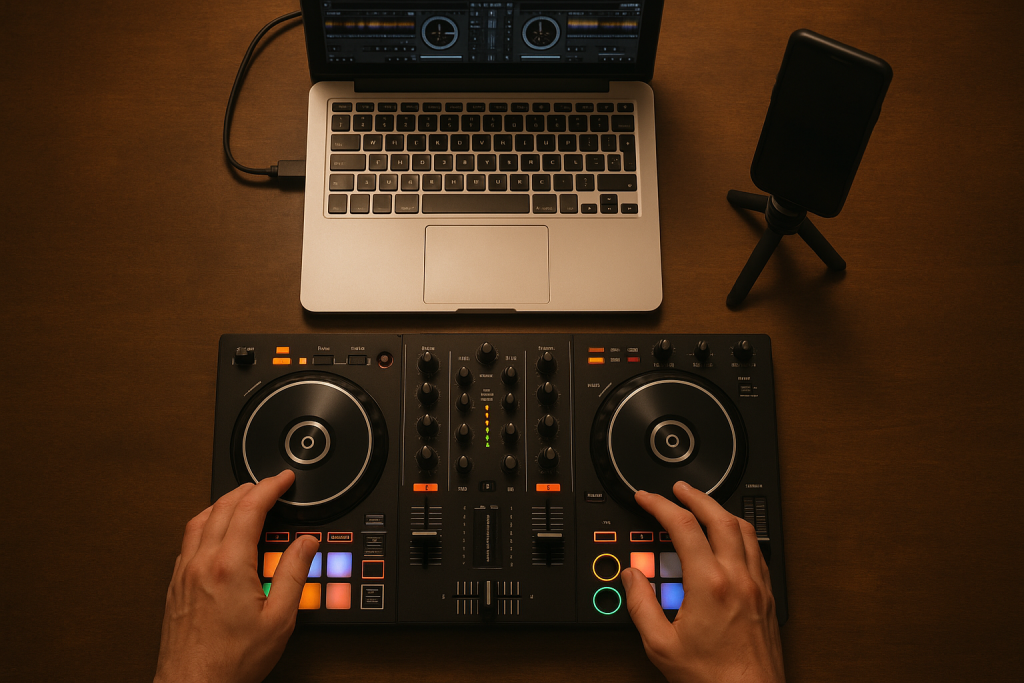
Now record video. Use your phone on a cheap tripod. Frame the Pioneer DDJ-FLX10, CDJ-3000, Ableton Push 3, or just the DAW screen from an angle. No shaky one-hand nonsense. Lock focus. Clean the lens. Tiny thing, big difference.
Build the seven-post stack
Post one: the strongest drop with one sentence about the mood. Post two: a before-and-after of the bass processing. Post three: a transition into the track from a known reference. Post four: a studio clip showing the hook. Post five: a poll asking which mix works better. Post six: a 20-second breakdown loop. Post seven: a final performance-style clip.
Schedule them across two weeks. Leave space. A good track should keep breathing. If you dump every clip in two days, you train people to ignore you.
Edit fast, not sloppy
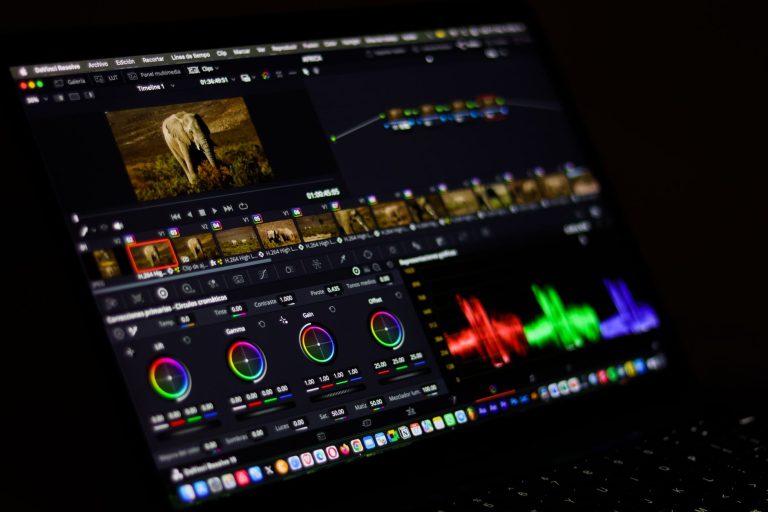
Use CapCut, DaVinci Resolve, or Premiere Rush. Cut on 4-bar phrases. Match visual cuts to kick changes or crash hits. Keep the first second obvious. A black screen fade is dead space on a phone.
Export vertical 1080 x 1920. Check the master on phone speakers and earbuds. If the vocal hurts, open FabFilter Pro-Q 4 or your stock EQ. Pull 2 to 4 dB around 3.5 kHz. Listen again.
- Mark seven useful sections in the arrangement.
- Bounce clean short audio clips with headroom.
- Record stable vertical video with no faces required.
- Edit cuts on 4-bar phrases.
- Spread the posts across ten to fourteen days.

Make Your Phone Capture Club Energy Cleanly
Bad audio kills trust. A viewer may forgive a dark room. They will not forgive a snare that tears their ear off.
For dj social media, phone capture is usually enough if you stop abusing it. Get closer to the monitor only when the room is not brutal. If the system is loud, move back. The phone mic is not a club recorder.
Record a clean feed when you can
If the booth allows it, take a record out from the mixer into a small recorder like the Zoom H5 or Tascam DR-40X. Keep peaks around -12 dB. Sync the clean audio to your phone video later.
On a DJM-900NXS2 or DJM-A9, watch your gain staging. Red lights are not excitement. They are distortion. Trim each channel so the mixer breathes, then let the system do the heavy lifting.
Fix harsh clips before posting
Open the audio in your DAW. High-pass at 30 Hz. Cut mud around 220 Hz if the room boomed. If the top end is brittle, dip 3 to 5 kHz. Soothe2 can help, but do not smear the whole clip.
For dj social media, loud is not the same as strong. Aim for clear. A controlled clip feels more professional than a crushed one, especially when a promoter checks your profile on a train.
- Clean your phone lens before every booth clip.
- Use a tripod or clamp instead of handheld footage.
- Keep mixer channels out of the red.
- Sync clean recorder audio when the venue allows it.
- Check clips on phone speakers before posting.

Use Comments, DMs, and Saves as Your Scoreboard
Views are noisy. A clip can get views because someone hated the transition. Do not build your whole system around that number.
Useful dj social media measurement starts with saves, replies, profile visits, and real conversations. Those actions show intent. A save means the post had value. A DM means the person crossed the room to talk to you.
Track signals that point to work
Make a simple weekly sheet. Columns: post, hook, format, saves, comments, DMs, profile visits, booking or inquiry. Fill it every Monday. Five minutes. No spiritual analysis.
If a studio breakdown gets three DMs from singers asking about a custom instrumental, that matters. If a transition reel gets saved by local promoters, that matters. Your scoreboard should connect attention to opportunity.
Reply like a person, not a flyer
When someone comments “track ID?”, answer properly if you can. If it is unreleased, say so. If it is your edit, say what inspired it. That tiny exchange teaches the algorithm and the human.
dj social media is still social. Weird sentence, but people forget it. Ten real replies beat a caption packed with hashtags nobody reads.
- Saves show usefulness.
- Comments show friction or interest.
- DMs show intent.
- Profile visits show curiosity.
- Bookings and inquiries show business movement.
Connect Content to Bookings and Custom Music
A feed should not trap people inside a loop. It should give them a clean next step when they already care.
This is where many artists get nervous. They either never mention services, or they turn every post into a sales pitch. Neither works. With dj social media, point people without shouting at them.
Make the bio do boring work
Your bio needs basics: city, sound, role, contact path. “Amsterdam-based tech house DJ and producer. Club sets, edits, custom vocals. Bookings: email.” Clear. Done.
Use one link hub if needed, but keep it lean. Put bookings, recent mixes, and music inquiries above vanity links. A promoter should not need detective skills to find your email.
Show proof without oversharing clients
If you create music for artists, show anonymized process clips when permission allows it. A drum groove, a topline direction, a mix before-and-after, a finished instrumental preview. Keep private names private.
Bedroom producers looking at ghost production want confidence. Artists looking for custom music want taste. Your content should show both without sounding like an ad every day.
- Put your booking email in the bio.
- Separate DJ bookings from production inquiries if needed.
- Keep link hubs short.
- Use pinned posts as proof of sound and reliability.
- Avoid client claims you cannot show publicly.

Review Weekly and Kill What Does Not Move People
Do not worship the calendar. A schedule is useful only if the feedback changes your next move.
Every Friday or Monday, review your dj social media like a mixdown. Mute the ego. Look at the weak spots. If the vocal edit posts get saves and the random lifestyle clips die, stop pretending the lifestyle clips are “brand building.”
Use a 30-minute review loop
Set a timer. Ten minutes for numbers. Ten minutes for comments and DMs. Ten minutes for next week’s posts. That is enough.
Pick one thing to improve. Better first frame. Cleaner audio. Stronger caption. More direct hook. Do not rebuild the whole plan every week. Small edits compound.
Keep the useful experiments
Test one variable at a time. Same track, two hooks. Same transition, two captions. Same studio clip, one with talking and one with on-screen process shots. Keep what gets real interaction.
The point of dj social media is not to become a full-time content machine. The point is to make your sound easier to discover, trust, and book.
- Review once per week, not every hour.
- Track saves and DMs before raw views.
- Change one variable per test.
- Repeat formats that earn real replies.
- Drop posts that do not support your sound.
| Format | Best use | Production note | Avoid |
|---|---|---|---|
| Short reel | Fast proof of sound, transitions, drops, crowd reaction | Cut on 4-bar phrases and check phone speaker clarity | Long fades, weak first second, clipped audio |
| Carousel | Teaching a process, track breakdown, set prep notes | Use one idea per slide and keep screenshots clean | Tiny DAW text nobody can read |
| Story | Polls, studio updates, gig day context, casual replies | Use it to start DMs, not to archive your whole life | Posting ten random clips with no point |
| Livestream | Longer mixes, production sessions, direct audience testing | Run a line feed if possible and monitor levels | Streaming with distorted room audio |
| Pinned post | First impression for bookers, artists, and collaborators | Show your strongest sound and clearest role | Pinning old flyers or unrelated memes |
Further reading
- Pioneer DJ CDJ-3000 — Official manufacturer reference for a widely used professional DJ media player mentioned in the article.
- Sound On Sound music business — Long-running professional audio publication with credible music business and artist development coverage.
Frequently asked questions
What should I post for dj social media if I have no gigs yet?
Post set prep, bedroom mixes, transition clips, track breakdowns, crate digging, edits, and short production decisions. No gigs is not the problem. No proof is the problem. Show taste, clean audio, and consistent direction until bookings catch up.
How often should a new DJ post on social media?
Three strong posts per week beats daily filler. Use two music-led posts and one personality or process post. Stories can be more casual, but keep the main feed focused on sound, taste, and proof that you can hold a room.
Are Instagram Reels still useful for DJs?
Yes, if the clip has a clear first second and clean audio. Reels work well for transitions, drops, studio hooks, and before-and-after production moments. They fail when the video is shaky, the caption says nothing, or the audio is distorted.
Should DJs use TikTok or Instagram first?
Start where your target scene already pays attention. For club bookings and local promoters, Instagram often carries more practical weight. TikTok can spread ideas faster, but it needs sharper hooks. Do not split your energy until one platform has a repeatable rhythm.
Can ghost-produced tracks be used in DJ content?
Yes, if your agreement allows promotion and you are honest about your role where needed. Use the track to show taste, set direction, performance context, or artist branding. Never expose private client work or claim production details you did not handle.
Do hashtags still matter for DJ promotion?
They help a little, but they will not rescue weak content. Use a small set of relevant tags for genre, city, and role. Spend more time improving the hook, audio quality, caption, and comment replies. Those move the needle harder.
Conclusion
dj social media gets easier when you stop treating it like a personality contest and start treating it like an arrangement. The intro needs a hook. The drop needs impact. The breakdown needs space. Your profile works the same way.
Pick the room. Show the music. Record cleaner clips. Reply like a human. Review the signals that lead to bookings, collaborations, or serious production conversations. If you are an aspiring DJ, bedroom producer, or artist using custom music, this gives your work a cleaner path to the right listener.
Open your last ten posts today. Sort them into performance, music, and personality. Archive what blurs the message, then build seven posts from one track in your next session.
Dj social media — Quick Recap
The fastest way to lock in dj social media is to internalise the workflow above and repeat it on every project. Start small: pick one technique from this dj social media guide, apply it to your next session, and audit the result against a reference track.
- Your feed should prove sound, taste, and reliability within seconds.
- Build posts from real music decisions instead of random content panic.
- One finished track can become seven useful posts across two weeks.
- Clean audio matters more than flashy booth footage.
Treat dj social media as a habit, not a one-off — the producers who consistently nail dj social media are the ones who run the same checks on every track. That’s the difference between a clean, club-ready master and a track that sounds great at home but falls apart on a real system.
In a real studio session, dj social media comes down to the order in which you make decisions: reference first, gain stage second, then the creative work. Producers who treat dj social media as a checklist instead of a vibe end up shipping more tracks.
Most producers and DJs undervalue dj social media because the wins are invisible until the track plays back on a real system. Bake dj social media into your template and the next ten projects benefit automatically.
When you struggle with dj social media, the fix is rarely a new plugin. Loop a problem section, A/B against a reference, and isolate which element is breaking your dj social media.
Treat dj social media as a craft, not a chore. The producers releasing on the biggest labels lock dj social media in early so they can spend their energy on melody and arrangement instead of fighting the mix.
My Career makes videos from your own track and posts them for you, pitches your release to 34,000+ labels, playlists, radio stations, YouTube channels and blogs, puts it in every store and briefs you every morning. Free plan, no card, two minutes to set up.