 By TGP Production Desk · September 4, 2026
Deejay equipment is not a lifestyle purchase; it is a signal chain that either lets you cue, beatmatch, monitor, and record cleanly or gets in the way.
For most new DJs, deejay equipment means five working parts: a music source, a control surface or media players, a mixer, headphones, and monitoring. The expensive part is not always the important part. A £1,900 player rig in a bad room with weak headphones teaches less than a £280 controller feeding decent monitors at sane volume. The aim is simple: two clean stereo sources, reliable cueing, predictable tempo control, enough output headroom, and files organised well enough that you are not hunting for a vocal edit at 01:30. Buy for that job first. Everything else can wait.
What Counts as deejay equipment in 2026
The category is wider than it used to be. A laptop and controller count. So do two CDJ-3000s and a DJM-A9. So does a pair of Technics SL-1200MK7 turntables into a battle mixer. The shared requirement is boring: source, control, summing, cue, output.
The textbook answer usually starts with decks and a mixer. That is fine for a club booth. It is wrong for a bedroom DJ with £500, a rented room, and neighbours on the other side of a plasterboard wall.
The deejay equipment signal chain
Start at the file, not the controller. A 320 kbps MP3 can work in a bar. For recording mixes, WAV or AIFF at 44.1 kHz or 48 kHz, 16-bit or 24-bit, gives cleaner processing headroom and fewer ugly artefacts after time-stretching.
From there, the chain is source software, controller or player, mixer stage, headphone cue bus, master output, speakers, room. If one link is poor, the whole rig feels poor.
Where beginners overspend
Jog wheel size sells boxes. Preamps, headphone output level, fader feel, and driver stability decide whether you can actually practise for two hours without fighting the rig. A cheap controller with usable pitch resolution beats an expensive unit with controls you do not understand.
For house and techno, ±6% tempo range gives finer pitch movement than ±16%. For open-format work, wider range helps. Set the tool for the material.
- Minimum workable chain: laptop, controller, headphones, powered speakers, USB cable.
- Club-style chain: two media players, DJ mixer, headphones, booth monitors, balanced outputs.
- Vinyl chain: two turntables, cartridges, slipmats, mixer with phono inputs, records or DVS.
- Mobile chain: controller, laptop, PA speakers, stands, XLR cables, backup music source.
- Recording chain: DJ rig, audio interface if needed, 24-bit recorder or software capture.

DJ Equipment List: The Full Set, Not the Fantasy Rack
A DJ equipment list should include the dull parts. Cables, stands, storage, and backup power are not accessories when one missing lead stops the night. A DJ equipment full set is only full if it can play, monitor, and recover from one small failure.
The core rig
For a beginner setup, a Pioneer DJ DDJ-FLX4, Hercules DJControl Inpulse 500, or Numark Mixtrack Platinum FX covers two-channel mixing with USB audio, performance pads, and basic mic input. Use rekordbox, Serato DJ Lite or Pro, VirtualDJ, or Traktor Pro 4 depending on the controller mapping and your library habits.
Do not buy a four-channel controller because you might use four decks later. Two clean decks used well will beat four badly managed decks every time.
The parts people forget
Budget for closed-back headphones with real isolation. Sennheiser HD 25, Pioneer DJ HDJ-CUE1, and AIAIAI TMA-2 DJ are common for a reason: they get loud enough, isolate enough, and survive bags better than hi-fi cans.
Buy two spare USB cables, two spare RCA cables, one 3.5 mm to dual RCA emergency lead, and a powered USB hub if your laptop ports are weak. Label the power supplies. Nobody remembers voltage ratings in a dark booth.
- Laptop or standalone music source with prepared library.
- DJ controller, all-in-one unit, media players, or turntables.
- DJ mixer or built-in mixer section with cue controls.
- Closed-back headphones with replaceable pads or cable.
- Powered monitors or PA speakers with balanced inputs where possible.
- RCA, TRS, XLR, USB, and power cables, including spares.
- External SSD for backup library and recorded mixes.

Controllers, Players, and Mixers: Pick the Weak Link Last
The controller-versus-player argument wastes time. Pick the weakest acceptable link last. If you have no gigs booked, a deejay equipment dj controller is the rational first buy. If you are practising specifically for club booths, standalone players make sense, but the cost jumps hard.
Controller reality
A DDJ-FLX4 gets you close enough to learn phrasing, EQ, gain trim, looping, hot cues, and recording. A DDJ-FLX10, Traktor Kontrol S4 MK3, or Rane FOUR adds better I/O, four channels, stronger jogs, and more control over stems. Those matter once your hands are faster than the entry-level unit.
Set buffer size at 128 or 256 samples if the laptop behaves. If you get crackles, move to 512 samples. Latency under 12 ms round trip feels fine for DJ cueing.
Players and a proper deejay equipment DJ mixer
Club-style rigs teach different habits. Pioneer DJ CDJ-3000, XDJ-1000MK2, Denon DJ SC6000, and SC Live units put library prep, beat grids, and USB discipline under pressure. A DJM-A9, Allen & Heath Xone:96, or Pioneer DJ DJM-750MK2 changes the feel of EQ and gain staging.
Xone mixers are not cleaner because they are expensive. They are different: four-band EQ on the Xone:96, analogue filter behaviour, and more routing. Pioneer mixers are more common in clubs. That matters more than forum arguments.
- Choose a controller first if you need low cost, recording, and home practice.
- Choose standalone players if you want laptop-free habits and club booth familiarity.
- Choose vinyl only if you accept cartridge wear, record cost, and slower prep.
- Choose a four-channel mixer only when you actually run three or four sources.
- Keep master output below clipping; red lights are not extra loudness.
Monitoring, Headphones, and Room Volume
Monitoring is where cheap setups become annoying. You cannot beatmatch what you cannot hear. You also cannot practise well at 95 dB SPL for three hours in a small bedroom. The ears lose first. Then the neighbours complain.
Headphones before speakers
For DJ use, isolation matters more than flattering bass. The HD 25 clamps hard and sounds forward around the mids, which helps cue kicks in loud rooms. The HDJ-CUE1 is cheaper and less refined, but usable. Avoid open-back studio headphones for DJ cueing. They leak and fold badly under booth noise.
Keep headphone cue level as low as practical. If you need the cue screaming, your monitor placement or room level is wrong.
Bedroom monitors and sane SPL
Small powered monitors are enough. Neumann KH 120, Yamaha HS5, Kali LP-6 V2, or Adam T5V will all show timing mistakes at nearfield distance. Place them 80 to 120 cm from your head, tweeters near ear height, roughly an equilateral triangle.
Practise around 75 to 82 dB SPL C-weighted if you measure it. Louder feels easier because the room fills in the low end. It also hides bad gain staging and rough transitions.
- Use closed-back DJ headphones, not open-back mixing headphones.
- Keep monitors at ear height, not on the desk firing into your chest.
- Leave 6 dB of master headroom when recording practice mixes.
- Use booth or monitor level for room volume, not channel gain.
- Check mixes quietly; bad blends are easier to spot at low volume.

Computer, Software, Storage, and File Discipline
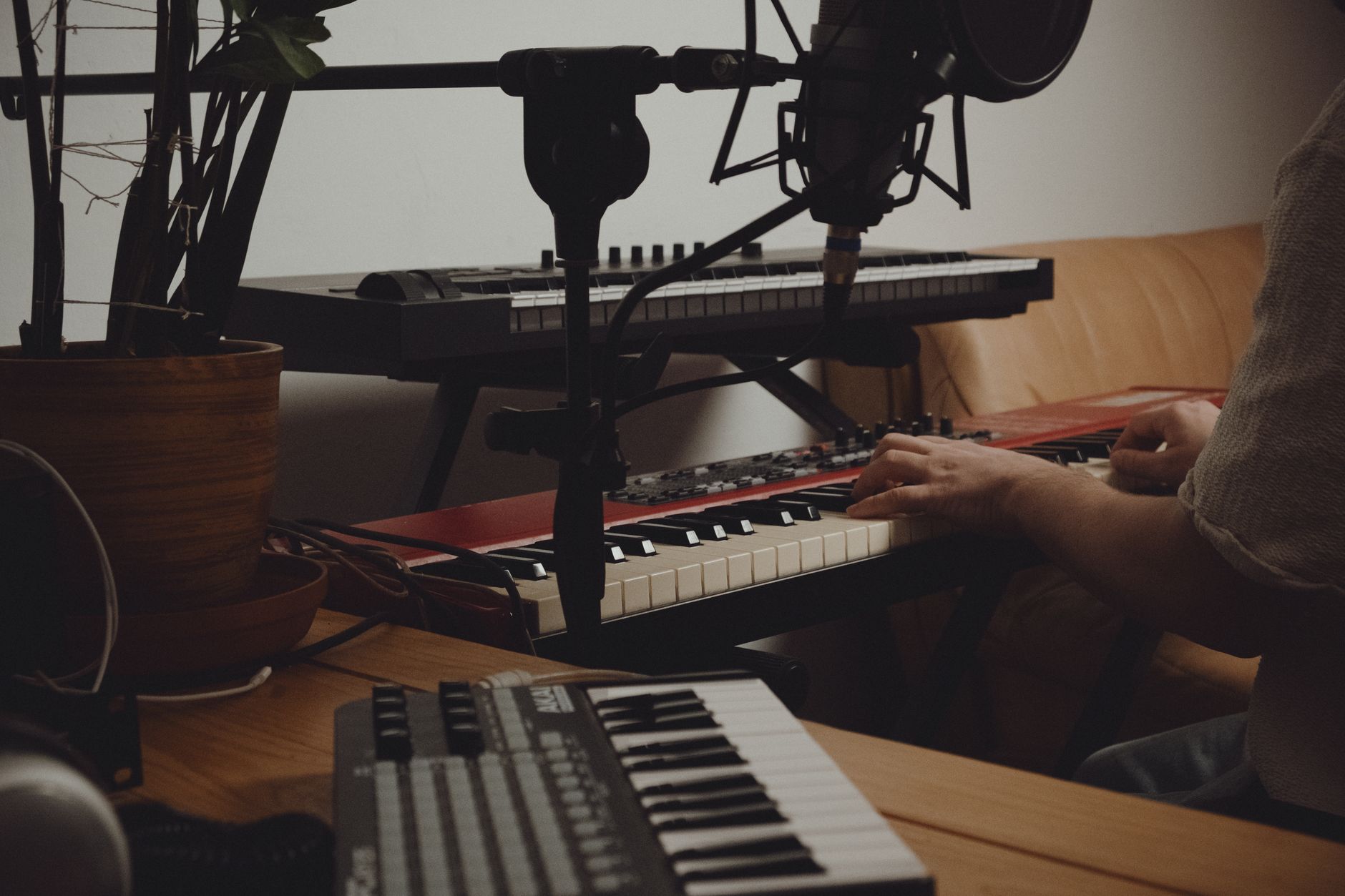
Software is deejay equipment now. So is the library. A clean rekordbox export, Serato crate, Traktor playlist, or Engine DJ drive is part of the rig. A folder called New Bangers Final Final is not a system.
Laptop and audio settings
Use a machine that can hold stable USB audio under load. For most DJ software, 16 GB RAM is comfortable. An SSD is mandatory in practical terms. Set the project or device sample rate to 44.1 kHz or 48 kHz and leave it there unless a venue rig forces a change.
Disable system notification sounds. Turn off Wi-Fi and Bluetooth if you get audio dropouts. Test the exact USB port you will use. Ports fail more often than software marketing admits.
Library prep for artists and producers
If you are an artist testing custom edits, ghost-produced tracks, or unreleased instrumentals, export clean DJ versions. Give yourself 16-bar intros, 16-bar outros, and consistent loudness. Leave the final limiter sensible. A track crushed to -5 LUFS integrated may sound large alone and small against club material with punch left in the kick.
Set hot cues with intent: first kick, first full groove, vocal entry, breakdown, drop, safe exit. Colour coding is useful only if it stays consistent.
- Analyse tracks before the session, not during it.
- Check beat grids manually on older disco, funk, garage, and live drums.
- Use comments for energy, key notes, clean or explicit tags, and edit type.
- Back up the library to an external SSD after every serious prep session.
- Record practice sets at 24-bit WAV, then export MP3 copies for review.
Budget Tiers and Deejay Equipment for Sale
Deejay equipment for sale usually looks cheaper before cables, stands, headphones, software unlocks, and storage. Price the whole chain. Buying used is sensible for mixers and players if the faders, ports, screens, and headphone jack are healthy. Used headphones are usually false economy.
Realistic cost bands
A beginner controller setup can land around £350 to £700 if you already own a laptop. That means controller, headphones, basic monitors, and cables. A stronger home setup sits around £1,000 to £2,000 with a better controller, monitors, and backup drive.
A club-style pair of media players plus a mixer can pass £5,000 quickly. That is before cases. For most learners, that money is better spent on music, room treatment, and time.
Used gear checks
Test every fader slowly. Scratchy movement, channel dropouts, or dead travel near the bottom means repair. Check jog wheels for drift, pitch faders for stable zero, USB ports for wobble, and screens for dim patches.
On turntables, inspect tonearm bearings, pitch stability, RCA leads, ground wire, platter wobble, and start time. A Technics deck that needs a service is not a bargain unless the price reflects the bench fee.
- Entry controller rig: roughly £350 to £700 excluding laptop.
- Serious home controller rig: roughly £1,000 to £2,000.
- Standalone all-in-one rig: roughly £1,200 to £2,500.
- Club-style player and mixer rig: roughly £4,500 to £7,000.
- Mobile DJ rig with PA and stands: roughly £1,500 to £5,000.

Setup, Gain Staging, and Maintenance Checks
The best equipment still sounds bad when the gain structure is wrong. DJ rigs clip in boring places: channel trims, software master, mixer master, controller output, audio interface input, speaker input. One red stage is enough.
Gain staging that survives a room
Set track gain so normal peaks sit around -6 dBFS in software if metering allows it. On a hardware mixer, keep channel meters mostly below 0 dB with occasional peaks, not pinned red. Use the master as the final feed, not as a distortion control.
EQ cuts are safer than boosts. Pull 3 to 6 dB of low end from the outgoing track before bringing in the incoming kick. If two kicks fight around 50 to 90 Hz, the room gets bigger and the groove gets smaller.
Maintenance before every recording or set
Run a five-minute fault check. Load two known tracks, cue both decks, move every fader, twist every EQ, test headphone cue, record 30 seconds, and play it back. If the recording clips, fix it before practising.
Clean USB ports gently, keep liquids away from faders, coil cables without tight kinks, and replace headphone pads before they stop sealing. None of this is glamorous. It prevents wasted sessions.
- Record with 6 dB of headroom instead of chasing loud files.
- Use balanced TRS or XLR outputs for longer runs where available.
- Keep RCA runs short, ideally under 3 metres.
- Test the backup drive monthly, not after the main drive fails.
- Update firmware only when you have time to test afterward.
| Setup type | Typical cost | Best use | Main trade-off |
|---|---|---|---|
| Two-channel DJ controller | £250 to £700 | Bedroom practice, recording mixes, learning phrasing and EQ | Laptop dependence and lighter build quality |
| Four-channel controller | £800 to £1,600 | Stems, hybrid sets, extra decks, more I/O | Higher cost before the extra channels are useful |
| Standalone all-in-one | £1,200 to £2,500 | Laptop-free home practice and small events | Less modular than separate players and mixer |
| Two media players plus DJ mixer | £4,500 to £7,000 | Club booth preparation and rider-friendly setups | Expensive, heavy, and overkill for basic learning |
| Turntables and mixer | £1,800 to £4,000 | Vinyl sets, DVS, scratch practice | Cartridge wear, setup time, record cost, acoustic feedback |
Worth a deeper read: Pioneer DJ.
Common questions
What deejay equipment do DJs use?
DJs use a music source, controller or media players, a mixer, headphones, and speakers or booth monitors. A laptop controller setup combines several parts in one box. A club setup usually separates them into CDJs or media players, a DJ mixer, headphones, and a PA or monitor system.
How much does a full DJ setup cost?
A basic full setup costs about £350 to £700 if you already own a laptop. A solid home rig sits around £1,000 to £2,000. Standalone systems cost about £1,200 to £2,500. Club-style players and a mixer can reach £4,500 to £7,000 before cases, stands, and spares.
What is DJ equipment called?
Common names include DJ gear, decks, controller, mixer, media players, turntables, headphones, monitors, and PA system. Older DJs may call the playback units decks whether they are vinyl turntables or digital players. In shops, the category is usually labelled DJ equipment or DJ audio gear.
What is the best DJ equipment?
The best setup is the one that matches the job. For beginners, a reliable two-channel controller and closed-back headphones are the right start. For club preparation, standalone players and a familiar mixer layout matter. For mobile work, PA speakers, cases, cables, and backup playback are as important as the controller.
Do beginner DJs need a mixer?
Not as a separate box. Most beginner controllers have a built-in mixer section with channel faders, EQ, filter, gain, cue buttons, and master output. A separate mixer becomes useful when you use turntables, standalone players, external effects, or more sources than your controller can handle.
Should I buy new or used DJ gear?
Buy used mixers, players, and turntables only after testing every fader, button, port, screen, and output. New is safer for headphones, entry controllers, and anything with fragile USB sockets. Used prices make sense when the discount covers possible repair work and missing accessories.
Final thoughts
Deejay equipment gets easier to buy when you stop treating it like a status ladder. Build the chain you need now: reliable playback, accurate cueing, enough monitoring, clean outputs, and files that are prepared before you press play. A small controller rig can teach timing, phrasing, EQ discipline, and recording habits without swallowing the budget. A player-and-mixer rig makes sense when you need club booth muscle memory or laptop-free operation.
Before your next session, run the boring test: two tracks loaded, cue working, meters below red, recording armed, backup drive present. Then mix for 30 minutes and listen back at low volume. The faults will identify the next purchase better than any spec sheet.
My Career makes videos from your own track and posts them for you, pitches your release to 34,000+ labels, playlists, radio stations, YouTube channels and blogs, puts it in every store and briefs you every morning. Free plan, no card, two minutes to set up.