 By TGP DJ Desk · September 22, 2026
Key takeaways
- Start Bitwig with four tracks: drums, bass, chords, and one hook sound.
- Bitwig Studio free usually means a demo or limited 8-Track version, not the full DAW.
- Use 8-bar loops and -6 dB master headroom to keep early sessions controlled.
- Sidechain ducking, simple EQ cuts, and one shared reverb send fix many beginner mixes.
- Bitwig is strongest for modulation-heavy electronic production, not traditional multitrack recording.
Bitwig studio software makes more sense once you stop treating bitwig studio software like a blank spaceship and treat it like a small room: desk on one side, instruments on another, mixer in the middle, exit door at the back.
A DAW, short for digital audio workstation, is the program where you record audio, write MIDI notes, arrange sections, mix levels, and export a finished file. Bitwig can feel strange at first because it is modular. That means many parts can be wired, moved, and controlled in flexible ways. Useful, but only after you know where to put your hands first.
Here is the session routine I would use with a new producer: choose the right edition, make an 8-bar loop, clean the mix, then export something you can actually play or send.
Bitwig studio software: Start With the Room, Not the Gear
Think of Bitwig as a rehearsal room before a gig. If the kick drum, synth, vocal, and mixer are all piled in the doorway, nothing happens. Set up the room first, then make noise.
Open a blank project and learn the three main areas: the arranger, the clip launcher, and the device chain. The arranger is the long timeline. The clip launcher is a grid for loops. The device chain is where instruments, effects, and routing live.
What bitwig studio software Is Actually Doing
A clip is a container for sound or notes. An audio clip holds recorded sound, like a kick loop. A MIDI clip holds note instructions that trigger an instrument. Start with one drum track, one bass track, one chord track, and one lead or vocal chop track.
Set the tempo first. For house, try 124 BPM. For techno, 132 BPM. For trap, 140 BPM with half-time drum feel. Keep your master channel peaking around -6 dB, which gives headroom (safe space before distortion) for mixing and mastering.
- Create four tracks only: drums, bass, chords, lead
- Set the project tempo before writing parts
- Keep the master peak near -6 dB
- Use 8-bar clips so phrases feel DJ-friendly
- Name tracks before the session gets messy

Bitwig Studio 6 Download and Price: Pick the Right Door
Software editions are like club tickets. A guestlist spot gets you inside, but not backstage. The expensive ticket only matters if you need the rooms it opens.
If you are searching for a Bitwig Studio 6 download, use the official account or downloads page, not a random mirror. Installers change, authorization changes, and cracked builds are a bad way to learn timing, saving, and stability.
Bitwig Studio Free, Essentials, and 8-Track Limits
Bitwig Studio free usually means the demo, which lets you test the program but may restrict saving or exporting. Bitwig 8-Track free is commonly bundled with hardware or promotions and limits you to eight tracks. Bitwig Studio Essentials is the paid entry tier for small projects.
The Bitwig Studio price has usually sat around $399 for the full version, with lower prices for Essentials and Producer-style tiers where available. Check your local store page because tax, currency, and upgrade plans can move the number. We see this constantly with production support requests: the wrong edition gets bought because the buyer only checked the headline price.
- Use the demo if you only want to test the feel
- Use 8-Track for sketches, not dense arrangements
- Use Essentials for simple beats and learning
- Use the full version if modulation and device depth matter
- Avoid unofficial installers, especially for paid work
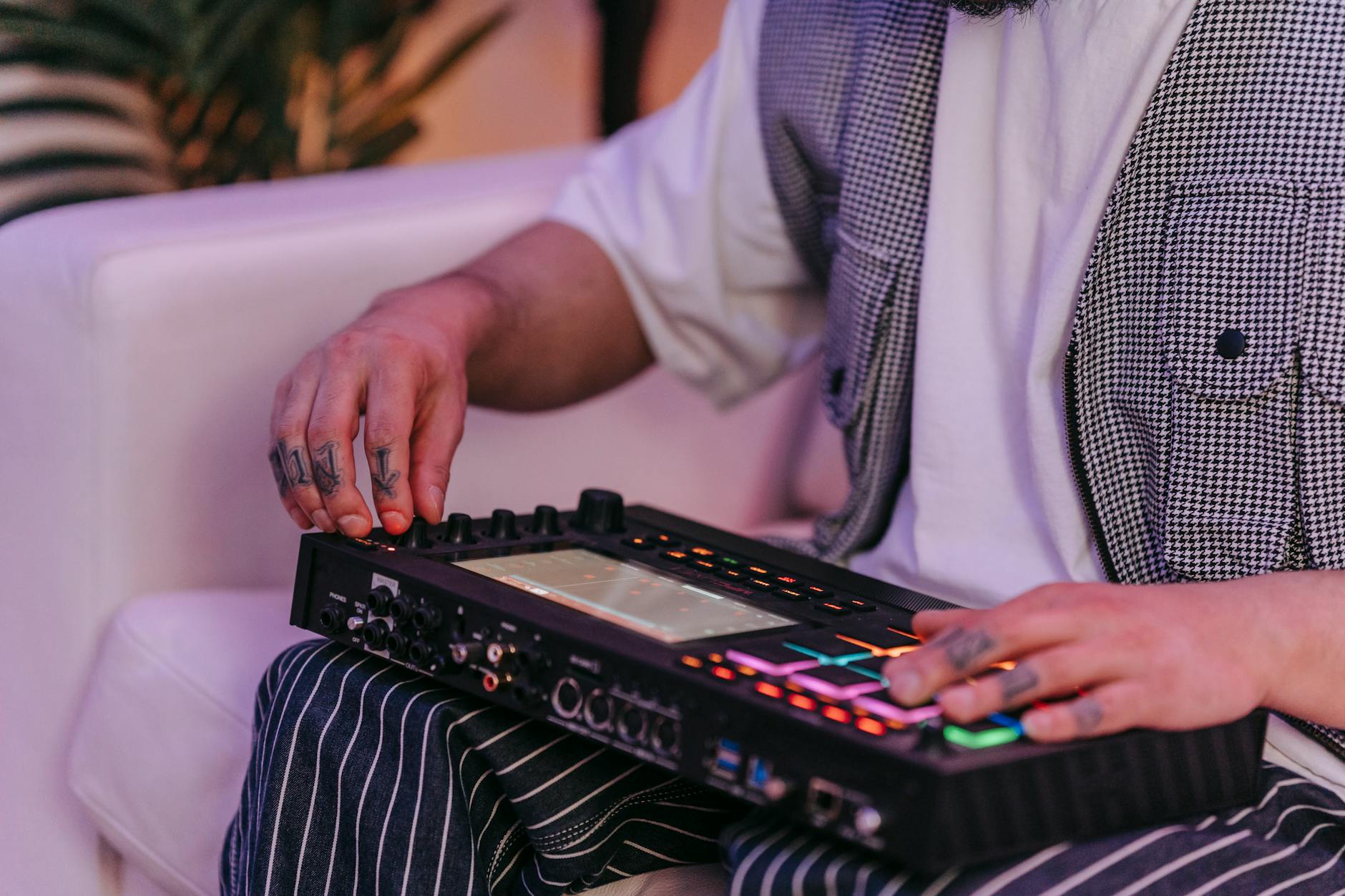
Build the First Loop Like a Four-Deck DJ Blend
A beginner beat should work like a simple DJ blend: drums carry the room, bass answers the drums, chords give direction, and a hook tells people where they are. Do not add ten tracks before those four parts agree.
Start with an 8-bar loop. Eight bars is short enough to hear mistakes and long enough to feel a phrase. In dance music, a bar is one measure of time, usually four beats in 4/4.
A Clean 8-Bar Starting Pattern
Put the kick on every beat. Add a clap or snare on beats 2 and 4. Place closed hats on offbeats, the spaces between kicks. Write a bass note that avoids fighting the kick: if the kick tail is long, shorten the bass note or move it later by 10 to 20 milliseconds.
For chords, use a simple instrument first. u-he Diva is rich, but it can eat CPU fast, so freeze the track if your laptop stutters. Freezing prints a temporary audio version so the computer works less.
- Kick: four-on-the-floor, velocity steady
- Clap: beats 2 and 4, slightly lower than the kick
- Hat: offbeats, high-pass filtered around 300 Hz
- Bass: sidechain ducked by 3 to 5 dB from the kick
- Chord: low-cut around 150 Hz to leave room
- Write drums first if the track is for DJs
- Use one bass pattern, not three competing ones
- Mute parts often to check what matters
- Duplicate the 8-bar loop before arranging
- Change one element every 8 or 16 bars

Mix With Modulators Before You Buy More Plugins
Modulation is like a spare hand turning knobs for you. Instead of drawing every movement manually, you assign a control source to move filter cutoff, volume, panning, or effect amount over time.
This is where bitwig studio software earns its reputation. You can make a plain synth feel alive without stacking random plugins. Keep the goal boring: movement you can hear, not chaos that eats the groove.
Sidechain, EQ, and Reverb Without Guesswork
Sidechain ducking means one sound lowers another sound for a moment. Picture two people talking through one mic: when the kick speaks, the bass steps back. In Bitwig, use a compressor or tool-style volume device to duck the bass by 3 to 5 dB when the kick hits.
EQ, short for equalization, is traffic control for frequencies. Cut bass below 30 Hz unless the part truly needs it. If chords cloud the low mids, try a 2 dB cut around 220 Hz. For space, Valhalla VintageVerb on a send works well with a 1.2 second decay and low-cut around 250 Hz.
- Duck bass from the kick before boosting anything
- Cut unused sub below 30 Hz on non-bass tracks
- Use one shared reverb send for glue
- Automate filter cutoff over 8 or 16 bars
- Check the loop quietly before making it louder

Bitwig vs Ableton, Cubase, and Reaper in Plain English
Choosing a DAW is like choosing a vehicle for the same trip. A scooter, van, and train can all get you across town, but they do not feel the same when you turn, stop, or carry gear.
Bitwig is strongest when you like building sounds, moving clips around, and experimenting without stopping playback. Ableton Live is still the fastest language for many electronic performers. Cubase is deeper for scoring, editing, and traditional studio production. Reaper is lean, cheap, and extremely customizable, but it asks beginners to make more decisions earlier.
When to Stay, When to Switch
Stay with Bitwig if you enjoy modulation, sound design, and loop-based writing. Switch to Cubase if you are recording large vocal sessions, editing detailed MIDI orchestration, or handling film-style tempo maps. Pick Reaper if price and CPU efficiency matter more than a polished beginner path.
If your real question is Bitwig vs Ableton, I would choose Bitwig for modular sound design and Ableton for live set familiarity, tutorials, and collaboration with electronic producers. Neither writes the hook for you. The cleaner workflow wins.
- Choose Bitwig for modulation-heavy electronic production
- Choose Ableton Live for performance workflows and shared projects
- Choose Cubase for detailed recording and MIDI editing
- Choose Reaper for low cost and custom routing
- Do not switch DAWs to avoid finishing tracks
| Option | Best Fit | Main Limit | Practical Pick |
|---|---|---|---|
| Bitwig Studio full version | Sound design, modulation, electronic arrangement | Higher upfront price than entry editions | Best if you plan to produce seriously inside Bitwig |
| Bitwig Studio Essentials | Learning, simple beats, small song sketches | Fewer devices and advanced features | Good paid starting point for bedroom producers |
| Bitwig 8-Track free | Testing the workflow with hardware bundles | Eight-track ceiling arrives quickly | Fine for loops, limited for finished releases |
| Ableton Live | Live performance, sampling, fast electronic writing | Full Suite can get expensive | Strong if collaborators already use it |
| Reaper | Low-cost recording and efficient routing | Less guided for total beginners | Best value if you like configuring software |
| Cubase | Vocal sessions, MIDI detail, traditional studio work | Heavier learning curve | Better for linear recording than clip experiments |
Further reading
- Bitwig Studio — soundonsound.com
- Bitwig Studio — en.wikipedia.org
Frequently asked questions
Is bitwig studio software free?
The full Bitwig Studio is not free. There is usually a demo for testing, and Bitwig 8-Track free may come bundled with selected hardware or promotions. The demo is for evaluation, not dependable release work. If you need to save, export, and finish tracks properly, check the current paid editions.
How much does Bitwig Studio cost?
The full Bitwig Studio price has commonly been around $399, with lower-cost editions such as Essentials available in some regions. Prices can change with taxes, currency, sales, and upgrade plans, so use Bitwig’s official store page before buying. Do not rely on old forum screenshots for pricing.
Which is better, Cubase or Bitwig Studio?
For electronic sound design, clip-based writing, and modulation, Bitwig is the better fit. For detailed vocal editing, orchestral MIDI, film-style tempo work, and traditional studio sessions, Cubase is stronger. A new dance producer will usually move faster in Bitwig, while a recording engineer may prefer Cubase.
Which is better, Reaper or Bitwig?
Reaper is cheaper, light on CPU, and extremely flexible, but it feels less guided for beginners. Bitwig costs more but gives electronic producers a clearer creative path with clips, devices, and modulators. Pick Reaper for budget recording and customization. Pick Bitwig for sound design and beat-building momentum.
Conclusion
The fastest way to learn bitwig studio software is not to memorize every device. Build the same small session three times: four tracks, 8 bars, clean gain staging, light sidechain, one reverb send, then an export you can judge outside the DAW.
After that, the deeper features start to make sense because you have a job for them. Modulators are not random toys anymore. The clip launcher is not a confusing grid. The arranger becomes the place where your DJ-friendly phrases turn into a finished track.
Open a blank project, set the tempo, and make one loop with this exact limit before adding extra plugins or changing DAWs.
My Career makes videos from your own track and posts them for you, pitches your release to 34,000+ labels, playlists, radio stations, YouTube channels and blogs, puts it in every store and briefs you every morning. Free plan, no card, two minutes to set up.