
 By TGP Production Desk · August 20, 2026
TL;DR
- An arpeggiator turns held chord notes into timed individual notes.
- The chord voicing feeding the arp matters more than the pattern preset.
- Use arps for flexible harmonic motion and sequencers for exact hooks.
- Gate length, retrigger mode, and range decide whether an arp feels tight or messy.
- Print strong arp ideas to MIDI, then delete and edit notes like a real part.
- Modern DAW MIDI tools make arps more powerful, but simple patterns still age best.
Arpeggiator definition is simple on paper: a device or MIDI effect takes the notes you hold and plays them one at a time in a rhythmic pattern. The useful version is less tidy. A good arp is not just “chord go bleep.” It is a timing machine, a voicing filter, a groove source, and sometimes a lazy way to write a hook that should have been edited by hand.
The reason the arpeggiator definition matters in 2026 is that DAWs have blurred the line between arps, MIDI generators, step sequencers, and performance controllers. Ableton Live 12 put more creative MIDI tools right beside classic effects. Logic Pro’s MIDI FX still lets you stack Arpeggiator before Chord Trigger. Ableton Push 3 makes held-note patterns feel more like playing than programming. That shift changes how producers should use arps: less preset sparkle, more intentional movement.
Arpeggiator Definition Music Producers Can Actually Use
An arpeggiator is best understood as a rule-based note dispatcher. It does not invent harmony. It receives a set of held notes, usually from a MIDI keyboard or drawn chord, then outputs individual notes according to rules: direction, rate, octave range, gate length, swing, retrigger mode, and sometimes velocity behavior.
That last part is where most weak explanations stop too early. The arp is not the musical idea by itself. The chord voicing feeding it is the idea. Feed it a root-position minor triad and you get exercise-book motion. Feed it a spread voicing with a ninth, omit the fifth, and set the range to two octaves, and now the machine has something worth chewing on.
Arpeggiator definition inside a real session
In a house or melodic techno session, I usually treat an arp like a controlled percussion part with pitch. Start with a four-note voicing, not a big block chord. Try A1, E2, C3, G3 for an A minor 7 shape. Set rate to 1/16, gate to 45 percent, range to 1 octave, direction to up/down, then adjust from there.
The same MIDI notes through Vital with a short pluck envelope will read as a riff. Through u-he Diva with slower filter movement, it becomes a harmonic bed. Same arp. Different job.
The parameters that actually change the musical result
Rate and direction get the attention, but gate and retrigger decide whether the pattern locks or smears. A 1/16 arp with 80 percent gate can fight a closed hat. A 35 percent gate leaves room for kick transient and bass movement. If the groove feels stiff, change retrigger first before blaming the synth patch.
- Rate: 1/8 for pulse, 1/16 for drive, 1/32 for tension fills.
- Gate: 30-50 percent for plucks, 60-90 percent for pads and trance-style sustain.
- Range: 1 octave for riffs, 2-3 octaves for lift, more than that only if the arrangement can take it.
- Retrigger: bar-based retrigger feels arranged, free-running feels more alive.
- The input chord matters more than the arp preset.
- Gate length is usually the fastest fix for clutter.
- Two-octave arps need careful low-end filtering.
- Velocity randomness works better when it is subtle, around 5-12 percent.
- A muted arp can still drive a sidechain or ghost rhythm.

Arpeggio Meaning: The Chord Is Still the Source
Arpeggio meaning gets flattened online, so keep it strict: an arpeggio is the notes of a chord played separately instead of simultaneously. On piano, guitar, synth, harp, or a MIDI clip, the relationship is the same. The notes belong together harmonically, but they arrive one after another.
An arpeggiator automates that action. It is the player mechanism, not the musical object. That difference sounds academic until you start writing hooks. If the arpeggio is weak, the arpeggiator will only repeat the weakness with better timing.
Why voicing beats pattern selection
A C minor triad voiced C3, Eb3, G3 gives the arp a narrow three-note loop. Spread it as C2, G2, Eb3, Bb3 and the machine now outlines a minor 7 with bass weight and upper color. Same key center, different emotional result.
For club music, I prefer leaving the third out of some arp inputs and letting another element carry the chord quality. Root, fifth, seventh, ninth often sits cleaner than root, third, fifth, seventh because the third can rub against a vocal, supersaw, or bass overtones.
When the arp should not contain the root
If the bass is already stating the root on every bar, duplicating it in a bright arp can make the groove feel smaller. Try feeding only fifth, seventh, ninth, and eleventh into the arpeggiator. In A minor, that could be E3, G3, B3, D4. The listener still feels the harmony because the bass owns A.
This is also a clean ghost-production move when a client wants “more melody” without crowding the topline. You add perceived movement while leaving the main hook untouched.
- An arpeggio is a chord broken into separate notes.
- An arpeggiator is the tool that automates the breaking.
- Rootless arp voicings leave more room for bass and vocals.
- Ninths and elevenths give arps color without needing more notes.
- Close voicings feel robotic faster than spread voicings.
Arpeggiator vs Sequencer: Timing, Control, and Risk
The arpeggiator vs sequencer decision is not about which one is more advanced. A sequencer is better when the exact notes matter. An arpeggiator is better when the input harmony needs to stay flexible while the rhythm stays consistent. That is the clean split.
I would not write a signature lead hook with a free-running arp unless I planned to print the MIDI and edit it. For supporting motion, arps win because one chord change can reshape the whole part without redrawing 64 notes.
Use an arp when the arrangement needs harmonic flexibility
Say you have a 16-bar breakdown and want the energy to rise without writing a new lead. Put Ableton Live’s Arpeggiator before a pluck patch, set style to UpDown, rate to 1/16, gate to 42 percent, distance to 12 semitones, steps to 2. Now change only the held chord every two bars. You get movement, but the rhythmic identity stays locked.
That is hard to beat with a step sequencer unless you enjoy editing the same contour across every chord.
Use a sequencer when the melody is the hook
For a main riff, print the arp to MIDI as soon as it starts sounding like a hook. Then delete notes. Shift a few hits late by 8-15 ms. Change one octave jump. Pull velocity down on the notes before the snare. Human editing turns an arpeggiated idea into a part.
Bitwig’s Note FX, FL Studio’s piano roll tools, and Logic Pro’s MIDI FX can all get you close. The deciding move is still committing the pattern, then treating it like composition instead of a device setting.
- Choose an arp for flexible harmony and repeatable motion.
- Choose a sequencer for exact note identity and hooks.
- Print MIDI when the pattern becomes central to the track.
- Edit velocity before editing pitch if the groove feels flat.
- Free-running arps can create phase-like variation across long sections.

Keyboard, Piano, and Guitar Arpeggiation Behave Differently
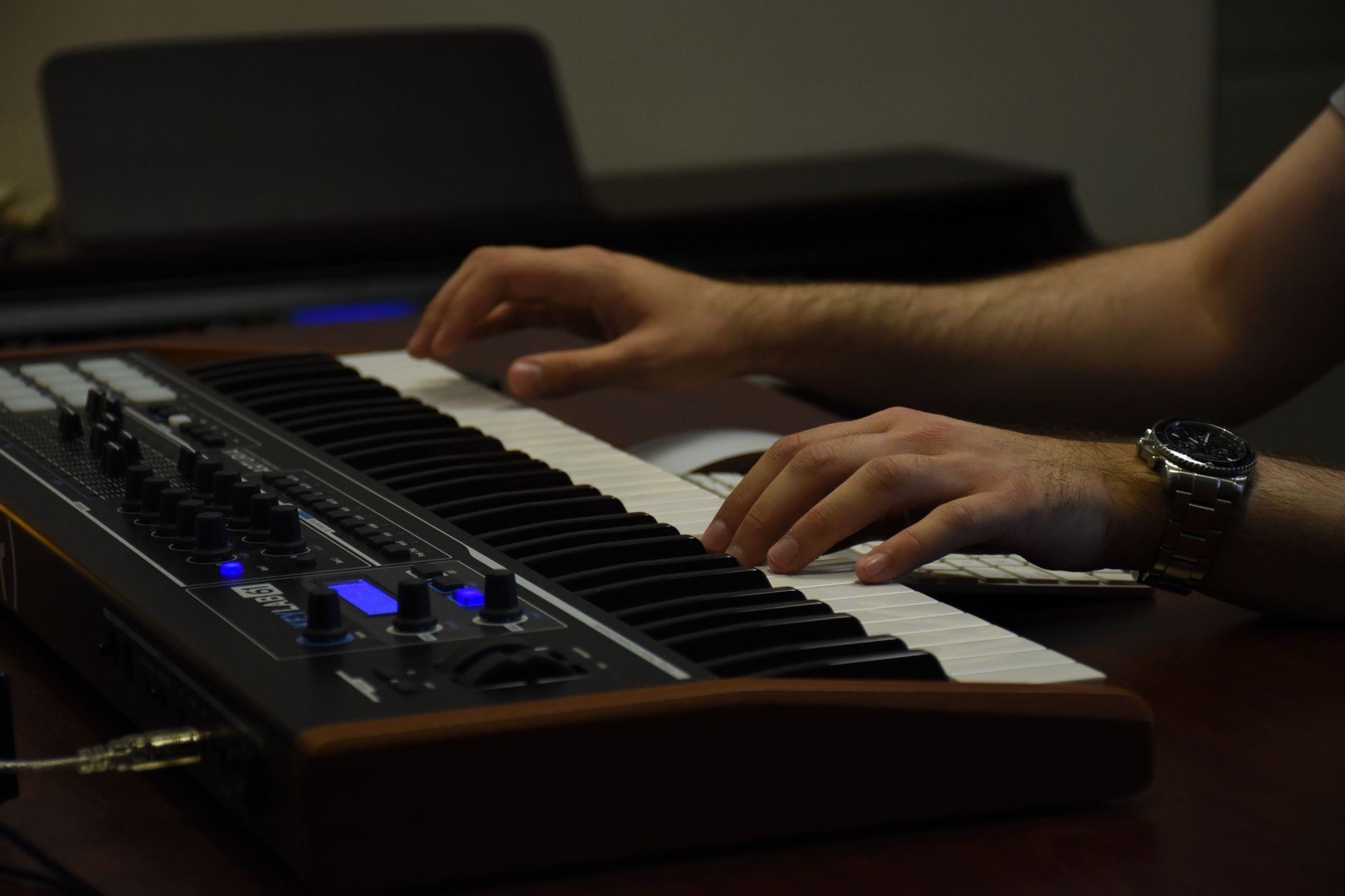
An arpeggiator keyboard workflow encourages held chords and instant sync. Piano arpeggiation encourages hand-shaped dynamics. Guitar arpeggiation brings string order, picking direction, open-string resonance, and fretboard limitations. Treating those as the same thing makes electronic parts sound fake fast.
If you are programming for a dance record, the difference matters because listeners may not name the source, but they hear the gesture. A synth arp that mimics guitar picking needs different rules from a synth arp that mimics a sequenced machine.
Arpeggiator definition piano versus MIDI keyboard
On piano, an arpeggio often includes natural acceleration, uneven velocity, and pedal resonance. On an arpeggiator keyboard, the machine snaps events to grid unless you push swing, velocity, or timing variation. For piano-like MIDI parts, avoid fixed 100 velocity. Use a range such as 68-96, with the top note often slightly stronger.
If you are using a sampled piano, do not set gate too short. A 1/16 arp at 35 percent gate can sound like a toy unless the release samples are doing real work. For piano texture, 65-85 percent gate usually feels more believable.
Arpeggiator definition guitar versus synth patterns
Guitar arpeggios are constrained by strings. A guitarist cannot instantly jump across three octaves with the same physical feel as a synth arp. If you want guitar-like programming, limit the range to one octave, avoid constant direction changes, and repeat occasional notes to mimic string crossing.
For synths, the opposite can work. A two-octave upward pattern at 1/16 with filter cutoff opening over 8 bars is a classic tension build. Just high-pass the arp around 140-220 Hz if the bass and kick are already carrying the floor.
- Piano-style arps need velocity contour and longer gates.
- Guitar-style arps need physical range limits and repeated-string logic.
- Synth arps can use wider octave jumps without sounding impossible.
- High-pass bright arps before they mask bass harmonics.
- Controller aftertouch can make a static arp feel performed.
How to Use an Arpeggiator Without Writing Filler
The fastest bad habit is putting an arp on every sustained chord because the arrangement feels empty. That usually means the groove, sound selection, or call-and-response is underwritten. An arp should answer a specific problem: movement, tension, harmonic implication, rhythmic glue, or transition energy.
Before adding one, mute the hats and listen against kick, bass, and vocal. If the arp only sounds good because the mix is busy, it is probably decoration. If it creates a pulse you miss when muted, keep working.
A practical starting chain
Use this chain when the part needs to sit inside a modern EDM or melodic house mix: MIDI chord clip into arpeggiator, then synth, then EQ, then delay or reverb send. Keep the insert chain dry enough that the rhythm survives. Valhalla VintageVerb on a send at 10-18 percent return can work, but long decay on every note blurs the pattern.
- Set synth amp attack below 10 ms for pluck clarity.
- Use decay around 180-450 ms for tight 1/16 patterns.
- High-pass with FabFilter Pro-Q 4 around 150 Hz, steeper if the patch is wide.
- Duck the arp 1-3 dB from the vocal or snare using sidechain compression.
Print, mute, and cut
Printing MIDI is not old-school fussing. It is how you stop the arpeggiator from making every bar equally busy. Record 16 or 32 bars of output, then mute the device. Keep the best two bars. Repeat them, but remove notes before transitions, snares, and vocal pickups.
One reliable edit: delete the final 1/16 note before the downbeat every 4 bars. That tiny gap makes the next kick feel larger. Another: raise only the last note of an 8-bar phrase by one octave. Do it once, not every cycle.
- Start with one clear reason for the arp to exist.
- Use sends instead of drowning the insert chain.
- Print MIDI once the part has identity.
- Remove notes before major downbeats to create pull.
- Automate filter cutoff over phrases, not every bar.
- Check mono compatibility if the arp uses stereo unison.

Modern Arpeggiator Apps and DAW Tools in 2026
The last 12-24 months pushed arps closer to generative MIDI workflows. Ableton Live 12’s MIDI Transform and Generate tools, Logic Pro’s MIDI FX stack, and performance hardware like Ableton Push 3 all make the old arpeggiator feel less isolated. The device is now one part of a MIDI design chain.
That does not mean every arpeggiator app is worth adding. I would rather use a plain DAW arp well than stack three clever generators and lose the musical reason for the part.
DAW arps still beat most add-ons for speed
Ableton’s stock Arpeggiator is still fast because its controls are boring in the right way: Style, Groove, Rate, Gate, Retrigger, Offset, Repeats, Distance, Steps. Logic Pro’s Arpeggiator MIDI FX gives more pattern editing and variation, which helps if you want less obvious motion without printing immediately.
On mobile, an arpeggiator app can be useful for sketching, but I would not build a final club arrangement around an app pattern unless the MIDI export is clean. If it cannot export standard MIDI or sync tightly, it is a sketchpad, not a production hub.
Where controllers changed the feel
Push 3, Launchpad-style grid workflows, and MPE-capable controllers changed how producers perform arps. Holding a chord shape while nudging pressure, aftertouch, or macro controls can make a static 1/16 pattern breathe. Map pressure to filter cutoff or wavetable position, not volume first. Volume pressure often makes the groove wobble.
For Vital, map aftertouch to filter cutoff by 10-25 percent and a small amount of vibrato. For u-he Diva, map mod wheel to cutoff and resonance gently. Big modulation makes the arp sound like a demo preset.
- Ableton Live 12 made MIDI generation feel closer to classic arp work.
- Logic Pro’s MIDI FX stack is strong for chord-to-arp experiments.
- Hardware controllers help when they shape tone, not just note entry.
- Mobile arp apps are useful only if sync and MIDI export are solid.
- Simple arps age better than overly randomized patterns.
| Tool | Best Use | Producer Risk | Better Setting Choice |
|---|---|---|---|
| Arpeggiator | Turning held chords into rhythmic note streams | Preset motion that fills space without saying much | 1/16 rate, 35-55% gate, 1-2 octave range |
| Step sequencer | Exact riffs, basslines, drum-like synth patterns | Rigid loops that ignore chord movement | Manual velocity edits and occasional 8-15 ms timing shifts |
| MIDI generator | Fast idea creation and variation testing | Too many notes before the song has a point | Generate, print, delete 50% of the output |
| Chord trigger plus arp | One-finger sketching and live performance | Over-wide voicings that clog the midrange | Limit chords to 3-4 useful notes before the arp |
Go deeper
- Making The Most Of Arpeggiators — soundonsound.com
- Arpeggio — en.wikipedia.org
FAQ
What is the arpeggiator definition in music?
An arpeggiator is a device or MIDI effect that takes held notes from a chord and plays them individually in a set rhythmic pattern. The pattern can usually be changed by rate, direction, octave range, gate length, swing, and retrigger behavior.
What does an arpeggiator do?
It converts held notes into a repeating sequence. Hold C, E, and G, and the arpeggiator might play C-E-G-C-E-G at 1/16 notes, or reverse the order, jump octaves, add swing, shorten note length, or repeat notes depending on the settings.
What is an arpeggio in simple terms?
An arpeggio is a chord played one note at a time instead of all at once. If you play A, C, and E separately but they still outline A minor, that is an arpeggio. It can be played by hand or generated by a machine.
What is the difference between arpeggio and arpeggiator?
An arpeggio is the musical result: separated chord tones. An arpeggiator is the tool that creates that result automatically from notes you hold or program. One is a musical pattern, the other is the mechanism producing it.
How do I use an arpeggiator in a track?
Hold or draw a chord, insert an arpeggiator before your instrument, then set rate, direction, gate, and octave range. Start with 1/16 rate, 40-50 percent gate, and one octave. If it starts sounding like a hook, print the MIDI and edit it by hand.
How do you pronounce arpeggiator?
Arpeggiator is usually pronounced ar-pej-ee-ay-ter. The root word, arpeggio, is pronounced ar-pej-ee-oh. Producers often shorten it to “arp,” as in “mute the arp during the verse” or “print the arp to MIDI.”
The bottom line
The arpeggiator definition is easy to memorize, but the useful skill is deciding what the machine should control and what you should edit by hand. Let the arp handle repeatable timing, octave movement, and harmonic cycling. Do not let it decide the whole riff unless you are willing to print the MIDI and cut it into shape.
For your next session, build one arp from a rootless four-note voicing, keep the gate under 50 percent, high-pass it above the bass range, and mute it every few bars to check whether the track still needs it. If the groove collapses when it disappears, you wrote something functional. If nothing changes, delete it and spend the space somewhere better.
My Career makes videos from your own track and posts them for you, pitches your release to 34,000+ labels, playlists, radio stations, YouTube channels and blogs, puts it in every store and briefs you every morning. Free plan, no card, two minutes to set up.


