Key takeaways
- Stems are grouped exports built for speed, DJ edits, live sets, and simple arrangement changes.
- Multitracks are individual track exports built for mixing, remixing, repair work, and custom production.
- The stems vs multitracks decision should be made before the project handover, not after files are bounced.
- Use 24-bit WAV files, aligned from bar 1 beat 1, with sensible names and no clipped master bus.
- For final delivery, keeping both stems and multitracks is the safest archive move.
Stems vs multitracks decides whether your next remix, mixdown, DJ edit, or ghost production brief moves fast or turns into file archaeology. Get stems vs multitracks wrong and you either drown someone in 84 tiny WAV files or hand them four chunky groups that cannot fix the vocal reverb printed too loud.
Here is the shootout: stems are grouped audio exports, multitracks are individual track exports. Both are useful. They are not interchangeable. If you are sending files to a mixer, buying custom music production, preparing a live set in Ableton Live, or asking for a club edit that hits harder on a CDJ-3000, the file format changes the result. I am docking points where the format slows real work down.
Stems vs multitracks: The Shootout Setup
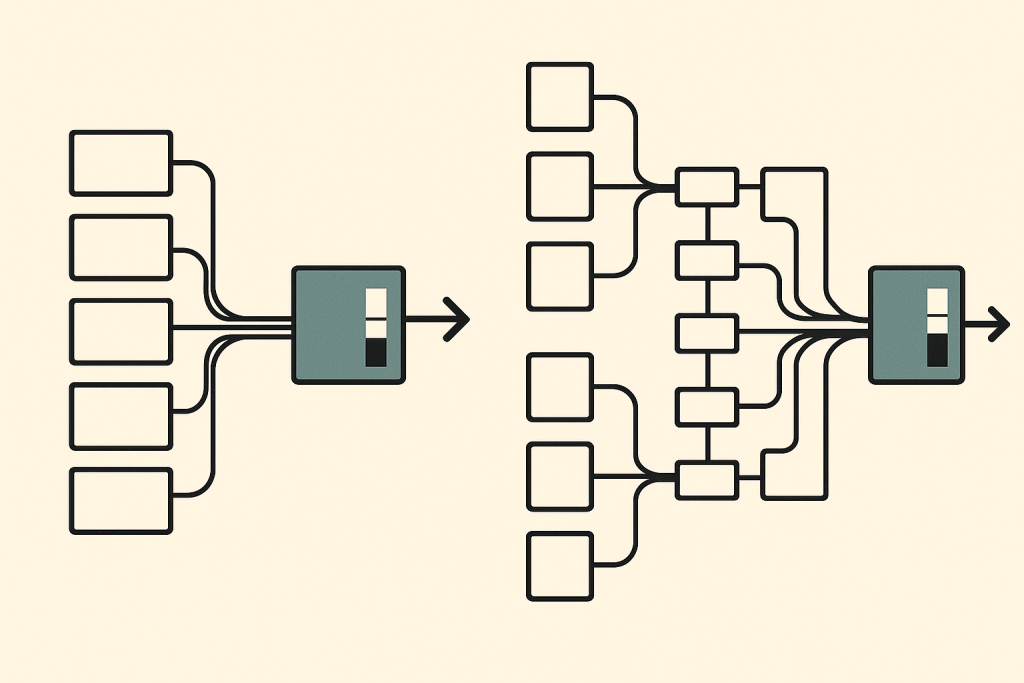
The cleanest way to judge stems vs multitracks is by asking one question: how much control does the next person need? Stems win when speed and structure matter. Multitracks win when repair, remixing, and full mix control matter.
How Stems Handle the Job
A stem is a grouped print. Think drums, bass, lead synths, pads, vocals, FX, and maybe a music stem without drums. A solid tech house delivery might include eight stereo WAV files at 24-bit, 48 kHz, all starting from bar 1 beat 1.
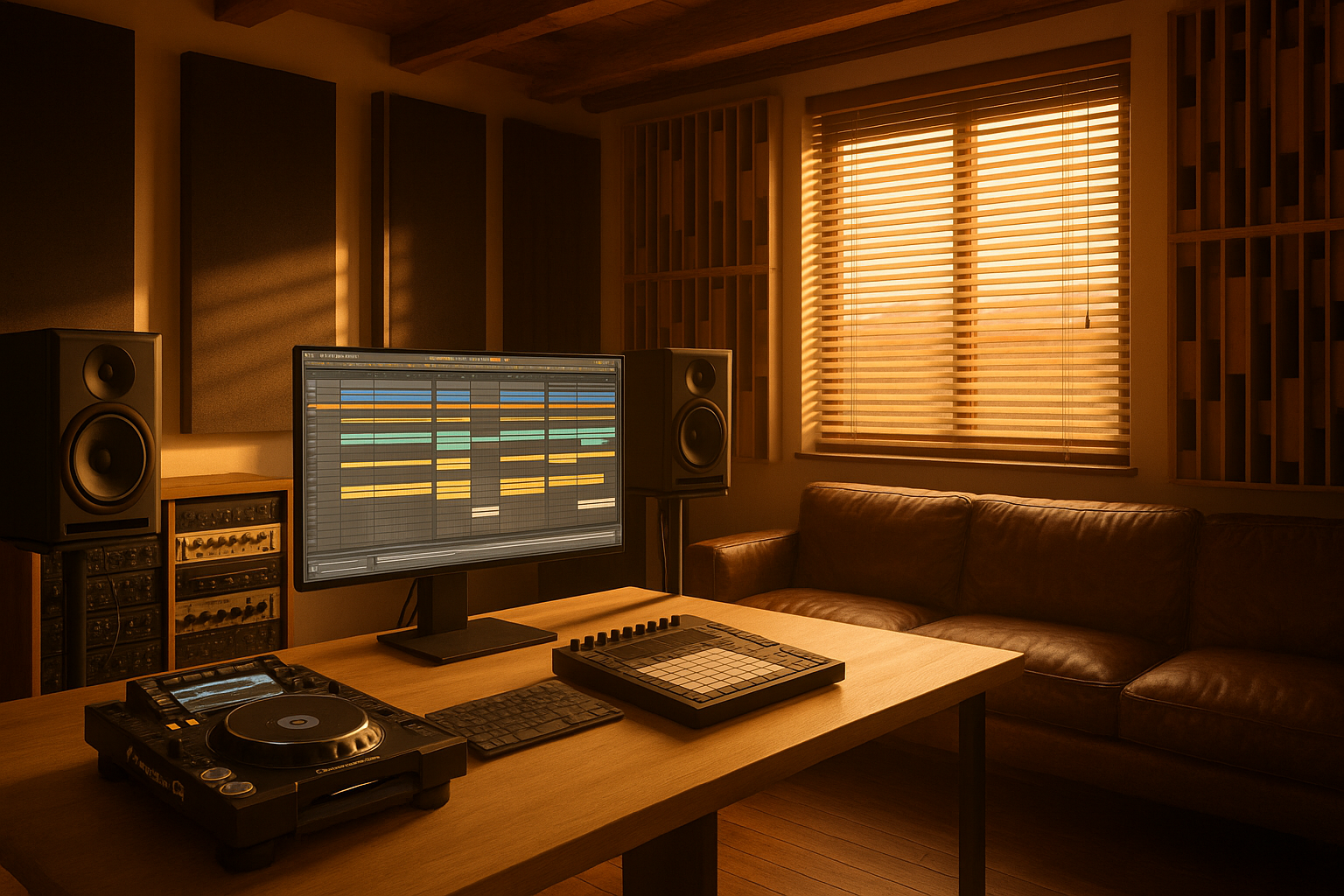
Stems keep the session readable. A DJ making an extended intro can mute vocals, loop the drum stem for 16 bars, and bounce a floor-friendly edit without opening a 70-channel Ableton project.
How Multitracks Handle the Job
Multitracks are the raw exported tracks: kick, clap, top loop, offbeat hat, tom fill, bass sub, bass mid, Serum pluck, vocal dry, vocal delay, vocal plate, riser, downlifter, and so on. Every part gets its own audio lane.
This is where stems vs multitracks stops being a vocabulary issue. If the kick masks the bass at 55 Hz, a multitrack session lets me fix the kick. A stem only lets me turn the whole drum group down.
Stems vs multitracks Scorecard
Stems score for delivery speed, DJ use, and simple revisions. Multitracks score for serious mix work, arrangement surgery, and custom production handovers. If someone asks for trackouts, they usually mean multitracks, not stems.
- Stem delivery: grouped, simpler, faster to audition.
- Multitrack delivery: individual, deeper, slower to manage.
- Both should start at the same timestamp, usually bar 1 beat 1.
- Both should be exported as WAV or AIFF, not MP3.
- Neither format excuses bad gain staging or clipped master buses.

Control Round: Editing, Mixing, and Fixing Problems
For control, stems vs multitracks is not close. Multitracks win. The only reason stems stay in the fight is that most small edits do not need microscopic access.
How Stems Limit Control
Say the hi-hat is stabbing at 9 kHz and the clap has too much 220 Hz boxiness. If both live inside a single drum stem, you are stuck with broad EQ moves. Cut 220 Hz and the kick body may lose weight. Dip 9 kHz and the ride cymbal gets dull.
You can use FabFilter Pro-Q 4 in mid/side mode, Soothe2 for harshness, or dynamic EQ to nudge the problem. Fine. It is still rescue work, not mixing.
How Multitracks Fix Control
With multitracks, the same problem takes minutes. Cut the clap at 220 Hz, notch the hat around 9 kHz, leave the kick alone, then compress the drum bus with 2 dB of gain reduction. Cleaner. Faster. Less guesswork.
The stems vs multitracks call gets obvious when vocals are involved. Printed vocal reverb inside a vocal stem can ruin a drop. Separate dry vocal, delay throw, and plate reverb tracks give the mixer actual control.
- Pick stems for simple edits, mashups, radio versions, and DJ intros.
- Pick multitracks for mix rescue, vocal tuning, sound replacement, and arrangement changes.
- Ask for dry and wet vocal files separately if vocals matter.
- Never print limiter clipping into either delivery unless it is a deliberate sound.
Speed Round: Which Format Saves Studio Time?
Speed is where stems land punches. If a client needs a club edit by tomorrow, stems vs multitracks can decide whether the session opens in two minutes or turns into a folder cleanup job.
How Stems Move Fast
Stems are built for quick decisions. Drop eight grouped files into Ableton Live, Logic Pro, FL Studio, or Studio One, line them up at bar 1, and the arrangement is visible immediately. Drums are drums. Bass is bass. Vocals are vocals.
For DJs, this matters. A Pioneer DDJ-FLX10 or CDJ-3000 workflow does not need separate shaker layers. It needs clean sections that can be looped, filtered, and bounced into usable edits.
How Multitracks Burn Time
Multitracks demand admin. You need naming, colour coding, gain staging, routing, phase checks, and often tempo confirmation. Import 64 loose files called Audio_01 through Audio_64 and you will hear my chair squeak from across the room.
Still, stems vs multitracks is not a win for stems if the brief says custom mix, new drop, or vocal-heavy remake. Multitracks take longer because they expose the parts that actually need work.
- Use stems when the arrangement is approved and only the format needs changing.
- Use multitracks when the sound, balance, or musical parts may change.
- Name files like 01_Kick, 02_Clap, 03_Bass_Sub, not final_final_audio.
- Export every file from the same start point, even if a part enters at bar 49.
DJ and Remix Round: Club Use Versus Rebuild Work
DJs usually want stems. Remixers usually want multitracks. That is the blunt answer, and stems vs multitracks only gets messy when someone uses the wrong word in the brief.
How Stems Work for DJs
For a DJ edit, grouped stems are the right tool. You can extend the intro with only drums and percussion, mute the lead vocal for an 8-bar tease, or create a cleaner outro that mixes well after a peak-time record.
A four-stem delivery can be enough: drums, bass, music, vocal. For better control, I prefer six to ten stems, with FX separated from music. Printed white noise sweeps inside the music stem often make transitions clumsy.
How Multitracks Work for Remixers
Remixers need material, not just groups. Give them the kick, bass MIDI if possible, dry vocal, ad-libs, chord layers, lead hook, risers, and any signature ear candy. If the new version is melodic house instead of tech house, the old drum stem may be useless.
The stems vs multitracks choice here affects creativity. Stems suggest edits. Multitracks invite rebuilding. If you want a producer to change the groove, harmony, and sound palette, send multitracks.
- DJ edit: drums, bass, music, vocal, FX is usually enough.
- Remix: send individual drums, vocals, hooks, chords, bass layers, and FX.
- Live Ableton set: stems are cleaner for CPU and scene launching.
- Full remake: multitracks beat stems every time.
Ghost Production Round: What to Send and What to Ask For
Ghost production briefs fall apart when file expectations are vague. For The Ghost Production type of workflow, stems vs multitracks should be decided before anyone touches Serum, Diva, Kontakt, or the master chain.
How Stems Fit Custom Production
Stems are ideal when you already like the track and need a professional extension: tighter structure, cleaner DJ mix, radio edit, instrumental, acapella-friendly version, or a heavier club master. They also help when sharing references without handing over a full production session.
If you send stems, commit to the song. Do not expect a producer to surgically replace a buried snare inside a drum stem while keeping the ghost notes untouched.
How Multitracks Fit Custom Production
Multitracks are the better choice when the job includes real rebuilding. New drop. New bassline. Vocal comp cleanup. Drum replacement. Arrangement rewrite. A producer can mute weak layers, tune vocals, sidechain the bass correctly, and rebuild the groove from the floor up.
For stems vs multitracks in custom music production, I choose multitracks whenever the original mix has problems. Stems are delivery files. Multitracks are working files.
- For a polish job, send stems plus the rough master.
- For a rebuild, send multitracks plus BPM, key, references, and notes.
- For vocals, send dry lead, doubles, harmonies, ad-libs, and wet FX separately.
- For paid custom work, clarify whether delivery includes stems, multitracks, or both.

Final Verdict: Who Should Pick What?
The verdict is simple. stems vs multitracks is a workflow decision, not a quality ranking. Stems are not amateur. Multitracks are not automatically better. The wrong format just wastes time.
Pick Stems If You Need Speed
Pick stems if you are an aspiring DJ, a singer needing a clean performance mix, or a bedroom producer sending a nearly finished track for a DJ-friendly edit. Stems keep the session lean and reduce the chance of someone breaking the arrangement by over-editing tiny parts.
My preferred stem delivery is 24-bit WAV, no master limiter, around -6 dB peak headroom, all files from bar 1. Include the rough master so the receiver knows the intended energy.
Pick Multitracks If You Need Real Production Work
Pick multitracks if you want a new mix, a serious remix, a rebuilt drop, vocal repair, drum replacement, or ghost production based on your idea. This is the format that gives a producer enough leverage to make the track better instead of just louder.
Final call on stems vs multitracks: DJs and edit jobs get stems. Mixers, remixers, and ghost producers get multitracks. If budget allows, ask for both at final delivery.
- Bedroom producer with a finished arrangement: send stems.
- Artist needing vocal-heavy custom production: send multitracks.
- DJ building an intro edit: ask for stems.
- Mixer fixing muddy low end: ask for multitracks.
- Final archive delivery: keep both formats with the rough master.
| Decision Point | Stems | Multitracks | Winner |
|---|---|---|---|
| Typical file count | 4 to 12 grouped WAV files such as drums, bass, music, vocal, FX | 20 to 100 individual WAV files, one per track or layer | Stems for speed |
| Best use case | DJ edits, live sets, radio edits, quick approvals, instrumental versions | Full mixing, remixing, vocal repair, arrangement rebuilds, custom production | Depends on the job, but multitracks for serious work |
| Control over problems | Limited, because problem sounds may be baked into a group | High, because each kick, snare, vocal, synth, and FX layer can be treated | Multitracks |
| Session setup time | Fast import, fast routing, easy visual layout | Slower setup, needs naming, routing, colour coding, and gain staging | Stems |
| DJ compatibility | Strong, especially for Ableton Live sets and custom intro edits | Overkill for most club edits and too messy for fast performance prep | Stems |
| Mixing flexibility | Useful for broad balance changes, but weak for surgical fixes | Proper control for EQ, compression, sidechain ducking, automation, and FX | Multitracks |
| What I would request for ghost production | Only if the song is mostly finished and needs format or arrangement work | Default request when the producer must rebuild, repair, or expand the idea | Multitracks |
Further reading
- Ableton Live manual — Ableton provides official documentation for Live, a common DAW for stem-based performance and remix workflows.
- multitrack recording history — Wikipedia gives a neutral, well-cited overview of multitrack recording concepts and terminology.
Frequently asked questions
What is the main difference in stems vs multitracks?
Stems are grouped audio files, like drums, bass, music, vocals, and FX. Multitracks are individual audio files for every separate part, such as kick, clap, hat, sub bass, lead vocal, delay return, and synth layer. Stems are faster. Multitracks give more control.
Are stems enough for professional mixing?
Sometimes, but I would not choose them for a serious mix rescue. Stems work for broad balance, arrangement edits, and simple cleanups. If the kick and bass clash, the vocal reverb is too loud, or the drums need rebuilding, multitracks are the professional choice.
Should I send stems or multitracks to a ghost producer?
Send stems if your song is almost finished and you only need polish, edits, or alternative versions. Send multitracks if you want the producer to rebuild sections, replace sounds, fix vocals, or create a stronger drop from your rough idea.
Can DJs use multitracks for live performance?
They can, but it is usually too much. Most DJ performance workflows work better with stems because grouped audio is easier to launch, loop, mute, and filter. For Ableton Live performance, four to eight clean stems are more practical than 60 individual tracks.
What format should stems and multitracks be exported in?
Use WAV or AIFF, ideally 24-bit and either 44.1 kHz or 48 kHz. Export every file from the same start point, even silent sections. Leave around -6 dB of peak headroom and avoid printing a loud master limiter unless requested.
Do I need to include MIDI with multitracks?
If you have it, yes. MIDI is valuable for basslines, chord progressions, lead hooks, and drum patterns because a producer can change sounds without replaying the part by ear. Audio multitracks are still required, since MIDI alone does not capture processing or sound design.
Conclusion
stems vs multitracks comes down to how much control the next session needs. If the track is finished and you need a DJ edit, instrumental, acapella-friendly bounce, or live Ableton setup, stems are the cleaner pick. If the track needs mixing, rebuilding, vocal repair, new sound design, or proper ghost production work, multitracks win without a fight.
Do not send 70 files when six stems would do. Do not send six stems when the kick, bass, and vocal need surgery. Before your next export, write the job on a sticky note: edit, mix, remix, or rebuild. Then choose the file format that matches it and try this in your next session.
Stems vs multitracks — Quick Recap
The fastest way to lock in stems vs multitracks is to internalise the workflow above and repeat it on every project. Start small: pick one technique from this stems vs multitracks guide, apply it to your next session, and audit the result against a reference track.
- Stems are grouped exports built for speed, DJ edits, live sets, and simple arrangement changes.
- Multitracks are individual track exports built for mixing, remixing, repair work, and custom production.
- The stems vs multitracks decision should be made before the project handover, not after files are bounced.
- Use 24-bit WAV files, aligned from bar 1 beat 1, with sensible names and no clipped master bus.
Treat stems vs multitracks as a habit, not a one-off — the producers who consistently nail stems vs multitracks are the ones who run the same checks on every track. That’s the difference between a clean, club-ready master and a track that sounds great at home but falls apart on a real system.
In a real studio session, stems vs multitracks comes down to the order in which you make decisions: reference first, gain stage second, then the creative work. Producers who treat stems vs multitracks as a checklist instead of a vibe end up shipping more tracks.
My Career makes videos from your own track and posts them for you, pitches your release to 34,000+ labels, playlists, radio stations, YouTube channels and blogs, puts it in every store and briefs you every morning. Free plan, no card, two minutes to set up.