Key takeaways
- A ghost production business earns from finished files, not plugin ownership.
- Templates, routing, and export discipline protect margin on every job.
- Ableton Live, Serum, Pro-Q 4, Soothe2, and Ozone cover most paid EDM work.
- Custom tracks need higher pricing because revisions and client control add risk.
- Project files, rush work, and extra revisions should be charged separately.
- Clean delivery systems prevent disputes and keep repeat clients possible.
A ghost producer makes money by turning reliable sessions, clean files, and boring admin into finished records that clients can release without repair work. The ghost producer who earns consistently is not usually the one with the largest plugin folder. It is the one who can finish a 124 BPM house record, export 24-bit WAV stems at -6 dB headroom, deliver an instrumental and extended mix, and answer revision notes without drama.
The tools matter because the job is partly sound, partly throughput, and partly risk control. Ableton Live, Serum, FabFilter Pro-Q 4, Soothe2, Ozone, Dropbox, and a proper invoice system all sit in the same business chain. One weak link costs hours. Hours are the margin.
Ghost producer tools that affect actual income
A ghost producer gets paid from three common sources: pre-made catalog tracks, custom music production, and client revisions or add-ons. The textbook answer says the track is the product. That is too neat. In practice, the product is the finished audio plus transfer terms, delivery speed, and a low chance of the client asking why the kick clips at +1.2 dBFS.
A ghost producer who finishes two release-ready tracks per week with repeatable templates will usually beat a more talented producer who finishes one track every six weeks. The arithmetic is not sentimental.
Ghost producer income is a throughput problem
Revenue depends on completed masters, not half-built drops. A 44.1 kHz, 24-bit WAV master, clean instrumental, 8 to 12 grouped stems, and a basic MIDI pack can be delivered in under 20 minutes if the session is built correctly from bar 1.
Bad routing costs money. If the vocal chops are printed through a limiter on the mix bus, every revision becomes a rebuild. Keep creative buses separate from delivery buses. Print wet and dry versions when the part is client-critical.
Where the money usually enters
The cleanest margin is pre-made catalog work. One finished track can sell once as exclusive, or sit as a non-exclusive license if the business model allows it. Custom work pays more per job, but it comes with references, vague notes, and revision control.
- Catalog track: faster sale cycle, lower client contact time.
- Custom production: higher fee, more admin.
- Stem add-ons: small fee, low effort if routing is correct.
- Mix revision: billable only if terms are written before work starts.
- Keep master headroom around -6 dB before final limiting.
- Export stems at the same sample rate as the master session.
- Name files with BPM, key, version, and date.
- Store dry MIDI and preset notes with the project.
- Use a written revision limit before opening the DAW.
DAW and Session Templates: Ableton Live, Logic Pro, FL Studio
The DAW choice is less interesting than the template. Ableton Live 12, Logic Pro, and FL Studio can all produce a finished EDM record. The money difference comes from how quickly the ghost producer can move from sketch to export without hunting for sidechain routing, metering, and stem buses.
A paid template should open with tempo automation off, master processing bypassed, groups named, and reference routing ready. Anything else is rehearsal.
Ableton Live for fast commercial work
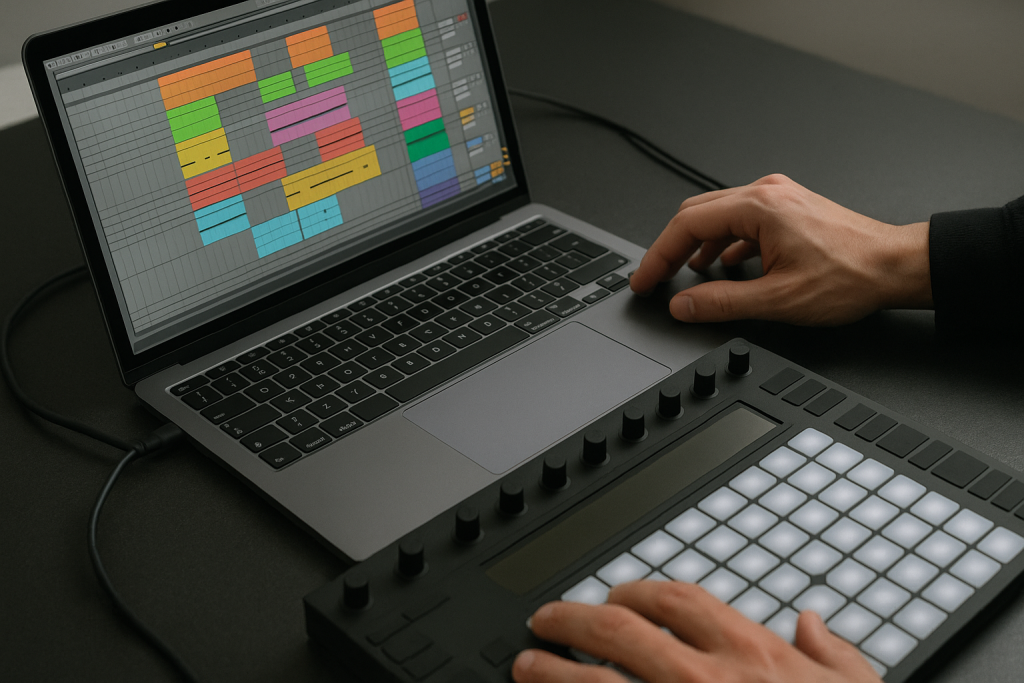
Ableton Live is hard to beat for electronic music because Session View handles loops, arrangement edits, and client alternate versions quickly. A decent template has drum, bass, music, vocal, FX, and print groups. Put Utility on every group. Set mono checks with one click.
For a 124 BPM house track, build 4-bar phrases and color-code every 16 bars. The client may never see the session, but you will. That is enough reason.
Logic and FL Studio are not second-class
Logic is efficient for audio editing, comping, and stock instruments. FL Studio is strong for pattern writing and fast drum programming. The weak point is usually not sound. It is export discipline.
A ghost producer working in any DAW should be able to export full mix, instrumental, extended mix, radio edit, and stems without changing gain by accident. Test the null difference between full mix and summed stems. If it fails badly, fix the routing.
- Session sample rate: 44.1 kHz or 48 kHz, agreed before delivery.
- Bit depth: 24-bit WAV for client masters and stems.
- Master bus: limiter bypassed for pre-master export.
- Reference channel: routed outside the mix bus processing.
- Print track: records real-time passes for glitch-heavy edits.

Sound Sources That Sell: Serum, Kontakt, Splice, Hardware
A ghost producer does not get paid for owning obscure synths. Clients pay for records that sit near their references without sounding like a ripped preset demo. Serum, Kontakt, Splice, Diva, and a small hardware box such as a Moog Subsequent 25 or Roland TR-8S cover most commercial ground.
The textbook answer says custom sound design is always better. Often wrong. If the brief is a tech house track at 126 BPM with a dry bassline, the client does not need a modular patch that took four hours. They need a bass that speaks on phone speakers and does not fight the kick at 55 Hz.
Serum still earns its place
Serum is useful because patches are portable. A ghost producer can send a session to another studio, reopen it six months later, and not pray that a discontinued synth still authorizes. Wavetable basses, plucks, noise risers, and simple supersaws are all covered.
Use one macro for filter cutoff, one for width, one for envelope decay, and one for distortion mix. Print MIDI and audio. Clients ask for key changes late. They always do.
Sample libraries need boring control
Splice and Loopcloud are fast, but sample use needs discipline. Do not build an exclusive custom track around a recognizable top-line loop that 4,000 other users downloaded. Use one-shots, chop loops past recognition, or replay parts in Kontakt.
Hardware is useful when it prints commitment. A TR-8S kick through a clean preamp can work. Hardware that adds 18 minutes of recall time per revision does not pay rent.
- Low bass fundamental: usually 45 to 65 Hz for house and techno.
- Vocal chop high-pass: often 120 to 180 Hz, depending on source.
- Supersaw width: check mono below 150 Hz.
- Kick length: 80 to 160 ms for tight club records.
- Reference loudness: compare after gain matching, not louder-is-better guesswork.

Mix Tools: Pro-Q 4, Soothe2, Ozone, and Meters
Mix tools make money when they reduce revision time. FabFilter Pro-Q 4, Soothe2, Trackspacer, Pro-C 2, Ozone, Metric AB, and Youlean Loudness Meter are not decoration. They keep the ghost producer from sending brittle masters, cloudy low mids, and stems that overload when summed.
The biggest paid advantage is translation. A track that only works on the producer’s monitors is not finished. Check headphones, small speakers, mono, and a car if available. Club systems punish optimism.
EQ moves that save client notes
Most client complaints are not poetic. The vocal is sharp. The kick is weak. The drop is smaller than the reference. Start with measurable moves. Cut mud around 220 Hz only if the analyzer and the speakers agree. Dip 2.8 to 4.5 kHz on harsh vocal chops. Use mid/side EQ to clean wide pads below 180 Hz.
A ghost producer should stop mixing into a crushed limiter too early. Keep the limiter for level checks, then bypass it before stem export.
Dynamic control without wrecking the record
Soothe2 is useful on harsh synth stacks, but it can sand the part flat. Start around 10 to 25 percent depth. If the lead disappears when the drop hits, the plugin is doing your job badly.
Sidechain ducking is still useful. Use 20 to 40 ms release for tight bass movement, longer if the groove breathes. Parallel compression on drums can add density, but print it to its own bus so stem sums remain predictable.
- FabFilter Pro-Q 4: surgical EQ, mid/side cleanup, analyzer checks.
- Soothe2: harshness control on vocals, synths, and cymbal stacks.
- Ozone: final limiter checks, codec preview, tonal balance reference.
- Metric AB: level-matched reference switching.
- Youlean Loudness Meter: LUFS and true peak checks before delivery.

Delivery Tools: Stems, Contracts, File Transfer, Revision Logs
A ghost producer loses money when delivery is sloppy. The mix can be good and the job can still go sour because the files are unnamed, the license terms are vague, or the client cannot open a 9 GB folder with no version notes.
Use boring systems. Dropbox, Google Drive, WeTransfer Pro, Frame.io, Notion, Airtable, DocuSign, and a proper invoice tool are not glamorous. They keep arguments out of the inbox.
What a ghost producer should deliver
Minimum delivery should include full master, instrumental, extended mix if relevant, radio edit if agreed, and grouped stems. For EDM, grouped stems usually cover drums, kick, bass, synths, vocals, FX, and automation prints. Export from bar 1 so everything lines up.
File names should read like engineering notes, not riddles. Example: ArtistAlias_TrackTitle_124BPM_Am_Master_v03_24bit.wav. Nobody should need to ask which file is current.
Revision control is part of the fee
Two rounds of revisions is enough for most custom work. More than that needs billing or tighter direction. Keep a revision log with date, request, action, and delivered file version. If a client asks to return to version 02 after approving version 04, you need the file available.
The contract should state ownership transfer, credit terms, royalty position, allowed use of stems, and whether project files are included. Project files should cost extra. They expose methods and increase support time.
- Use one folder per version, not loose files in chat threads.
- Export stems from bar 1 with identical length.
- Keep limiter-off pre-masters separate from final loud masters.
- Write license terms before sending high-resolution files.
- Archive paid sessions for at least two years.
Pricing Systems: Catalog Tracks, Custom Work, Royalties
The price is not just the track. It is exclusivity, speed, revision count, stem delivery, project file access, and risk. A ghost producer charging $250 for unlimited revisions is not undercutting the market. They are volunteering for unpaid labor.
Catalog tracks are cleaner. Custom work needs a higher rate because the client gets direction control. Royalty splits can work with serious artists, but exposure is not a payment method. Use cash as the base unless the artist has measurable distribution and a release plan.
Ghost producer pricing by job type
For entry-level EDM, an exclusive pre-made track might sit around $300 to $800 depending on genre, mix quality, and demand. Custom production often starts higher because every reference note changes the schedule. Experienced producers charge more because they reduce client risk.
A ghost producer should separate price lines. Track fee, stem fee, project file fee, extra revision fee, rush fee, and vocal tuning fee should not be hidden inside one vague number.
Where the textbook answer fails
The textbook answer says charge by the hour. That punishes efficiency. If a finished tech house record takes you six focused hours because the template is strong, hourly billing caps the value. Fixed project pricing works better for repeatable genres.
Hourly billing still makes sense for open-ended repair work, vocal cleanup, or label edits where the scope is not stable. Use the billing model that controls risk, not the one that sounds fair in a forum thread.
- Pre-made exclusive: lower admin, faster close.
- Custom production: higher fee, tighter scope required.
- Project file sale: charge extra due to support and method exposure.
- Rush delivery: price the schedule damage.
- Royalty split: only useful with real release infrastructure.
| Tool | Money use | Hard limit | Typical spec |
|---|---|---|---|
| Ableton Live 12 Suite | Fast arrangement, stem routing, alternate mixes | Messy templates still waste hours | 44.1 or 48 kHz, 24-bit export |
| Xfer Serum | Portable synth patches for basses, plucks, risers | Preset overuse sounds generic fast | Print MIDI plus audio |
| Kontakt | Playable instruments for replaying sample ideas | Large libraries slow recall | Freeze or print heavy parts |
| FabFilter Pro-Q 4 | Surgical EQ, mid/side cleanup, analyzer checks | Bad monitoring still lies | Cut problem bands 1 to 4 dB |
| Soothe2 | Controls harsh vocals, leads, cymbals | Overuse flattens energy | 10 to 25 percent depth start |
| Ozone | Limiter checks, tonal balance, codec preview | Cannot fix bad arrangement | -1 dBTP delivery check |
| Dropbox or WeTransfer Pro | Clean client delivery and archive trail | No contract, no protection | Versioned folders by date |
| Notion or Airtable | Revision log, catalog status, client notes | Needs consistent updating | Track fee, license, version fields |
Further reading
- Ableton Live manual — Official Ableton documentation for DAW routing, export, and session workflow.
- Sound On Sound techniques — Long-running professional audio publication with practical engineering guidance.
Frequently asked questions
How does a ghost producer make money?
A ghost producer makes money by selling finished tracks, custom productions, stem packages, mix revisions, and sometimes royalty or publishing shares. The reliable income usually comes from fixed-fee work with clear delivery terms, not vague promises of future exposure.
What tools do ghost producers need first?
Start with one main DAW, one flexible synth such as Serum, a clean EQ such as FabFilter Pro-Q 4, a limiter, a loudness meter, and a reliable file delivery system. Extra plugins help only after the template, routing, and export process are stable.
Is custom music production more profitable than selling catalog tracks?
Custom music production usually pays more per job, but it takes more communication and revision time. Catalog tracks have cleaner margins when the producer can finish consistent material quickly. The better model depends on output speed and how tightly the producer controls scope.
Should project files be included with a ghost production job?
Usually no. Project files increase support time, reveal methods, and create plugin compatibility problems. Include rendered stems as standard. Charge separately for the full session, and list the DAW version, sample rate, third-party plugins, and missing-license risk before transfer.
How many revisions should be included in a production fee?
Two revision rounds is a practical default for most paid production work. One round can feel tight for custom briefs. Unlimited revisions destroy margins. Extra rounds should have a fixed fee or hourly rate written into the agreement before audio delivery.
Can bedroom producers sell ghost productions?
Yes, if the files are clean and the track meets release standards. A bedroom setup with calibrated headphones, decent monitors, and disciplined exports can work. The weak point is usually not the room. It is arrangement quality, translation, and inconsistent client delivery.
Conclusion
The ghost producer who gets paid consistently usually has a dull-looking system: fixed templates, clean gain staging, named exports, written revision limits, and tools that reopen correctly months later. Ableton Live, Serum, Pro-Q 4, Soothe2, Ozone, and a versioned delivery folder are not a personality. They are infrastructure.
Do not start by buying ten more synths. Build one session template that can export a master, instrumental, extended mix, and stems without rerouting anything. Then run it on your next track and time the delivery process from final bounce to client-ready folder.
Ghost producer — Quick Recap
The fastest way to lock in ghost producer is to internalise the workflow above and repeat it on every project. Start small: pick one technique from this ghost producer guide, apply it to your next session, and audit the result against a reference track.
- A ghost production business earns from finished files, not plugin ownership.
- Templates, routing, and export discipline protect margin on every job.
- Ableton Live, Serum, Pro-Q 4, Soothe2, and Ozone cover most paid EDM work.
- Custom tracks need higher pricing because revisions and client control add risk.
Treat ghost producer as a habit, not a one-off — the producers who consistently nail ghost producer are the ones who run the same checks on every track. That’s the difference between a clean, club-ready master and a track that sounds great at home but falls apart on a real system.
In a real studio session, ghost producer comes down to the order in which you make decisions: reference first, gain stage second, then the creative work. Producers who treat ghost producer as a checklist instead of a vibe end up shipping more tracks.
Most producers and DJs undervalue ghost producer because the wins are invisible until the track plays back on a real system. Bake ghost producer into your template and the next ten projects benefit automatically.
My Career makes videos from your own track and posts them for you, pitches your release to 34,000+ labels, playlists, radio stations, YouTube channels and blogs, puts it in every store and briefs you every morning. Free plan, no card, two minutes to set up.