Key takeaways
- Ableton Live 12 is the strongest overall choice for clean electronic music handoff.
- FL Studio 2024 is fast, but it demands stricter folder and zip discipline.
- Logic Pro 11 suits vocal-led projects when assets and stems are exported carefully.
- Every serious project needs versions, references, stems, bounces and delivery folders.
- Collect samples, print key MIDI parts, and include a reference bounce before archiving.
Music project organization is where a promising track either becomes a finished record or turns into a folder called Final_Final_REAL_v9. I am putting three real workflows against each other here: Ableton Live 12 Projects, FL Studio 2024 folders, and Logic Pro 11 packages. All three can ship clean work. Only one makes the least mess when samples move, vocals change, stems need printing, and a client asks for the instrumental at 2 a.m.
The test is simple. Start with an 8-bar house loop, add drums, vocals, Serum 2 bass, sidechain ducking, FabFilter Pro-Q 4 cleanup, and a reference bounce. Then save versions, collect samples, export stems, and reopen the session on another drive. This is music project organization under pressure, not a cute desktop wallpaper routine.
Music Project Organization Shootout: The Three Systems
The three contenders behave differently before you write a single chord. Ableton thinks in self-contained Project folders. FL Studio gives you freedom, then punishes lazy file habits. Logic Pro tries to hide the plumbing inside a package, which is tidy until you need to inspect what is actually inside.
For ghost production and custom music work, I care about recall. If I cannot reopen the exact kick, vocal take and Pro-Q 4 notch at 220 Hz six months later, the system loses points.
Ableton Live 12: music project organization starts with the Project folder
Ableton Live 12 has the cleanest default structure. Every Set lives inside a Project folder with Samples, Backup, and analysis files. Hit Collect All and Save before archiving, and the session usually survives being moved to Dropbox, an external Samsung T7, or a collaborator’s MacBook.
I dock Ableton one point for letting beginners save random Sets straight to the desktop. Once you do that, your music project organization depends on memory, and memory is terrible after a long session.
FL Studio 2024: fast ideas, risky housekeeping
FL Studio is brilliant for starting ideas fast. The Browser, Channel Rack, and Piano Roll are still ridiculous for trap, EDM and tech house sketches. The problem is file sprawl. Samples can sit in user packs, download folders, old Splice locations, or one folder called Drums that nobody has cleaned since 2019.
Use Zipped Loop Package for handoff. It is not optional. Without it, FL sessions can open with missing claps, dead vocal chops, and a very awkward silence where the bass should be.
Logic Pro 11: tidy until collaboration starts
Logic Pro 11 packages are neat for solo artists. Save as a package, include audio files, sampler instruments, and Alchemy data, then keep working. On one machine, it feels polished.
The weakness shows up when a mixer wants stems, MIDI, tempo maps, and references instead of a sealed package. Logic can do it, but you need to be deliberate. I do not trust a Logic handoff unless the Audio Files folder, Bounces folder, and stem names are checked manually.
- Ableton wins on portable Project folders.
- FL Studio wins on speed, loses on loose sample paths.
- Logic wins for neat solo work, but needs careful exporting.
- Any workflow fails if versions and stems are named badly.

Folder Structure: Ableton Is Strict, FL Is Wild, Logic Is Hidden
Good music project organization starts before sound design. I use one master folder per track, not one folder per mood. The top level is boring on purpose: 01_Project, 02_Audio, 03_Stems, 04_References, 05_Bounces, 06_Delivery, and 99_Archive.
Ableton Live 12 keeps the session visible
Ableton’s Project folder makes sense to a tired producer. The ALS file sits where you expect it. Recorded files land in Samples/Recorded. Frozen tracks sit in Samples/Processed. If you resample a kick through Drum Buss and Utility, Ableton stores the result without drama.
My rule: one Ableton Project folder per song, even for alternate drops. If a radio edit becomes serious, it stays inside the same Project until delivery. That keeps music project organization clean without splitting the track history.
FL Studio needs a parent folder on day one
FL Studio does not force a clean folder structure, so you must. I create the song folder before opening FL, then save the FLP inside 01_Project. Audio exports go to 05_Bounces, consolidated vocals go to 02_Audio, and final stems go to 03_Stems.
Never save important FLPs inside Downloads. Harsh rule, correct rule. If your kick came from a random folder and you delete it later, the project will complain when you reopen it.
Logic Pro packages are clean, but folders are better for clients
Logic’s package format is fine for writing. For paid work, I prefer Save As Folder with assets copied. A folder exposes the Audio Files and Bounces locations, which makes delivery less mysterious for artists, managers, and mix engineers.
Logic users who send only a package often think they have sent everything. Sometimes they have. Sometimes the vocal comp, impulse response, or sampler asset is still living somewhere else.
- Create the track folder before the DAW session.
- Keep references outside the DAW project file.
- Store rough bounces by date, not by emotion.
- Use one Delivery folder for files other people will touch.

Samples and Presets: The Missing File Stress Test
This is where music project organization gets exposed. Move the project to a different drive. Disconnect your sample SSD. Reopen the session. If the track still plays, your system works. If half the drums vanish, you were renting your own project from your file paths.
Ableton Live 12 wins with Collect All and Save
Ableton’s File Manager is the best of the three for this test. Use Manage Project, check external files, then Collect All and Save. I do this before sending a project to another producer and before freezing an archive.
For music project organization, Ableton gets full marks when you commit. It loses when users assume Auto Save means archive safety. It does not. Collect the files.
FL Studio 2024 needs zipped delivery discipline
FL’s Zipped Loop Package is the move. It bundles the FLP and used samples into one file. For collaboration, I want that zip plus a separate WAV reference bounce. If the zip opens wrong, the reference tells me what should be happening.
Project Bones are useful for moving patterns, mixer states, and channel settings, but they are not my first choice for client delivery. Too many folders, too much room for confusion.
Logic Pro 11 is good if assets are actually copied
Logic has the right checkboxes. Copy audio files. Copy sampler instruments. Copy Ultrabeat samples if you still have old projects. Copy Space Designer impulse responses when needed. The issue is not capability, it is trust.
I bounce any custom MIDI instrument to audio once the part is approved. A Serum 2 bass with automation, glide, and sidechain ducking becomes an audio safety print. That single habit saves sessions.
- Print important MIDI parts to audio before archiving.
- Keep dry vocals and tuned vocals in separate folders.
- Store one reference bounce beside every shared project.
- Freeze tracks only after saving the original instrument version.

Versioning: The Place Most Producers Lie to Themselves
Versioning is the ugly part of music project organization because everyone thinks they will remember what changed. You will not. A 3 dB kick swap, a muted riser, and a different vocal delay throw can decide whether a track feels finished.
Ableton Live 12 versioning is simple but easy to abuse
I save Ableton versions like this: TrackName_120BPM_Am_v01, v02, v03, then TrackName_120BPM_Am_DELIVERY_v01. No Final. No New Final. No Mastered Final unless it is actually mastered.
Ableton’s automatic Backup folder helps, but I treat it as a parachute, not a filing system. Real versions live in the Project root so they are visible.
FL Studio 2024 rewards frequent incremental saves
FL users should lean hard on incremental saves. The Save New Version command is there for a reason. Use it before replacing drums, flattening MIDI, or changing arrangement length from 3:12 to 2:45 for a label edit.
For music project organization, FL needs stricter names than Ableton because FL sessions often depend on external paths. Version name, BPM, key, and status are non-negotiable.
Logic Pro 11 alternatives are useful, not enough
Logic’s Project Alternatives are handy for arrangement tests. I use them for radio edits, extended mixes, and vocal up versions. Still, I export separate bounces with matching names because nobody outside Logic can hear an Alternative.
If a client asks what changed, send the bounce. Do not ask them to open your DAW archaeology.
- Use v01, v02, v03, not Final and Final2.
- Put BPM and key in the filename.
- Name delivery versions separately from writing versions.
- Save before destructive edits, not after regret hits.
Stems, Bounces and Delivery: Where the Shootout Gets Brutal
Delivery is the real exam. A clean session that cannot produce clean stems is not clean. For artists looking at custom production or ghost production, music project organization must support handoff: full mix, instrumental, acapella, TV mix, extended mix, dry stems, and wet stems when needed.
Ableton Live 12 prints stems quickly
Ableton’s export selected tracks workflow is fast. Group your drums, bass, music, vocals, FX, and returns properly, then export at 24-bit WAV with the same start point. Leave -6 dB headroom on the premaster. Do not normalize stems.
I like Ableton for club music because resampling is painless. A sidechained bass group can be printed exactly as heard, including LFO Tool or ShaperBox movement.
FL Studio 2024 is strong if routing is clean
FL can export split mixer tracks well, but only if the Mixer is organized. Kick on Insert 1, bass bus, drum bus, synth bus, vocal bus, FX returns. Random channels named Insert 47 are a delivery tax.
For music project organization in FL, routing is part of filing. If the clap, shaker, and crash all hit the Master directly, you are not ready to print professional stems.
Logic Pro 11 handles traditional stem sessions best
Logic is excellent for track stacks, vocal comps, and traditional audio sessions. Export All Tracks as Audio Files works well when tracks are named clearly. The mixer feels less immediate than Ableton for electronic resampling, but it is strong for vocal-heavy pop and dance records.
My docked point: Logic sometimes makes producers over-trust the session. Print wet and dry versions of lead vocals. Print MIDI hooks. Print the premaster. Future you is not impressed by elegance, only recall.
- All stems must start at bar 1 or the same timecode.
- Export 24-bit WAV unless the receiver asks otherwise.
- Keep premaster peaks around -6 dB.
- Print wet vocals and dry vocals.
- Include a reference bounce in the Delivery folder.
Who Should Pick Ableton, FL Studio or Logic?
No fence-sitting. Your best music project organization system is the one that matches how you actually finish tracks, not how tidy you wish you were. I will dock any setup that relies on heroic memory or late-night folder cleaning.
Pick Ableton Live 12 if you finish electronic music for release
Ableton is my winner for most bedroom producers making house, techno, EDM, drum and bass, or club edits. Session View, freezing, resampling, and Collect All and Save make it the least painful option for moving from loop to delivery.
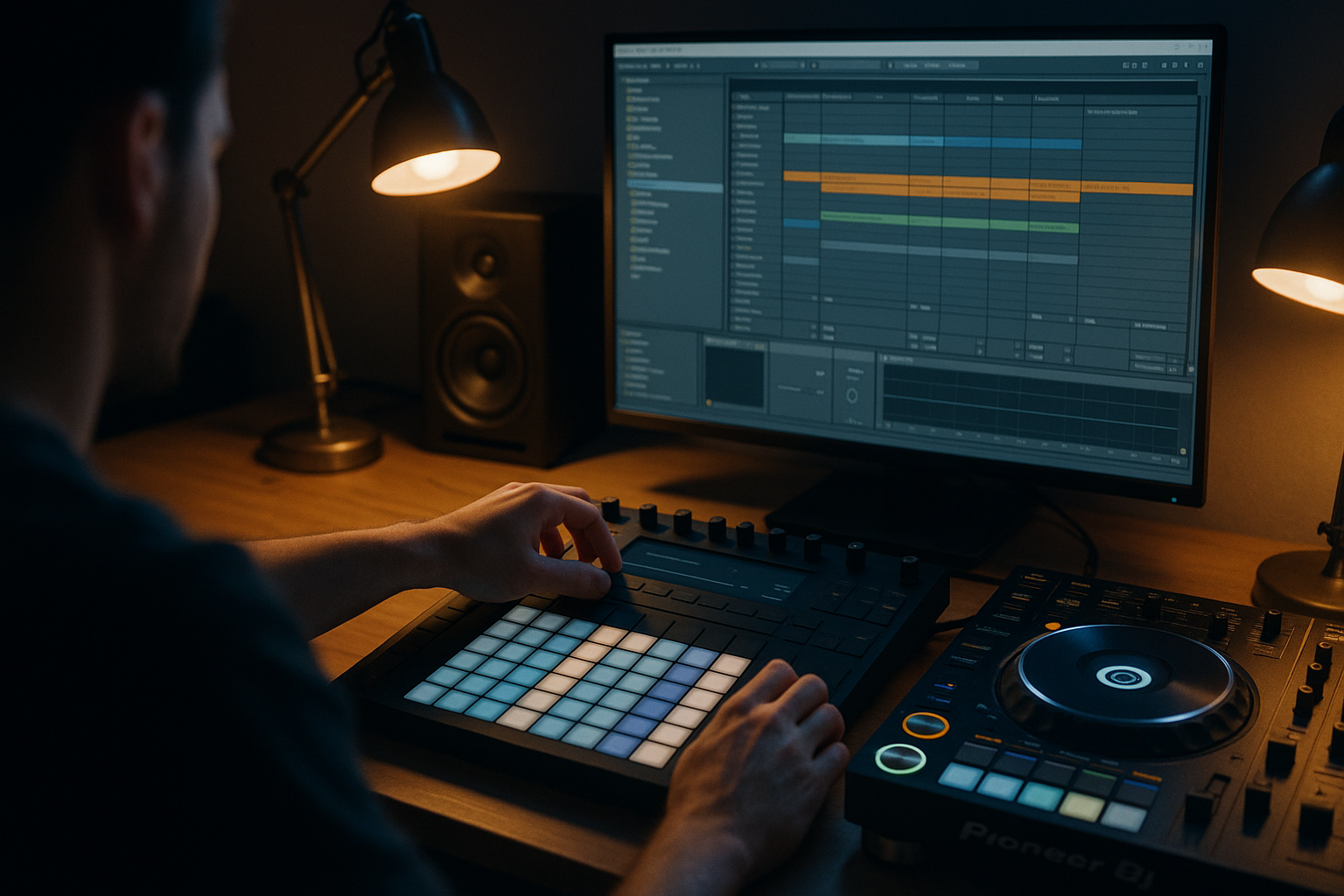
If you use Ableton Push 3, the system gets even tighter. Sketch ideas, commit audio, name groups, and keep the Project folder intact. Done properly, music project organization feels like part of production, not office work.
Pick FL Studio 2024 if speed beats tidiness for you
FL Studio is the fastest idea machine here. I would pick it for producers who build melodies, drums, and drops quickly, especially in EDM, trap, slap house, and festival styles. The Piano Roll still smokes the competition.
But FL users need discipline. Use a parent folder, zipped packages, clean mixer routing, and incremental saves. If you refuse that, choose Ableton instead.
Pick Logic Pro 11 if vocals and songwriting drive the session
Logic is the pick for singer-producers, pop writers, and artists doing vocal-heavy custom tracks. Comping, takes, stock instruments, and audio editing are strong. The package system keeps solo work tidy.
For collaboration, save as folders and export stems early. Logic is not weak, but it does hide mess better than the others. Hidden mess still counts as mess.
- Overall winner: Ableton Live 12 for release-focused electronic producers.
- Fastest sketchpad: FL Studio 2024, if you enforce file rules.
- Best songwriter setup: Logic Pro 11 for vocals and traditional arrangements.
- Worst choice: any DAW with unnamed files, missing samples, and mystery stems.
| Workflow Test | Ableton Live 12 | FL Studio 2024 | Logic Pro 11 |
|---|---|---|---|
| Default project structure | Clear Project folder with Samples, Backup and Set files. | Flexible, but too loose unless you create the folder first. | Clean package or folder saving, good for solo work. |
| Missing sample protection | Best score with Collect All and Save. | Good only when using Zipped Loop Package. | Good if all asset copy boxes are checked. |
| Version control | Simple ALS versions in one Project folder. | Strong incremental saves, but naming must be strict. | Project Alternatives help, but bounces still matter. |
| Stem export | Fast selected track export and easy resampling. | Powerful split mixer export if routing is clean. | Excellent audio export for named tracks and stacks. |
| Collaboration handoff | Most reliable for electronic production partners. | Risky without zip plus reference bounce. | Solid when saved as folder with clear Delivery files. |
| Best user | Club producers, remixers, ghost producers, live performers. | Fast beatmakers and melody-first producers. | Vocal producers, songwriters and pop-focused artists. |
| Biggest weakness | Users forget Collect All and Save. | Samples scatter across drives and downloads. | Packages can hide problems until delivery. |
Further reading
- Ableton file management — Ableton's official manual explains Projects, Sets, file collection and missing file management.
- Sound On Sound production archive — Sound On Sound is a long-running authority for practical recording, mixing and production workflow techniques.
Frequently asked questions
What is the best music project organization workflow for beginners?
Use one master folder per song with subfolders for project files, audio, stems, references, bounces and delivery. If you use Ableton, run Collect All and Save. If you use FL Studio, create zipped loop packages. If you use Logic, save with assets copied.
How should I name my DAW project files?
Use track name, BPM, key and version number. A clean example is NightDrive_124BPM_Fm_v03. Avoid Final, Final2 and NewFinal. Those names collapse as soon as you make one more edit, and you will.
Should I keep samples inside every project folder?
For serious releases, yes. Keep a central sample library for browsing, but collect used samples into the project before archiving or sending it out. That protects the session when drives change, subscriptions expire, or folders get renamed.
What stems should I export for a finished dance track?
Export drums, kick, bass, music, vocals, FX, returns if needed, instrumental, acapella, TV mix and full premaster. Start every stem at the same point, usually bar 1, and use 24-bit WAV unless another format is requested.
Is Ableton better than FL Studio for organizing projects?
For most electronic producers, yes. Ableton’s Project folder and Collect All and Save are harder to mess up. FL Studio can be just as reliable, but only if you use strict folders, clean mixer routing and zipped loop packages every time.
How often should I save new versions?
Save a new version before major arrangement changes, sound replacement, vocal tuning, stem printing or mix revisions. In real sessions, that usually means every 30 to 60 minutes, plus one new version before any destructive edit.
Conclusion
music project organization is not admin, it is damage control before the damage happens. Ableton Live 12 wins this shootout because its Project folder, resampling flow and Collect All and Save command fit the way electronic tracks actually get finished. FL Studio is the fastest writer’s room, but you must police folders and zipped packages. Logic Pro 11 is strongest for vocals and songwriting, as long as you stop hiding behind packages and export proper delivery files.
Try this in your next session: create the master folder first, save version v01 before the loop gets complicated, print one reference bounce, and collect the samples before you close the laptop. Boring system. Better records.
Music project organization — Quick Recap
The fastest way to lock in music project organization is to internalise the workflow above and repeat it on every project. Start small: pick one technique from this music project organization guide, apply it to your next session, and audit the result against a reference track.
- Ableton Live 12 is the strongest overall choice for clean electronic music handoff.
- FL Studio 2024 is fast, but it demands stricter folder and zip discipline.
- Logic Pro 11 suits vocal-led projects when assets and stems are exported carefully.
- Every serious project needs versions, references, stems, bounces and delivery folders.
Treat music project organization as a habit, not a one-off — the producers who consistently nail music project organization are the ones who run the same checks on every track. That’s the difference between a clean, club-ready master and a track that sounds great at home but falls apart on a real system.
In a real studio session, music project organization comes down to the order in which you make decisions: reference first, gain stage second, then the creative work. Producers who treat music project organization as a checklist instead of a vibe end up shipping more tracks.
Most producers and DJs undervalue music project organization because the wins are invisible until the track plays back on a real system. Bake music project organization into your template and the next ten projects benefit automatically.
When you struggle with music project organization, the fix is rarely a new plugin. Loop a problem section, A/B against a reference, and isolate which element is breaking your music project organization.
Treat music project organization as a craft, not a chore. The producers releasing on the biggest labels lock music project organization in early so they can spend their energy on melody and arrangement instead of fighting the mix.
Document your music project organization process — even a short note in the project file. Future-you will rebuild the same music project organization win in half the time.
If music project organization sounds great in headphones but bad in the car, you have a translation problem, not a creative one. The music project organization tweaks above are designed to survive every system.
My Career makes videos from your own track and posts them for you, pitches your release to 34,000+ labels, playlists, radio stations, YouTube channels and blogs, puts it in every store and briefs you every morning. Free plan, no card, two minutes to set up.