
Key takeaways
- Start with drums, bass and groove before adding hooks or risers.
- Use short kick tails, mono sub and controlled sidechain ducking for cleaner low end.
- One memorable vocal chop or synth stab beats a crowded arrangement.
- Build in 4, 8 and 16-bar phrases so DJs can mix the track easily.
- Reference on club-style playback and small speakers before final export.
- Finish structured passes instead of replacing sounds forever.
To make tech house that does not fall apart on club speakers, start with the kick, bass, groove and empty space before you touch flashy vocals or risers. If you want to make tech house for your own DJ sets, label demos, or a brief for a custom production team, the same rule holds: the loop has to punch at low volume.
Forget the 60-track mess. A solid tech house record can be built from one short vocal hook, a dry drum groove, a rolling bassline, two or three synth stabs and an arrangement that respects 4-bar phrases. Ableton Live, FL Studio, Logic, Push 3, DDJ-FLX10, CDJ-3000, Serum 2, Diva, FabFilter Pro-Q 4 and Soothe2 all help, but the idea matters more than the tool.
Make Tech House From a Drum-First Loop
A strong tech house idea usually starts as an 8-bar drum loop that already makes your shoulders move.
To make tech house quickly, build the groove before the song. Set the tempo between 124 and 128 BPM. I usually start at 126 BPM because it sits well between festival tech house and smaller-room club records. Drop in a kick, closed hat, offbeat open hat, clap, shaker and one percussion hit with attitude.
How to Make Tech House Grooves Feel Less Stiff
Do not quantize every hit to death. Push one shaker 8 to 15 ms late. Pull a clap slightly forward if the loop feels lazy. On Ableton Push 3, record hats by hand, then tighten only the worst notes.
Velocity matters more than another sample pack. A closed hat at 72 velocity followed by one at 88 already sounds more human than a flat machine-gun pattern.
- Start at 126 BPM, then adjust after the bassline lands.
- Keep the main kick dry, short and mono.
- Use one clap or snare as the anchor, not three stacked guesses.
- Add swing after the loop works straight.
- Mute parts often to check if the groove still moves.
Pick a Kick That Leaves Room for Bass
The wrong kick will wreck the track before the bassline even starts.
If you want to make tech house with a clean low end, choose a kick with a clear fundamental and a short tail. Long 909 booms can work, but only if the bassline stays out of their way. Most modern tech house kicks hit between 45 and 60 Hz, with useful click around 2 to 5 kHz.
Kick Tuning Without Overthinking It
Use Ableton Tuner, Mixed In Key Studio Edition, or your DAW spectrum analyzer. If the track is in F minor, a kick around F, G or C usually behaves. Do not force pitch if the sample gets ugly. Pick a better kick.
Cut unnecessary low rumble below 25 Hz with FabFilter Pro-Q 4. If the kick tail masks the bass, shorten it in Simpler, Drum Sampler, Battery 4 or Serato Sample.
- Avoid kicks with huge reverb tails.
- Check the kick at low monitor volume.
- Leave around -6 dB headroom on the drum bus.
- Use one main kick sample, not a five-layer stack.

Write a Bassline That Talks to the Kick
The bassline should answer the kick, not fight it for the same physical space.
To make tech house with drive, use short notes, rests and repetition. A one-bar bassline can carry the whole record if the sound is right. Serum 2, Diva, Monark, Operator and Trilian all work. Start with a saw or square wave, low-pass it around 120 to 250 Hz, then add saturation until it reads on small speakers.
Sidechain Ducking That Still Feels Natural
Sidechain ducking is not optional for most modern club low end. Use Ableton Compressor, Kickstart 2, ShaperBox 3 or Trackspacer. Set the release so the bass comes back before the next kick, usually around 90 to 160 ms at 126 BPM.
If the groove starts pumping like a bad EDM preset, back off. I prefer 2 to 4 dB of ducking on the bass, then extra volume automation only where the drop needs lift.
- Write bass notes around the kick gaps.
- Use mono below 120 Hz.
- Cut bass mud around 180 to 300 Hz if the loop clouds up.
- Add saturation before compression for better translation.
- Check phase if layering a sub and mid-bass.
Use One Hook, Then Make It Work Hard
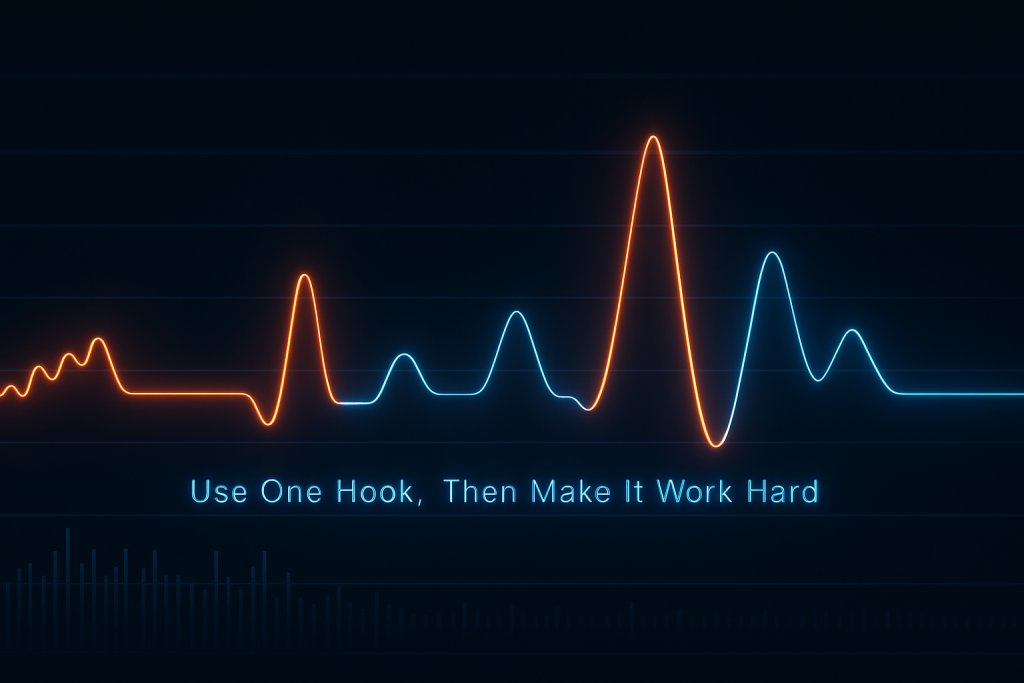
Tech house does not need ten melodies; it needs one hook that people remember after two drinks.
A vocal chop, siren stab, organ riff, FM pluck or one-shot synth hit can be enough. To make tech house that DJs can actually use, keep the hook simple and repeatable. The trick is movement: filter it, chop it, mute it, pitch it down for one bar, then bring it back dry.
Vocal Chops Without Demo Energy
Pick a phrase with rhythm, not just a cool word. Slice it in Serato Sample, Ableton Simpler or FL Slicex. Keep the best syllable and throw away the rest. If the vocal fights the groove, it is not the vocal.
High-pass most vocal chops around 120 to 180 Hz. Use short room reverb, then automate delay throws on the last word of a 4-bar phrase.
- Use one main hook and one support sound.
- Keep delays timed to 1/8 or 1/4 notes.
- Print resampled versions for fills.
- Mute the hook in breakdowns so the drop feels bigger.
Arrange in DJ-Friendly 4-Bar Phrases
If the arrangement ignores DJs, the track feels awkward on CDJ-3000s even if the loop bangs.
To make tech house that mixes well, think in 4, 8 and 16-bar blocks. DJs need clean intros, predictable exits and obvious energy changes. A 32-bar intro with kick, hats and a tease of the bass is still useful. Do not open with a cinematic minute unless the record is built for streaming, not clubs.
A Practical Club Arrangement
Use markers before you start decorating. Intro, first groove, breakdown, first drop, variation, second breakdown, main drop, outro. That shape is not boring. It gives you a grid where small changes matter.
Every 8 bars, change one thing. Add a ride, pull the bass for two beats, reverse the vocal, open the filter 10 percent. Small moves beat random chaos.
- Intro: 16 to 32 bars for mixing.
- First drop: introduce the full groove, not every sound.
- Breakdown: remove low end early.
- Main drop: bring back bass, hook and extra percussion.
- Outro: strip down for the next DJ blend.
Clean the Low-Mid Mud Before Mastering
Most weak tech house mixes are not too quiet; they are clogged between 180 and 500 Hz.
To make tech house sound bigger, cut what blocks the groove. Use FabFilter Pro-Q 4, Ableton EQ Eight, Kirchhoff-EQ or TDR Nova. Do not carve everything soloed. Play kick, bass, drums and hook together, then remove the junk that masks movement.
Mid/Side EQ Moves That Actually Help
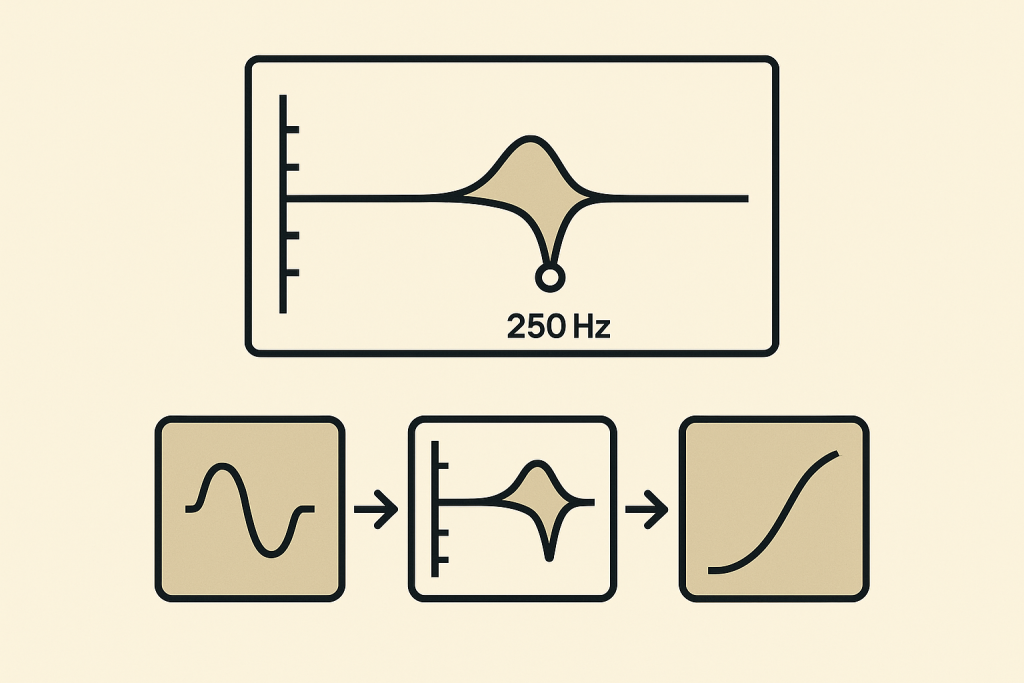
Keep the sub and kick mono. On synth stabs, pads and noisy fills, use mid/side EQ to high-pass the sides around 150 to 220 Hz. That leaves the center steady and makes the width feel cleaner.
Soothe2 can tame harsh hats around 6 to 10 kHz, but do not let it flatten the groove. If a shaker hurts, turn it down first. Then process.
- High-pass non-bass sounds above 100 Hz when needed.
- Cut boxiness around 250 Hz on claps and stabs.
- Use dynamic EQ for resonant vocal chops.
- Check the mix in mono before widening anything.
- Leave the master peak around -6 dB before limiting.
Build Energy With Automation, Not More Tracks
The fastest way to make a drop hit harder is to remove energy before it returns.
When you make tech house, automation does more work than extra layers. Filter the drum bus slightly before the drop. Pull the bass out for one bar. Automate reverb decay on a vocal throw, then cut it dead on the kick. Silence is a production tool.
Tension Moves That Stay Club-Safe
White noise risers are fine, but they are often lazy. Try a snare roll with velocity ramps, a pitch-down tom fill, a reversed clap, or a filtered copy of your main hook. Keep fills short. Two beats can be enough.
On a Pioneer DDJ-FLX10 or CDJ-3000 test blend, the best energy moves feel obvious without looking at the waveform.
- Mute the bass for the last half-bar before a drop.
- Open hat filters over 8 bars.
- Automate delay feedback only on phrase endings.
- Use one signature fill, then repeat it with variation.
Reference on Club Gear and Small Speakers
If the track only works on your studio headphones, it is not finished.
To make tech house that survives release day, reference it against records already working in DJ sets. Use two or three tracks, not a playlist of fifty. Match loudness before comparing. A limiter-smacked reference will always feel better if your mix is 6 dB quieter.
Where to Check Translation
Test on studio monitors, headphones, a car, a Bluetooth speaker and, if you DJ, through rekordbox or Serato with a controller. The low end should stay readable when the volume drops. The vocal hook should cut without stabbing your ears.
If your bass disappears on a phone speaker, add upper harmonics around 700 Hz to 1.5 kHz with saturation. Do not just raise the sub.
- Level-match references before making mix decisions.
- Check mono below 120 Hz.
- Listen at low volume for groove balance.
- Export test WAVs, not only MP3 previews.
- Try one DJ transition into a known track.

Finish the Record Before You Replace Everything
Endless sound swapping is usually fear wearing a producer hat.
To make tech house consistently, set a hard finishing path. Write the loop, arrange it, mix the core, test it, fix only what fails. Bedroom producers often restart because the second drop feels flat. Most of the time, the second drop needs one new percussion layer, a tighter fill or a different vocal chop edit, not a new project.
A 90-Minute Finish Pass
Give yourself 20 minutes for arrangement gaps, 20 minutes for low-end cleanup, 20 minutes for automation, 15 minutes for reference checks and 15 minutes for export notes. Stop when the track plays from start to finish without apology.
If you are briefing a ghost producer or custom production service, send references, tempo, key, vocal direction, arrangement notes and two tracks you do not want copied. Clear briefs get better music.
- Bounce version numbers instead of overwriting.
- Write fix notes while listening away from the DAW.
- Limit new sounds during the final pass.
- Export instrumental, extended mix and radio edit when needed.
- Keep stems organised if another mixer will touch it.
| Task | Best Tool or Technique | Why It Works | Watch Out For |
|---|---|---|---|
| Drum groove | Ableton Drum Rack or FL Channel Rack | Fast sample swapping and velocity control | Flat velocities that kill swing |
| Bass movement | Serum 2, Diva or Operator | Simple waveforms give clean, repeatable low end | Too much stereo below 120 Hz |
| Kick and bass pocket | Sidechain ducking with ShaperBox 3 | Precise curve control around every kick | Over-ducking until the groove breathes badly |
| Low-mid cleanup | FabFilter Pro-Q 4 mid/side EQ | Removes clutter without gutting the center | Carving soloed sounds too aggressively |
| Harsh hats | Soothe2 or dynamic EQ | Controls resonances only when they jump out | Using processing instead of lowering the part |
Further reading
- Ableton Live manual — Ableton's official manual is a primary source for Live workflow, routing, warping and stock device behavior.
- Pioneer DJ CDJ-3000 — Pioneer DJ's official CDJ-3000 page is authoritative for club playback hardware and DJ performance features.
Frequently asked questions
How do I make tech house if I am a complete beginner?
Start with an 8-bar loop at 126 BPM: kick, clap, closed hat, open hat, shaker and bassline. Arrange that loop into 4-bar phrases before adding extra sounds. Keep the low end mono, reference two released tracks and finish a rough extended mix before chasing perfect sound design.
What BPM is best for tech house?
Most tech house sits between 124 and 128 BPM. Start at 126 BPM if you are unsure. It feels club-ready without rushing the groove. Slower tempos can feel deeper and chunkier, while 128 BPM gives more festival energy.
What plugins do I need for tech house production?
You can get far with stock plugins. Useful third-party tools include Serum 2 or Diva for bass, FabFilter Pro-Q 4 for EQ, ShaperBox 3 for sidechain ducking and Soothe2 for harshness control. Samples, groove and arrangement matter more than owning every plugin.
Why does my tech house bass sound muddy?
Your kick and bass are probably sharing the same space. Shorten the kick tail, make the bass play around the kick, use 2 to 4 dB of sidechain ducking and clean low-mids around 180 to 300 Hz. Keep sub information mono and avoid wide bass layers.
How long should a tech house arrangement be?
An extended club mix often lands between five and seven minutes. Use a 16 or 32-bar intro, clear breakdowns, two drop sections and a DJ-friendly outro. For streaming, you can make a tighter edit around three minutes without changing the core groove.
Can I use ghost production for a tech house release?
Yes, if the brief is clear and the rights are agreed in writing. Send reference tracks, BPM, key, label direction, vocal preferences and arrangement notes. A good custom production brief should guide the track without asking for a direct copy of another release.
Conclusion
Make tech house by treating the groove as the record, not as a placeholder for later magic. Pick a kick that leaves room. Write a bassline with rests. Use one hook that earns repetition. Arrange in phrases a DJ can read without guessing. Clean the low-mids before blaming the master.
The best session move is simple: open a blank project, set 126 BPM and build an 8-bar loop with only drums and bass for 30 minutes. No vocals. No risers. If that loop moves, the track has a spine. Try that in your next session, then arrange it before your brain starts shopping for more sounds.
Make tech house — Quick Recap
The fastest way to lock in make tech house is to internalise the workflow above and repeat it on every project. Start small: pick one technique from this make tech house guide, apply it to your next session, and audit the result against a reference track.
- Start with drums, bass and groove before adding hooks or risers.
- Use short kick tails, mono sub and controlled sidechain ducking for cleaner low end.
- One memorable vocal chop or synth stab beats a crowded arrangement.
- Build in 4, 8 and 16-bar phrases so DJs can mix the track easily.
Treat make tech house as a habit, not a one-off — the producers who consistently nail make tech house are the ones who run the same checks on every track. That’s the difference between a clean, club-ready master and a track that sounds great at home but falls apart on a real system.
In a real studio session, make tech house comes down to the order in which you make decisions: reference first, gain stage second, then the creative work. Producers who treat make tech house as a checklist instead of a vibe end up shipping more tracks.
Most producers and DJs undervalue make tech house because the wins are invisible until the track plays back on a real system. Bake make tech house into your template and the next ten projects benefit automatically.
When you struggle with make tech house, the fix is rarely a new plugin. Loop a problem section, A/B against a reference, and isolate which element is breaking your make tech house.
Treat make tech house as a craft, not a chore. The producers releasing on the biggest labels lock make tech house in early so they can spend their energy on melody and arrangement instead of fighting the mix.
My Career makes videos from your own track and posts them for you, pitches your release to 34,000+ labels, playlists, radio stations, YouTube channels and blogs, puts it in every store and briefs you every morning. Free plan, no card, two minutes to set up.


