
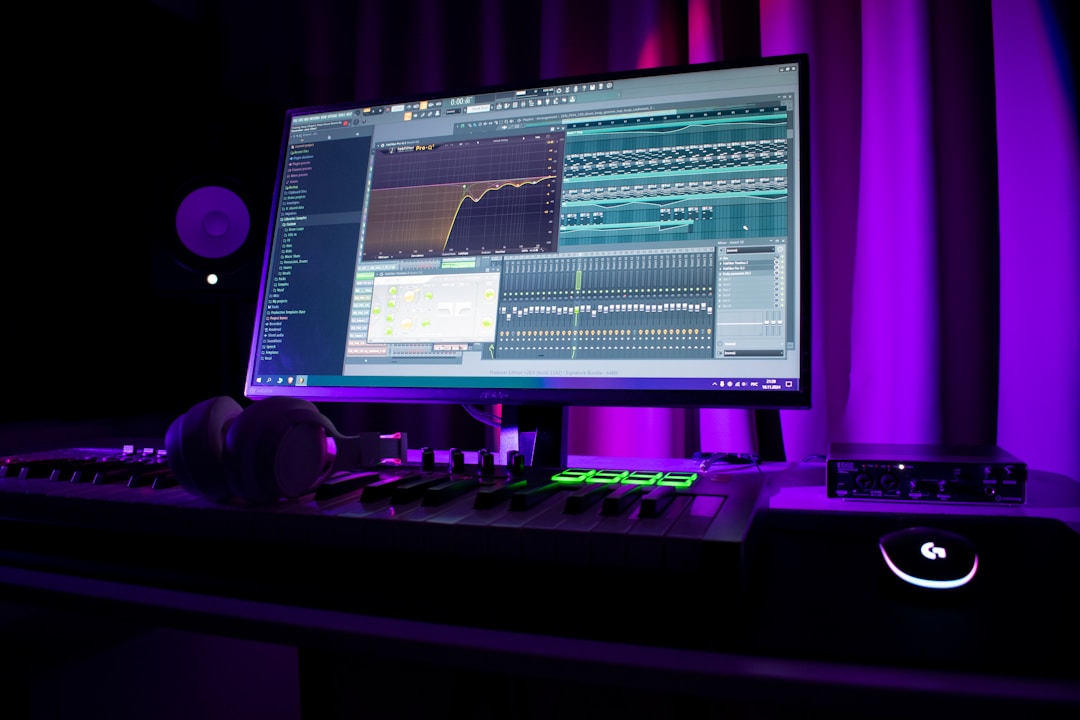
Key takeaways
- loud masters come from controlled peaks, not one limiter pushed too hard.
- Keep true peak ceiling around -1.0 dBTP for safer exports and conversions.
- Clip fast transients before final limiting to preserve punch.
- Low-end timing and mono control matter more than extra sub volume.
- Reference on DJ-style playback, not only studio monitors.
Loud masters start with a mix that can survive level, not a limiter pushed until the waveform looks like a brick. The loud masters that translate in DJ sets usually have boring fundamentals: clean low end, trimmed peaks, controlled stereo, and a limiter doing the last 2 to 4 dB, not emergency surgery.
If your track sounds big at -14 LUFS but folds at -8 LUFS, the problem is earlier than the master bus. Kicks are too peaky. Subs are eating headroom. Hats are stabbing the limiter. Most loud masters are won by small decisions across the session, then confirmed on real playback: headphones, monitors, car, and a CDJ-3000 or club-style controller chain.
Set the Ceiling for loud masters Before Limiting
Set your true peak ceiling first, then build loudness against that fixed target.
For loud masters aimed at DJ playback, start with a true peak ceiling around -1.0 dBTP. If the track will be pushed through streaming conversion, club processors, or MP3 previews, -1.0 dBTP is safer than -0.1 dBTP. You lose almost no perceived loudness, and you avoid crunchy inter-sample peaks.
Use a real true peak meter, not only the meter inside your DAW channel strip. FabFilter Pro-L 2, iZotope Insight, Youlean Loudness Meter, and Metric AB all work. Your limiter ceiling is not a vibe setting. It is the fence.
Why loud masters collapse at the drop
Most loud masters collapse because the limiter catches kick, sub, vocal shout, and open hat at the same time. The drop arrives, the limiter grabs 6 dB, and the groove shrinks.
Watch gain reduction on the loudest 8 bars. If your limiter is moving more than 4 dB on every kick, fix the mix or add clipping before it.
- Set output ceiling to -1.0 dBTP for safety.
- Check integrated LUFS and short-term LUFS separately.
- Watch limiter movement on the drop, not the intro.
- Keep at least 1 dB of true peak margin on test exports.
Leave Headroom Where It Actually Matters
Headroom is useful only when the master bus is fed by balanced peaks.
Leaving -6 dB on the master does not automatically create loud masters. You can have -6 dB headroom and still have a kick transient 9 dB louder than the groove. That transient will own the limiter.
A better target: keep the premaster peaking around -6 dBFS, but also control individual hot spots. Kicks, snares, tom fills, crash hits, and vocal chops should not jump out 5 dB above the loop unless the arrangement needs that impact.
Premaster gain staging that works
Put a trim plugin before your master chain. Pull the full mix down until the loudest drop peaks around -6 dBFS. Then balance groups, not the stereo file.
- Kick group peak: around -8 to -6 dBFS.
- Sub group peak: around -10 to -8 dBFS.
- Drum bus compression: 1 to 2 dB gain reduction.
- Master input before limiting: never clipping red.
- Trim the mix before processing, not after the limiter.
- Fix peak offenders on their channels.
- Do not normalize the premaster before mastering.
- Render 24-bit WAV with no master clipping.
Make loud masters From the Arrangement Up
A sparse, punchy arrangement gets louder than a crowded one every time.
You cannot EQ your way out of five parts fighting the same range. The cleanest loud masters usually have fewer active elements than beginners expect. A tech house drop might be kick, sub, bass mid layer, clap, hats, one hook, and one noise lift. That is plenty.
If three synths are playing 16th-note patterns around 300 Hz to 2 kHz, your limiter will hear a block of constant energy. The track may meter loud, but it will feel flat. Mute parts before you process them.
Arrangement edits that add volume
Use 4-bar phrases to create space. Drop the ride for two bars before a fill. Remove the bass mid layer under a vocal hook. High-pass a riser at 220 Hz so it does not sit on the sub.
Volume comes from contrast. Silence before impact is free loudness.
- Mute duplicate midrange parts during the main drop.
- Keep risers and impacts out of the sub lane.
- Use call-and-response instead of stacking every hook.
- Check the drop with the lead muted, the groove should still hit.

Clip Peaks Before the Limiter Works
A clipper before the limiter can make the master louder without that pumping limiter sound.
Hard truth: if you want aggressive loud masters for EDM, a clean clipper is usually part of the chain. The limiter should not be shaving every kick transient from scratch. Let a clipper remove 1 to 3 dB of fast peak information, then let the limiter control final level.
Good options: Kazrog KClip 3, StandardCLIP, Newfangled Saturate, or the clipper inside Ozone. Use oversampling. Without oversampling, clipped highs can spit aliasing, especially on bright hats and vocal chops.
Clipper settings that do not wreck drums
Start with soft clip mode. Push until the kick loses punch, then back off 1 dB. If the clap starts sounding papery or the hat tail turns fizzy, you went too far.
On a drum bus, clipping 2 dB can be perfect. On a full master, 0.5 to 1.5 dB is often enough.
- Place clipper before final limiter.
- Use 4x or 8x oversampling when available.
- Bypass often at matched loudness.
- Clip drum bus peaks before clipping the full mix.
Control Low End Before Chasing LUFS
Low end is the main reason loud masters either hit hard or fall apart.
A sub that feels huge in the room can eat 3 dB of headroom before anyone hears it on laptop speakers. For club music, keep the fundamental controlled and the upper bass readable. The limiter reacts to sub energy even when the listener barely notices the extra weight.
Use a spectrum analyzer and your ears. If the kick fundamental sits around 50 Hz and the bass fundamental also lives at 50 Hz, one of them needs to move, duck, or shorten.
Kick and bass cleanup
Sidechain ducking still works because it solves a timing problem, not just a frequency problem. Try 3 to 5 dB of bass ducking with a 40 ms attack and 120 ms release, then adjust by groove.
Cut mud around 180 to 280 Hz if the bass layer is cloudy. Do not scoop the body out of the kick just because a preset EQ curve says so.
- Mono everything below 120 Hz unless the sound design demands otherwise.
- High-pass non-bass elements between 80 and 220 Hz.
- Shorten bass notes that overlap the kick tail.
- Use sidechain timing, not only sidechain depth.
Use Mid/Side EQ Without Hollowing the Drop
Mid/side EQ should clear space, not make the track feel wide and weak.
Wide mixes often become louder masters because the center channel has room for kick, bass, snare, and lead. Bad wide mixes become quiet because the sides are full of low-mid smear. Use mid/side EQ like a scalpel.
FabFilter Pro-Q 4 is perfect here. Cut the side channel around 180 to 350 Hz if pads, reverbs, and wide synth layers are crowding the center. Keep sub and kick focused in the mid channel.
A practical mid/side starting point
High-pass side information at 100 to 140 Hz. Then make a small side cut around 250 Hz if the master feels cloudy. If the drop loses size, undo it. Width without weight is not a win.
Use Soothe2 gently on harsh side information between 3 and 8 kHz if wide hats or noise layers poke the limiter.
- Keep sub below 120 Hz mostly mono.
- Cut side low-mids before boosting top-end width.
- Do not widen the master after heavy limiting.
- Check mono after every width move.
Stack Limiters Instead of Punishing One
Two limiters doing small jobs usually beat one limiter doing everything.
For loud masters, I prefer stages. First limiter catches stray peaks with maybe 1 dB of gain reduction. Clipper trims the fast spikes. Final limiter sets loudness and true peak ceiling. This is cleaner than asking one limiter for 6 dB while the kick begs for mercy.
Try Pro-L 2 into Ozone Maximizer, or Limitless into Pro-L 2. Different algorithms grab different shapes. Use your ears, but keep the meters honest.
A simple master chain order
Start with corrective EQ, then gentle glue, then clipper, then limiter one, then limiter two, then metering. If compression after clipping sounds better, fine, but do not change five things at once.
Print versions at -10, -9, and -8 LUFS. Pick the loudest one that still makes the kick feel physical.
- Use one limiter for peaks and one for final level.
- Keep each stage under heavy stress.
- Match bypass volume when judging tone.
- Save presets per genre, not per song.
Reference on Real DJ Playback Systems
If the master only sounds good in your DAW, it is not finished.
loud masters for DJs need to survive cueing, Rekordbox analysis, controller outputs, club limiters, and rough monitoring. Test through what your audience or client will actually use. A Pioneer DDJ-FLX10 into headphones tells you different things than nearfields at low volume.
Reference against released tracks in the same lane. Do not compare a minimal deep house cut to a festival techno brick. Use two or three targets, level-match them, then check punch, low-end length, vocal position, and top-end bite.
Reference checks that catch problems fast
Load your master next to a released track on a CDJ-3000 or inside Rekordbox. Jump between drops. If your track feels loud but smaller, your transients are gone. If it feels huge but quieter, your low end is probably wasting headroom.
Do a 60-second car check. Bad low mids show up fast there.
- Check on studio monitors, headphones, car speakers, and phone speaker.
- Compare drops at matched loudness, not matched fader position.
- Listen for kick body after limiting.
- Test an MP3 or AAC preview before release.

Export Checks That Save Club Translation
The last render should prove the master survives real formats.
Many loud masters leave the studio clean, then distort after conversion because the ceiling was too hot or the top end was too brittle. Export a 24-bit WAV for distribution or DJ delivery, then make a 320 kbps MP3 and AAC test file. Listen to the drop, vocal esses, crash hits, and final limiter release.
Dither only when going to 16-bit. Do not dither a 24-bit master for no reason. Keep sample rate consistent unless the delivery spec requires conversion.
Final QC pass
Drop the export back into Ableton Live, Logic Pro, FL Studio, or Bitwig and check the waveform. A solid block is not automatic failure, but if every transient is flat, the groove is probably tired.
Leave a clean file name: artist-track-master-24bit-44k1.wav. Boring file names prevent costly mistakes.
- Export 24-bit WAV for the main master.
- Check MP3 and AAC conversion for distortion.
- Verify true peak after export, not only inside the project.
- Keep instrumental and extended versions matched in level.
| Tool or technique | Best use | Starting setting | Watch out for |
|---|---|---|---|
| Soft clipper | Trim fast drum peaks before limiting | 0.5 to 2 dB clipping, 4x oversampling | Fizzy hats and flattened kick attack |
| Final limiter | Set loudness and true peak ceiling | -1.0 dBTP ceiling, 1 to 3 dB gain reduction | Pumping on every kick |
| Mid/side EQ | Clear side low-mids and protect the center | Side cut around 250 Hz, small moves | A hollow or narrow drop |
| Sidechain ducking | Stop kick and bass fighting for headroom | 3 to 5 dB duck, release timed to groove | Bass disappearing between kicks |
| Parallel compression | Add density without killing transients | Blend 10 to 25 percent compressed signal | Low-mid buildup on the drum bus |
Further reading
- Sound On Sound mastering — Sound On Sound is a long-running professional audio publication with detailed mastering education.
- Ableton audio effects — Ableton's official manual is an authoritative source for audio effect behavior and routing.
Frequently asked questions
How do I make loud masters without distortion?
Start before the limiter. Control kick and bass peaks, clip fast transients by 0.5 to 2 dB, keep the true peak ceiling around -1.0 dBTP, and use staged limiting. loud masters distort when one limiter is forced to fix arrangement, low-end, and peak problems at once.
What LUFS should my EDM master be?
For club-focused EDM, -9 to -7 LUFS integrated is common, but the number is not the trophy. If -8 LUFS makes the kick small and the groove flat, use -9.5 LUFS. A punchy slightly quieter master beats a louder weak one in a DJ set.
Should I use a clipper before a limiter?
Yes, especially for dance music with sharp drums. A clipper removes fast peaks before the limiter reacts, which keeps the limiter smoother. Use oversampling, avoid extreme clipping on the full mix, and check that the kick still has shape after processing.
Why does my master sound loud but small?
The limiter is probably flattening your transients, or the low end is eating too much headroom. Compare your drop against a reference at matched loudness. If your kick feels softer, back off limiting, clip earlier, shorten bass notes, or reduce sub energy.
Is -1 dB true peak necessary for DJ tracks?
Use -1.0 dBTP unless you have a specific reason not to. DJ files often get converted, analyzed, normalized, or played through club processing. That extra peak margin helps prevent ugly conversion distortion while barely changing perceived volume.
Can mastering fix a quiet mix?
Mastering can raise level, but it cannot fully fix a crowded arrangement or uncontrolled low end. If the premaster has wild kick peaks, clashing bass, harsh hats, and no headroom balance, the master will expose those problems faster at high loudness.
Conclusion
loud masters are built in stages: arrangement space, controlled low end, sensible headroom, clipping, staged limiting, and honest reference checks. Do not chase -8 LUFS just because a meter says your reference is there. Chase the feeling: kick still hits, bass still moves, hats stay clean, and the drop does not shrink when the limiter works.
Next session, print three versions of the same track at different loudness targets. Test them through headphones, monitors, car speakers, and a DJ setup if you have one. Pick the version that makes the groove feel strongest, not the one with the biggest number.
Loud masters — Quick Recap
The fastest way to lock in loud masters is to internalise the workflow above and repeat it on every project. Start small: pick one technique from this loud masters guide, apply it to your next session, and audit the result against a reference track.
- loud masters come from controlled peaks, not one limiter pushed too hard.
- Keep true peak ceiling around -1.0 dBTP for safer exports and conversions.
- Clip fast transients before final limiting to preserve punch.
- Low-end timing and mono control matter more than extra sub volume.
Treat loud masters as a habit, not a one-off — the producers who consistently nail loud masters are the ones who run the same checks on every track. That’s the difference between a clean, club-ready master and a track that sounds great at home but falls apart on a real system.
My Career makes videos from your own track and posts them for you, pitches your release to 34,000+ labels, playlists, radio stations, YouTube channels and blogs, puts it in every store and briefs you every morning. Free plan, no card, two minutes to set up.


