

 By Emma Carter · October 21, 2026
TL;DR
- Apple does not make an official GarageBand version for Windows.
- Fake GarageBand PC installers are not worth the security risk.
- A simple Windows DAW template can copy the fast GarageBand workflow.
- Set your audio driver and buffer before recording or programming MIDI.
- Build songs from clean four-bar loops, then arrange into 16-bar sections.
- Export 24-bit WAV files and aligned stems when sharing serious work.
Garageband pc usually means one of two things: you want Apple’s GarageBand on Windows, or you want the same fast loop-and-record workflow without buying a Mac. For garageband pc searches, the honest answer comes first: there is no official Windows version of GarageBand.
Good. Now we can stop chasing sketchy installers and build a working session. You need drums, a bass, a chord instrument, a vocal or lead track, and a bounce that does not fall apart when a DJ plays it next to released music. We will set that up on Windows, using safe software choices and a GarageBand-style flow. Open a blank project. Keep one hand near the spacebar. Listen more than you click.
The Real Answer: Garageband pc Is Not Official
Say it plainly: Apple does not make GarageBand for Windows. If a page promises a one-click GarageBand installer for Windows 10, Windows 11, or an old Windows 7 laptop, treat it like a bad vocal take. Mute it and move on.
The official GarageBand download lives inside Apple’s ecosystem. Mac, iPhone, iPad. Not Windows. That is annoying if you learned on a friend’s Mac, but it also saves you from wasting a night on fake installers, browser extensions, and zipped files pretending to be music software.
Why garageband pc is a search trap
The phrase looks simple, so spam pages love it. They know beginners want a free DAW with loops and instruments. They also know most new producers cannot tell a real installer from a repacked file with junk attached.
Do not install anything that asks you to disable antivirus, run a patcher, or complete a survey before the download appears. Real DAWs do not behave like that. Open the official developer page. Check the publisher. Then install.
What you actually need from GarageBand
You probably do not need GarageBand itself. You need the feeling: quick recording, simple instruments, loops that drop into tempo, and enough mixing control to finish a rough track.
That can happen on a PC. Use a proper Windows DAW and copy the workflow, not the logo. The sound comes from decisions: kick choice, bass notes, chord voicing, arrangement length, headroom, and bounce format.
- No official GarageBand installer exists for Windows.
- Avoid files that ask for patchers, surveys, or antivirus changes.
- Copy the workflow instead of chasing the Mac app.
- Choose a Windows DAW that records audio, hosts instruments, and exports WAV.

What the Fake Garageband PC Download Pages Are Selling
Most fake Garageband pc download pages sell one of three things: malware, outdated emulators, or an unrelated DAW wrapped in GarageBand-looking language. None of that helps you finish music.
Here is the test. If the page cannot name a developer, version number, system requirement, and official support path, leave. You are not being cautious. You are protecting your session files.
The emulator rabbit hole
Some tutorials tell you to run macOS in a virtual machine. That sounds clever until audio latency turns your MIDI keyboard into a delayed doorbell. You press a key. The note arrives late. Timing dies.
For music production, stable low-latency audio matters more than pretending your PC is a Mac. Use Windows software that talks properly to ASIO drivers, MIDI devices, and your audio interface.
Garageband pc free download, read the small signals
Search results that shout garageband pc free download usually skip the boring details. Boring details are where safety lives. File size. Publisher name. Installer signature. Real release notes.
We see this constantly with release prep: audio quality, originality, included files, artwork, and metadata all need checking before approval. Bad source files create delays later. A shady installer creates bigger problems before you even write the first chord.
- Skip downloads hosted on file lockers or survey pages.
- Do not install anything branded as GarageBand for Windows.
- Avoid cracked DAWs, they break trust and often break sessions.
- Use official sites or verified app stores only.
Build the Windows Setup We Need, Not a Mac Copy
Now build the actual rig. Keep it lean. A beginner setup that opens fast beats a bloated setup with fifty plugins and no finished tracks.
For a GarageBand alternative for Windows, pick one DAW and stay with it for a month. Do not collect installers like sample packs. Learn the transport, piano roll, audio recording, mixer, and export panel. That is the job.
Choose one DAW and stop switching
Tracktion Waveform Free is a strong free starting point. LMMS works for MIDI-heavy beat sketches. MPC Beats is useful if you think in pads and drum programs. Reaper is not free forever, but it is light, deep, and stable. FL Studio’s trial can export audio, though project recall has limits until you buy it.
Pick based on how you write. If you tap drums first, MPC Beats makes sense. If you arrange on a timeline, Waveform Free or Reaper will feel cleaner.
Set your audio driver before you write
Open preferences. Select your audio interface. Use ASIO if your interface provides it. Start at a 256-sample buffer. If clicks appear, move to 512. If MIDI feels late, try 128.
Do this before recording vocals or playing keys. Latency ruins performances slowly. You will blame your timing when the driver is the problem.
The small starter kit
You need less than you think. One drum sampler. One piano or electric piano. One bass instrument. One EQ. One compressor. One limiter or loudness meter for checking the bounce. Youlean Loudness Meter is useful here because it tells you when your rough bounce is wildly louder or quieter than your reference.
- Install one DAW from the official source.
- Set ASIO or the best available low-latency driver.
- Create folders for projects, samples, exports, and stems.
- Save a blank template before adding twenty tracks.

My GarageBand-Style Template on Windows
Open a new session. Set the tempo to 124 BPM if you are aiming at house, 140 for garage or grime ideas, 172 for drum and bass. Do not overthink the number. We can change it before recording audio.
Now make a template that feels like GarageBand: simple lanes, obvious colors, no mystery routing. If you searched garageband pc because you want speed, this is the part that matters.
Create five tracks first
Make these tracks: Kick, Drums, Bass, Chords, Lead or Vocal. Route Kick and Drums to a drum bus. Route Bass to its own channel. Keep Chords and Lead separate so you can mute them quickly during arrangement.
Color them the same way every session. Kick red. Drums orange. Bass blue. Chords green. Lead purple. Boring? Yes. Fast? Also yes.
Gain stage before plugins
Pull every channel fader down until the master peaks around -6 dB. No limiter yet. Leave space. Your first mix will sound quieter, but it will also stop folding in on itself.
Hit play. Watch the master. If the kick alone hits -3 dB, lower it. If your chord instrument eats the whole meter, lower it. Clean gain staging is not advanced. It is basic hygiene.
Use loops without letting them write the track
Drag one drum loop into the session if it helps. Slice it. Remove the kick if you already have one. High-pass the loop around 120 Hz so it adds groove, not low-end clutter.
Loops are scaffolding. Keep the best pieces, then replace the lazy parts with your own hits, fills, and ghost notes.
- Five tracks are enough for the first sketch.
- Group drums early so mix moves stay simple.
- Keep the master peaking around -6 dB before mastering.
- Use loops as support, not as the whole identity.

Walkthrough: Program a Four-Bar Beat Like GarageBand on Windows
Now we work. This is the practical part. Build a four-bar loop that could become a DJ-friendly intro, a chorus bed, or a quick writing demo for a vocalist.
Use any DAW. The buttons move around, but the decisions stay the same. Count bars. Listen. Fix one problem at a time.
Step 1 to 4: Drums first
- Set tempo to 124 BPM. Put a kick on every beat. Four kicks per bar.
- Add claps on beats 2 and 4. Lower them until they sit behind the kick, not above it.
- Add closed hats on the offbeats. Try 55 percent velocity on some hits so the loop breathes.
- Add one percussion hit before bar 4. Keep it quiet. A tiny push is enough.
Loop four bars. If the groove feels stiff, move one hat slightly late by 5 to 10 ms. Do not move everything. One lazy hat can make the loop feel human.
Step 5 to 8: Bass, chords, and space
- Write a bass note on beat 1. Then answer it on the offbeat before beat 3.
- High-pass the chord track at 160 Hz. The bass needs that room.
- Sidechain the bass to the kick. Start with 3 dB of ducking and a release around 120 ms.
- Cut mud at 240 Hz if the loop clouds up. Use a narrow EQ move first, then widen if needed.
Listen on headphones and small speakers. If the bass disappears on small speakers, add a quiet layer one octave up. Keep it low in the mix.
Step 9: Turn the loop into an intro
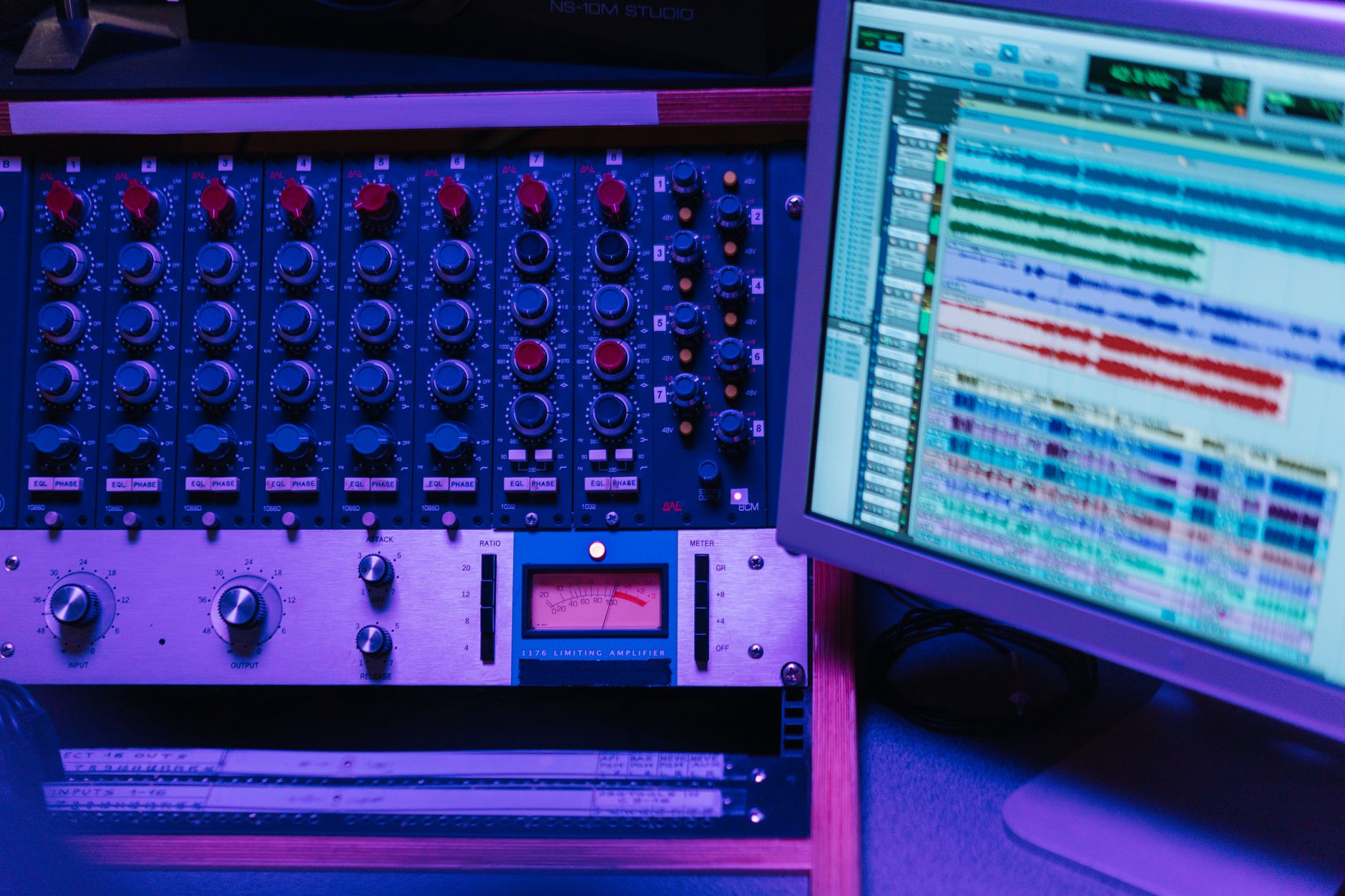
Duplicate the four bars four times. Bar 1 to 4: drums only. Bar 5 to 8: add bass. Bar 9 to 12: add chords. Bar 13 to 16: add lead or vocal chop.
That is a simple 16-bar intro. DJs can mix it. Vocalists can hear the pocket. You can build from there without staring at an empty timeline.
- Kick on every beat for a house-style starting point.
- Offbeat hats create movement before fancy percussion does.
- Sidechain bass by about 3 dB before reaching for more plugins.
- A 16-bar intro gives the track a usable DJ entry.
Windows 10, Windows 7, and Old Laptop Reality Checks
A lot of people search garageband pc windows 10 download because they have a normal laptop and want to start tonight. That is reasonable. Windows 10 can run plenty of proper DAWs.
Windows 7 is different. It is old, unsupported by Microsoft, and increasingly awkward for modern installers, audio drivers, and plugin formats. If your machine is stuck there, keep expectations tight.
Garageband pc windows 10 download, the safer route
Do not search for a GarageBand installer. Search for the DAW you chose, then download it from the developer. Install the 64-bit version if your system supports it. Keep the sample library on an internal drive if possible.
After installation, make one test project. Record ten seconds of audio. Program a MIDI note. Export a WAV. If those three things work, you are ready to write.
GarageBand for Windows 7 is the wrong target
There is no proper GarageBand for Windows 7. There is also less reason to fight that battle now. Many newer DAWs and plugins have dropped support for old systems.
If the laptop cannot update, use lightweight tools. LMMS or an older Reaper build may run better than a modern loop-heavy package. Freeze tracks. Print MIDI to audio. Keep sessions small.
- Windows 10 is usable for serious beginner production.
- Windows 7 limits modern DAW and plugin choices.
- Test recording, MIDI playback, and WAV export before writing a full song.
- Old laptops need frozen tracks and smaller sample libraries.
What garageband pc reddit Threads Get Right and Wrong
Reddit threads can be useful, but they mix sharp advice with confident nonsense. Read them like you would read mix feedback from strangers. Look for patterns, not one loud opinion.
The good garageband pc reddit comments usually say the same thing: no official app, use an alternative, stop downloading random installers. The bad ones tell you to emulate macOS or install cracked software. Skip that.
Good advice from forum threads
When several working users recommend the same stable Windows DAWs, pay attention. When they talk about driver setup, buffer size, and export settings, pay more attention. That is practical experience.
Also watch for comments about workflow. Some people hate Reaper because it feels plain at first. Some people love FL Studio because the piano roll is fast. Those opinions matter only if they match how you write.
Bad advice that wastes sessions
Ignore anyone telling beginners to start with cracked software. You lose updates, support, stability, and often your files. You also learn bad habits before you learn arrangement.
Ignore huge plugin lists too. A beginner does not need twenty synths to write a hook. You need one sound that supports the part. Open the piano. Play the chord. Move on.
- Trust repeated practical advice over one dramatic comment.
- Driver and latency advice matters more than plugin lists.
- Cracked software is not a shortcut for serious work.
- Choose the DAW that matches your writing style.
Bounce Files That Still Work for DJs, Vocalists, and Ghost Production
A rough idea becomes useful when it leaves your DAW cleanly. Bounce badly and the next person in the chain fights your file instead of hearing your song.
This matters whether you are sending a demo to a vocalist, testing an intro in a DJ set, or preparing stems for custom production work. The garageband pc question starts with software, but it ends with files people can actually use.
Export settings that do not cause drama
Bounce a 24-bit WAV at 44.1 kHz or 48 kHz. Leave the master peak below -1 dB if you used a limiter. If it is just a premix, leave more space, around -6 dB peak is fine.
Export an MP3 too if you need easy sharing, but keep the WAV. Name files clearly: Artist_TrackTitle_124BPM_Am_Premix01.wav. Future you will thank present you.
Stems for collaboration
If someone asks for stems, export from bar 1 so every file lines up. Kick, drums, bass, music, vocals, effects. Do not trim each file to its first sound. That creates needless alignment work.
Include the tempo and key in the folder name. If you used MIDI parts that matter, export the MIDI too. A producer can swap sounds faster when the notes are available.
Check the bounce before sending
Import the exported WAV into a blank session. Listen from start to end. Check the first bar, last bar, and loudest drop. If the first transient is chopped off, export again with a little pre-roll.
One clean bounce beats ten messy versions. Keep the folder tidy. Delete the exports you know are wrong.
- Use 24-bit WAV for serious sharing.
- Start every stem at bar 1 for easy alignment.
- Put BPM and key in the file name.
- Re-import the bounce and check it before sending.
| Tool | Best Use | Cost or Limit | Workshop Note |
|---|---|---|---|
| Tracktion Waveform Free | Full songs on a timeline | Free version available | Good first pick if you want a GarageBand alternative for Windows without a cramped workflow. |
| LMMS | MIDI beats and electronic sketches | Free and open source | Lightweight, useful on older machines, weaker for audio recording. |
| MPC Beats | Pad-based drums and sample ideas | Free starter DAW | Strong if you think in drum programs rather than long timelines. |
| Reaper | Recording, editing, and serious routing | Discounted license after evaluation | Plain at first, very stable once you set up a template. |
| FL Studio Trial | Fast piano roll and beat ideas | Exports audio, project recall is limited until purchase | Useful for testing the workflow before spending money. |
Go deeper
- GarageBand for Mac — apple.com
FAQ
Is garageband pc a real Apple download?
No. Apple does not offer an official GarageBand download for Windows. If a site claims to provide GarageBand for PC, treat it as unsafe unless Apple itself is the source, which it is not. Use a Windows DAW instead.
What is the best GarageBand alternative for Windows?
For a free start, try Tracktion Waveform Free if you want a full timeline workflow. Use LMMS for MIDI sketches or MPC Beats for pad-based drums. Reaper is the strongest low-cost long-term option if you are willing to learn a plainer interface.
Can I get GarageBand for Windows 10?
No official Windows 10 version exists. Do not search for a GarageBand installer. Download a real Windows DAW from its developer, set your audio driver, and build a simple template with drums, bass, chords, lead, and vocal tracks.
Is GarageBand for Windows 7 available?
No. There is no proper GarageBand for Windows 7, and that operating system is old enough to cause driver and plugin problems. If you must use it, choose lightweight software, freeze tracks often, and keep sessions simple.
Are Garageband pc reddit recommendations reliable?
Some are. Trust comments that mention official downloads, audio drivers, latency, and export settings. Ignore advice that pushes cracked software, fake GarageBand installers, or complicated macOS emulation. Forum advice is useful only when it leads to a stable session.
Can I make professional music without GarageBand?
Yes. Finished music depends on arrangement, sound choice, recording quality, mix balance, and clean exports. GarageBand is only one workflow. A Windows DAW with reliable audio, MIDI, plugins, and WAV export can take a track from sketch to release prep.
The bottom line
garageband pc is the wrong finish line, but it is a useful starting question. You wanted a fast, friendly way to make music on a Windows machine. The safe route is not a fake GarageBand installer. It is a clean DAW, a small template, proper audio settings, and a repeatable writing flow.
Open your chosen Windows DAW tonight. Build the five-track template: Kick, Drums, Bass, Chords, Lead or Vocal. Program the four-bar beat. Add the bass. Sidechain it lightly. Export a WAV and listen back in a blank session. Do that once, and the search stops being about missing software. It becomes a real track.
My Career makes videos from your own track and posts them for you, pitches your release to 34,000+ labels, playlists, radio stations, YouTube channels and blogs, puts it in every store and briefs you every morning. Free plan, no card, two minutes to set up.



