 By Alex Mercer · September 12, 2026
Garageband for windows is the wrong belief to chase if you actually want to finish music on a PC. garageband for windows searches usually come from a fair instinct: you want something free, musical, not buried under engineering menus, and good enough for beats, DJ edits, vocals, or custom track sketches. The problem is that Apple does not make a Windows version, and the fake-download rabbit hole wastes time at best and risks malware at worst.
The better move is not to copy GarageBand. It is to copy what makes it useful: fast instrument loading, simple audio recording, loops, MIDI editing, basic mixing, and painless export. Windows can do all of that. In several areas, especially routing, plugin choice, and stem delivery, it can do more. The myth is that you need GarageBand. The working answer is a clean Windows DAW setup that gets you from idea to bounce without pretending to be a Mac.
The Belief: Garageband for windows Is One Safe Download Away
The common claim is simple: somewhere out there, there must be a proper GarageBand installer for PC. There is not. Apple ships GarageBand for macOS and iOS, not Windows, and that single fact should change how you search.
Any site promising a native Windows installer is asking you to trust an unofficial package for software Apple never released on that platform. That is not a production shortcut. That is a bad security bet.
Garageband for windows download searches are a warning sign
Search phrases like “Garageband for windows download” and “Garageband for windows free download” pull in pages that often blur three different things: emulators, remote Mac access, and fake installers. None of those gives you a proper, supported Windows DAW.
An emulator might boot an old app version, but audio drivers, MIDI timing, plugin support, and file access become fragile. Music software needs low-latency I/O. A hacked setup that adds 80 ms of delay turns basic MIDI recording into a mess.
The working alternative is boring, and that is good
Use software built for Windows. Install it from the developer. Set your audio driver once. Save a template. That sounds less exciting than “free GarageBand for PC,” but it is how finished records happen.
- Use ASIO drivers where possible, not generic Windows audio.
- Track vocals or MIDI at 64 to 128 samples if your interface can handle it.
- Mix at 256 to 1024 samples when latency no longer matters.
- Export 24-bit WAV stems if you plan to collaborate.
- There is no official Windows installer from Apple.
- Avoid unofficial EXE downloads claiming to be GarageBand.
- Emulation adds latency and breaks the simple workflow you wanted.
- A native Windows DAW is safer, faster, and easier to maintain.
The Belief: Free DAWs Are Just Toys
People look for garageband for windows free because they assume paid software is the only serious route. That is half wrong. Free DAWs can absolutely make releasable music, as long as you pick one for the job instead of chasing a Mac clone.
The catch is not sound quality. Modern DAWs sum audio cleanly. The limits usually sit in workflow, plugin support, export options, bundled instruments, and how quickly you can build an arrangement.
Best free and cheap Windows choices
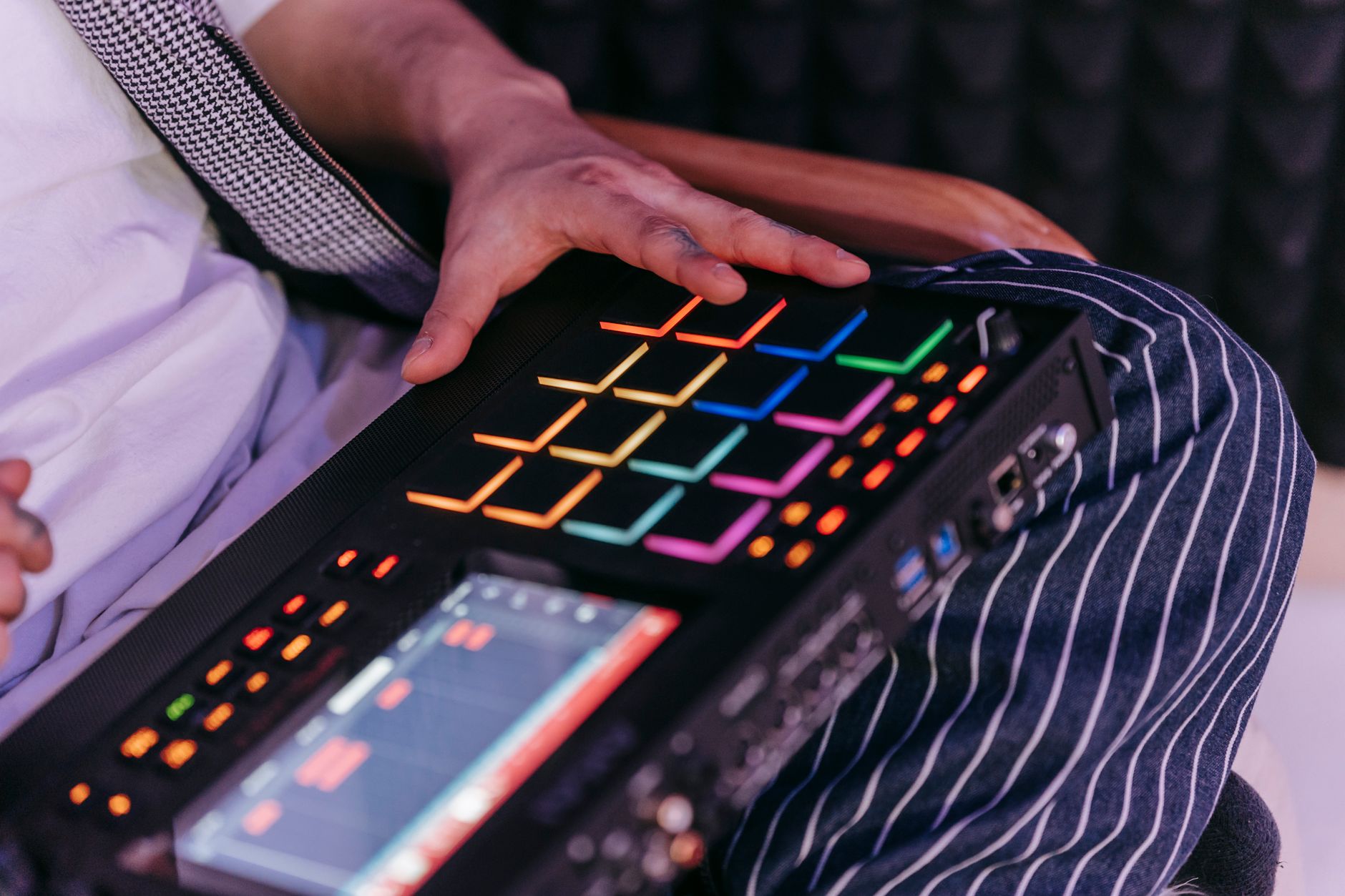
Tracktion Waveform Free is the cleanest pick if you want a full linear DAW without paying first. LMMS is fine for MIDI-heavy beat sketches but weaker for audio recording. MPC Beats makes sense if you think in pads, samples, and drum programs. REAPER is not free, but its discounted license is cheap, and the routing is stronger than most beginners need.
FL Studio’s trial is useful for learning and making loops, but saving and reopening projects needs a paid license. Ableton Live Lite is worth using if it came bundled with a MIDI keyboard or audio interface.
What matters more than the price tag
A beginner DAW should let you arm a vocal track, quantize MIDI, drag loops, freeze instruments, and export stems without hunting through five manuals. If it cannot do those jobs quickly, “free” becomes expensive in lost sessions.
- Waveform Free is the best no-cost general DAW starting point.
- MPC Beats is strong for sample-based drums and pad workflows.
- LMMS works for MIDI sketches but is not ideal for vocal recording.
- REAPER is the value pick when you are ready to pay a little.

The Belief: GarageBand Sounds Are the Whole Point
The sound-library myth is strong. People remember GarageBand as easy because the instruments load quickly and the loops sound polished. That does not mean the sounds are irreplaceable.
On Windows, you can build a better starter palette without spending money, but you need restraint. Ten good instruments beat 400 random plugins every time.
Build a small Windows sound kit first
For synths, Vital and Surge XT cover basses, pads, plucks, and basic EDM leads. For sampled instruments, Spitfire LABS and Decent Sampler can cover piano, strings, textures, and oddball organic layers. For drums, start with one tight pack and learn to tune kicks by semitone instead of swapping samples for an hour.
A practical starter session might use Vital for a saw bass, LABS Soft Piano for chords, a one-shot 909 kick, and a chopped vocal phrase. That is enough for a house sketch, a pop demo, or a ghost-production reference idea.
Use mixing tools before more sounds
If a loop feels cheap, fix the arrangement and mix before downloading another library. High-pass non-bass parts around 80 to 120 Hz. Cut boxiness near 250 Hz on pianos if the kick disappears. Use sidechain ducking from the kick to the bass with 3 to 6 dB of gain reduction, not a cartoon pump unless the genre asks for it.
TDR Nova, Klanghelm DC1A, and Valhalla Supermassive can cover dynamic EQ, compression colour, and spacious delay-reverb without turning the session into a plugin museum.
- Pick two synths, one sampler, one drum source, and learn them properly.
- Tune kicks and basses before replacing samples.
- Use sidechain ducking for space, not just movement.
- Keep the master peaking around -6 dB while producing.
The Belief: A Mac Workflow Cannot Be Rebuilt on a PC
The useful part of GarageBand is not the Apple badge. It is the short path from idea to arranged demo. Windows can match that if you build a template and stop opening empty sessions.
Your template should do three jobs before you write a note: route drums, prepare instruments, and leave headroom. That turns a blank screen into a sketchpad.
Set up your first garageband for windows replacement template
Create eight tracks: kick, drum bus, bass, chords, lead, vocal or sample, FX return, and reference. Set the project to 48 kHz and 24-bit if you work with video, vocalists, or DJ edits. Use 44.1 kHz if your whole release chain is music-only and your CPU is weak.
Put a limiter on the master only for catching accidents, then bypass it before exporting stems. Keep the mix bus peaking around -6 dB. That gives mastering room and stops beginners from mixing into hidden clipping.
Make arrangement faster with fixed markers
Drop markers before you produce: intro at bar 1, first groove at bar 17, breakdown at bar 49, drop or chorus at bar 65, second break at bar 97, final section at bar 113. Four, eight, and sixteen-bar blocks are not boring. They are how dancers and DJs read a track.
If you are making custom music for an artist or briefing a ghost producer, this structure also makes feedback clearer. “The drop at bar 65 needs a darker bass” is usable. “Make it hit more” is not.
- Use 48 kHz, 24-bit for flexible modern sessions.
- Start with eight named tracks instead of an empty project.
- Place arrangement markers before sound design.
- Keep limiter use temporary while producing.
The Belief: Windows 7 Is Still Good Enough
The search term “GarageBand for Windows 7” refuses to die, but it points at a real problem: producers trying to squeeze music out of old laptops. Respect the hustle. Do not romanticize the operating system.
Microsoft ended Windows 7 support in January 2020. That means fewer current drivers, weaker security, and less support from modern audio software. For music, driver support matters more than nostalgia.
Old machines need tighter limits
If you cannot upgrade yet, keep the system offline where possible, use lightweight plugins, and freeze tracks early. Avoid huge multisampled instruments. A 4 GB RAM laptop will choke on modern orchestral libraries, but it can still run a drum sampler, one synth, and a few audio tracks if you commit parts to WAV.
Set the buffer to 256 samples for recording if 128 crackles. Use 512 or 1024 samples for mixing. Pops and clicks are not “vibe.” They are the CPU telling you the session is too heavy.
The better upgrade is not always a new computer
An audio interface with a proper ASIO driver can improve latency more than a random CPU upgrade. A basic 2-in, 2-out interface lets you record vocals, guitars, and hardware synths cleanly, monitor without a half-second delay, and stop fighting the laptop headphone jack.
- Avoid building a new studio around Windows 7.
- Freeze MIDI instruments to audio on low-RAM machines.
- Use ASIO drivers instead of generic Windows drivers.
- Raise buffer size during mixing to prevent clicks.

The Belief: Professionals Avoid GarageBand Because It Sounds Bad
This myth misses the real reason. GarageBand does not make audio “less professional” by existing. A good song exported from GarageBand can beat a dull idea mixed in a flagship DAW.
Professionals move beyond it because commercial work needs detailed routing, session exchange, tempo mapping, advanced editing, surround or immersive options in some jobs, and predictable stem delivery. The ceiling is workflow, not musical worth.
What paid work actually demands
If a vocalist, label, DJ, or client asks for deliverables, they usually need WAV stems, an instrumental, an acapella, a clean mix, a performance mix, BPM, key, and sometimes MIDI. They rarely care which DAW made the sketch.
We see this constantly through platform behaviour and marketplace data: buyers react to finished arrangement, mix translation, and clear deliverables far more than the name of the software. A messy session in an expensive DAW is still messy.
Stem discipline beats DAW loyalty
Export stems from bar 1, even if a part starts later. Name them plainly: Kick, Drum Bus, Bass, Music, Lead Vocal, Backing Vocals, FX. Use 24-bit WAV. Leave master processing off unless you are printing a reference mix separately.
That discipline makes collaboration painless whether the next person uses Logic Pro, Cubase, Ableton Live, FL Studio, or Pro Tools.
- The DAW does not rescue weak writing.
- Professional work needs clean stems and clear naming.
- Export every stem from bar 1.
- Send a loud reference mix separately from raw stems.
The Belief: Reddit Can Pick the Right DAW for You
“garageband for windows reddit” threads can be useful, but they also turn into identity wars fast. One producer swears by FL Studio. Another says REAPER is the only sensible answer. Someone else tells every beginner to buy Ableton Live Suite before they have recorded a kick.
The sharper test is personal and measurable. Do not ask which DAW is best. Ask which one lets you finish a two-minute idea fastest with the fewest technical interruptions.
Run a 30-minute DAW test
Install one candidate. Set your audio device. Start a timer. In 30 minutes, try to make eight bars with drums, bass, chords, and one melodic hook. Then export a WAV. If you cannot find the piano roll, route an instrument, or bounce audio without searching every step, that DAW is not your beginner pick yet.
Do this with two programs maximum. Testing six DAWs becomes avoidance dressed as research.
Pick for your next month, not your fantasy studio
If you want to DJ and make edits, choose fast audio warping and arrangement. If you write vocals, choose recording and comping. If you make trap or house loops, choose piano roll speed, sampler workflow, and drum programming. The right GarageBand alternative for Windows is the one that removes friction from your actual work.
- Use Reddit for warnings, not final decisions.
- Test one DAW for 30 minutes with a real sketch.
- Export a WAV before judging the workflow.
- Choose based on your next project, not someone else’s studio.
| Windows Option | Cost | Best Use | Watch-Out |
|---|---|---|---|
| Tracktion Waveform Free | Free | Full song arrangements, MIDI, audio recording | Interface feels different from traditional DAWs |
| MPC Beats | Free | Pad-based drums, sampling, beat sketches | Limited if you want a full linear mixing workflow |
| LMMS | Free | MIDI beats, synth patterns, simple electronic sketches | Weak choice for serious vocal recording |
| REAPER | Paid after trial | Recording, routing, editing, stem export | Needs setup before it feels beginner-friendly |
| FL Studio | Trial, then paid | Piano roll, loops, drums, electronic production | Trial limits project reopening |
| Ableton Live Lite | Often bundled | Loop-based writing, DJ edits, performance ideas | Track count limits can feel tight |
Worth a deeper read: GarageBand for Mac.
Questions producers actually ask
Is there a Windows version of GarageBand?
No. Apple does not make a native Windows version of GarageBand. If you see a Windows installer claiming to be GarageBand, treat it as unofficial and unsafe. Use a Windows DAW such as Waveform Free, MPC Beats, LMMS, REAPER, FL Studio, or Ableton Live Lite instead.
Can I download garageband for windows?
You cannot download a legitimate native version of garageband for windows because it does not exist. Some sites promote emulators or fake installers, but they add risk and usually perform badly for audio. Download a supported Windows DAW from its official developer instead.
Is there a free version of GarageBand?
GarageBand is free on compatible Apple devices, including Mac, iPhone, and iPad. That free version does not extend to Windows. PC users should look at free Windows alternatives such as Tracktion Waveform Free, MPC Beats, LMMS, or bundled Ableton Live Lite.
Why don't professionals use GarageBand?
Some professionals do use GarageBand for sketches, but they often move to Logic Pro, Ableton Live, Cubase, Pro Tools, or FL Studio for paid work. The reason is workflow: better routing, editing, collaboration, stem export, plugin management, and session control, not because GarageBand automatically sounds bad.
What is the closest GarageBand alternative for Windows?
For a free, general-purpose choice, Tracktion Waveform Free is the closest practical starting point because it handles MIDI, audio recording, plugins, and full arrangements. If you mainly make beats with samples, MPC Beats may feel faster. For long-term depth, REAPER is the strongest low-cost option.
Can I run GarageBand on Windows 7?
Not as a proper supported app. Windows 7 also creates extra problems because modern DAWs, plugins, and audio-interface drivers increasingly leave it behind. If you must use an old PC, choose lightweight Windows software, freeze tracks often, and keep expectations realistic.
What to remember
- There is no official native GarageBand installer for Windows.
- A safe Windows DAW beats emulation or fake download sites.
- Free tools can make releasable music when the workflow fits the job.
- Use 48 kHz, 24-bit sessions and keep the master around -6 dB while producing.
- Professional results depend more on arrangement, stems, and mix discipline than the DAW name.
- Test a DAW with a real 30-minute sketch before committing to it.
GarageBand on Windows 11: the clean PC answer
If you are on Windows 11, the answer is still the same: there is no native GarageBand app for PC. Windows 11 does not change Apple’s platform support, and a newer laptop does not make unofficial GarageBand installers safer. The smart move is to use the extra stability of a modern Windows system for a proper DAW instead of forcing a Mac app into the wrong room.
For the closest GarageBand feel, start with a DAW that opens fast and does not punish simple ideas. Tracktion Waveform Free is the best no-cost general pick. Ableton Live Lite is excellent if it came with your interface or keyboard. MPC Beats works if drums and samples are the centre of your writing. REAPER is the long-term value choice once you want deeper routing, clean stem exports, and serious editing.
- Want GarageBand-style simplicity? Try Waveform Free first.
- Want clip launching and loop writing? Use Ableton Live Lite.
- Want pad-based beat making? Use MPC Beats.
- Want the DAW you can grow into? Learn REAPER.
On Windows 11, spend your setup time on the boring parts that matter: install your audio interface driver, use ASIO, make a startup template, and keep one folder for samples. That will get you closer to the GarageBand experience than any fake PC download.
Is GarageBand discontinued?
No. GarageBand is still available from Apple for Mac, iPhone, and iPad. What does not exist is an official GarageBand version for Windows. If you see a PC installer claiming to be GarageBand, treat it as unofficial and unsafe.
Can I use GarageBand on Windows 11?
Not as a proper native Windows 11 app. You may see workarounds using virtual machines, remote Macs, or unofficial installers, but they usually add latency, driver problems, or security risk. A Windows DAW with ASIO support is the better production setup.
What is the closest thing to GarageBand for Windows?
For a free, general-purpose GarageBand alternative, Tracktion Waveform Free is the closest starting point. Ableton Live Lite is great for loops, MPC Beats is strong for pad-based production, and REAPER is the best cheap option if you want deeper editing and routing.
Wrapping up
garageband for windows is a search phrase built on a false promise, but the need behind it is real. You want a fast, musical, low-cost way to write tracks on a PC. Do not waste that energy chasing unofficial installers or emulator tricks. Pick a native Windows DAW, build a small sound kit, set your buffer properly, and save a template with drums, bass, chords, lead, vocals, FX, and a reference track ready to go.
The best replacement is not the one that looks most like GarageBand. It is the one that lets you finish music cleanly and export usable audio. Try the 30-minute DAW test in your next session and judge the result by the bounce, not the brand badge.
My Career makes videos from your own track and posts them for you, pitches your release to 34,000+ labels, playlists, radio stations, YouTube channels and blogs, puts it in every store and briefs you every morning. Free plan, no card, two minutes to set up.