
Key takeaways
- Capture ideas during the session, before the story gets polished out.
- Use Notion or Milanote to keep release angles, screenshots and mix notes together.
- Before-and-after production clips usually beat generic promo posts.
- DJ prep in Rekordbox can reveal strong content angles around arrangement and playability.
- Canva, CapCut and OBS are enough for clean assets if the idea is specific.
- Use analytics as feedback, not as a replacement for taste.
Content ideas for producers saved me at 2:13 a.m. in the back room of a small warehouse club, while a 126 BPM tech-house record bounced through a tired pair of CDJ-3000s and my phone sat on 3% battery. The record was not even mine. I had opened Ableton Live on a sticky table, pulled up FabFilter Pro-Q 4 to fix a harsh vocal at 3.2 kHz, and realised the messy rescue was better content than the polished release post I had planned. That night gave me content ideas for producers that still work: show the problem, show the decision, show the trade-off. No fake studio flex. No pretending the first kick sample was perfect. Since then I have treated content like session notes with better lighting. The tools below are the ones I reach for when the blank caption box starts staring back.
Content ideas for producers Start With Capture Tools
The first tool is not glamorous. It is the recorder already in a pocket. I learned that after losing a bassline note during a support slot soundcheck, when the system tech muted the booth and my idea vanished under a flight case being dragged across concrete.
Now I capture everything before I judge it. content ideas for producers do not arrive as finished hooks. They arrive as a bad voice memo, a photo of a patch bay, a one-line complaint about a snare, or a 12-second clip of a crowd reacting to a fill.
Voice Memos Before Pretty Notes
I use iPhone Voice Memos because it opens fast. If I am at home, I might record into Ableton Live through a Shure SM7B and a Focusrite Clarett, but speed beats fidelity for ideas. A clipped phone note saying, “kick too long, try 90 ms tail” is enough.
For content, that roughness helps. A producer explaining why a kick was shortened from 180 ms to 95 ms sounds more useful than another glossy waveform screenshot. content ideas for producers get stronger when the fix is visible.
The tiny capture rig I trust
My small kit is boring on purpose. It has never crashed a session or made me chase cables for half an hour.
- iPhone Voice Memos for melody scraps and mix notes.
- Notion for rough post titles, release angles and session logs.
- Google Drive for bounced WAVs, screenshots and phone clips.
- Rode Wireless GO II when I need clean room audio.
- A cheap A5 notebook for ugly arrows and arrangement maps.
The notebook matters. When a drop is not landing, drawing four 4-bar phrases often explains the problem faster than staring at a DAW.
- Record the decision before polishing the post.
- Keep voice notes under 30 seconds so they stay searchable.
- Photograph arrangement sketches before the page disappears.
- Name files with tempo, key and problem, not random dates.
- Save failed versions because they make honest comparison content.
Notion, Milanote and the Messy First Draft
A friend once sent me a finished melodic-house track and asked for “some content around it” two days before release. That is the worst time to start. The story had already happened during writing, sound choice, feedback, stem export and the awkward mix revision nobody wants to mention.
I keep Notion open from the first loop. Milanote comes in when the project has visual references, cover art scraps or mood-board chaos. content ideas for producers become easier when the story is collected while the track is still fighting back.
Content ideas for producers From One Messy Session
One two-hour session can feed a week of posts if the notes are specific. I do not write “worked on drop”. I write “removed open hat on beat 4 because it fought the vocal breath”. That sentence can become a caption, a reel script, a carousel slide, or a short email to collaborators.
Notion is my ledger. I use simple columns: idea, format, asset needed, status. No fancy dashboard. Fancy dashboards become another hobby.
Milanote for visual decisions
Milanote is better when the track needs a visual lane. For a darker Afro-house record, I might pin cover references, a club photo, two synth screenshots, and a note that says “less neon, more dust”. That tone then shapes clips and artwork.
This is where I take a side: scattered notes across WhatsApp, screenshots and email threads are a tax. Put the messy evidence in one place or it will disappear before release week.
- Write down the moment a track changes direction.
- Keep failed titles because they reveal the stronger angle.
- Store screenshots beside the audio bounce they describe.
- Turn mix notes into educational captions later.
- Do not wait until release week to find the story.
Ableton Live, Push 3 and Turning Sessions Into Stories
The best studio content I have ever posted came from a mistake. I had a sidechain compressor keyed from a muted ghost kick, then bounced the preview with the ghost kick accidentally audible for two bars. It sounded awful. It also showed exactly why the groove was breathing.
Ableton Live and Push 3 make those moments easy to demonstrate. content ideas for producers often live inside the before-and-after, not the final master. If a viewer can hear the wrong version, the fix lands harder.
Show the move, not the menu
I avoid screen recordings that look like software tourism. Nobody needs a slow pan across 43 tracks. I show one move: low-cut the vocal at 110 Hz, notch the synth at 420 Hz, or add 2 dB of parallel compression on the drum bus with FabFilter Pro-C 2.
Push 3 helps because pads are physical. A clip of fingers muting the rim, clap and ride across an 8-bar loop feels more alive than a cursor dragging around. It is still production, but it has a body.
Turn technical choices into short scripts
When I record a process clip, I write the script after the move works. The format is plain: problem, wrong version, fix, result. That structure keeps content ideas for producers from becoming rambling studio diaries.
- Problem: vocal disappears when the piano enters.
- Wrong version: play four bars with both clashing.
- Fix: mid/side EQ, dip piano sides at 2.5 kHz.
- Result: vocal sits forward without turning it up.
That is useful because it respects time. It also proves there was a real session behind the post.
- Record before-and-after audio at matched loudness.
- Keep the clip focused on one technical decision.
- Use 4-bar or 8-bar loops for clean social edits.
- Name the tool only when it matters to the lesson.
- Let imperfect takes stay if the idea is clear.
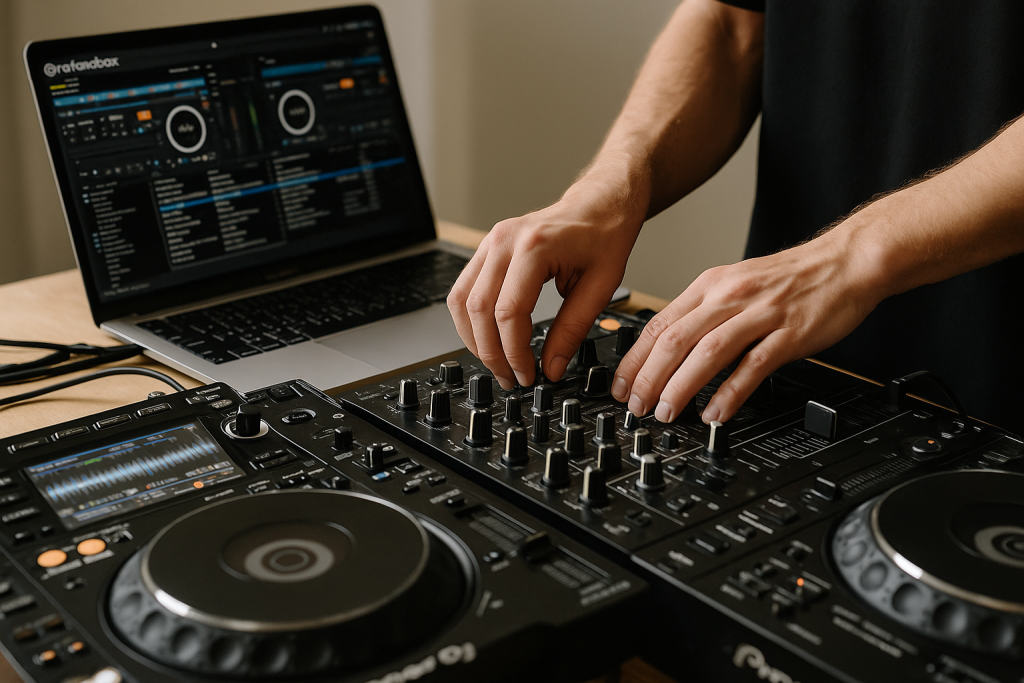
Rekordbox, CDJ-3000s and DJ Content That Feels Real
DJ content goes stale when every clip looks like a victory lap. The useful stuff happens earlier: cue points, phrase mistakes, ugly blends, and the moment a record gets moved from “maybe” to “do not play after midnight”.
I mark those decisions in Rekordbox. On CDJ-3000s, the waveform makes phrase planning obvious, but the real value is the note you leave yourself. content ideas for producers can come from DJ prep because it shows how music survives outside the DAW.
Use prep notes as post angles
I tag tracks by function: opener, pressure tool, vocal reset, last-hour weapon. When one of my own records only works after a percussion-heavy track, that is not a failure. It is a lesson in arrangement density.
A post about that might show two 16-bar intros, one crowded and one clean. The caption can explain why the clean intro gives a DJ space to mix. For artists buying custom music, that detail matters because DJ-friendly arrangement is not decoration.
Film the boring booth work
Some of my strongest clips came from hands setting hot cues, not from the drop. A Pioneer DDJ-FLX10 at home is enough. Put the phone above the controller, record the cue prep, then speak over it later.
For content ideas for producers, the booth view adds proof. It says the track was considered as a playable record, not just a loud export from a bedroom session.
- Show why a cue point sits eight bars before the vocal.
- Compare a crowded intro with a DJ-friendly intro.
- Record one transition test before changing the arrangement.
- Keep Rekordbox comments specific enough to quote later.
- Use crowd reaction clips only when they support the lesson.
Canva, CapCut and OBS for Clean Release Assets
I once watched a strong track get buried by muddy release content. The audio was solid, but every post had a different font, colour, crop and tone. It felt like four separate campaigns fighting over one record.
Canva, CapCut and OBS are not glamorous studio tools, yet I use them constantly. They turn content ideas for producers into repeatable assets without making everything look like a template pack.
Canva is for consistency, not taste
I build three simple Canva layouts per release: square artwork post, vertical process clip frame, and story slide. Then I stop touching it. The point is not to become a designer at 1 a.m. after mastering.
Use the same crop, colour and spacing. If the record has a dusty percussion feel, keep the visuals warmer. If it is a sharp festival EDM track, make the contrast cleaner. Consistency lets the music lead.
CapCut and OBS for the working proof
OBS captures Ableton or FL Studio cleanly. CapCut trims the dead air, matches captions to speech, and keeps the first two seconds tight. I still export audio separately when quality matters, because phone compression can smear hats and make a clean mix sound cheap.
My rule is simple: if the video explains a production choice, keep it. If it only says “new music soon”, cut it. content ideas for producers need a reason to exist beyond reminding people a release date exists.
- Make three reusable layouts before release week.
- Record DAW footage in OBS at a stable frame rate.
- Trim every clip until the first decision appears quickly.
- Export clean audio when hats or vocals matter.
- Keep visual style tied to the record’s sound.

Chartmetric, SubmitHub and Choosing What to Make Next
Data can turn a producer into a coward if it is used badly. I have seen people abandon a good identity because one playlist skipped a record. That is backwards.
I use Chartmetric, Spotify for Artists and SubmitHub feedback as weather reports, not steering wheels. They help me notice which stories and sounds are already connecting. content ideas for producers should sharpen instinct, not replace it.
Read signals without chasing them
If a breakdown clip gets saved more than a drop clip, I ask why. Maybe the chord progression has the real emotional pull. Maybe the drop is too generic. Maybe the clip title was simply better. Data starts the question, the ears answer it.
For ghost production and custom music conversations, that feedback is useful. A client saying “I want something like my last track that people actually replayed” gives a clearer brief than “make it bigger”.
Build a weekly idea review
Friday morning is my review slot. Coffee, no plugins. I look at saved posts, comments, DJ reactions, demo notes and release stats. Then I pick three content ideas for producers from the pile and schedule the assets I need.
The best part is that it calms the room. Instead of guessing daily, I work from evidence collected during real music work.
- Track saves and replies, not just views.
- Separate music feedback from algorithm noise.
- Use SubmitHub comments as patterns, not verdicts.
- Review ideas once a week instead of every hour.
- Let data confirm a direction, not invent your taste.
| Tool | Best Use | What I Avoid | Producer Payoff |
|---|---|---|---|
| Voice Memos | Capturing rough hooks, mix notes and room thoughts fast | Recording long rambling files with no file names | Raw material for honest content ideas for producers |
| Notion | Sorting release angles, captions and session decisions | Building dashboards instead of writing usable notes | A searchable memory of the track’s story |
| Ableton Live and Push 3 | Showing before-and-after production choices in short clips | Filming unfocused screen tours | Process content that proves the record was built carefully |
| Rekordbox and CDJ-3000 | Testing DJ-friendly arrangements and cue points | Only filming the drop | Content that connects production choices to the booth |
| Canva and CapCut | Turning ideas into clean release assets | Over-designing every post from scratch | Consistent clips without draining studio time |
| Chartmetric and SubmitHub | Spotting audience patterns and feedback themes | Letting numbers dictate taste | Sharper briefs for future tracks and custom production |
Further reading
- Ableton Push — Official Ableton product page for Push, useful for readers checking the hardware workflow mentioned in the article.
- Pioneer DJ CDJ-3000 — Official Pioneer DJ product page for the CDJ-3000, a standard club player referenced in the DJ content workflow.
Frequently asked questions
What are the best content ideas for producers starting from zero?
Start with real session moments: a bad first kick, a vocal EQ fix, a failed drop, a cue-point test, or a reference track comparison. Those are better than vague promo posts because they show decisions. I would rather see one honest 8-bar before-and-after than ten polished announcements.
How often should a music producer post content?
Three solid posts a week beats daily filler. I like one process clip, one music-first clip, and one story or lesson from the session. If posting more starts hurting the track, reduce it. The music is still the main product.
Do DJs need different content from producers?
Yes, but they overlap. DJs should show preparation, transitions, crowd reading and record selection. Producers should show sound choices, arrangement decisions and mix fixes. The strongest artist content often connects both, proving a track works in the studio and in a DJ set.
What tools help producers make better social clips?
OBS for DAW capture, CapCut for edits, Canva for consistent layouts, and a phone with decent light will cover most needs. If speech matters, add a Rode Wireless GO II or Shure MV7. Do not buy more gear until the ideas are consistent.
Should producers show unfinished music online?
Show unfinished music when there is a clear lesson or story. Avoid posting every loop for approval, because that can flatten your taste. A rough version followed by the fixed version works well, especially when the change is easy to hear in four or eight bars.
How can ghost producers use content without revealing clients?
Focus on technique, arrangement logic and anonymised session decisions. Show recreated examples, blurred project names and generic stems when needed. A ghost producer can still demonstrate taste and skill without exposing client files, unreleased hooks or private references.
Conclusion
content ideas for producers are not magic prompts pulled out of thin air. They are the receipts from real work: the kick that was too long, the vocal that needed a 3 kHz dip, the intro that failed on CDJ-3000s, the caption that finally explained the record properly. The tools matter because they keep those receipts from getting lost. Voice Memos catches the first spark. Notion holds the thread. Ableton, Push 3, Rekordbox, Canva, CapCut and Chartmetric each add a different kind of proof. Try this in your next session: save one ugly before-and-after, write the decision in one sentence, then turn it into a short clip before the week ends.
Content ideas for producers — Quick Recap
The fastest way to lock in content ideas for producers is to internalise the workflow above and repeat it on every project. Start small: pick one technique from this content ideas for producers guide, apply it to your next session, and audit the result against a reference track.
- Capture ideas during the session, before the story gets polished out.
- Use Notion or Milanote to keep release angles, screenshots and mix notes together.
- Before-and-after production clips usually beat generic promo posts.
- DJ prep in Rekordbox can reveal strong content angles around arrangement and playability.
Treat content ideas for producers as a habit, not a one-off — the producers who consistently nail content ideas for producers are the ones who run the same checks on every track. That’s the difference between a clean, club-ready master and a track that sounds great at home but falls apart on a real system.
In a real studio session, content ideas for producers comes down to the order in which you make decisions: reference first, gain stage second, then the creative work. Producers who treat content ideas for producers as a checklist instead of a vibe end up shipping more tracks.
Most producers and DJs undervalue content ideas for producers because the wins are invisible until the track plays back on a real system. Bake content ideas for producers into your template and the next ten projects benefit automatically.
When you struggle with content ideas for producers, the fix is rarely a new plugin. Loop a problem section, A/B against a reference, and isolate which element is breaking your content ideas for producers.
Treat content ideas for producers as a craft, not a chore. The producers releasing on the biggest labels lock content ideas for producers in early so they can spend their energy on melody and arrangement instead of fighting the mix.
Document your content ideas for producers process — even a short note in the project file. Future-you will rebuild the same content ideas for producers win in half the time.
My Career makes videos from your own track and posts them for you, pitches your release to 34,000+ labels, playlists, radio stations, YouTube channels and blogs, puts it in every store and briefs you every morning. Free plan, no card, two minutes to set up.


