
Key takeaways
- Big club systems reward a strong mono centre and punish messy low end.
- Kick and bass need separate jobs before EQ and sidechain processing can help.
- Wide synths are useful, but the main hook must still work in mono.
- Reference tracks should be level-matched and compared section by section.
- Clean stem exports protect the production decisions that make a track translate.
Club sound design fails hardest when your track sounds huge in headphones, then turns thin, harsh, or floppy on a club PA. The kick stops punching. The bass loses its centre. That wide lead you loved in the bedroom becomes a phasey smear over a Funktion-One, L-Acoustics, or d&b rig.
Good club sound design is not about making every sound massive. It is about choosing which elements get physical space, which ones stay narrow, and which ones leave the low end alone. In 2026, producers have better tools than ever, from FabFilter Pro-Q 4 dynamic EQ to Soothe2, Ableton Live 12 devices, and CDJ-3000 waveform feedback, but the rules on a big system are still brutally simple. The sound has to survive mono, headroom, distortion, bad booths, and loud monitoring without falling apart.
What does club sound design mean in 2026?
club sound design means building sounds with a PA in mind before the mixdown panic starts. A club system exaggerates energy, especially below 120 Hz and between 2 kHz and 5 kHz. If a sound is messy there, the room tells everyone.
The recent shift is workflow. More producers now test ideas through spectrum matching, mono checks, stem exports, and DJ-style transitions while writing, not after mastering. Ableton Live 12, FL Studio 2024, Logic Pro 11, and plugin suites like iZotope Ozone 11 make this easy, but the judgement still has to come from your ears.
A simple club sound design test
Drop your track beside a released reference in the same BPM range. Match the loudness roughly, then listen at low volume. If the groove disappears, the sound is not club-ready yet.
For club sound design, I trust boring checks: mono below 120 Hz, kick peak around -6 dBFS before the limiter, and a clean 4-bar phrase that a DJ can read without guessing. If the track only works when blasted, it is hiding a problem.
- Keep the main sub element mono under 100-120 Hz.
- Leave at least -6 dB headroom before mastering.
- Test the drop at low volume and near club volume.
- Reference against released tracks, not unfinished demos.
- Check the first 32 bars like a DJ would.
Why does my low-end disappear on club PAs?
Your low end usually disappears because the kick, sub, and bass midrange are fighting for the same job. Small speakers blur that fight. A club PA exposes it.
For club sound design, the sub needs one clear owner. If the kick has a 50 Hz fundamental, park the bass power slightly higher, maybe 70-90 Hz. If the bass owns 45-55 Hz, choose a tighter kick with more knock around 90-110 Hz. Pick a lane.
How I split kick and bass
Start with arrangement, then EQ. Sidechain ducking should shape movement, not rescue a bad pairing. A 2-4 dB duck with fast attack and 80-140 ms release often feels cleaner than a huge pump that empties every beat.
- High-pass non-bass sounds around 120-220 Hz if they are stealing weight.
- Cut bass mud around 180-300 Hz before boosting sub.
- Use mid/side EQ to remove side information below 120 Hz.
- Check phase by flipping polarity on the kick or bass and listening for gain, not theory.
FabFilter Pro-Q 4 is strong here because dynamic cuts can move only when the kick hits. That is cleaner than carving a permanent hole if the bass line changes every bar.
- One sub source at a time beats three almost-good sub layers.
- Tune the kick to the track, but do not force musical tuning if punch suffers.
- Use a spectrum analyser, then turn it off and feel the groove.
- Avoid stereo widening on sub bass.
- Bounce the kick and bass together for a mono phone check.
How loud should my synths be before mastering?
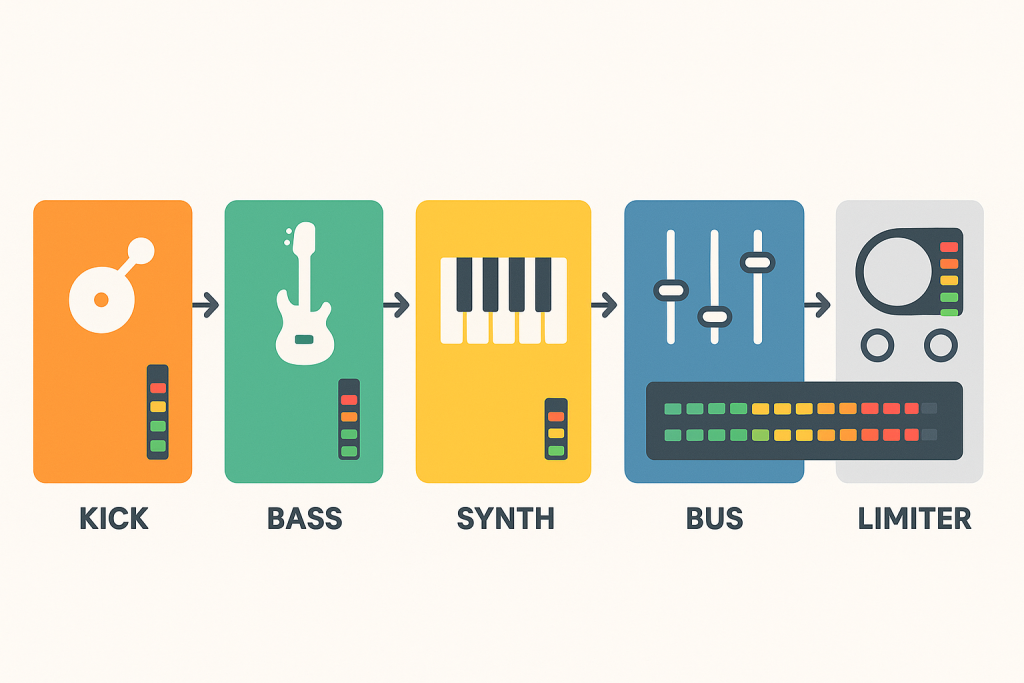
Synths should feel exciting without stealing the limiter’s lunch. If your leads and pads are already smashing the master bus, mastering will make the track louder but smaller.
In club sound design, synth loudness is really density control. A supersaw with eight voices, unison spread, chorus, reverb, delay, and OTT can look impressive in the DAW and still choke the drums. The crowd hears the groove first.
Set gain before you add width
I like to build the drop with the kick and bass peaking around -6 dBFS on the master, then bring synths up until they support the hook without covering the snare or clap. If the master climbs above -3 dBFS before limiting, something is too loud or too wide.
For aggressive leads, try a high-pass around 180-250 Hz, then a small dynamic dip around 2.5-4 kHz if the sound bites too hard at volume. Soothe2 can help, but do not let it flatten the character. Harsh is bad. Toothless is worse.
- Turn off reverbs and delays while balancing the dry synth.
- Keep main leads centred enough to survive mono.
- Automate brightness instead of leaving filters fully open.
- Leave transient space for claps, snares, and hats.
- Print a synth stem and check it against the full instrumental.
Should I design sounds in mono or stereo?
Do both, but start with mono for anything that carries the record. A hook that works in mono can be made wide. A hook that only works because of width is fragile.
club sound design on real systems rewards a strong centre. Most clubs are not perfect left-right listening environments. People stand near walls, bars, booths, and stacks. If your bass movement or lead riff depends on hard-panned information, half the room may miss it.
The centre-channel rule
Put kick, sub, lead vocal chops, and the main rhythmic hook near the centre. Use stereo for contrast: hats, rides, short reverbs, filtered noise, ear-candy fills, and delays that do not carry the groove.
Mid/side EQ is the cleanest tool for this. In Pro-Q 4, cut low side content below 120 Hz, then tame harsh side energy around 3-6 kHz if the width feels spitty. On a Pioneer DDJ-FLX10 or CDJ-3000 setup, that cleaner centre makes blends less messy during long transitions.
- Write the core loop in mono for five minutes.
- Widen only after the groove feels solid.
- Avoid stereo chorus on sub and low bass.
- Use short stereo delays instead of huge constant reverb.
- Check mono after every major sound-design change.

Which frequencies hurt most on a big system?
The worst offenders are usually 180-350 Hz mud, 2-5 kHz aggression, and uncontrolled sub below 40 Hz. Those zones can make a track feel cheap even when the idea is strong.
For club sound design, I would rather remove two ugly resonances than add three shiny boosts. Big PAs amplify confidence and mistakes. If the hi-hat hurts at home, it will punish people near the stack.
Fix the pain without killing the record
Use narrow cuts only when a frequency is actually ringing. For broad problems, use broad moves. A 1.5 dB shelf at 8 kHz can be enough. A 6 dB scoop at 300 Hz might make the track sound clean alone and weak beside anything released.
Dynamic EQ is safer than static EQ on moving parts. Put a dynamic band on a vocal chop at 3.2 kHz, or on a bass mid layer at 240 Hz. Let it react when the problem appears. That keeps club sound design musical instead of surgical for no reason.
- Sub below 35-40 Hz eats headroom fast.
- Mud around 200-300 Hz makes drums feel smaller.
- Harshness around 2-5 kHz gets worse with volume.
- Boxiness around 500-800 Hz can make synths feel flat.
- Air above 10 kHz should support groove, not hiss over it.
How do I reference tracks for club translation?
Reference tracks are only useful if you match level and context. A mastered tech house record will always sound better than your unmastered loop if it is 5 dB louder.
Good club sound design referencing means comparing relationships: kick to bass, vocal to drums, hats to lead, drop to breakdown. Stop chasing the exact curve of a famous record unless your arrangement, key, and sound palette are close.
Build a small reference folder
Keep six to ten tracks you know well. Use WAV or AIFF if you can, not ripped audio. Load them into Ableton, Logic, Rekordbox, or Mixed In Key, then mark the drops, breakdowns, and DJ intro sections.
Use one reference for low-end balance, one for drum punch, one for vocal placement, and one for stereo width. One track cannot teach every decision. When a client asks for custom music production in a certain lane, references make the brief concrete instead of emotional.
- Match loudness before judging tone.
- Reference at the same section type, drop against drop.
- Use tracks released in the last two years for current loudness habits.
- Keep genre tight: melodic techno against melodic techno, not bass house.
- Check your intro and outro for DJ-friendly phrasing.
What should I check before sending stems or a demo?
Before you send stems, print the boring technical stuff correctly. A great idea with clipped stems, missing tails, or random start points wastes everyone’s time.
For club sound design, stems need to preserve the decisions that make the track translate. If your bass only works because of sidechain ducking from the kick, export the bass with that movement printed unless the mixer specifically asks for it dry.
The pre-export check I use
Export from bar 1, even if the sound starts later. Keep sample rate consistent, usually 44.1 or 48 kHz, and avoid normalising. Leave headroom. Name stems plainly: kick, drums, bass, synth lead, FX, vocals.
For ghost production or custom music production handoff, include a rough master and the clean premaster. The rough master shows intent. The premaster gives space for final processing. If the track uses CDJ cue points or a DJ intro edit, include notes with bar numbers.
- Export all stems from the same start point.
- Print time-based effects if they define the sound.
- Leave reverb and delay tails intact.
- Avoid clipping individual stems.
- Include BPM, key, sample rate, and version notes.
| Problem | Best Tool | Move |
|---|---|---|
| Sub feels wide or unstable | Mid/side EQ | Remove side signal below 100-120 Hz |
| Kick and bass mask each other | Sidechain compression or dynamic EQ | Duck bass 2-4 dB when kick hits |
| Lead hurts on loud speakers | Soothe2 or dynamic EQ | Tame 2.5-5 kHz only when it bites |
| Mix sounds loud but small | Gain staging and reference track | Pull synths back and restore drum transient space |
| DJ intro feels confusing | DAW arrangement markers | Use clear 8, 16, or 32-bar phrase blocks |
Further reading
- Ableton Live manual — Ableton's official manual is a primary source for Live mixing, routing, metering, and device workflow.
- Pioneer DJ CDJ-3000 — Pioneer DJ's official CDJ-3000 page is authoritative for current club playback hardware used by working DJs.
Frequently asked questions
What is club sound design?
club sound design is the process of creating drums, bass, synths, FX, and arrangement choices that translate on large PA systems. It prioritises mono low end, controlled harshness, clear transients, headroom, and DJ-friendly phrasing rather than sounds that only impress in headphones.
Why does my bass sound good at home but weak in a club?
Your bass may be clashing with the kick, spreading too much stereo information below 120 Hz, or relying on frequencies your room exaggerates. Check the kick and bass in mono, cut unnecessary 180-300 Hz mud, and use a released reference at matched loudness.
Should sub bass always be mono?
Yes, for club tracks, keep the sub mono in almost every case. Stereo bass effects can work on upper harmonics, but the fundamental low end should stay centred. That gives the PA a stable signal and keeps the groove consistent across the room.
How much headroom should I leave before mastering?
Aim for around -6 dB peak headroom on the premaster, with no clipping on individual channels or buses. The exact number is less critical than clean gain staging, but a premaster slammed into a limiter gives the mastering engineer fewer useful choices.
Are headphones enough to design club-ready sounds?
Headphones are useful, but they are not enough by themselves. Use them for detail, then check on monitors, a small speaker, mono playback, and reference tracks. Headphones often exaggerate stereo width and hide how the low end will hit physically.
What plugins help with club mix translation?
FabFilter Pro-Q 4, Soothe2, Ableton Glue Compressor, Kickstart 2, Trackspacer, and Ozone 11 can all help. The tool matters less than the move: clean mono bass, sensible sidechain ducking, controlled harshness, and enough transient space for drums.
Conclusion
club sound design is less about huge presets and more about decisions that survive pressure: mono sub, clear kick-bass separation, controlled 2-5 kHz energy, enough headroom, and phrases a DJ can mix without fighting the record. Modern tools make the checks faster, but they do not replace taste.
Try this in your next session: build an 8-bar drop, collapse it to mono, pull the master down to leave -6 dB headroom, and compare it against one released track at matched loudness. If the groove still feels solid, you are designing for the room, not just the laptop.
Club sound design — Quick Recap
The fastest way to lock in club sound design is to internalise the workflow above and repeat it on every project. Start small: pick one technique from this club sound design guide, apply it to your next session, and audit the result against a reference track.
- Big club systems reward a strong mono centre and punish messy low end.
- Kick and bass need separate jobs before EQ and sidechain processing can help.
- Wide synths are useful, but the main hook must still work in mono.
- Reference tracks should be level-matched and compared section by section.
Treat club sound design as a habit, not a one-off — the producers who consistently nail club sound design are the ones who run the same checks on every track. That’s the difference between a clean, club-ready master and a track that sounds great at home but falls apart on a real system.
In a real studio session, club sound design comes down to the order in which you make decisions: reference first, gain stage second, then the creative work. Producers who treat club sound design as a checklist instead of a vibe end up shipping more tracks.
Most producers and DJs undervalue club sound design because the wins are invisible until the track plays back on a real system. Bake club sound design into your template and the next ten projects benefit automatically.
When you struggle with club sound design, the fix is rarely a new plugin. Loop a problem section, A/B against a reference, and isolate which element is breaking your club sound design.
My Career makes videos from your own track and posts them for you, pitches your release to 34,000+ labels, playlists, radio stations, YouTube channels and blogs, puts it in every store and briefs you every morning. Free plan, no card, two minutes to set up.


