

Key takeaways
- Set headroom first, with the master peaking around -6 dB before mastering.
- Cut low-mid buildup before adding brightness or widening effects.
- Give kick and bass separate jobs instead of letting both own the same sub range.
- EQ and duck reverb returns so space supports the lead instead of covering it.
- Use references at matched loudness and check translation on boring speakers.
- Delete or mute arrangement clutter before forcing plugins to fix it.
A clean mix starts with ruthless gain staging, smart filtering, and fewer sounds fighting the kick. If your clean mix falls apart when you move from headphones to a car, the problem is usually not one magic plug-in. It is balance, low-end control, arrangement, and decisions made before the limiter ever opens.
Open your session. Pull the master fader back to unity if you moved it. We are going to fix the mess at track level, not hide it with Ozone. Think like a DJ on a CDJ-3000: if the groove is cloudy, the floor feels it before anyone names the frequency. A clean mix gives the kick a lane, lets the vocal breathe, and keeps the drop loud without turning into white noise.
Start Your Clean Mix With Gain Staging
Before EQ, before saturation, before you start blaming your room, set levels. A clean mix needs headroom. I like peaks around -6 dB on the master before mastering, with individual channels sitting lower than your ego wants.
Do this now. Loop the loudest 8 bars. Pull every channel down. Bring up the kick first, then the bass, then the main musical hook, then drums, vocals, and effects. Do not mix with the master limiter doing 5 dB of rescue work. That is not mixing. That is panic.
The -6 dB Headroom Check
Set your kick peak around -10 to -8 dBFS. Bring the bass in until the groove feels locked, not bigger. If the master hits hotter than -6 dBFS without a limiter, your channels are too loud. Select all tracks and trim them down together. Keep the balance. Make room.
Use Ableton Utility, Logic Gain, FL Studio Fruity Balance, or your DAW clip gain. The tool does not matter. The number does.
Clean mix Mistake: Mixing Into a Clipped Master
If your master channel is red, stop. Pull down sources, not the master fader. A clipped master makes EQ choices lie. Your hi-hats seem harsh because the whole mix bus is folding. Your bass seems huge because the limiter is choking the kick.
Clean level first. Clean tone second.
- Bypass the master limiter while balancing.
- Leave roughly -6 dB peak headroom before mastering.
- Keep the kick and bass as the first two reference points.
- Use clip gain before compressors and saturators.
- Turn your monitors down when setting balances.

Cut Mud Before You Boost Shine
Mud usually lives between 180 Hz and 450 Hz. Not always. Most of the time, though, that is where pads, vocals, toms, bass harmonics, reverb returns, and wide synth layers pile up like bad traffic.
Open FabFilter Pro-Q 4, Pro-Q 3, Ableton EQ Eight, or Logic Channel EQ. Sweep gently. Do not carve every sound thin. You want a clean mix, not a skeleton.
Find the Frequency That Is Lying to You
Solo is useful for finding a problem, but balance decisions happen in context. Boost a narrow bell by 8 dB, sweep from 150 Hz to 500 Hz, and listen for the boxy note that makes the groove smaller. Then cut it by 2 to 4 dB. Wider Q usually sounds more natural.
On a vocal, try a 3 dB cut around 250 Hz. On a pad, high-pass at 120 Hz and dip 300 Hz if it masks the bass. On a snare, avoid cutting all the chest out. You still need weight.
Use High-Pass Filters Like a Bouncer
Not every channel needs sub. Most do not. High-pass percussion at 120 Hz, synth tops at 180 Hz, vocal doubles at 100 Hz, and reverbs around 200 Hz. Leave the kick, sub, bass fundamental, and maybe a low tom alone unless they are causing real trouble.
A clean mix comes from removing what nobody misses.
- Cut 220 Hz on a muddy kick only if the punch survives.
- High-pass reverb returns around 180 to 250 Hz.
- Use mid/side EQ to clean wide pads without killing the center.
- Avoid stacking five warm layers in the same octave.
- Check EQ moves at low volume.

Build a Kick and Bass Lane
The low end decides whether a clean mix feels expensive or amateur. Kick and bass cannot both own 50 Hz at full strength. Pick a boss. In house, techno, EDM, and most club music, I usually let the kick take the transient and the bass take the sustain.
If you are producing for DJs, think about translation on a Pioneer DDJ-FLX10 at home and a club rig later. The groove must survive both.
Choose the Low-End Job for Each Sound
Put a spectrum analyzer on the kick. If the main thump is 55 Hz, tune or shape the bass so its strongest note does not sit directly on top. Sometimes that means moving the bass sound up an octave and adding a controlled sub underneath with Serum 2, Operator, or SubLab XL.
Do not keep two subs because both sound good solo. That is how a clean mix becomes soup.
Sidechain Ducking Without the Pumping Mess
Use sidechain compression or volume shaping. For house, start with 4 to 6 dB of ducking on the bass, fast attack, and release timed to the groove. In Cableguys ShaperBox or Xfer LFO Tool, draw a curve that clears the kick transient and returns before the next offbeat.
Listen to the tail. If the bass breathes too late, the groove drags.
- Low-cut bass layers that are not the actual sub.
- Check kick polarity against the bass if the low end disappears.
- Keep the main sub in mono below 100 Hz.
- Use saturation for audible bass on small speakers.
- Reference at least one released track in the same key range.
Step-by-Step: Clean Reverb Returns in One Pass
Reverb makes records feel finished, and it also destroys clarity faster than almost anything. Here is the exact pass I use when a clean mix gets cloudy after adding space.
We will use one vocal or lead synth reverb return. Same idea works in Ableton Live, FL Studio, Logic, Cubase, or Studio One.
Walkthrough for a Cleaner Space
Step 1: Send the vocal to a plate or hall reverb. Keep it on an aux return, not as an insert. Step 2: Put an EQ after the reverb. High-pass at 200 Hz. Low-pass around 8 kHz if the top fizz competes with hats.
Step 3: Cut 300 Hz by 3 dB with a medium Q. Step 4: Add a compressor after the EQ and sidechain it from the dry vocal. Aim for 2 to 4 dB of gain reduction when the vocal hits. The reverb moves back while the word stays forward.
Set the Pre-Delay by Feel
Use 20 to 40 ms pre-delay for vocals and lead hooks. That small gap lets the dry sound speak before the wash arrives. For a clean mix, pre-delay is often better than lowering the reverb until it vanishes.
Now mute the reverb. The track should feel smaller. Unmute it. It should feel wider, not foggier. That is the test.
- Use aux returns so several sounds share one controlled space.
- EQ every reverb return, especially below 250 Hz.
- Ducking reverb keeps vocals and leads readable.
- Short rooms work better than huge halls for busy drops.
- Automate reverb throws instead of drowning the whole phrase.
Arrange for Clarity Before You Mix Harder
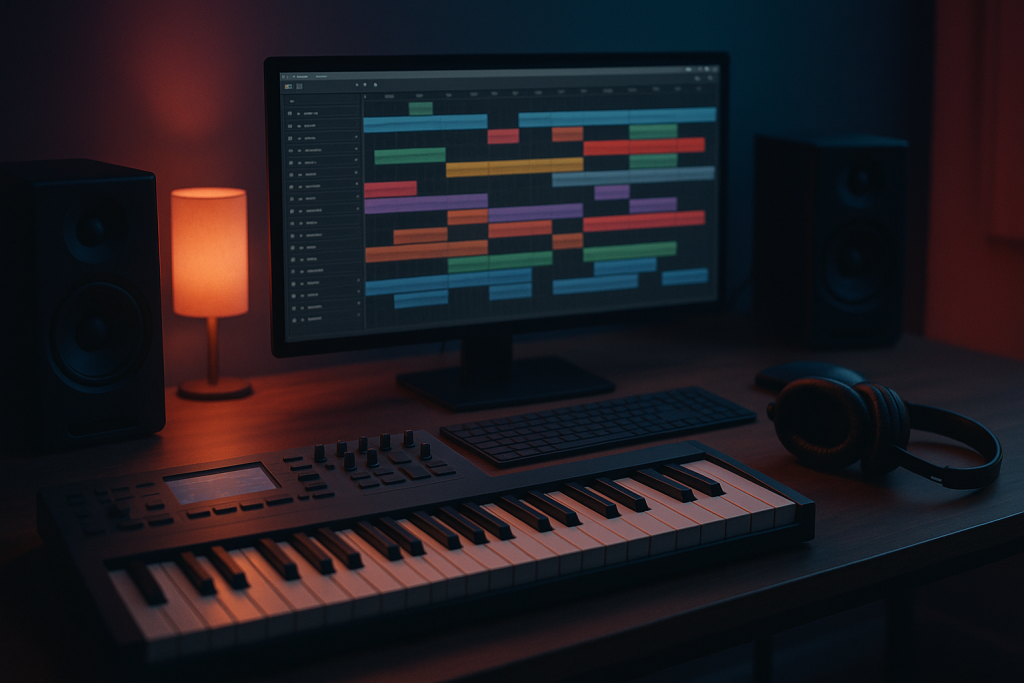
A crowded arrangement will not become a clean mix because you bought another EQ. Mute parts. Seriously. If two sounds do the same job, one has to earn its place.
Loop the drop. Mute the second pluck, the wide noise layer, the extra crash, and the vocal chop delay. Add them back one at a time. If the track gets smaller when a part returns, delete it or move it.
Use the 4-Bar Phrase Test
Most dance records speak in 4-bar and 8-bar phrases. If every sound plays all the time, the ear has nowhere to rest. Let the bass own bars 1 to 4, bring the stab answer in bar 5, and save the noise fill for bar 8.
This helps DJs too. Cleaner phrases read better on CDJ-3000 waveforms and make transitions easier to feel.
Pick One Bright Thing
Your vocal air, open hat, ride, white noise, and supersaw cannot all be the brightest sound. Pick one. Tuck the others down or low-pass them. A clean mix often has less top end than you think, just placed better.
If the chorus needs lift, automate brightness for 8 bars instead of leaving the whole record screaming.
- Mute duplicate layers before reaching for EQ.
- Move clashing hooks into different octaves.
- Use call-and-response instead of constant stacking.
- Keep fills short if the groove is already dense.
- Automate energy rather than adding permanent layers.

Control Dynamics Without Flattening the Track
Compression can tighten a clean mix, but it can also erase groove. The goal is control, not punishment. If every drum channel has 10 dB of gain reduction, your transient problem is probably sample choice or level balance.
Use compression where movement needs shaping. Leave stable sounds alone.
Parallel Compression on Drums
Create a drum crush bus. Send kick, snare, claps, and percussion to it. Use an 1176-style compressor, Ableton Glue Compressor, or FabFilter Pro-C 2. Hit it hard, 8 to 12 dB gain reduction, fast attack, medium release. Then blend it quietly under the dry drums.
Stop when the groove gets denser. If the cymbals start spitting, filter the crush bus above 10 kHz or send less hat.
Dynamic EQ Beats Static EQ on Harsh Notes
If a synth only hurts when it plays one note, use dynamic EQ. Set Pro-Q 4, TDR Nova, or Soothe2 to pull 2 to 5 dB when the harsh band appears around 2.5 kHz or 5 kHz. Static cuts can make the whole sound dull.
A clean mix keeps energy. It just removes the parts that jump out for the wrong reason.
- Compress vocals for stable level, not constant loudness.
- Use slower attack when you want punch to survive.
- Use faster release when the compressor must recover with the groove.
- Blend parallel compression lower than you think.
- Bypass often and level-match your checks.
Reference Like a DJ, Not Like a Fan
Reference tracks are not there to make you feel bad. They calibrate your ears. A clean mix needs context because your room, headphones, and mood all lie at different times.
Pick two released tracks close to your genre and tempo. If you are making tech house, do not reference a hyper-pop vocal mix. Load the references into your DAW, turn them down to match your rough mix, and switch often.
Match Loudness Before Judging Tone
If the reference is 6 dB louder, you will think it has better bass, better top, better width, and better everything. Level-match it. Use ADPTR MetricAB, Youlean Loudness Meter, or your DAW meters. Your ears compare tone better when volume is fair.
Now check three things: kick-to-bass balance, vocal or hook level, and high-end brightness. Do not chase every tiny detail.
Check Translation on Boring Speakers
Your car, laptop, AirPods, and a mono phone speaker tell you different truths. The boring speaker check is brutal, which is why it works. If the vocal vanishes on a phone, add midrange. If the bass disappears, add saturation around 120 to 250 Hz.
A clean mix should not need a perfect room to make sense.
- Use references from the same genre and energy level.
- Level-match before judging bass or brightness.
- Check mono below 120 Hz.
- Take notes in plain language, not plugin moves.
- Fix one translation issue at a time.
| Problem | Best Move | Starter Setting | Tool Example |
|---|---|---|---|
| Low-mid buildup | Subtractive EQ | Cut 2 to 4 dB around 220 to 350 Hz | FabFilter Pro-Q 4 |
| Kick and bass masking | Sidechain ducking | 4 to 6 dB ducking, groove-timed release | ShaperBox or LFO Tool |
| Cloudy reverb | EQ and duck the return | High-pass 200 Hz, 2 to 4 dB vocal-triggered ducking | Ableton EQ Eight and Compressor |
| Harsh lead notes | Dynamic EQ | Pull 2 to 5 dB only when the note jumps out | TDR Nova or Soothe2 |
| Flat drums | Parallel compression | 8 to 12 dB gain reduction, blended quietly | Ableton Glue Compressor |
Further reading
- Ableton mixing manual — Ableton's official manual gives reliable DAW-level information on routing, mixer behavior, and practical mix controls.
- Sound On Sound mixing — Sound On Sound is a long-running professional audio publication with detailed engineering and mixing education.
Frequently asked questions
How do I get a clean mix if my bass sounds muddy?
Start with levels, then separate the kick and bass. High-pass non-bass sounds, cut low-mid buildup around 220 to 350 Hz, and use sidechain ducking on the bass. Do not boost top end to hide mud. Remove the conflict first.
What frequency makes a mix sound muddy?
Mud often collects between 180 Hz and 450 Hz, especially around 250 Hz. Pads, vocals, reverbs, toms, and bass harmonics all stack there. Sweep in context, then cut gently. A 2 to 4 dB cut usually beats a huge surgical hole.
Should I mix with a limiter on the master?
Use a limiter for a quick loudness check, then bypass it while making balance and EQ decisions. If the limiter is already reducing 4 or 5 dB, it will hide problems and exaggerate others. Keep around -6 dB peak headroom before mastering.
Why does my mix sound clean on headphones but bad in the car?
Headphones can hide room problems and exaggerate stereo detail. Cars expose low-end balance fast. Check mono, compare against level-matched references, and listen for bass notes that overpower the kick. Add saturation if the bass disappears on small speakers.
Can EQ alone fix a messy mix?
Sometimes, but arrangement fixes more than EQ. If five layers play the same rhythm in the same octave, EQ becomes damage control. Mute duplicate parts, move hooks into different registers, and leave space in 4-bar phrases before carving frequencies.
What plugins help make mixes cleaner?
Good choices include FabFilter Pro-Q 4 for EQ, TDR Nova for dynamic EQ, Soothe2 for harsh resonances, Ableton Glue Compressor for parallel drums, and ShaperBox for sidechain-style volume shaping. Use them lightly. The cleanest move is still a better balance.
Conclusion
A clean mix is not a mystery move on the master bus. It is a chain of boring, repeatable decisions: sensible gain staging, low-mid cleanup, kick and bass separation, controlled reverb, and honest reference checks. Do those in order and the mix starts to breathe without getting weak.
Run this as a 60-minute pass on your next session. Set the levels. Cut the mud. Build the low-end lane. Clean the reverb. Then listen in the car or on small speakers and write down what actually fails. Fix that one thing, not ten imaginary problems.
Clean mix — Quick Recap
The fastest way to lock in clean mix is to internalise the workflow above and repeat it on every project. Start small: pick one technique from this clean mix guide, apply it to your next session, and audit the result against a reference track.
- Set headroom first, with the master peaking around -6 dB before mastering.
- Cut low-mid buildup before adding brightness or widening effects.
- Give kick and bass separate jobs instead of letting both own the same sub range.
- EQ and duck reverb returns so space supports the lead instead of covering it.
Treat clean mix as a habit, not a one-off — the producers who consistently nail clean mix are the ones who run the same checks on every track. That’s the difference between a clean, club-ready master and a track that sounds great at home but falls apart on a real system.
In a real studio session, clean mix comes down to the order in which you make decisions: reference first, gain stage second, then the creative work. Producers who treat clean mix as a checklist instead of a vibe end up shipping more tracks.
Most producers and DJs undervalue clean mix because the wins are invisible until the track plays back on a real system. Bake clean mix into your template and the next ten projects benefit automatically.
My Career makes videos from your own track and posts them for you, pitches your release to 34,000+ labels, playlists, radio stations, YouTube channels and blogs, puts it in every store and briefs you every morning. Free plan, no card, two minutes to set up.


