

Key takeaways
- Use AI helpers for friction removal, not for taste replacement.
- Stem separation is strongest as an analysis tool and weakest as a shortcut to uncleared release audio.
- AI mastering can reveal mix problems, but loudness suggestions often hide drop damage.
- Generated hooks create the biggest authorship and branding risk.
- A professional session still needs clean stems, clear rights, and human musical decisions.
Ai music tools are useful when they behave like boring studio utilities, not when they pretend to be taste. The strongest ai music tools I keep around do narrow jobs: split stems, suggest harmonic options, clean noise, audition master curves, or accelerate a rough edit before I touch the real arrangement. The weak ones flatten identity fast.
That distinction matters if you are an aspiring DJ building a release schedule, a bedroom producer trying to finish stronger records, or an artist paying for ghost production and custom music production. A generated loop can feel impressive for eight bars. A record that survives a CDJ-3000 handoff, a loud PA, label feedback, and three months of promo needs deeper judgment. Here is the stack I would actually trust, where I would not trust it, and what most tutorials miss when they treat automation as a substitute for production taste.
Where ai music tools actually earn a slot
The best use case for ai music tools is friction removal. Not songwriting authority. Not mix taste. Friction removal. If a tool turns a two-hour admin chore into a ten-minute check without making irreversible creative decisions, it probably earns disk space.
I put Ableton Live 12’s MIDI Transformations, RipX DAW Pro, iZotope RX 11, Logic Pro Stem Splitter, Ozone 11, Mixed In Key, Serato Stems, and rekordbox analysis in that category. They are not equal. Some belong before writing. Some belong after the arrangement is already saying something.
The ai music tools that work before taste takes over
Pre-writing helpers are safest because the cost of being wrong is low. Ableton Live 12 can generate MIDI variations, invert intervals, stretch rhythmic cells, and throw a few chord voicings at you before the session gets precious. That is useful if you already know how to reject 90% of what appears.
Mixed In Key is still more practical than flashy for DJs. If I am building a tech house reference folder around F minor and G minor, I want fast harmonic filtering. I do not want a machine deciding the topline.
The tools I would keep out of the writing chair
Suno and Udio are interesting sketch pads, but I would not build an artist identity around their full-song output. The phrasing tends to land in the uncanny middle: plausible contour, weak intent. In dance music, that shows up as drops with energy but no argument.
If you hire ghost production or custom music production, use a reference generated from ai music tools as a mood board, not as the blueprint. A good producer can translate the energy while rebuilding the groove, sound palette, and arrangement from scratch.
- Use MIDI helpers before emotional commitment, not after the hook is working.
- Use stem tools for analysis, bootleg edits, and repair, not lazy sampling.
- Use mastering assistants as a second opinion, never as the final engineer.
- Use harmonic analysis to sort crates faster, not to program the whole DJ set.
- Use generated references only when rights and authorship are clean.

The hidden cost is dataset sheen
Most ai music tools pull you toward the statistical center of what already exists. That is the real con. Not robots stealing everyone’s job overnight. The quieter risk is that your tracks start carrying the same chord gravity, transient shape, vocal cadence, and drop timing as everyone else using the same shortcuts.
You hear it in the top end first. Hats get polite. Vocal chops land too neatly on the grid. Bass movement avoids ugly passing notes. Nothing is technically broken, but nothing bites.
The averages are clean, and clean can be boring
Dataset sheen is not distortion you can notch at 3.2 kHz. It is a behavioral texture. It makes a track feel pre-approved. For commercial pop dance, that can be acceptable. For club records, especially minimal, tech house, UKG, trance, or drum and bass, the weird corner is often the asset.
A human producer might leave the off-beat ride 12 ms late because it pushes against the bass. A tool trained on finished references will often pull that tension back toward the grid.
Where the second-order damage shows up
The damage rarely appears in the first bounce. It appears after five decisions. A generated chord idea leads to a generic bass contour. The generic bass contour encourages a safe drum groove. The safe groove asks for a familiar riser. Suddenly the record is competent and forgettable.
That is why I prefer ai music tools that expose options rather than commit audio. MIDI, markers, candidates, separation layers, and repair previews are easier to fight than printed stereo fantasy.
- Print fewer generated audio parts than you think you need.
- Move at least one strong element away from the expected phrase boundary.
- Replace safe chord extensions with one ugly note that supports the bass.
- Push swing manually after using any quantized idea assistant.
- Reference against records with attitude, not only polished playlist tracks.
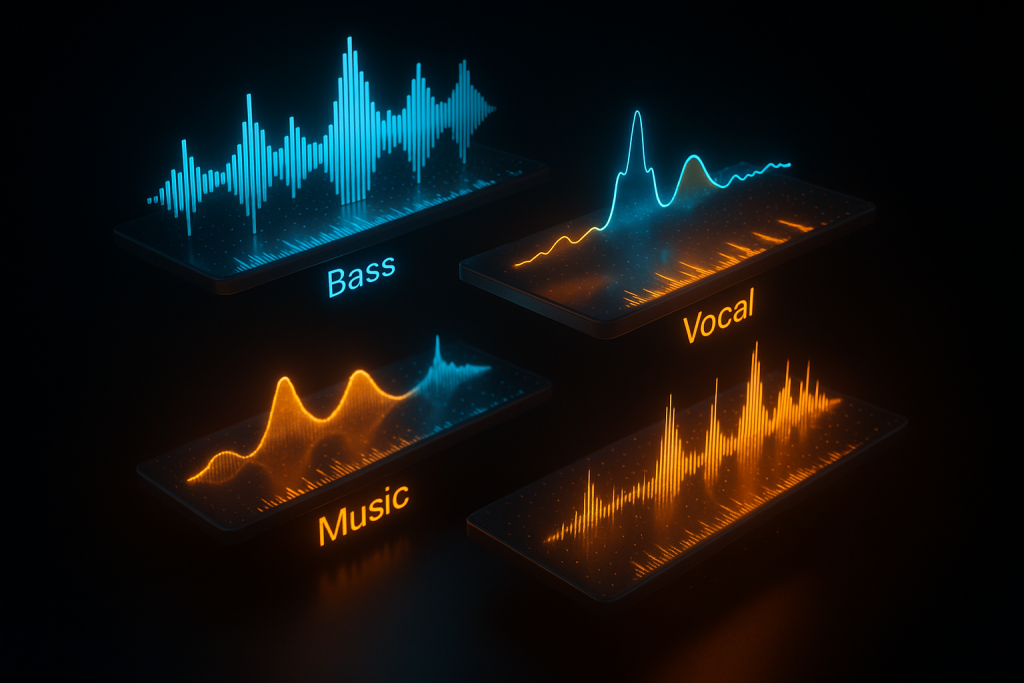
Stem tools are brutal when you use them for analysis
Stem separation is the most useful corner of ai music tools for DJs, remixers, and producers studying records. Serato Stems, rekordbox Track Separation, Logic Pro Stem Splitter, RipX DAW Pro, and iZotope RX 11 Music Rebalance all do the same broad trick, but their artifacts behave differently.
Do not judge them by solo quality alone. Judge them by what they reveal. A bad vocal stem can still show phrase length, breath placement, and reverb tail timing. A messy drum stem can still expose how much of the groove is ride pattern versus ghost clap.
Solo artifacts are less important than arrangement truth
Most tutorials obsess over whether the extracted acapella sounds clean. That misses the better use. I use separated stems to map the record: where the bass disappears for two beats, where the vocal reverb blooms, where the kick changes sample, and where the pre-drop silence actually starts.
On a CDJ-3000 prep pass, I will mark 4-bar and 8-bar phrase points after stem listening, then test the full track again through rekordbox. The stem view informs the cue map. It does not replace ears.
The rights problem is not a footnote
If you are using ai music tools to pull vocals from released songs, keep that work in the analysis and private edit lane unless you have clearance. Stem separation does not magically make a sample yours. It just makes infringement easier to audition.
For custom music production, the better move is to commission a replayed vocal idea, a new topline, or a legally clean interpolation. That keeps the creative benefit without dragging a licensing grenade into the release plan.
- Use separated drums to study swing, fills, and transient density.
- Use separated vocals to inspect phrasing and effects automation.
- Use separated bass to check octave movement and sidechain depth.
- Do not master from separated stems unless the source is yours.
- Archive analysis notes separately from any release project.
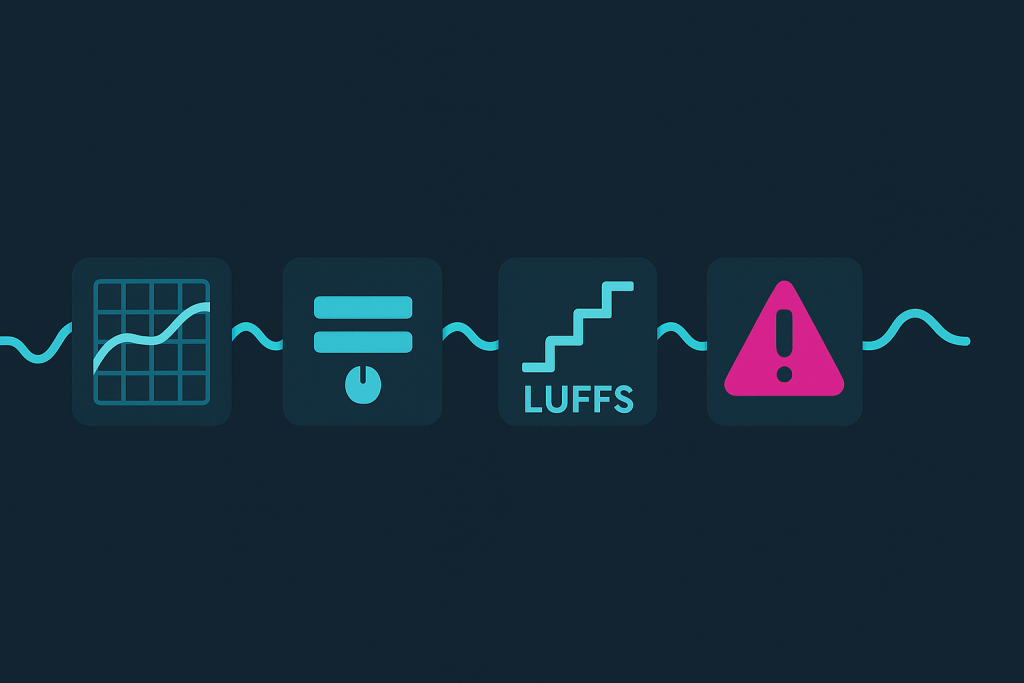
AI mastering is useful, but loudness advice lies
Ozone 11, LANDR-style workflows, and online mastering assistants are the most misunderstood ai music tools because they sound impressive in short A/B checks. Louder wins for three seconds. Then the chorus folds, the kick loses front edge, and LUFS-S tells a different story from LUFS-I.
I am not anti-assistant mastering. I am anti-blind acceptance. A mastering suggestion is a reference curve with confidence issues. Treat it like a junior engineer who is fast, not like Bob Katz.
Why LUFS-I can hide club damage
Integrated loudness smooths the whole track. A mix can sit at -8 LUFS-I and still have a drop that collapses at -5 LUFS-S for eight bars because the limiter is chewing the kick. The crowd does not hear your integrated number. They hear that exact drop section on a rig with subs breathing hard.
When ai music tools recommend more limiting, check short-term loudness, true peak, crest factor, and kick envelope. A lookahead limiter with 1 ms attack and heavy release automation can make the waveform look disciplined while removing the reason the record moves.
Master assistants are best as mix diagnosis
Ozone 11 can be genuinely useful when its EQ curve points to a mix problem. If it keeps lifting 10 kHz by 3 dB, maybe the top end is undercooked. If it keeps cutting 220 Hz, maybe your low mids are crowding the bass bus.
I still prefer fixing that inside the mix with FabFilter Pro-Q 4, Soothe2, Trackspacer, or a sidechain ducking move before asking a maximizer to solve it. Mastering is a terrible place to repair lazy gain staging.
- Leave -6 dB headroom before any serious master test.
- Check LUFS-S on the loudest 8 bars, not only LUFS-I.
- Compare limiter output at matched loudness, not matched fader position.
- Use true peak metering if the track will hit streaming and DJ pools.
- Fix low-mid buildup in the mix before accepting a mastering EQ curve.
Generative hooks create authorship and branding problems
The toughest con of ai music tools is not sonic. It is authorship. If a hook, topline, lyric fragment, or melodic identity comes from a black-box system, you may not fully understand what your record is leaning on. That is a bad foundation for a long-term artist project.
For throwaway social content, maybe you accept that risk. For label releases, sync pitches, artist branding, or ghost production, I would not. The hook is the business asset. Treat it like one.
A reference is not a finished identity
A generated vocal hook can be useful if it gives you tempo, attitude, register, and emotional direction. The mistake is keeping too much of its contour. Even if the output sounds legal enough, it may still carry the blandness of borrowed intent.
When an artist brings that kind of reference into a custom music production brief, I want the emotional target, not the melody. Give me “late-night, half-spoken, minor sixth tension,” then let the producer build something ownable.
Ghost production needs cleaner boundaries
Professional ghost production already depends on trust: authorship, exclusivity, stems, publishing terms, and delivery quality. Adding ai music tools without boundaries muddies that trust. Clients should know whether a vocal idea, chord seed, or lyric sketch influenced the work.
My rule is simple: use assistants for speed, analysis, repair, and variation. Keep the central musical claim human. That is the part an artist has to stand behind on stage, in interviews, and across future releases.
- Do not base an artist signature on generated hooks.
- Document any tool-assisted references used during a custom brief.
- Rebuild melodies, lyrics, and sound design until they feel ownable.
- Keep clean project files, stems, and version notes for delivery.
- Avoid black-box vocals for releases that need licensing confidence.

The stack I would actually trust in a paid session
If I had one afternoon to prep a club record for an artist, I would not open every shiny app. I would build a short chain of ai music tools around specific jobs, then get back to production work. Speed only matters if it leaves more time for the decisions that cannot be automated.
This is the practical stack: Ableton Live 12 for MIDI variation and arrangement markers, Push 3 for fast tactile auditioning, RipX DAW Pro or RX 11 for forensic stem listening, Ozone 11 for master diagnosis, Metric AB for references, and FabFilter Pro-Q 4 plus Soothe2 for the actual fixes.
The ai music tools chain I would run
Start with references. Pull two released tracks into Metric AB, level-match them, and ignore the loudness flex. Use stem separation only to understand arrangement behavior. Then write or revise the record in Ableton, keeping MIDI flexible until the groove and hook argue back.
After that, mix normally. Kick and bass first. Sidechain ducking with a visible envelope, not a random preset. Mid/side EQ on the music bus only if the mono center is already stable. Then use Ozone 11 as a diagnostic pass, not the steering wheel.
What I would delete before delivery
Before sending stems or a premaster, I would remove unused generated sketches, mute analysis rips, consolidate clean audio, and print any essential MIDI to named tracks. A client should not receive a folder full of half-baked experiments and mystery assets.
That discipline matters for bedroom producers too. If ai music tools helped you reach the finish line, fine. Your final session still needs to look like a professional record: clear groups, no illegal source files, labeled stems, and enough headroom for mastering.
- Ableton Live 12: MIDI variation, arrangement markers, fast edits.
- RipX DAW Pro or RX 11: stem inspection and repair clues.
- Ozone 11: mastering diagnosis, not final decision authority.
- Metric AB: level-matched references and translation checks.
- FabFilter Pro-Q 4 and Soothe2: manual mix repairs after diagnosis.
- Push 3 or DDJ-FLX10: tactile testing away from the mouse.
| Tool | Best Use | Main Risk | My Call |
|---|---|---|---|
| Ableton Live 12 MIDI Tools | Fast melodic variation and rhythm reshaping | Generic phrases if you accept too much | Keep it early, then edit hard |
| RipX DAW Pro | Deep stem inspection and note-level repair | Artifacts can tempt bad release choices | Great for analysis, cautious for release audio |
| iZotope RX 11 | Noise repair, Music Rebalance, forensic cleanup | Overprocessing leaves watery transients | Use with conservative preview checks |
| Ozone 11 | Mastering diagnosis and tonal comparison | Louder previews can fool judgment | Useful assistant, weak final authority |
| Serato Stems / rekordbox Separation | DJ edits, live isolation, cue planning | Club artifacts become obvious on big systems | Excellent for prep, risky as core production |
| Suno / Udio | Mood references and rough topline direction | Brand identity and authorship problems | Do not build the final hook from it |
Further reading
- Ableton Live manual — Ableton’s official documentation is the primary source for Live workflow, MIDI tools, routing, and arrangement features.
- Sound On Sound — Sound On Sound is a long-running technical publication with credible engineering, production, and studio technology coverage.
Frequently asked questions
What are the best ai music tools for producers right now?
For serious sessions, I would start with Ableton Live 12 for MIDI variation, iZotope RX 11 for repair, RipX DAW Pro for stem analysis, Ozone 11 for mastering diagnosis, and Metric AB for reference checks. The best ai music tools solve narrow problems without taking over taste.
Can AI replace a ghost producer?
No. It can sketch ideas, split stems, clean noise, and suggest mix directions, but it does not handle artist positioning, arrangement judgment, rights hygiene, or delivery discipline. A strong ghost producer turns references into an ownable record, with clean stems and decisions that fit the artist.
Is it legal to use stem separation for remixes?
Stem separation is legal as a tool, but releasing music built from someone else’s separated vocal, bass, or instrumental usually needs clearance. Private study and personal DJ edits are different from commercial release. If the source is not yours, get permission or rebuild the part cleanly.
Should I use AI mastering for club tracks?
Use it as a diagnostic pass, not as the final master. Club tracks need punch, mono stability, controlled subs, and drop impact. Check LUFS-S, true peak, limiter behavior, and kick shape. If an assistant master sounds louder but smaller, fix the mix instead.
Do labels care if a track used AI tools?
Labels care about rights, originality, and whether the record fits their catalog. If a tool helped with cleanup or arrangement testing, that is usually less concerning. If the main vocal, hook, or lyric identity came from a black-box source, expect harder questions.
How should DJs use AI stem tools live?
Use live stems sparingly. They are great for teasing a vocal, cutting drums for a transition, or rescuing a tricky blend, but artifacts get obvious on loud systems. Test your edits on monitors and headphones before trusting them in a peak-time handover.
Conclusion
ai music tools are best when they stay in their lane: analysis, cleanup, variation, and diagnosis. The trouble starts when they become the source of identity. A track can survive a little automation in the workflow. It cannot survive a hollow hook, a borrowed vocal contour, crushed short-term loudness, or a rights mess hiding in the project folder.
My bias is clear: keep the central musical claim human, then use the machines to move faster around it. In your next session, pick one narrow task, stem analysis, MIDI variation, RX cleanup, or master diagnosis, and test the result against a trusted reference at matched loudness. If it helps the record say more, keep it. If it makes the track feel pre-approved, delete it.
Ai music tools — Quick Recap
The fastest way to lock in ai music tools is to internalise the workflow above and repeat it on every project. Start small: pick one technique from this ai music tools guide, apply it to your next session, and audit the result against a reference track.
- Use AI helpers for friction removal, not for taste replacement.
- Stem separation is strongest as an analysis tool and weakest as a shortcut to uncleared release audio.
- AI mastering can reveal mix problems, but loudness suggestions often hide drop damage.
- Generated hooks create the biggest authorship and branding risk.
Treat ai music tools as a habit, not a one-off — the producers who consistently nail ai music tools are the ones who run the same checks on every track. That’s the difference between a clean, club-ready master and a track that sounds great at home but falls apart on a real system.
In a real studio session, ai music tools comes down to the order in which you make decisions: reference first, gain stage second, then the creative work. Producers who treat ai music tools as a checklist instead of a vibe end up shipping more tracks.
Most producers and DJs undervalue ai music tools because the wins are invisible until the track plays back on a real system. Bake ai music tools into your template and the next ten projects benefit automatically.
When you struggle with ai music tools, the fix is rarely a new plugin. Loop a problem section, A/B against a reference, and isolate which element is breaking your ai music tools.
Treat ai music tools as a craft, not a chore. The producers releasing on the biggest labels lock ai music tools in early so they can spend their energy on melody and arrangement instead of fighting the mix.
Document your ai music tools process — even a short note in the project file. Future-you will rebuild the same ai music tools win in half the time.
My Career makes videos from your own track and posts them for you, pitches your release to 34,000+ labels, playlists, radio stations, YouTube channels and blogs, puts it in every store and briefs you every morning. Free plan, no card, two minutes to set up.


