Key takeaways
- Start with a default template so every session opens ready to write.
- Program drum velocity and groove before adding more samples.
- Use a clean sidechain trigger for controlled kick and bass movement.
- Cut low-mid mud with small EQ moves you can actually hear.
- Resample MIDI parts when commitment will help the arrangement move.
- Arrange in DJ-friendly phrases before chasing master bus loudness.
Use these ableton live tips when your loop sounds decent but the track refuses to become a record. Open Live. Set the tempo. Stop auditioning 94 kick drums.
Most ableton live tips floating around are cute shortcuts. We want the ones that solve session problems: muddy low end, dead drums, eight-bar prison, CPU overload, and arrangements that feel like a file export instead of a song. I’ll run this like a workshop. You do the move, listen, then decide. No magic chain. No mystery sauce.
We’ll use stock Ableton devices first, then name the outside tools only where they earn the slot: FabFilter Pro-Q 4 for surgical EQ, Soothe2 for harsh resonances, and a Push 3 or Pioneer DDJ-FLX10 if you like touching hardware while writing. The goal is simple. Finish faster. Sound cleaner. Leave headroom.
Ableton live tips that start with a clean template
Your best ableton live tips are boring before they become useful. A clean template beats a fancy rack because it removes decisions you should not be making at bar one.
Open a blank set. Create groups named Drums, Bass, Music, Vocals, FX, and Reference. Put Utility on every group. Set the master to peak around -6 dB when the drop hits. Save that as your default set. Done.
Ableton live tips for your default set
Most ableton live tips fail because the session starts messy. Fix the room before you paint the wall. Put a Spectrum after the master Utility. Put a Limiter there too, but leave it off. It is a safety net, not a loudness plan.
Create two return tracks: one short room reverb, one eighth-note delay. Keep them muted until you need them. This stops you from soaking every clap in a different reverb preset.
Name tracks like you expect to open the file again
Call the bass Bass Sub and Bass Mid, not Audio 17 and Audio 18. If you send stems to a vocalist, mix engineer, or custom music production partner, clear names save everyone time.
Color drums red, bass blue, music green, vocals yellow. Yes, it feels basic. It works at 2 a.m.
- Set master headroom to -6 dB before any limiter work.
- Use six main groups: Drums, Bass, Music, Vocals, FX, Reference.
- Put Utility on every group for fast gain moves.
- Keep one clean reference track muted on its own channel.
- Save the setup as your default Live set.

Build Drums Around the Groove, Not the Grid
The most useful ableton live tips for drums are about feel, not sample hoarding. A weak groove will stay weak through ten saturators.
Load a Drum Rack. Pick one kick that already fits the track. If you need to boost 60 Hz by 12 dB, pick another kick. The sample is wrong.
Program velocity before you add swing
Write a four-bar pattern. Keep the kick solid. Pull the second and fourth closed hats down to 65-75 velocity. Push the offbeat hat slightly louder than the ghost hats. Listen.
Now add Groove Pool swing. Start with MPC 16 Swing 57, then reduce global timing to 40 percent. These ableton live tips keep the groove human without making it sloppy.
Tune the kick against the bass
Drop Tuner after the kick or check it with Spectrum. If the track sits in F minor, a kick around F, G, or C usually behaves. Do not force it if the transient feels wrong.
Open EQ Eight. High-pass hats around 300 Hz. Cut the clap at 240 Hz if it clouds the snare pocket. Small moves. Loud playback lies less than solo mode.
- Start with one solid kick before layering anything.
- Use velocity variation on hats before adding groove templates.
- Check kick pitch against the bass root note.
- High-pass hats around 300 Hz if the low mids stack up.
- Audition drums in the full loop, not solo.

Step-by-Step: Sidechain Ducking That Does Not Pump Like a Meme
This is one of the ableton live tips I use in nearly every club track. Bad sidechain makes the mix wobble. Good sidechain creates a pocket and then gets out of the way.
We’ll use Ableton Compressor first. You can swap in Kickstart 2, ShaperBox, or Trackspacer later, but learn the stock method. It teaches your ear.
Set up the trigger cleanly
Make a muted MIDI track called SC Trigger. Load any short click or rim sample. Copy your kick MIDI pattern onto it. Route nothing to the master if you use External Instrument, or just mute the track after enabling sidechain input.
Put Compressor on the bass group. Open the sidechain panel. Choose SC Trigger as the input. Keep these ableton live tips literal: trigger from a clean click, not a boomy kick tail.
Dial the compressor by numbers first
Set Ratio to 4:1. Attack at 0.10 ms. Release at 80 ms for house and tech house, 120 ms if the bass note is longer. Pull Threshold until you see 3-6 dB of gain reduction on each kick.
Now listen to the groove. If the bass vanishes, release is too long or threshold is too low. If the kick still smears, release is too short or the bass has too much 80-140 Hz.
Check it on small speakers
Sidechain is not only a subwoofer move. On Yamaha HS8s, laptop speakers, or a car test, the mid-bass should still read as a note. If it only works on your headphones, fix the bass layer.
Duplicate the bass. Low-pass one layer at 120 Hz. High-pass the other at 120 Hz. Duck the sub harder than the mid layer. Cleaner. More controlled.
- Use a separate muted trigger instead of the kick audio tail.
- Start with 3-6 dB of gain reduction on the bass group.
- Set release by groove length, not by habit.
- Duck the sub layer more than the mid-bass layer.
- Check the result on small speakers before arranging.
Fix Mud With EQ Moves You Can Hear
Good ableton live tips for EQ do not start with a giant plugin chain. Open EQ Eight. Make a move. Bypass it. If you cannot hear the improvement, remove it.
Mud usually lives between 180 Hz and 350 Hz, but do not carve that range blindly. Your kick, bass, toms, piano, and vocal low mids all want rent there. Somebody has to move out.
Clean the bass without thinning the record
Solo the kick and bass for ten seconds, then stop soloing. Put EQ Eight on the bass group. If the kick fundamental is around 55 Hz, let the bass speak more around 90-110 Hz or above 140 Hz.
Cut 2-4 dB at 220 Hz with a medium Q if the bass sounds boxy. These ableton live tips are not permission to gut every sound. Use the smallest cut that clears the groove.
Use mid/side EQ when the sides get cloudy
Put EQ Eight in Mid/Side mode on the Music group. High-pass the Side channel around 140 Hz. If wide pads blur the drop, cut 2 dB at 300 Hz on the Side channel only.
For surgical cleanup, FabFilter Pro-Q 4 is faster. For harsh synth stacks, Soothe2 can calm 2-5 kHz without making the sound dull. Use it lightly. Heavy resonance suppression sounds expensive for about five minutes, then dead.
- Cut mud only after hearing the kick and bass together.
- Try 220 Hz for boxy bass and 300 Hz for cloudy music layers.
- High-pass side information around 140 Hz on wide pads.
- Bypass every EQ move before keeping it.
- Use Soothe2 gently on harsh synth stacks.

Use Audio Resampling When MIDI Starts Lying to You
A lot of ableton live tips avoid the uncomfortable move: print the part. MIDI feels flexible, but it also keeps you trapped in preset audition mode.
Once a synth riff works, freeze it or resample it to audio. Then treat it like a record. Chop it. Reverse one hit. Fade the tail. Commit.
Print the sound before you ruin the idea
Create an audio track. Set Audio From to Resampling. Arm it. Record eight bars of the synth loop. Turn off the original MIDI track, do not delete it yet.
Now cut the audio at bar lines and transients. Use fades. Reverse the last quarter-note before the drop. Pitch one chop down 12 semitones for a fill. Among ableton live tips, this one creates arrangement movement fast.
Resample CPU-heavy racks
A wavetable stack with three reverbs, two delays, and oversampled saturation will punish a laptop. Print it. Keep the audio. Disable the original devices.
Push 3 users can do this quickly from Session View. If you are on a MacBook Air or a small Windows laptop, resampling is not a compromise. It is how you keep writing instead of watching the CPU meter spike.
- Resample eight bars once the part supports the hook.
- Disable the MIDI source instead of deleting it immediately.
- Use fades on every chop to avoid clicks.
- Reverse short pieces into transitions.
- Print CPU-heavy racks before the session starts stuttering.
Arrange With DJ Logic Before You Touch the Master
The least glamorous ableton live tips are arrangement tips. They matter because DJs do not play your plugin chain. They play phrases.
Set markers every 16 bars: Intro, First Groove, Break, Build, Drop, Second Break, Final Drop, Outro. If you make radio pop, your markers change. For club music, this map keeps the track playable.
Think in 4-bar and 8-bar questions
Every four bars, something should answer the previous phrase. Add a ride. Pull the clap. Open a filter. Drop a vocal chop. Tiny changes beat random automation scribbles.
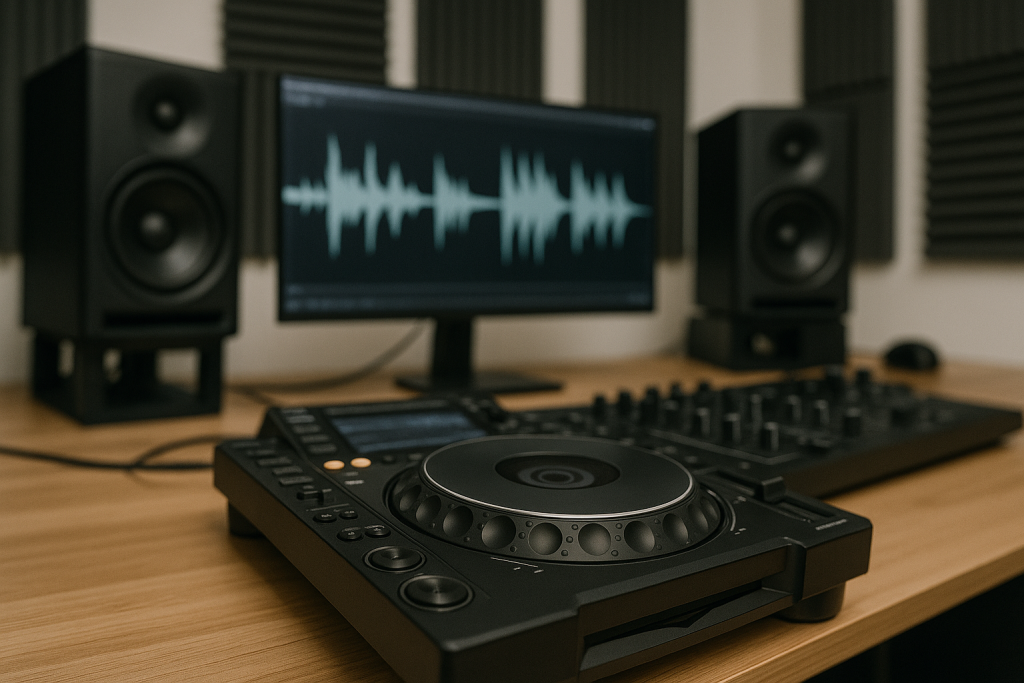
Use a CDJ-3000, Rekordbox, or even your Pioneer DDJ-FLX10 to test the bounce. If the intro is boring to mix, fix the arrangement. ableton live tips become real when the exported WAV survives a DJ-style listen.
Do not master a bad arrangement louder
If the drop feels small, mute the build for one bar before it. Remove the sub for the final two beats. Automate reverb decay down before the drop so the kick lands in a dry space.
Master bus loudness will not create contrast. Arrangement creates contrast. Then mastering makes that contrast travel.
- Place arrangement markers every 16 bars for club tracks.
- Change one element every 4 or 8 bars.
- Remove low end before the drop to make impact feel larger.
- Test the bounce like a DJ would cue it.
- Fix boring intros before touching the limiter.

Export Stems That a Human Can Actually Use
Use ableton live tips at the end of the session too. Bad exports waste mix time, remix time, and ghost production handoff time.
Before exporting stems, clean the project. Remove muted experiments. Consolidate important clips. Check that every track starts at bar one, even if the sound enters at bar 65.
Ableton live tips for clean delivery
The strongest ableton live tips are practical under deadline. Export 24-bit WAV files. Keep sample rate at 44.1 kHz or 48 kHz, matching the session. Leave the master limiter off unless you are also sending a loud reference bounce.
Print wet and dry vocal stems if vocals are part of the record. Print MIDI as audio when the sound matters. Nobody wants to chase a missing synth preset at midnight.
Make one loud reference and one clean premaster
Bounce a clean premaster peaking around -6 dB. Then bounce a loud reference with your limiter on, maybe around -9 to -7 LUFS for club context if the mix holds up.
Name them clearly: TrackName_Premaster_24bit and TrackName_LoudRef. That tiny habit prevents the wrong file from being uploaded, pitched, or mastered.
- Export all stems from bar one.
- Use 24-bit WAV for serious delivery.
- Send a clean premaster and a loud reference bounce.
- Turn off master limiting for mix-ready stems.
- Print any sound that depends on a specific preset or plugin.
| Problem | Best Move | Tool or Setting | Why It Works |
|---|---|---|---|
| Bass masks the kick | Sidechain ducking | Ableton Compressor, 4:1 ratio, 3-6 dB gain reduction | Creates timed space without deleting low end |
| Loop feels stiff | Velocity and groove adjustment | Drum Rack, Groove Pool, MPC 16 Swing 57 | Adds feel before extra percussion clutters the beat |
| Mix sounds muddy | Targeted low-mid EQ | EQ Eight or FabFilter Pro-Q 4 around 220-300 Hz | Clears overlap while keeping weight |
| CPU keeps spiking | Resample to audio | Resampling input, Freeze, Flatten | Commits heavy sounds and keeps the session moving |
| Track feels flat | DJ-style arrangement | 16-bar markers, 4-bar changes, low-end dropouts | Builds contrast before mastering |
Further reading
- Ableton Live manual — Official Ableton documentation with device, routing, warping, and workflow details.
- Sound On Sound — Long-running professional audio publication with practical Ableton production techniques.
Frequently asked questions
What are the best ableton live tips for beginners?
Start with a clean template, learn Drum Rack, use EQ Eight before buying plugins, and finish short arrangements. Beginners get stuck by adding tools too early. Make one two-minute track with drums, bass, one hook, and a clean export. That teaches more than collecting 300 presets.
How do I make Ableton Live run faster on a laptop?
Freeze or resample CPU-heavy tracks, turn off unused devices, reduce oversampling while writing, and increase buffer size during mixing. Keep the original MIDI muted and disabled if you need recall later. Audio clips are lighter than stacked synths with multiple reverbs and saturators.
Should I use stock Ableton plugins or third-party plugins?
Use stock Ableton devices until you can hear the exact problem. EQ Eight, Compressor, Saturator, Glue Compressor, and Utility can finish real records. Third-party tools like Pro-Q 4 or Soothe2 are faster for specific jobs, but they will not fix weak writing or poor gain staging.
How much headroom should I leave before mastering?
A premaster peaking around -6 dB is a safe target. The exact number matters less than avoiding clipping on the master and group buses. Turn off limiters, leave loudness processing for the reference bounce, and make sure the mix still feels balanced when played quieter.
How do I arrange a track in Ableton without getting stuck?
Set 16-bar markers first, then copy your strongest loop across the timeline. Remove elements to create the intro, break, build, drop, and outro. Every four or eight bars, change one thing. Arrangement is editing. Do not wait for inspiration after bar nine.
Is Ableton Live good for DJ edits and club tracks?
Yes. Ableton Live is excellent for DJ edits, club arrangements, bootlegs, and original tracks because warping and Session View make phrase work fast. Keep edits clean: warp the source properly, check transients, avoid over-limiting, and test the bounce in Rekordbox or on CDJs.
Conclusion
Ableton live tips should make the session lighter, not busier. Start with the template. Build drums that move. Sidechain the bass with intent. Cut mud where it actually lives. Print audio when MIDI starts wasting your afternoon. Then arrange like someone will cue the record on a CDJ, because somebody might.
Do not try all of this at once. Pick one unfinished project tonight. Spend 20 minutes cleaning the template and gain staging. Spend 20 minutes on kick, bass, and sidechain. Spend 20 minutes placing arrangement markers. Export a rough bounce. Listen tomorrow, then fix what the bounce tells you.
Ableton live tips — Quick Recap
The fastest way to lock in ableton live tips is to internalise the workflow above and repeat it on every project. Start small: pick one technique from this ableton live tips guide, apply it to your next session, and audit the result against a reference track.
- Start with a default template so every session opens ready to write.
- Program drum velocity and groove before adding more samples.
- Use a clean sidechain trigger for controlled kick and bass movement.
- Cut low-mid mud with small EQ moves you can actually hear.
Treat ableton live tips as a habit, not a one-off — the producers who consistently nail ableton live tips are the ones who run the same checks on every track. That’s the difference between a clean, club-ready master and a track that sounds great at home but falls apart on a real system.
In a real studio session, ableton live tips comes down to the order in which you make decisions: reference first, gain stage second, then the creative work. Producers who treat ableton live tips as a checklist instead of a vibe end up shipping more tracks.
Most producers and DJs undervalue ableton live tips because the wins are invisible until the track plays back on a real system. Bake ableton live tips into your template and the next ten projects benefit automatically.
My Career makes videos from your own track and posts them for you, pitches your release to 34,000+ labels, playlists, radio stations, YouTube channels and blogs, puts it in every store and briefs you every morning. Free plan, no card, two minutes to set up.