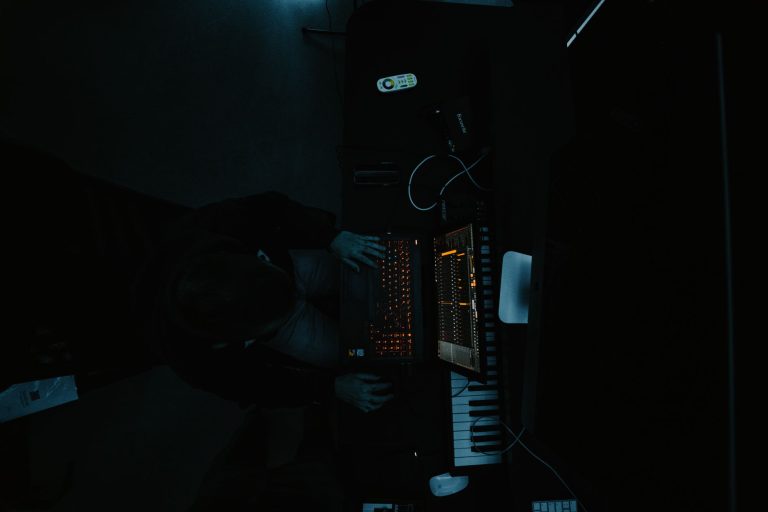
 By Alex Mercer · October 22, 2026
TL;DR
- Vital’s free tier is enough for serious EDM production.
- Use VST3 on Windows and AU in Logic Pro unless a session requires otherwise.
- Most weak Vital patches fail because of gain, width, and envelope choices.
- Keep bass mono, print CPU-heavy parts, and leave -6 dB of bus headroom.
- Test plugin recall in your DAW before writing a full track around it.
Vital plugin is a free wavetable synth that does not need mystique around it. The vital plugin does need sane installation, conservative gain staging, and patches that leave room for drums. Most bad Vital sounds are not bad because of the oscillator. They are bad because the patch is too wide at 120 Hz, the unison is set like a fog machine, and the filter envelope is doing nothing useful.
For EDM work, Vital Audio’s synth is still one of the better free options because the modulation is visible, the VST3 build is stable in current DAWs, and the free tier is not crippled where it matters. Use it like an instrument, not a preset vending machine. Keep the output around -12 dBFS while designing. Print audio when the patch is done. Stop stacking 16 voices because the GUI looks calm.
What the vital plugin Actually Is
Vital is a wavetable synthesizer. Three oscillators, two filters, envelopes, LFOs, random sources, effects, and a modulation system that makes the routing hard to miss. That last part matters. If you can see the modulation amount on the knob, you make fewer blind decisions.
The free version gives enough for finished records. The paid tiers mainly add more factory wavetables, presets, and text-to-wavetable features. For club music, the free build is not the bottleneck. Arrangement, gain, and low-end discipline usually are.
Vital plugin Formats, Price, and CPU Reality
Vital runs as VST, VST3, AU, and LV2 depending on operating system and DAW support. The usual 2026 choice is VST3 on Windows and AU or VST3 on macOS. If your DAW sees both, use one format per project. Mixing AU and VST3 versions of the same synth across sessions is how recall gets annoying.
CPU depends more on voices than patch size. Eight voices with spectral warp and long reverb will cost more than a simple mono bass. Start at 44.1 or 48 kHz. Oversampling is not a religion. If the top end aliases badly, fix the patch first, then bounce at a higher quality setting.
- Use VST3 on Windows unless an old project requires VST2.
- Use AU in Logic Pro if you want the least friction.
- Keep bass patches mono unless there is a clear reason not to.
- Freeze or print pads with long release times.
- Design at -12 dBFS peak before channel processing.

Download vital plugin Without Making a Mess
Download Vital from Vital Audio, not from random mirror sites with cracked installers and mystery DLLs. The installer is small. The risk is not worth saving thirty seconds. If you are looking for “VST plugin Vital VST3 free download,” use the official route and keep the installer archived with your project backups.
Install Paths That Stop DAW Scans Failing
Windows users should keep VST3 files in C:Program FilesCommon FilesVST3. Do not scatter synths across five custom folders because a forum post from 2014 said so. macOS installs AU components into /Library/Audio/Plug-Ins/Components and VST3 into /Library/Audio/Plug-Ins/VST3.
After installation, rescan once. If the DAW still misses it, check permissions, plugin blacklist folders, and whether you installed the correct architecture. On Apple Silicon, native mode is usually cleaner than forcing Rosetta unless your session depends on older plugins.
- Restart the DAW after installing.
- Use the default VST3 folder unless your studio has a managed path.
- Avoid duplicate VST2 and VST3 instances in the same template.
- Back up custom wavetables separately from the plugin installer.
- Do not rename plugin files after installation.

Vital plugin in Ableton, Logic Pro, Reaper, and LMMS
The synth behaves well in the usual DAWs, but each host has one trap. Ableton Live users often forget custom VST folders. Logic Pro users sometimes look for VST instead of AU. Reaper users can scan anything, which is useful until the plugin folders become landfill. LMMS support depends on platform and wrapper behavior, so test before building a large project around it.
DAW Setup Notes That Save Time
For a Vital plugin Ableton download workflow, install first, then open Live’s plug-in preferences and enable VST3 system folders. In Logic Pro, check Audio Units Manager if Vital does not appear under instruments. In Reaper, clear failed scans and rescan the VST3 path. In LMMS, expect more friction. That is not a sound-design problem. That is host support reality.
Keep a blank test project at 48 kHz, 24-bit, 120 BPM. Load one instance, play a four-note MIDI clip, automate filter cutoff for four bars, save, close, reopen. If recall works, start writing. If it fails, fix the install before the track exists.
- Ableton Live: enable system VST3 folders, then rescan.
- Logic Pro: use AU and check Audio Units Manager.
- Reaper: remove failed cache entries before rescanning.
- LMMS: test plugin loading and project recall before committing.
- All DAWs: save a minimal test session after installation.

How to use vital plugin for Clean EDM Patches
How to use Vital plugin properly starts with boring settings. Good. Boring settings survive mixdown. Put Oscillator 1 on a basic wavetable, set voices to one for bass, and keep the master output low. Modulate one thing at a time. If the patch only works when the channel is clipping, it does not work.
Mono Bass Patch: 128 BPM, Tight Envelope
For a clean bass, start with a saw or square-based wavetable. Set voices to 1. Filter 1: low-pass 24 dB, cutoff around 140 Hz, resonance below 15%. Envelope 1: attack 0 ms, decay 180 ms, sustain 0.45, release 60 ms. Add drive before compression, not after a huge reverb tail.
Sidechain ducking should happen after Vital, usually 3 to 6 dB of gain reduction with a 40 to 90 ms release at 124 to 128 BPM. Do not sidechain inside the patch unless the movement is part of the sound. Kick clearance belongs in the mix bus chain more often than the synth patch.
Pluck Patch: Width Without Low-End Smear
For plucks, use 4 to 6 unison voices, detune under 0.08, and high-pass the effect return around 180 Hz. Envelope attack should stay under 5 ms. Decay around 250 to 450 ms works for most melodic house and trance patterns. If the pluck masks the snare, shorten the release before reaching for another EQ.
- Bass: one voice, mono, short release.
- Leads: 4 to 8 voices, controlled detune, high-pass below 150 Hz.
- Pads: print to audio once the chords are final.
- Plucks: short decay before adding delay.
- FX: automate filter movement instead of stacking more layers.

Sound Design Settings That Survive a Mixdown
The textbook answer says make the patch exciting at the source. In practice, an exciting solo patch often becomes a mix problem. A synth that sounds slightly underfed alone may sit correctly once the kick, clap, vocal, and noise layers are running.
We see this constantly with demo material: the idea is usable, but the synth patch occupies the same space as every other part. Width below 150 Hz, reverb below 250 Hz, and too much unison on midrange hooks are routine deal-breakers.
Frequency Targets for Less Repair Work
Keep sub information below 90 Hz clean and usually mono. Cut mud around 220 to 350 Hz if the patch crowds the vocal or snare body. If a lead gets painful, check 2.5 to 4.5 kHz before blaming the limiter. For shimmer, add air above 10 kHz only after the arrangement is balanced.
Mid/side EQ is useful, but only after the patch is sane. If the side channel has strong energy at 80 Hz, fix the unison spread or the effects chain. Do not use a stereo imager as a repair crew.
- High-pass pads around 150 to 250 Hz unless they carry the root.
- Keep reverb low-cut between 200 and 400 Hz.
- Use mono bass below 100 Hz.
- Check lead harshness around 3 kHz at low monitoring volume.
- Leave roughly -6 dB headroom on the synth bus before mastering.

When Vital Is the Wrong Tool
Vital is flexible, but not every job needs a wavetable synth. For sampled pianos, use a sampler. For realistic strings, use a proper library. For simple 808 subs, a sine oscillator in your DAW may be faster and cleaner. The fastest tool is usually the one that needs the fewest fixes after writing.
Trade-Offs Worth Accepting
Use Vital when movement matters: bass growls, animated plucks, evolving pads, risers, laser-like FX, and wide festival leads. Skip it when the sound should be static, natural, or brutally simple. A one-oscillator sub with no modulation is not improved by a full modulation matrix.
Commit to audio once the part is arranged. Print 24-bit WAV stems with effects if the effects define the part. Print dry and wet versions only when you know a mixer will need options. Otherwise, you are just creating file clutter with professional-looking names.
- Use Vital for animated synthetic movement.
- Avoid it for realistic acoustic parts.
- Bounce CPU-heavy pads before mixdown.
- Keep MIDI if the hook is still being rewritten.
- Print at 24-bit with peaks below -6 dBFS.
| Host | Best Format | Main Setup Check | Practical Trade-Off |
|---|---|---|---|
| Ableton Live | VST3 | Enable system VST3 folders and rescan | Fast automation, but duplicate plugin paths cause missing devices |
| Logic Pro | AU | Confirm validation in Audio Units Manager | Stable recall, but VST versions are irrelevant inside Logic |
| Reaper | VST3 | Clear failed scans before rescanning | Very flexible, but messy paths create avoidable failures |
| LMMS | VST or LV2 where supported | Test loading and project recall first | Usable for some setups, but less predictable than major paid DAWs |
FAQ
Is vital plugin really free?
Yes. Vital has a free tier that includes the core synth engine and enough features for finished EDM tracks. Paid tiers add more presets, more wavetables, and extra content. The free version is not a demo with timed noise bursts or missing export. Install it from Vital Audio.
Why is Vital not showing up in Ableton Live?
Most failures come from plugin scanning. Install the VST3 version, open Live’s Plug-Ins preferences, enable system VST3 folders, then rescan. On Windows, the normal VST3 path is C:Program FilesCommon FilesVST3. If you used a custom folder, add that folder manually.
Can I use Vital in Logic Pro?
Yes, use the AU version. Logic Pro does not load VST instruments directly, so looking for the VST build is wasted time. If Vital does not appear, open the Audio Units Manager, check validation status, restart Logic, and avoid running mixed Intel and native versions unless required.
Is Vital good for bass music and EDM leads?
Yes, especially when you keep the patch controlled. Use mono bass below 100 Hz, moderate unison on leads, and short envelopes where the groove needs space. The synth can sound huge, but huge patches often collapse in a full mix. Start narrower than you think.
The bottom line
vital plugin earns its place because it is direct, visible, and cheap enough to remove the usual excuse. Treat it like a synth, not a shortcut. Install the correct format, keep project recall clean, design patches at sensible levels, and stop widening the low end because the solo button flatters it.
The best results come from restrained settings: one-voice basses, controlled unison, filtered effects, and modulation that supports the groove instead of advertising itself. Open a blank session, build one mono bass and one pluck from scratch, then test them against drums at 128 BPM. If they still work with the kick and clap in, save the patch. If not, fix the source.
My Career makes videos from your own track and posts them for you, pitches your release to 34,000+ labels, playlists, radio stations, YouTube channels and blogs, puts it in every store and briefs you every morning. Free plan, no card, two minutes to set up.