 By Alex Mercer · September 15, 2026
TL;DR
- The OP-1 is strongest as a portable writing and resampling instrument, not a DAW replacement.
- The Field is the smarter choice when clean stereo export and USB-C audio matter.
- The original can still make sense used, but condition checks are non-negotiable.
- Digitakt II and Ableton Push may be better alternatives for groove-heavy or DAW-centered producers.
- Keep bass, drums, music, and transitions separated when you plan to finish the track later.
Teenage engineering op-1 still splits serious producers because searching teenage engineering op-1 usually means one of two things: you want a portable sketchpad that forces decisions, or you are trying to justify a very expensive object. Those are not the same purchase.
The OP-1 is not a mini DAW. Treat it like one and it feels cramped, underpowered, and weirdly stubborn. Treat it like a four-track tape machine with synth engines, sampling, resampling, radio-style grabs, sequencing oddities, and a brutal commitment workflow, and it starts making sense. The real question is not whether it sounds “pro.” Plenty of hit records contain worse signal chains. The question is whether its limits help you finish ideas faster, or whether they interrupt the kind of production work you already do well.
What the teenage engineering op-1 Is Really Good At
The teenage engineering op-1 is strongest when you stop asking it to replace Ableton Live, Logic Pro, or a rack of mix plugins. It is a capture machine. Its value is the friction: four tape tracks, no normal piano-roll editing, no endless plugin slots, and very little room for pretending a weak hook will become good after another hour of sound browsing.
That friction is not romantic. It is practical. You make a sound, sample it, bounce it, damage it, and keep moving.
Where the teenage engineering op-1 Still Wins
The OP-1 is excellent for short-cycle writing: 4-bar bass motifs, 8-bar topline beds, intro textures, risers, dirty drum fills, and one-finger harmonic sketches that later become full arrangements. Its synth engines are not trying to beat a modern wavetable instrument on modulation depth. They win because they are immediate.
- Use Endless for stepped melodic patterns that feel less grid-locked than a DAW clip.
- Use Tombola for unstable percussion or bell-like accents, then print the result to tape.
- Use Nitro as a blunt tone shaper before resampling, not as a surgical EQ.
- Use the drum sampler for chopped one-shots and ghost notes, not full multi-layer kits.
The Mistake Most Videos Make
Most tutorials try to prove the box can do everything. That misses the point. A finished 32-track club mix with multiband sidechain control, LUFS-I targets, clip gain automation, lookahead limiting, and mono-compatible sub management should still happen in a DAW. The OP-1 should feed that process, not fight it.
My preferred rule is simple: if an idea is not compelling after four tape tracks, it probably needs writing help before it needs mixing help.
- Best role: portable idea capture and destructive resampling
- Weak role: final mixdown, mastering, or complex arrangement editing
- Sweet spot: hooks, fills, textures, loops, and weird transitions
- Bad fit: producers who need plugin recall for every decision

The Tape Workflow Is The Point, Not A Limitation
The OP-1 tape system is not a cute visual skin. It changes decisions. You record audio to four virtual tape tracks, lift sections, drop them somewhere else, bounce internally, and accept that edits have consequences. That makes it closer to old hardware sampling culture than to clip-based DAW writing.
Gain Staging Before You Print
Leave more headroom than feels necessary. Aim for peaks around -12 dBFS when sampling into the OP-1, especially if you plan to bounce multiple tape tracks together. The internal effects can get crunchy fast, and not always in the useful way. If you want grit, drive it deliberately with saturation later rather than accidentally clipping a nice transient on the way in.
For club material, print low-end parts separately whenever possible. Kick and bass sharing one tape track can work for sketches, but it limits sidechain ducking, phase repair, and sub cleanup once the audio lands back in a DAW.
Use Resampling Like Arrangement Glue
A good OP-1 pass often looks messy: synth to tape, tape to sampler, sampler back to tape, then a final export. That is not inefficiency. It is how you get movement without drawing 40 automation lanes.
- Record an 8-bar chord idea to track 1.
- Resample the last beat into the sampler.
- Pitch it down 7 semitones for a turnaround.
- Print that to track 3 and cut it into bar 8.
- Export stems and clean clicks with iZotope RX 11 only if they distract.
- Print ideas early instead of auditioning presets for an hour
- Keep kick, bass, music, and ear-candy on separate tape tracks when possible
- Use 4-bar and 8-bar tape edits to test arrangement movement
- Clean exported clicks only when they hurt the groove
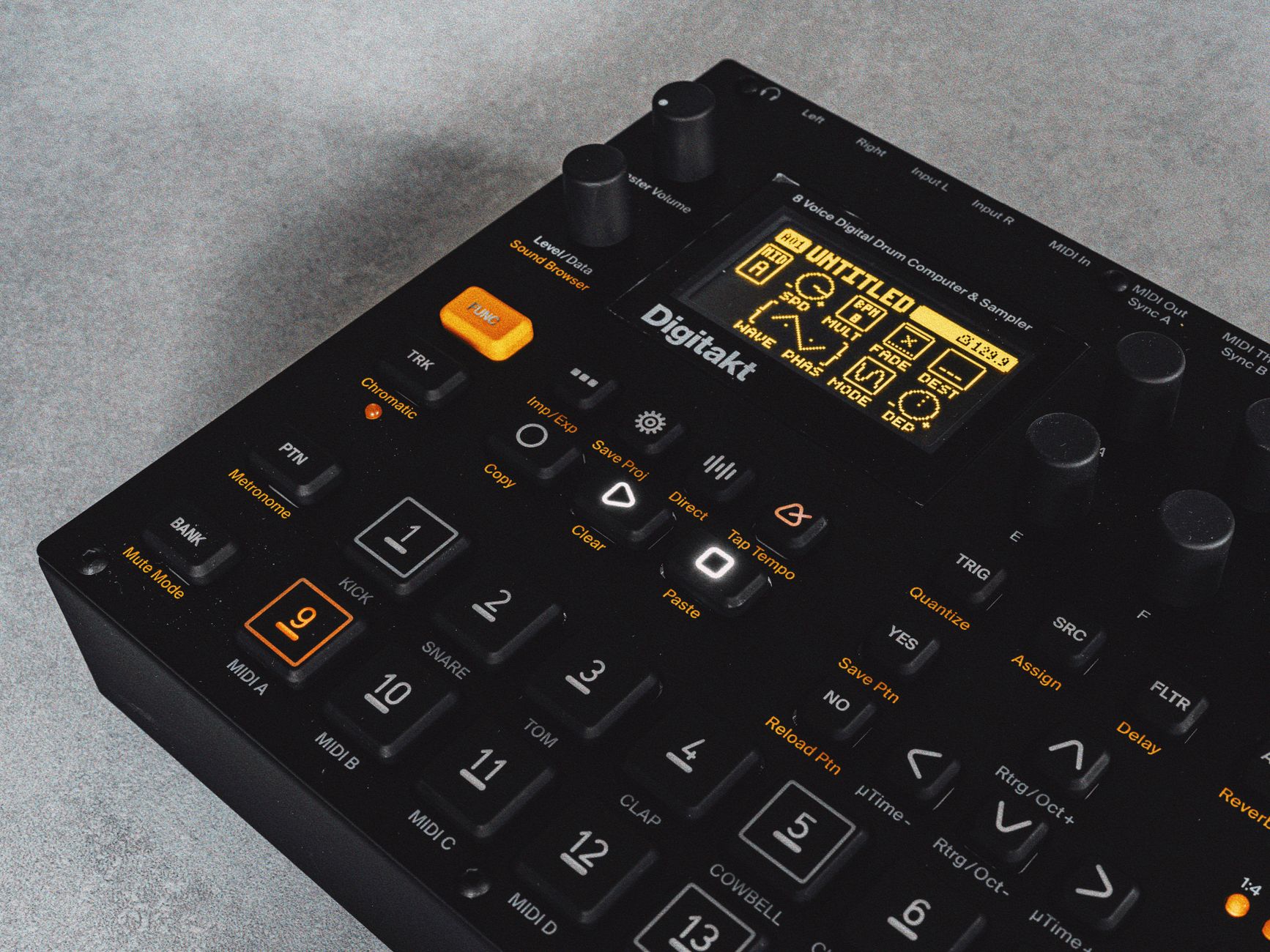
Teenage Engineering OP-1 Field vs Original: Buy For Output, Not Hype
The Teenage Engineering OP-1 Field is not just a louder original with nicer cosmetics. It changes the export and recording conversation. Stereo signal path, USB-C audio/MIDI, more storage, better speaker, improved tape options, and a cleaner overall recording chain make it much easier to integrate with a modern setup.
The Teenage Engineering OP-1 original still has a tougher argument in 2026: it can be charming, cheaper used, and musically fast, but its workflow friction is harsher once you start moving audio between hardware and computer.
Original Makes Sense If You Like Commitment
The original is for producers who like sampling, bouncing, and living with artifacts. Used prices often sit far below the Field, though condition matters a lot. Check keyboard response, encoder wobble, battery health, USB port stability, speaker rattle, and whether the seller includes clear photos of the screen at full brightness.
If you are searching “teenage engineering op 1 for sale,” avoid listings with vague phrases like “untested” or “worked last year.” This is a small, tightly built instrument, and repairs are not casual weekend soldering jobs for most buyers.
Field Makes Sense If You Need Clean Integration
The Field is the better tool for producers who want to capture better stereo material and move faster between portable writing and DAW finishing. USB-C audio matters. So does the cleaner headroom. If you are building custom cues, artist toplines, or club sketches that need to become client-ready stems, the Field wastes less time.
I would not buy the Field for “better vibes.” I would buy it because cleaner exports and modern connectivity save sessions.
- Choose original for lower used cost and rougher character
- Choose Field for stereo workflow and cleaner DAW handoff
- Avoid damaged units unless the discount is serious
- Do not pay collector pricing if you mainly need a sampler
Cheaper Alternatives That Make More Sense For Some Producers
A Teenage Engineering OP-1 alternative should not be judged by whether it copies the OP-1. The better question is whether it solves your actual bottleneck. If you need drums, sequencing, and sample mangling for club tracks, the Elektron Digitakt II is a stronger centrepiece. If you need laptop-adjacent arrangement control, Ableton Push is more direct. If you need cheap portable sampling, a used compact sampler can be enough.
Do Not Buy A Vibe When You Need A Workflow
The OP-1 is expensive partly because nothing else feels exactly like it. That does not mean nothing else will finish more music for you. For dance producers, the Digitakt II gives you deeper sequencing, parameter locks, conditional trigs, proper drum programming discipline, and stronger pattern-based performance logic. It lacks the OP-1 tape charm, but it is much better at building repeatable grooves.
If your output is ghost-produced club tracks, custom artist instrumentals, or DJ tools, repeatability matters. A beautiful sketch that cannot be revised cleanly can become a liability.
Where The OP-1 Still Beats The Sensible Choice
The OP-1 wins when you need to leave the studio and still write something with melody, drums, sampling, texture, and arrangement movement in one self-contained box. No cables. No audio interface. No “I will fix it later” mindset. That last part is its real feature.
- Pick Digitakt II for drum-led electronic tracks and controlled sequencing
- Pick Ableton Push if your ideas already live inside Ableton Live
- Pick OP-1 if portability and forced decisions are the bottleneck
- Skip all of them if you mainly need better arrangement discipline

Session Tactics For Finished Hooks, Not Pretty Loops
The fastest way to make the OP-1 useful is to give it a narrow job before the session starts. Do not sit down to “make a track.” Sit down to make one object: a hook loop, a transition, a noisy top layer, a bridge texture, or a chord bed that a vocalist can write over.
A 25-Minute OP-1 Writing Pass
Set a timer. Spend 5 minutes choosing a drum colour, 7 minutes making the harmonic loop, 5 minutes recording a counterline, 4 minutes resampling a transition, and 4 minutes exporting or recording the pass into your DAW. That sounds restrictive because it is. Restriction is why the teenage engineering op-1 can still beat a laptop full of half-finished ideas.
- Track 1: kick, clap, and simple hat pattern.
- Track 2: chord engine or sampled pad, low cut later around 120 Hz.
- Track 3: bass idea, kept separate for sidechain ducking.
- Track 4: transition noise, vocal chop, or pitched resample.
Finishing In The DAW Without Killing The Character
Once exported, do not sterilise the part. Use corrective EQ only where the arrangement demands it: a 2 to 3 dB cut around 220 Hz if the tape bounce clouds the low mids, a high-pass on decorative layers, and sidechain compression from the kick if the bass was printed as audio. For limiting, leave the OP-1 bounce well below the master ceiling and let the full track dictate loudness.
The goal is not to make the OP-1 sound like a plugin. The goal is to keep the performance while making room for the record.
- Start with a defined deliverable, not an open-ended jam
- Keep bass separate if the track will need club mix control
- Export early and arrange before the loop gets stale
- Fix only the frequencies that fight the full production
| Option | Best For | Main Trade-Off | Typical Buyer |
|---|---|---|---|
| Teenage Engineering OP-1 original | Portable sketching, rough sampling, committed tape workflow | Older connectivity, used-condition risk, rougher exports | Producer who likes artifacts and lower used pricing |
| Teenage Engineering OP-1 Field | Cleaner stereo capture, USB-C audio, modern mobile writing | High price and still not a DAW replacement | Artist or producer who moves ideas into DAW sessions often |
| Elektron Digitakt II | Drums, sample sequencing, club groove construction | Less melodic all-in-one charm, no OP-1 tape workflow | Dance producer who values repeatable patterns |
| Ableton Push | DAW-centered writing, arrangement control, deep integration | Needs Ableton Live and a less portable setup | Producer already finishing tracks inside Ableton |
Go deeper
- Teenage Engineering OP — en.wikipedia.org
FAQ
What is the teenage engineering op-1?
The teenage engineering op-1 is a portable synth, sampler, sequencer, effects box, and four-track tape-style recorder. It is built for fast idea capture rather than traditional DAW production. Producers use it for hooks, drum sketches, resampling, transitions, texture beds, and compact writing sessions away from the computer.
Is the OP-1 discontinued?
The original OP-1 is no longer the current production model. Teenage Engineering now sells the OP-1 Field, which updates the concept with stereo operation, USB-C audio/MIDI, more storage, improved tape features, and cleaner recording. Used original units are still widely traded, but condition and price vary heavily.
Why is the teenage engineering op-1 so expensive?
It is expensive because it combines a custom portable hardware design, synth engines, sampling, sequencing, effects, battery power, a distinctive tape workflow, and strong resale demand in a niche instrument. The price is easier to justify if its workflow helps you finish ideas, not if you only need a basic sampler.
Is the OP-1 good for beginners?
It can be fun for beginners, but it is not the easiest first production tool. The tape workflow teaches commitment and listening, yet it skips many DAW fundamentals like detailed editing, gain staging with meters, bus routing, and plugin-based mixing. Beginners with limited budgets should usually learn a DAW first.
The bottom line
The teenage engineering op-1 earns its reputation when you use it as a decision machine. It is not the cheapest sampler, the deepest synth, or the cleanest route to a final master. It is a compact instrument that pushes you to print, cut, resample, and move on before the idea loses heat.
If you are buying one, be honest about the work you need it to do. Choose the original for character and lower used cost, the Field for cleaner modern integration, or an alternative if sequencing and revision control matter more than tape-style commitment. Try the 25-minute writing pass in your next session before judging the workflow from specs alone.
My Career makes videos from your own track and posts them for you, pitches your release to 34,000+ labels, playlists, radio stations, YouTube channels and blogs, puts it in every store and briefs you every morning. Free plan, no card, two minutes to set up.