How to Watermark Audio (Complete Guide for 2026)

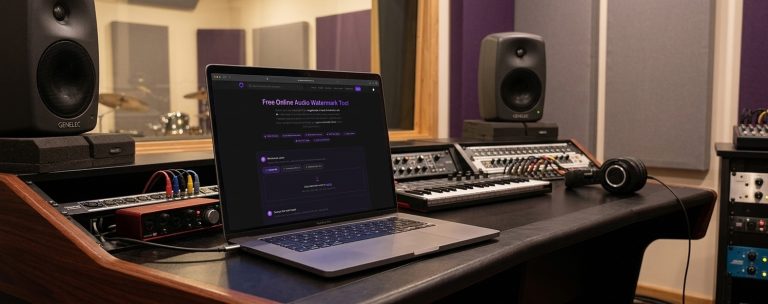
Audio watermarking is one of the most important steps for any music producer, DJ, or label sharing unreleased tracks online. Whether you are selling exclusive music, sending demos, or showcasing previews, protecting your work should always be a priority. In this guide, you will learn how to watermark audio, why it matters, and the best tools and methods available in 2026. What Is Audio Watermarking Audio watermarking is the process of embedding a recognizable sound, tag, or identifier into your track to prevent unauthorized use, copying, or theft. This can include: The goal is simple. Protect your music while still allowing others to listen to it. Why Audio Watermarking Is Important Audio watermarking is essential for several reasons. First, it prevents theft. Without watermarking, your track can easily be downloaded and reused without permission. Second, it protects unreleased music. When sending demos to labels or clients, watermarking ensures your track is not leaked or used elsewhere. Third, it gives you control over distribution. You can safely share previews without giving away a clean, usable version. Fourth, it strengthens your brand. A recognizable tag helps people associate your sound with your identity. How to Watermark Audio Step by Step Learning how to watermark audio is simple when you follow a structured process. Start by exporting your track from your DAW. Use high quality settings such as WAV or 320 kbps MP3. Next, create your watermark. This can be a short voice tag or phrase such as demo or preview only. Then insert the watermark into your track. Place it at the intro and repeat it every 15 to 30 seconds. You should also place it before key moments like drops. Adjust the volume carefully. The watermark should be clearly audible but not overpowering. Finally, export a separate watermarked version. Always keep your clean master file untouched. The Easiest Way to Watermark Audio Manually watermarking every track can be time consuming, especially if you are working with multiple uploads. A faster solution is to use an automated tool: This tool allows you to quickly add watermark tags, prepare previews, and protect your music before sharing or selling it. It is particularly useful for producers who regularly upload tracks to marketplaces or send demos to clients. Best Methods for Audio Watermarking There are several effective ways to watermark audio. Voice tags are the most common method. These are spoken phrases inserted into the track and are widely used for previews and demos. Periodic interruptions are another option. This involves lowering or muting parts of the track at intervals to prevent full usage. Sound effects can also be used. Adding subtle effects at key moments makes the track less usable without significantly affecting the listening experience. Advanced digital watermarking involves embedding inaudible data into the audio file. This is typically used for copyright tracking and professional distribution. Where You Should Use Watermarked Audio You should watermark your audio in any situation where your track is shared but not yet sold or released. This includes uploading to marketplaces, sending demos to labels, sharing previews with clients, and posting snippets online. If you are listing tracks on platforms such as https://theghostproduction.com/ watermarking is essential to protect exclusive content before purchase. Common Mistakes to Avoid One common mistake is making the watermark too loud. This can ruin the listening experience and discourage potential buyers. Another mistake is making it too quiet. If the watermark is barely audible, it will not provide real protection. Only watermarking the intro is also ineffective, since it can easily be cut out. Finally, always keep a clean version of your track. Never overwrite your original master file. Best Tools for Audio Watermarking There are multiple tools available depending on your workflow. Online tools provide the fastest solution. The Ghost Production audio watermark tool is designed specifically for quick and efficient watermarking. DAWs such as FL Studio, Ableton Live, and Logic Pro allow manual watermarking with full control. Audio editors like Audacity are also useful for basic watermarking tasks. You can learn more at https://www.audacityteam.org/ Additional Tools for Producers If you are working professionally with music, you may also find these tools useful: https://theghostproduction.com/ai-music-detector/https://theghostproduction.com/dj-set-planner/https://theghostproduction.com/music-name-generator/ These tools can help improve your workflow, track management, and overall production process. FAQ How to Watermark Audio What is the best way to watermark audioThe most effective method is using voice tags placed throughout the track at consistent intervals. Can watermarking affect sound qualityYes, if it is too loud or poorly placed. Balance is key. Is audio watermarking necessaryYes, especially when sharing unreleased or exclusive tracks. Can someone remove a watermarkIn some cases, but proper placement makes it difficult and discourages misuse. Final Thoughts Understanding how to watermark audio is essential for anyone serious about protecting their music. Whether you are selling tracks, sending demos, or building your brand, watermarking ensures your work remains secure. To simplify the process and save time, usehttps://theghostproduction.com/audio-watermark-tool/ Protect your music before sharing it and maintain full control over your content. Tags: audio watermark, how to watermark audio, protect music, music watermarking, watermark audio online, music production tips, audio protection, watermark tool, producer tips
Best Audio Watermark Tools in 2026 (Protect Your Music From Leaks)

The music industry in 2026 is more digital than ever. Tracks move between producers, DJs, labels, and clients in seconds. While this makes collaboration easier, it also creates a serious problem: music leaks and unauthorized distribution. This is where audio watermark tools become essential. Audio watermarking allows you to embed an identifier, voice tag, or hidden signature into a track so you can track ownership and protect your work. These watermarks can be audible such as voice tags or invisible and embedded into the audio signal. In this guide we will cover the best audio watermark tools in 2026, including free and professional solutions used by producers, music libraries, labels, and ghost production platforms. What Is Audio Watermarking? Audio watermarking is a technique that embeds hidden data or identifiers inside an audio file while maintaining the original listening experience. The watermark allows the audio to be traced back to its source without affecting sound quality. Watermarks can serve several purposes: • Protect unreleased tracks• Track piracy and leaks• Identify ownership• Verify authenticity• Add branding to demos or previews Some watermarking systems embed imperceptible markers in the audio spectrum, while others use audible voice tags or jingles. For music producers and DJs sharing demos, audible watermarks remain the most practical solution. Best Audio Watermark Tools in 2026 (Comparison) Here is a quick comparison of the best tools available today. Tool Type Best For Key Features The Ghost Production Audio Watermark Tool Online Producers & DJs AI voice watermark, browser-based AG Watermark Generator Desktop Music studios Custom watermark embedding Watermark Pro X Enterprise Large music catalogs High-speed watermark processing SoundShield Desktop Independent creators Easy interface Audiowmark Developer Technical users Embedded spectral watermark The Ghost Production Audio Watermark Tool (Best Free Online Tool) The Audio Watermark Tool by The Ghost Production is one of the most flexible free tools available online. It was designed specifically for music producers, ghost producers, and DJs who need to protect demo tracks before sending them to labels or clients. Unlike most watermarking tools that require installing software, this tool works directly in your browser. Key features include: • Upload your own watermark jingle• Generate an AI voice watermark automatically• Set watermark interval and volume• Fade in and fade out control• Crop audio• Export in WAV or MP3 up to 320 kbps• Supports formats such as MP3, WAV, FLAC, AAC, OGG and M4A• Fully private browser processing The watermark audio can be generated using AI voice or uploaded manually. The watermark can repeat across the track at custom intervals to prevent clean extraction. Most importantly, the tool runs entirely in your browser meaning files are never uploaded to a server. AG Watermark Generator AG Watermark Generator is a professional desktop tool designed to add watermarks to audio files quickly. It is widely used in music libraries and licensing platforms that need to watermark large numbers of tracks. Key features: • Custom watermark audio• Batch processing• High quality watermark embedding• Professional music library workflows This tool focuses more on large scale audio catalog management than individual producers. Watermark Pro X Watermark Pro X is designed for enterprise environments where thousands of tracks need to be processed quickly. Features include: • High speed batch watermarking• Robust watermark algorithm• Enterprise audio processing• Large catalog workflows This solution is typically used by record labels, streaming services and licensing agencies. SoundShield SoundShield is a simple desktop tool focused on usability. It is commonly used by independent creators who want a straightforward watermarking workflow. Features include: • Beginner friendly interface• Quick watermark insertion• Suitable for small music catalogs Audiowmark Audiowmark is an open source watermarking engine used mostly by developers and researchers. The software embeds a 128 bit message into an audio file creating a watermark that is usually inaudible to listeners. Features include: • Invisible watermark embedding• Open source implementation• Developer focused workflow Why Audio Watermarking Is Important in 2026 As digital music distribution continues to grow, protecting intellectual property has become more important. Audio watermarking is widely used in several industries. Music licensing platforms use watermarking to track song usage and royalty payments. Film studios use forensic watermarking technologies such as Cinavia to prevent unauthorized copying of audio content. With the rise of AI generated content, watermarking is also used to verify authenticity and identify synthetic media. Audible vs Invisible Watermarks There are two main types of audio watermarking. Audible watermarks are voice tags or repeating identifiers placed inside the track. These are commonly used for demo tracks, beat previews and ghost production demos. Invisible watermarks embed hidden information inside the audio spectrum using techniques like frequency modulation or phase coding. Invisible watermarking is usually used for copyright tracking and forensic identification. How Producers Use Audio Watermarks Music producers commonly use watermarking when: • Sending demos to record labels• Sharing previews with clients• Selling beats online• Uploading preview versions of ghost produced tracks Instead of sending a clean track, producers send a watermarked version that cannot easily be reused. Best Practices for Audio Watermarking To protect your music effectively follow these practices. Place watermarks multiple times throughout the track. Avoid predictable intervals so the watermark cannot easily be removed. Keep the watermark audible but not too loud. Some producers combine both audible watermarks and invisible watermarks for maximum protection. Frequently Asked Questions What is the best audio watermark tool? The best audio watermark tool depends on your workflow. For producers and DJs the Audio Watermark Tool from The Ghost Production is one of the easiest and fastest free solutions available online. How do you watermark music? To watermark a song you typically: Can audio watermarks be removed? Some simple watermarks can be removed by editing the audio, but repeating watermarks throughout a track makes removal much more difficult. Why do producers watermark demo tracks? Watermarking prevents unreleased tracks from being stolen or distributed without permission and helps identify the source of a leak. Final Thoughts Audio watermarking has become an essential tool for protecting music in the modern digital industry. Whether