Audio watermarking is one of the most important steps for any music producer, DJ, or label sharing unreleased tracks online. Whether you are selling exclusive music, sending demos, or showcasing previews, protecting your work should always be a priority.
In this guide, you will learn how to watermark audio, why it matters, and the best tools and methods available in 2026.
What Is Audio Watermarking
Audio watermarking is the process of embedding a recognizable sound, tag, or identifier into your track to prevent unauthorized use, copying, or theft.
This can include:
- A voice tag such as preview only
- A producer or DJ name tag
- Repeating interruptions in the track
- Subtle embedded signals for advanced use
The goal is simple. Protect your music while still allowing others to listen to it.
Why Audio Watermarking Is Important

Audio watermarking is essential for several reasons.
First, it prevents theft. Without watermarking, your track can easily be downloaded and reused without permission.
Second, it protects unreleased music. When sending demos to labels or clients, watermarking ensures your track is not leaked or used elsewhere.
Third, it gives you control over distribution. You can safely share previews without giving away a clean, usable version.
Fourth, it strengthens your brand. A recognizable tag helps people associate your sound with your identity.
How to Watermark Audio Step by Step
Learning how to watermark audio is simple when you follow a structured process.
Start by exporting your track from your DAW. Use high quality settings such as WAV or 320 kbps MP3.
Next, create your watermark. This can be a short voice tag or phrase such as demo or preview only.
Then insert the watermark into your track. Place it at the intro and repeat it every 15 to 30 seconds. You should also place it before key moments like drops.
Adjust the volume carefully. The watermark should be clearly audible but not overpowering.
Finally, export a separate watermarked version. Always keep your clean master file untouched.
The Easiest Way to Watermark Audio
Manually watermarking every track can be time consuming, especially if you are working with multiple uploads.
A faster solution is to use an automated tool:
This tool allows you to quickly add watermark tags, prepare previews, and protect your music before sharing or selling it.
It is particularly useful for producers who regularly upload tracks to marketplaces or send demos to clients.
Best Methods for Audio Watermarking
There are several effective ways to watermark audio.
Voice tags are the most common method. These are spoken phrases inserted into the track and are widely used for previews and demos.
Periodic interruptions are another option. This involves lowering or muting parts of the track at intervals to prevent full usage.
Sound effects can also be used. Adding subtle effects at key moments makes the track less usable without significantly affecting the listening experience.
Advanced digital watermarking involves embedding inaudible data into the audio file. This is typically used for copyright tracking and professional distribution.
Where You Should Use Watermarked Audio
You should watermark your audio in any situation where your track is shared but not yet sold or released.
This includes uploading to marketplaces, sending demos to labels, sharing previews with clients, and posting snippets online.
If you are listing tracks on platforms such as https://theghostproduction.com/ watermarking is essential to protect exclusive content before purchase.
Common Mistakes to Avoid
One common mistake is making the watermark too loud. This can ruin the listening experience and discourage potential buyers.
Another mistake is making it too quiet. If the watermark is barely audible, it will not provide real protection.
Only watermarking the intro is also ineffective, since it can easily be cut out.
Finally, always keep a clean version of your track. Never overwrite your original master file.
Best Tools for Audio Watermarking
There are multiple tools available depending on your workflow.
Online tools provide the fastest solution. The Ghost Production audio watermark tool is designed specifically for quick and efficient watermarking.
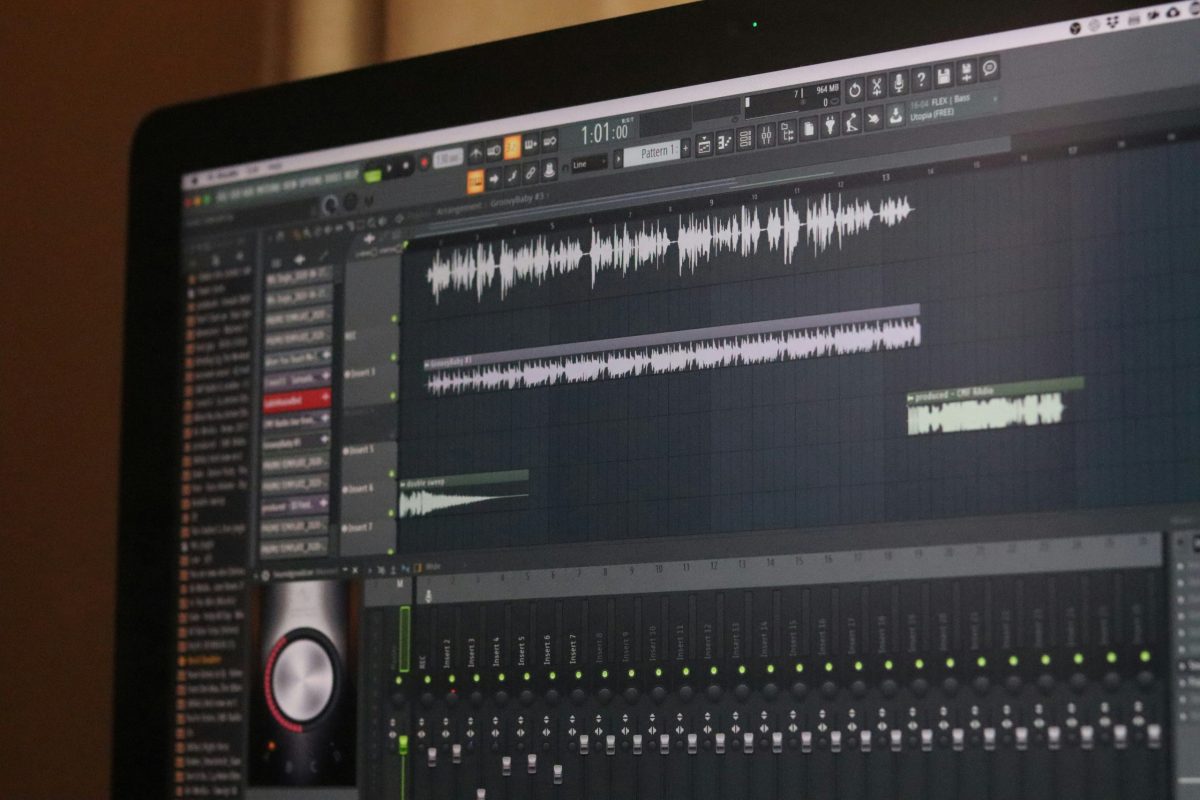
DAWs such as FL Studio, Ableton Live, and Logic Pro allow manual watermarking with full control.
Audio editors like Audacity are also useful for basic watermarking tasks. You can learn more at https://www.audacityteam.org/
Additional Tools for Producers
If you are working professionally with music, you may also find these tools useful:
Https://theghostproduction.com/ai-music-detector/
https://theghostproduction.com/dj-set-planner/
https://theghostproduction.com/music-name-generator/
These tools can help improve your workflow, track management, and overall production process.
FAQ How to Watermark Audio
What is the best way to watermark audio
The most effective method is using voice tags placed throughout the track at consistent intervals.
Can watermarking affect sound quality
Yes, if it is too loud or poorly placed. Balance is key.
Is audio watermarking necessary
Yes, especially when sharing unreleased or exclusive tracks.
Can someone remove a watermark
In some cases, but proper placement makes it difficult and discourages misuse.
Final Thoughts
Understanding how to watermark audio is essential for anyone serious about protecting their music.
Whether you are selling tracks, sending demos, or building your brand, watermarking ensures your work remains secure.
To simplify the process and save time, use
https://theghostproduction.com/audio-watermark-tool/
Protect your music before sharing it and maintain full control over your content.
Tags: audio watermark, how to watermark audio, protect music, music watermarking, watermark audio online, music production tips, audio protection, watermark tool, producer tips
My Career makes videos from your own track and posts them for you, pitches your release to 34,000+ labels, playlists, radio stations, YouTube channels and blogs, puts it in every store and briefs you every morning. Free plan, no card, two minutes to set up.