

Key takeaways
- Fruity Parametric EQ 2 and Fruity Limiter handle most everyday mix problems.
- Fruity Soft Clipper is often cleaner than compression for drum peak control.
- Sytrus, FLEX, 3xOSC, and Harmor cover practical synth work without paid instruments.
- Reeverb 2 and Delay 3 work best on filtered sends with automation.
- Maximus is useful for dynamic frequency problems, not as a default loudness preset.
- A rough master should reveal mix issues, not bury them under limiting.
Fl studio plugins are enough to finish a clean record if the arrangement is not broken and the gain staging is sane. fl studio plugins will not save a weak kick, a 9 dB bass buildup at 110 Hz, or a vocal recorded into a laptop mic from one meter away. That is the boring part, so it is usually the useful part.
I still see bedroom producers spend $600 on third-party EQs, transient shapers, and stereo toys while ignoring Fruity Parametric EQ 2, Maximus, Fruity Limiter, Sytrus, and Edison. Bad order. The stock tools cover most jobs: subtractive EQ, sidechain ducking, drum shaping, synth layering, pitch cleanup, delay throws, and rough mastering. Some are ugly. Some have old interfaces. A few are better than paid plugins for specific jobs. Use them with numbers, not hope.
Best fl studio plugins for a Finished Mix
The best fl studio plugins are not the ones with the most controls. They are the ones that let you make a decision in under 20 seconds and keep moving. A dance record at 124 to 128 BPM does not need a complex signal chain on every channel. It needs a kick with room, bass that moves when the kick hits, midrange that does not fight the vocal, and a master bus that is not already clipping before the limiter.
For most custom music production work, the stock chain below gets used before anything paid. If it fails, the source sound is usually the fault. The textbook answer says use specialized tools for every task. In practice, fewer processors mean fewer phase shifts, fewer latency problems, and fewer bad decisions hidden behind nice meters.
Why fl studio plugins Are Enough
Fruity Parametric EQ 2 is fast. The spectrum display is readable, the bands are obvious, and the analyzer shows where the kick tail is sitting. Cut 250 Hz by 2 to 4 dB on a boxy clap. High-pass a vocal at 80 Hz, not 180 Hz by default. Pull 3 kHz only if the ear says it hurts.
Fruity Limiter handles sidechain ducking cleanly when set with intent. For a house bass, start around 1 ms attack, 90 to 140 ms release, ratio near 4:1, then adjust by groove. The visual gain reduction trace is crude but useful. You do not need a branded sidechain plugin to make the bass move.
The Core Stock Chain
A basic channel chain should be short: EQ, compression if required, saturation if required, send effects. On drums, I usually start with Parametric EQ 2, Fruity Soft Clipper, and a send to Reeverb 2 or Delay 3. On bass, EQ into Fruity Limiter sidechain is enough unless the patch has inconsistent low mids.
- Kick: trim peaks to about -8 dBFS before the bus.
- Bass: mono below 120 Hz using mid/side routing or careful patch design.
- Vocal: remove rumble, compress 3 to 6 dB, then automate.
- Master pre-limiter: leave around -6 dB headroom.
- Use Parametric EQ 2 before buying another surgical EQ.
- Use Fruity Limiter for sidechain before adding paid ducking tools.
- Use Soft Clipper on drums, not on every channel by habit.
- Use Maximus only when you know which band is causing the issue.
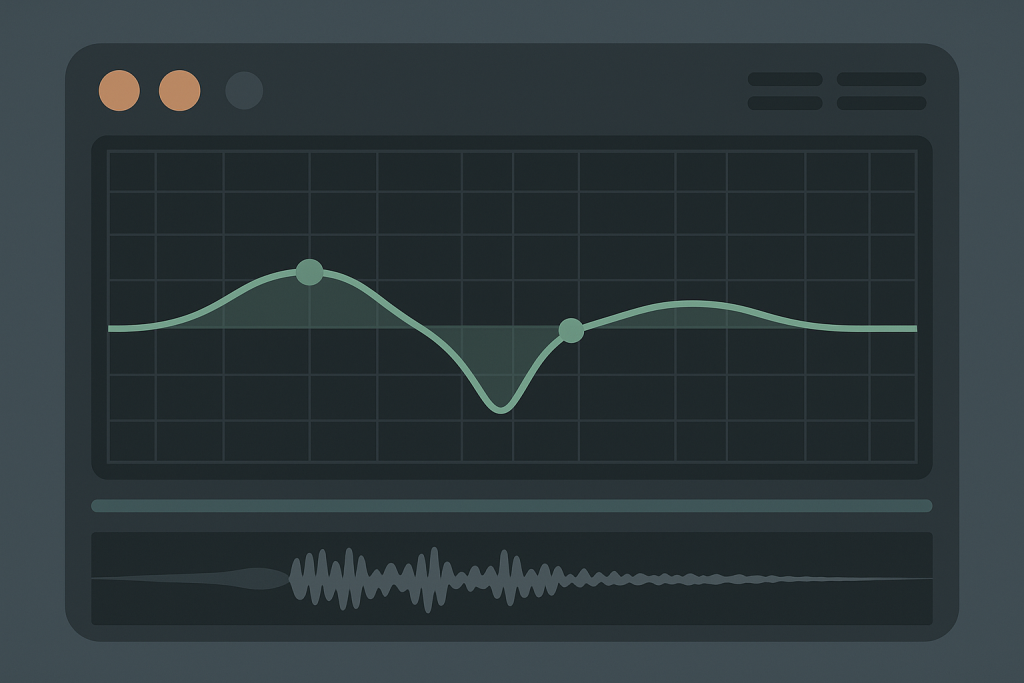
EQ and Cleaning: Parametric EQ 2, Edison, and Maximus
Most mix problems are not mastering problems. They are arrangement and filtering problems. fl studio plugins give you enough control to fix the usual mess: stacked pads from 150 to 500 Hz, kick samples with useless sub below 30 Hz, and vocal doubles that smear the upper mids.
The trap is over-cleaning. The textbook answer says high-pass everything except kick and bass. That is wrong often enough to be dangerous. A piano can need 90 Hz weight. A clap can need 180 Hz body. A pad can sound expensive because of the 220 Hz area you were about to remove.
Parametric EQ 2 for Fast Surgery
Parametric EQ 2 is the first stock tool I reach for. Use the analyzer as a clue, not a verdict. If a synth lead feels nasal, sweep a narrow band between 800 Hz and 1.5 kHz, cut 2 dB, then bypass. If bypass does not clearly improve the part, undo it.
On a crowded tech house loop, try these starting points: high-pass percussion at 120 Hz, cut 300 Hz on wide noise layers, dip 2.5 kHz on harsh hats, and leave the kick fundamental alone unless it is fighting the bass. For many fl studio plugins workflows, that is 70 percent of the mix cleanup.
Edison for Noise and Timing
Edison is not glamorous. It records, trims, de-clicks, and fixes small timing problems. That is enough. For a vocal chop, record into Edison at 24-bit, trim silence, fade both edges by 5 to 15 ms, then drag the cleaned audio back into the Playlist.
Use Edison to print messy resampling chains. If Gross Beat, Delay 3, and automation clips are making the CPU cough, record the result. Commit. A printed 4-bar phrase is easier to mix than a fragile live chain with six moving parts.
Maximus When Single-Band EQ Fails
Maximus can fix low-mid movement that a static EQ cannot. Use it lightly. On a bass bus, set the low-mid band around 90 to 350 Hz and compress 1 to 3 dB when notes jump out. Keep release above 80 ms unless you want audible pumping.
Do not use Maximus as a magic loudness box at the end of every project. That habit creates brittle masters. Use it when the problem is dynamic and frequency-specific. Otherwise, Parametric EQ 2 is faster and safer.
- Cut narrow only when you can hear the exact problem.
- Avoid automatic high-pass settings across every channel.
- Print complex Edison edits before arranging the drop.
- Use Maximus for moving problems, not static mud.

Dynamics: Fruity Limiter, Compressor, and Soft Clipper
Dynamics processing is where many fl studio plugins get misused. The meters move, so the producer assumes work is being done. Sometimes all that happened is the transient got smaller and the groove got worse.
For club music, dynamics are mostly about peak control and movement. A kick can be hard-clipped by 1 to 2 dB and sound tighter. A bass can duck 4 dB under the kick and still feel steady. A vocal can need two compressors doing 3 dB each instead of one compressor doing 8 dB and choking the consonants.
Fruity Limiter for Sidechain Ducking
Fruity Limiter has two lives: limiter and compressor. For sidechain, use it in compressor mode on the bass or music bus. Route the kick into the sidechain input. Set threshold until you see 3 to 6 dB of reduction. Set attack fast, usually 0.5 to 2 ms. Set release to the track tempo.
At 126 BPM, a quarter note is about 476 ms. Most bass ducking releases are shorter, often 90 to 160 ms. If the groove breathes too slowly, shorten it. If the bass clicks back in, lengthen it. This is where fl studio plugins do the job without fuss.
Fruity Compressor Is Still Useful
Fruity Compressor looks old because it is old. That does not make it useless. On a vocal demo, start with ratio 3:1, attack 10 ms, release 80 ms, and aim for 3 dB of gain reduction on loud words. On a snare bus, try 4:1, 5 ms attack, 60 ms release.
The plugin has no fancy display. Good. Listen to level, punch, and recovery. If the part gets smaller after compression, the settings are wrong or the compressor is not needed.
Soft Clipper on Drums
Fruity Soft Clipper is one of the best stock processors in FL Studio. Put it on a drum bus and shave peaks before the master limiter. Keep the threshold conservative. If the snare loses crack at 200 Hz and 5 kHz, back off.
For harder EDM drums, clipping 1 to 3 dB can be cleaner than compression. The textbook answer says compression adds punch. Often, clipping preserves punch and only removes peak waste. That is the less romantic answer. It is also usually correct.
- Set sidechain release by groove, not by preset name.
- Clip drum peaks before asking the master limiter to do everything.
- Compress vocals in small stages when the take is uneven.
- Bypass dynamics every 30 seconds and check if the part improved.
Sound Design: Sytrus, FLEX, 3xOSC, and Harmor
The stock synths are not the weak point. The presets often are. fl studio plugins like Sytrus, FLEX, 3xOSC, and Harmor can cover bass, plucks, pads, risers, and FM stabs without reaching for Serum or Massive X every time.
The practical choice depends on time. If a client wants a melodic house sketch by tonight, FLEX wins because it is quick and stable. If the bass needs controlled FM bite around 700 Hz, Sytrus is better. If the job is a plain sub under a kick, 3xOSC is faster than anything with a wavetable browser.
Sytrus for FM Bass and Plucks
Sytrus is deep, but most useful patches start simple. Use one operator for the carrier, one for modulation, and keep the modulation amount under control. For a tight FM bass, low-pass around 4 kHz, envelope decay around 250 ms, sustain low, and mono enabled.
Layer it with a clean sine sub from 3xOSC if needed. Do not let the FM patch own everything below 80 Hz unless it is consistent note to note. Club systems punish uneven subs.
FLEX for Deadline Work
FLEX is a preset instrument. That is not an insult. For ghost production drafts, it is useful because the CPU load is predictable and the sounds sit quickly. Use it for bells, pads, keys, and background texture. Filter and envelope edits matter more than browsing another 200 presets.
Most FLEX sounds need less low end. Put Parametric EQ 2 after it and remove what does not belong. A pad high-passed at 160 Hz can still feel full if the arrangement leaves space.
3xOSC and Harmor for Specific Jobs
3xOSC is the correct answer for simple subs. One sine wave, mono, no stereo spread, no chorus. If the bass line needs harmonics for phones, duplicate it and distort only the upper layer. Keep the sub clean.
Harmor is better for resynthesis, aggressive leads, and spectral shaping. It can also become a mess quickly. If a Harmor patch needs five EQ bands before it sits, choose another patch.
- Use 3xOSC for subs before opening a complex synth.
- Use Sytrus when FM movement is part of the hook.
- Use FLEX when speed and stability matter more than deep editing.
- Use Harmor for sound design, not basic bass duty.

Space and Movement: Reeverb 2, Delay 3, Gross Beat
Reverb and delay are where amateur mixes get cloudy. The stock tools can be clean, but the send levels are usually too high. fl studio plugins will give you space. They will also wash the snare into the vocal if you ignore decay time, pre-delay, and filtering.
Use sends for shared space. One short room, one longer plate or hall, one tempo delay. That is enough for most house, techno, pop EDM, and trap-adjacent records. Insert reverbs have a place, but sends keep the mix easier to control.
Reeverb 2 Without the Fog
Fruity Reeverb 2 can sound rough if left wide open. Start with decay at 0.8 to 1.6 seconds for drums and 1.8 to 2.8 seconds for pads or vocals. Add pre-delay around 20 to 40 ms for vocals so the dry word stays forward.
Filter the reverb return. High-pass around 180 to 300 Hz. Low-pass around 7 to 10 kHz if the top end hisses. If the reverb sounds impressive soloed, it is probably too loud in the mix.
Delay 3 for Throws and Groove
Delay 3 is better than old Fruity Delay 2 for controlled throws. Use quarter or dotted eighth timing. Automate the send only on the last word of a vocal line or the last hit before a break. Keep feedback below 35 percent unless the delay is meant to become an effect.
For a 124 BPM vocal throw, a dotted eighth delay sits around 363 ms. Filter the return hard. A delay with full low end competes with the bass and kick.
Gross Beat as an Arrangement Tool
Gross Beat is not only for obvious gate presets. Use it to mute the last half-beat before a drop, create 1-bar tape stops, or make a filtered loop feel less static. Print the result when it works.
Too much Gross Beat dates a record fast. One clean stutter before a chorus is useful. Eight bars of preset gating is a decision you may regret after lunch.
- Use reverb sends instead of ten separate insert reverbs.
- High-pass every reverb return unless the low end is intentional.
- Automate delay throws rather than leaving delay running all track.
- Print Gross Beat edits once the arrangement is approved.

Rough Mastering with Stock FL Tools
Rough mastering is not final mastering. It is a translation check. fl studio plugins can make a demo loud enough for a car test, a DJ USB, or an A&R email, but they should not hide mix faults. If the limiter is taking 7 dB off every kick, the mix is not ready.
Keep the master chain short. Parametric EQ 2, Maximus if required, Soft Clipper if required, Fruity Limiter as the ceiling. Use meters. Peak loudness alone tells you little. Check integrated LUFS, true peak if your meter supports it, and how the low end behaves on small speakers.
A Practical Stock Master Chain
Start with the mix peaking around -6 dBFS. On the master, use Parametric EQ 2 for tiny broad moves only. A 0.8 dB shelf at 10 kHz is already a move. A 3 dB boost on the master usually means the mix channels need work.
Use Maximus gently if the low band is unstable. Then use Soft Clipper to shave 1 dB before Fruity Limiter. Set the final ceiling around -1 dBFS for streaming roughs. For club testing on a WAV, -0.3 dBFS can work, but leave room if conversion is coming later.
Loudness Targets That Do Not Waste Time
For EDM and house roughs, -8 to -6 LUFS integrated is common for loud demos. For pop or vocal-led material, -10 to -8 LUFS may hold the vocal better. Do not chase numbers before the mix balances at low volume.
The textbook answer says master to a platform target. In practice, producers and DJs judge against other records. Make a rough that survives reference checks, then let final mastering make the last 5 percent of level and translation decisions.
- Do not master into a clipping mix bus.
- Keep broad EQ moves under 1 dB unless the mix is wrong.
- Use Soft Clipper before the limiter for loud drum-heavy records.
- Check the rough master at low volume and on small speakers.
| Job | Best Stock Tool | Starting Setting | Trade-off |
|---|---|---|---|
| Subtractive EQ | Fruity Parametric EQ 2 | Cut 2 to 4 dB, Q around 2 to 5 | Fast and clear, but no dynamic bands |
| Sidechain ducking | Fruity Limiter | 1 ms attack, 90 to 160 ms release | Accurate enough, but routing confuses new users |
| Drum peak control | Fruity Soft Clipper | Clip 1 to 3 dB on drum bus | Clean loudness, but easy to flatten snares |
| Multiband control | Maximus | 1 to 3 dB gain reduction per problem band | Powerful, but slow to set correctly |
| Clean sub bass | 3xOSC | One sine oscillator, mono | Stable low end, but no character by itself |
| Fast production sounds | FLEX | Preset plus filter and EQ cleanup | Quick results, limited deep editing |
| Vocal or drum space | Fruity Reeverb 2 | 20 to 40 ms pre-delay, HPF 180 Hz | Usable sends, but can get metallic |
| Tempo throws | Delay 3 | Dotted eighth or quarter note, filtered return | Flexible, but needs automation discipline |
Further reading
- FL Studio manual — Official Image-Line documentation for FL Studio stock instruments, effects, routing, and workflow.
- Sound On Sound compression — Long-running professional audio publication with clear technical explanations of compression behavior.
Frequently asked questions
Are fl studio plugins good enough for professional music?
Yes, fl studio plugins are good enough for professional releases if the source sounds, arrangement, and gain staging are right. Parametric EQ 2, Fruity Limiter, Maximus, Soft Clipper, Sytrus, and Edison cover the main technical jobs. Paid plugins add speed or flavor, not automatic quality.
What is the best stock FL Studio plugin for mixing?
Fruity Parametric EQ 2 is the most useful stock mixing plugin. It handles cleanup, tone shaping, analyzer checks, and corrective work quickly. Fruity Limiter is close behind because it covers sidechain compression, peak control, and basic vocal or drum compression.
Can I master a track using only FL Studio stock plugins?
You can make a solid rough master with Parametric EQ 2, Maximus, Soft Clipper, and Fruity Limiter. Keep the mix peaking near -6 dBFS first. If the master chain needs extreme EQ or 7 dB of limiting, fix the mix before chasing loudness.
Is Fruity Limiter better for limiting or sidechain?
Fruity Limiter is more useful as a sidechain compressor than as a final limiter. It can limit, but its compressor mode gives clear control over attack, release, threshold, and ratio. For bass ducking under a kick, it is reliable and light on CPU.
Which FL Studio stock synth should beginners use first?
Start with FLEX and 3xOSC. FLEX gives fast usable sounds for chords, pads, and leads. 3xOSC teaches simple oscillator control and clean sub bass. After that, learn Sytrus for FM basses and plucks when you need more movement.
Do stock plugins sound worse than paid plugins?
No. Bad settings sound worse than good settings. Paid tools can offer better interfaces, oversampling, analog models, or faster workflows. The stock FL Studio tools can still produce clean, loud, release-ready records when used with measured EQ, controlled dynamics, and sensible monitoring.
Conclusion
fl studio plugins are not a compromise if the session is built properly. The useful set is small: Parametric EQ 2 for cleanup, Fruity Limiter for sidechain and basic compression, Soft Clipper for drum peaks, Maximus for controlled multiband work, Edison for edits, and the stock synths for stable sound design. That covers most club records before any paid plugin is needed.
The dull workflow wins. Set levels before processing. Leave headroom. Filter returns. Print unstable effects. Compare against two reference tracks at matched loudness, not against memory. In your next session, build one full drop using only these stock tools, bounce it, then decide what is actually missing.
Fl studio plugins — Quick Recap
The fastest way to lock in fl studio plugins is to internalise the workflow above and repeat it on every project. Start small: pick one technique from this fl studio plugins guide, apply it to your next session, and audit the result against a reference track.
- Fruity Parametric EQ 2 and Fruity Limiter handle most everyday mix problems.
- Fruity Soft Clipper is often cleaner than compression for drum peak control.
- Sytrus, FLEX, 3xOSC, and Harmor cover practical synth work without paid instruments.
- Reeverb 2 and Delay 3 work best on filtered sends with automation.
Treat fl studio plugins as a habit, not a one-off — the producers who consistently nail fl studio plugins are the ones who run the same checks on every track. That’s the difference between a clean, club-ready master and a track that sounds great at home but falls apart on a real system.
In a real studio session, fl studio plugins comes down to the order in which you make decisions: reference first, gain stage second, then the creative work. Producers who treat fl studio plugins as a checklist instead of a vibe end up shipping more tracks.
Most producers and DJs undervalue fl studio plugins because the wins are invisible until the track plays back on a real system. Bake fl studio plugins into your template and the next ten projects benefit automatically.
When you struggle with fl studio plugins, the fix is rarely a new plugin. Loop a problem section, A/B against a reference, and isolate which element is breaking your fl studio plugins.
Treat fl studio plugins as a craft, not a chore. The producers releasing on the biggest labels lock fl studio plugins in early so they can spend their energy on melody and arrangement instead of fighting the mix.
Document your fl studio plugins process — even a short note in the project file. Future-you will rebuild the same fl studio plugins win in half the time.
If fl studio plugins sounds great in headphones but bad in the car, you have a translation problem, not a creative one. The fl studio plugins tweaks above are designed to survive every system.
Schedule a recurring fl studio plugins pass on every project: same checklist, same reference tracks. Repeating fl studio plugins drills is what separates a consistent producer from a lucky one.
Ultimately, fl studio plugins is a craft you compound. Every project you finish raises the floor of your next attempt at fl studio plugins, which is why shipping consistently matters more than chasing perfection.
My Career makes videos from your own track and posts them for you, pitches your release to 34,000+ labels, playlists, radio stations, YouTube channels and blogs, puts it in every store and briefs you every morning. Free plan, no card, two minutes to set up.


