
Key takeaways
- Ableton Live is a one-time purchase, not a required monthly subscription.
- Live 12 Intro is the budget option, Standard is the practical middle, and Suite is the full creative package.
- Live Lite is often free with eligible hardware and is useful for learning.
- Standard is the safest choice for producers finishing full tracks without paying for every Suite device.
- Suite makes sense when sound design, Max for Live, and a larger library are part of your real workflow.
Ableton live cost is simple on the surface: Ableton Live is paid software, sold in three main editions, and the price jumps hard as you move up. The real question is not “Can I afford Suite?” It is “Will I actually use what Suite adds?”
Think of Live like renting studio rooms in the same building. Intro is the small writing room. Standard is the proper production room with enough routing for serious work. Suite is the room with the synth wall, sample library, Max for Live devices, and the keys to every cabinet. If you are making DJ edits, rap beats, house demos, ghost production references, or full release-ready tracks, the right choice depends on track count, instruments, audio warping, and how much sound design you plan to do yourself.
Ableton live cost at a glance: Intro vs Standard vs Suite
Start with the menu board. You do not need to understand every feature yet, only what each price tier actually buys. Ableton Live comes as Intro, Standard, and Suite. A DAW (digital audio workstation) is the software where you record, sequence, edit, mix, and export music.
The checkout price can change with currency, tax, and upgrade eligibility, but the usual US list prices are clear enough for planning: Live 12 Intro is around $99, Live 12 Standard around $439, and Live 12 Suite around $749.
Ableton live cost per month and per year
Ableton Live itself is not a monthly subscription. That means the Ableton live cost per month is $0 after purchase, unless you finance it through a retailer or later pay for an upgrade. The yearly cost is also $0 after purchase.
Use a phone analogy: buying Live is like buying the handset, not paying for a data plan. You pay once, install it, and keep using that license. Major version upgrades, such as moving from Live 11 to Live 12, are separate paid purchases if you choose to upgrade.
What each edition is actually for
- Intro: good for learning, simple beats, DJ edits, and sketching ideas.
- Standard: the safer choice for serious song builds, audio editing, and larger projects.
- Suite: best if you want Ableton’s full instrument set, Max for Live, and deeper sound design.
Max for Live means custom devices built inside Ableton’s environment. For a beginner, translate that as extra synths, sequencers, effects, utilities, and weird creative tools that go beyond the basic mixer.
- Intro is the cheapest paid version and suits small projects.
- Standard gives you fewer hard limits for real arrangements.
- Suite costs the most because it includes more instruments, effects, sounds, and Max for Live.
- There is no official monthly Live subscription.
- Tax, currency, sales, and upgrades can shift the final checkout price.

Ableton Live 12 price vs Ableton Live 11 and 10 prices
Software versions are like car model years. A 2026 car is not automatically the only usable car, but dealers sell the current model because it has the latest parts and support. Ableton currently sells Live 12 as the main version, while Live 11 and Live 10 prices mostly matter if you are checking old receipts, used license transfers, or forum posts.
Ableton Live 12 price in plain numbers
The Ableton Live 12 price is the number most new buyers should use: roughly $99 for Intro, $439 for Standard, and $749 for Suite in the US store before local tax. Education pricing can be lower if you qualify, but do not build your budget around that unless you have the documents ready.
The clean beginner move is to price Standard first. If Standard feels too expensive, buy Intro or use Lite if you have it. If Standard feels fine but you know you want Ableton’s deeper instruments and Max for Live devices, Suite makes more sense.
Ableton Live 11 price and Ableton live 10 price context
Older posts may mention the Ableton Live 11 price or Ableton live 10 price, often near the same ballpark as current pricing. Treat those numbers as history, not shopping advice. You are usually not buying a fresh Live 10 license from Ableton now.
Used licenses can look tempting, but only buy through a proper license transfer. A cheap serial from a random marketplace is not a bargain if it cannot be registered to your Ableton account.
- Use Live 12 pricing for a new purchase decision.
- Old Live 10 and Live 11 prices are useful mainly for comparison.
- Check upgrade pricing while logged into your Ableton account.
- Avoid unofficial serial sellers.
- Budget for the edition you will use for the next two or three years.
Ableton Live Lite price vs Intro for first projects
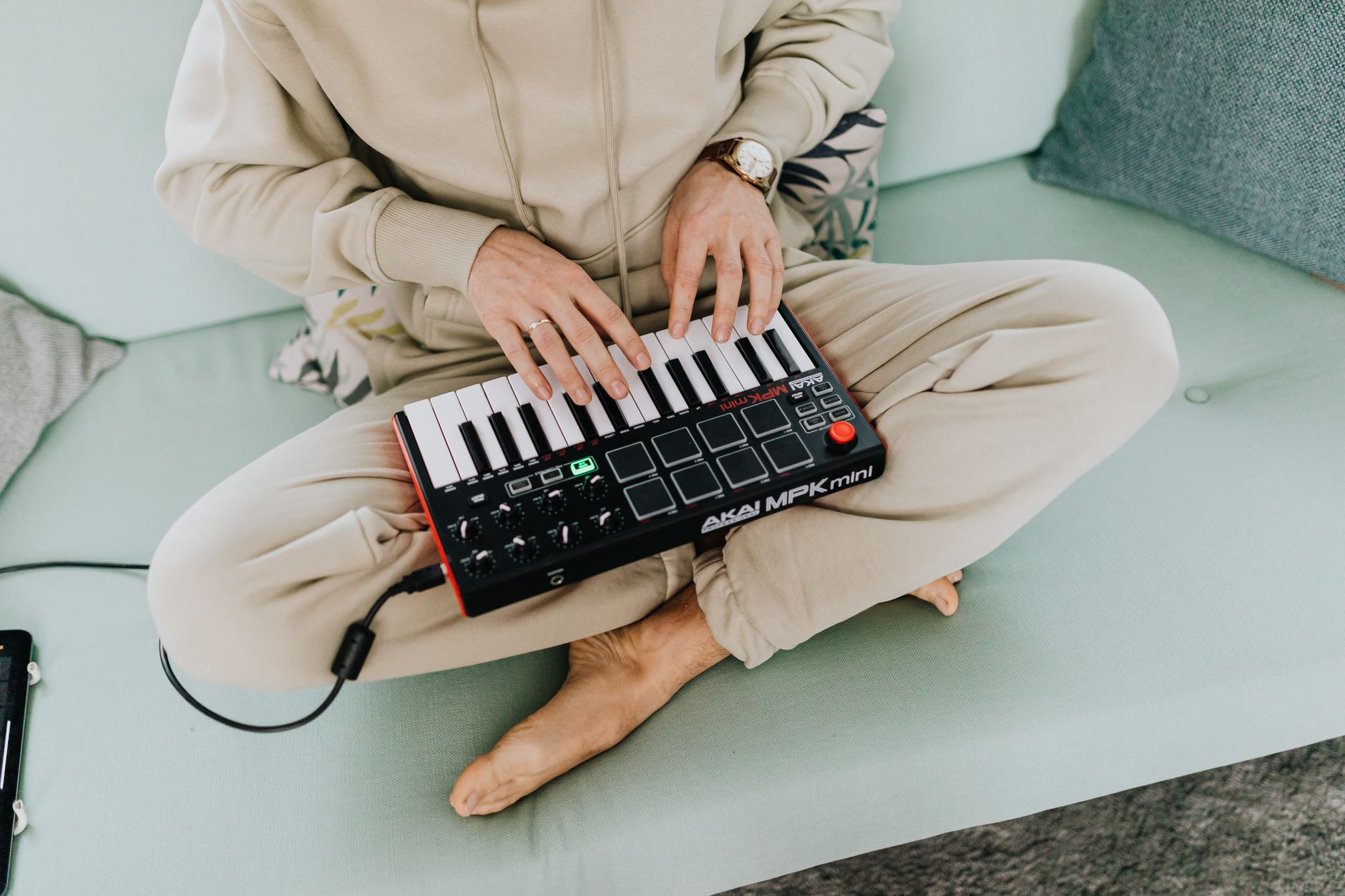
Live Lite is like getting a small practice room bundled with a MIDI keyboard or audio interface. You did not buy the building, but you can still write music inside it. The Ableton Live Lite price is usually $0 to the user because it comes with eligible hardware or apps.
When Live Lite is enough
Live Lite is enough if your first goal is learning arrangement, chopping samples, recording vocals, or making 30-second ideas. Arrangement means placing sounds across a timeline: intro, build, drop, verse, hook, breakdown, outro.
For DJ-focused work, Lite can handle basic edits: tightening an intro, extending an outro, warping a vocal, or making a clean transition tool. Warping means matching audio to the project tempo so loops, acapellas, and drums stay in time.
When Intro is the smarter buy
Intro makes sense when Lite feels boxed in but you are not ready for Standard. If you keep hitting track limits, want more included sounds, or need a cleaner beginner path without buying new hardware, Intro is the first proper paid step.
For aspiring ghost producers, Intro can sketch a client idea, but it gets tight fast once you need drums, bass, chords, vocals, FX, reference bounces, and rough mastering on one session. At that point, Standard is less frustrating.
- Use Lite if it came free with gear you already own.
- Buy Intro if you want a low-cost paid start.
- Move beyond Intro when track limits slow down arrangement.
- Do not buy Suite just to learn what clips and scenes do.
- Save money for headphones, an audio interface, or vocal recording if those are missing.

Ableton Standard price vs Suite for DJs and producers
Think of Standard and Suite like two toolboxes. Standard gives you the hammer, drill, measuring tape, and enough screws to build the shelf. Suite adds the router table, specialty bits, sample drawers, and custom jigs. Nice to have, but not always necessary on day one.
The Ableton Standard price is easier to justify if you record audio, arrange full tracks, or build DJ-friendly edits. Suite is better if you want Ableton’s full creative ecosystem rather than buying extra instruments later.
Choose Standard if arrangement is the bottleneck
Standard is the right pick when your problem is finishing tracks, not designing every sound from scratch. You get the core Ableton workflow, audio warping, MIDI sequencing, automation, return tracks, and enough mixing tools to build proper records.
MIDI sequencing means programming notes that trigger instruments. Automation means recording parameter changes over time, such as opening a filter across 8 bars or fading reverb into a breakdown.
Choose Suite if sound design is part of the job
Suite earns its price when you need a larger library, more instruments, and Max for Live devices inside the same purchase. If you make melodic house, techno, pop edits, hyperpop, cinematic intros, or custom artist references, Suite can save you from buying a stack of third-party plugins too early.
That does not mean Suite fixes weak ideas. A dull 8-bar loop stays dull. Suite just gives you more ways to shape it, resample it, sequence it, and turn it into a finished arrangement.
- Pick Standard for recording, editing, arranging, and mixing complete songs.
- Pick Suite if you want built-in instruments and Max for Live from the start.
- DJs making edits rarely need Suite first.
- Producers doing client custom work may outgrow Intro quickly.
- A finished track in Standard beats an unfinished loop in Suite.
Ableton live cost Reddit debates vs your real budget
Reddit threads are like asking a crowded studio lobby what monitors to buy. You will hear useful warnings, strong opinions, and a few answers from people who do not make the same music as you. Ableton live cost Reddit searches are still useful, but only if you filter the advice through your actual work.
Ableton live cost for three beginner situations
If you make two-loop beat sketches after school or work, start with Lite or Intro. If you already finish demos and want cleaner arrangements, start with Standard. If you are building a serious production service, writing for artists, or making tracks across several genres, Suite becomes easier to justify.
Here is the blunt version: do not buy Suite because strangers say “buy once, cry once.” Buy Suite because your sessions will use what it adds.
A simple buying rule before checkout
Open your last project and count what actually happens. How many audio tracks? How many MIDI tracks? Are you using samples, vocals, synths, return effects, automation, and reference bounces? If the session is already bumping into limits, paying more is not vanity. It removes friction.
If your project is four drum loops and a bass preset, keep the budget lean. Spend time learning clip launching, warping, arrangement view, gain staging, and export settings before paying for the biggest edition.
- Lite or Intro: learning, edits, sketches, small beats.
- Standard: full tracks, vocals, DJ edits, serious arrangement.
- Suite: sound design, Max for Live, larger library, client-ready flexibility.
- No monthly fee means the yearly cost can be zero after purchase.
- Your genre and workflow matter more than forum pressure.
| Edition | Typical US Price | Best For | Reason to Upgrade |
|---|---|---|---|
| Live 12 Intro | About $99 | Beginners, simple beats, basic DJ edits, learning Ableton | Upgrade when track limits or included sounds slow you down |
| Live 12 Standard | About $439 | Full songs, vocal sessions, bigger arrangements, release-ready demos | Upgrade to Suite if you want more instruments and Max for Live |
| Live 12 Suite | About $749 | Sound design, custom production, multi-genre writing, deeper creative sessions | Usually no need to upgrade further until a paid major version arrives |
Further reading
- Live 12 Suite — ableton.com
Frequently asked questions
Is Ableton Live a one-time purchase?
Yes. Ableton Live is sold as a one-time license, not as a required monthly subscription. After you buy it, you can keep using that version. Major upgrades, such as moving from Live 11 to Live 12, are separate paid upgrades if you choose to buy them.
Is Ableton Live free or paid?
Ableton Live is paid software. Live Lite may come free with certain hardware or apps, and Ableton usually offers a time-limited trial of Live Suite. For long-term use, the main paid editions are Intro, Standard, and Suite.
Why is Ableton so expensive?
Ableton costs more than basic music apps because it combines recording, sequencing, audio warping, live performance tools, mixing, instruments, effects, and a mature project workflow. Suite costs the most because it adds a large sound library, more devices, and Max for Live.
Is ableton live cost worth it for beginners?
It can be worth it if you plan to finish songs, DJ edits, or artist demos inside one DAW. Beginners should not automatically buy Suite. Start with Lite or Intro if money is tight, choose Standard if you already know you want to build complete tracks.
How much does Ableton Live cost once you add upgrades and extras?
The real Ableton Live cost is the license price plus whatever your setup is missing. For most buyers, the software number is still the main one: Intro around $99, Standard around $439, and Suite around $749 before local tax. Sales tax, VAT, exchange rates, and education discounts can move the checkout total, so treat the store page as the final quote.
Upgrades are the second number to watch. If you start on Live Lite or Intro, Ableton usually shows a reduced upgrade price when you are logged into your account. That can make sense if you are not sure yet. Buy the smallest version that lets you work, then upgrade when the ceiling is actually slowing down sessions.
Do not forget the non-software costs. A producer with no interface, no closed-back headphones, and no MIDI controller may get more finished music from Standard plus basic studio gear than from Suite alone. You can also make proper tracks with Ableton’s stock effects before buying third-party plugins.
A practical budget looks like this: start with Lite if it came with hardware, choose Intro for learning, choose Standard for full productions, and choose Suite when the included instruments, sound library, and Max for Live tools replace things you would otherwise buy separately.
Why is Ableton so expensive?
Ableton costs more than some entry-level DAWs because Live is a full production, recording, performance, and sound-design environment. Standard pays for the core professional workflow; Suite adds a large instrument library, more effects, sounds, and Max for Live. The value depends on whether those tools replace plugins and sample packs you would buy anyway.
Is buying Ableton worth it?
Ableton is worth buying if you like clip-based writing, fast audio warping, electronic production, sampling, live performance, or DJ edits. If you only need simple recording, a cheaper DAW may be enough. The safest value pick for most serious producers is Standard, while Suite is worth it when sound design is part of your daily workflow.
Conclusion
The best way to judge ableton live cost is to match the edition to the work you will do this month, not the producer you hope to become in five years. Lite and Intro are fine for learning, beat sketches, and simple DJ edits. Standard is the practical buy for full tracks, vocals, arrangements, and release-focused demos. Suite is the right call when sound design, Max for Live, and a larger built-in library will actually get used.
Before you pay, open one of your current sessions and count the limits you are hitting. If the software is blocking your arrangement, upgrade. If the idea itself is still thin, stay lean and finish one track properly in your next session.
My Career makes videos from your own track and posts them for you, pitches your release to 34,000+ labels, playlists, radio stations, YouTube channels and blogs, puts it in every store and briefs you every morning. Free plan, no card, two minutes to set up.


