

Key takeaways
- Define the patch role before opening Serum.
- Start from Init when the sound needs to fit a specific track.
- Use filters, envelopes, and small modulation before heavy effects.
- Keep bass width controlled and sub information mono.
- Resample strong Serum moments so the arrangement keeps moving.
- serum sound design improves fastest when every patch is judged inside the track.
Serum sound design gets easier when you stop browsing presets and build one sound for one job. The best serum sound design sessions I run are blunt: pick the role, shape the source, control movement, print the result, then judge it against a track that already works on big speakers.
This playbook is the routine I use when a bass needs to sit under a tech house groove, a lead needs to survive a festival break, or an artist asks for custom music production that does not sound like a preset pack. Xfer Serum can get messy fast. Two oscillators, warp modes, LFOs, noise, filters, FX, modulation matrix. Fine. The trick is not using everything. The trick is making the first eight bars feel finished enough that the arrangement can keep moving.
Serum sound design Starts With One Job
Pick the sound’s job before touching Osc A.
A bass patch, a lead patch, and a transition FX patch should not begin the same way. serum sound design falls apart when the patch tries to be huge, wide, bright, moving, distorted, and mix-ready at once. That is how you get an impressive solo sound that fights the kick, vocal, and percussion loop.
Write one sentence before you build: “16th-note mid-bass for the second drop,” “one-bar riser into the chorus,” or “short pluck that answers the vocal.” That sentence decides the octave, envelope length, stereo width, filter choice, and whether the patch needs reverb at all.
Serum sound design checkpoint
If the patch does not make the groove clearer after 30 seconds, mute it. Good serum sound design earns space fast. I would rather keep a plain saw stab that supports the hook than a complex wavetable bass that eats the whole record.
- Bass job: carry weight, stay mostly mono, leave room for kick.
- Lead job: give identity, survive small speakers, avoid masking vocals.
- FX job: mark transitions, then get out.
- Name the patch role before designing it.
- Limit the first version to one main oscillator.
- Check the sound inside the loop, never only soloed.
- Mute anything that makes the groove less obvious.
Start From Init, Not Presets
Presets are references, not your starting line.
Preset surfing feels productive because the speakers keep changing. It is usually avoidance. For repeatable serum sound design, hit Menu, Init Preset, then build the patch with the arrangement playing. You will move slower for five minutes and faster for the rest of the track.
Start with Osc A only. Choose a basic saw, square, or sine before reaching for complex wavetables. Set the amp envelope early: 0 ms attack for bass, 30 to 80 ms for softer pads, 100 to 250 ms release for short plucks. That envelope decides the groove before distortion or effects touch it.
The Init Patch Test
Loop four bars with kick, clap, and bass rhythm. If a plain saw already gives the right rhythm, the sound does not need a circus. Add complexity only where the loop asks for it. This keeps serum sound design tied to the record instead of the synth window.
- Init first, browse later if needed.
- Set amp envelope before effects.
- Keep Osc B off until the patch has a reason.
- Save rough patches with job names, not “cool bass 7.”

Pick Wavetables Like Drum Samples
The wavetable is the source recording, so choose it with the same ruthlessness you use for a kick.
Bad source, bad patch. If the wavetable has the wrong tone, no amount of OTT, EQ, or Soothe2 will rescue it without making the mix brittle. For serum sound design that lands quickly, audition wavetables at the same octave and rhythm the track will use.
For tech house bass, I usually start with Analog_BD_Sin, Basic Shapes, Monster 5, or a restrained digital table with a clear low-mid bite. For festival leads, brighter tables work, but I still avoid anything with harsh fizz above 8 kHz unless the arrangement is sparse.
Use The Wavetable Position As Arrangement
Map Macro 1 to wavetable position, then move it over 4 or 8 bars. Tiny movement is enough. A bass that shifts from 32% to 48% often feels more expensive than one jumping across the whole table. serum sound design gets better when modulation has musical timing.
- Audition wavetables inside the track tempo.
- Avoid bright tables for dense vocal sections.
- Use small wavetable-position moves for bass.
- Save favorite starting tables by role.
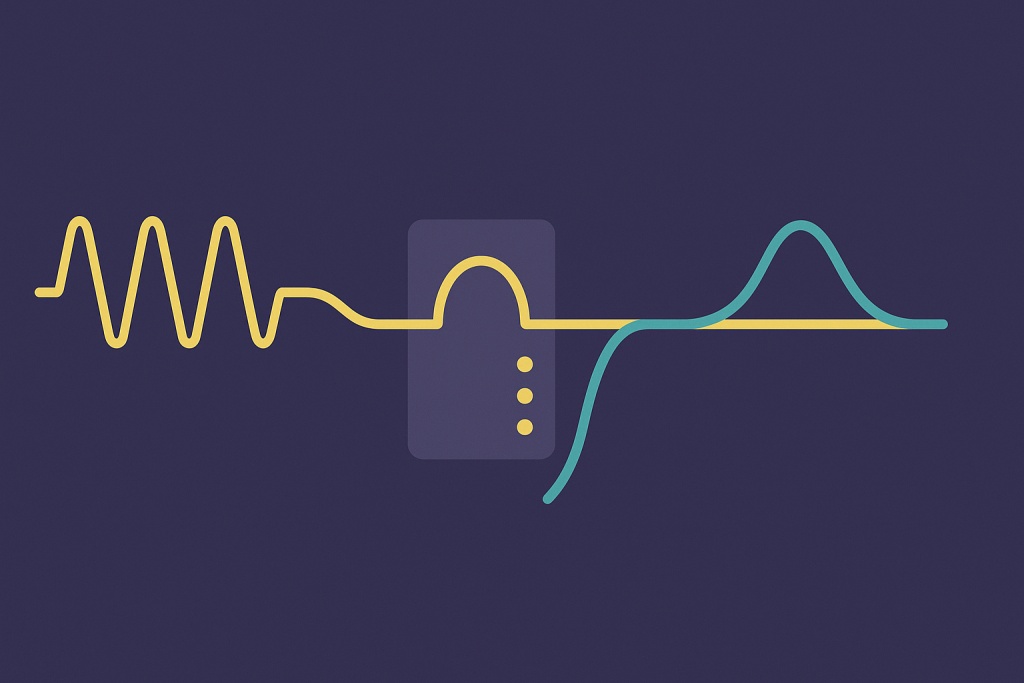
Use Filters Before You Reach For EQ
Shape the synth at the source before fixing it with FabFilter Pro-Q 4.
Serum’s filter is not just a tone control. It is where the patch starts fitting the arrangement. In serum sound design, I treat filters like arrangement faders: closed for verses, slightly open for pre-drop tension, wider for the hook.
For bass, try MG Low 12 or MG Low 24 with cutoff between 120 Hz and 350 Hz, then add Drive in small amounts. For plucks, a low-pass around 2 kHz with envelope modulation can make the sound bounce without crowding hats. For thin leads, try a band-pass and push resonance until the melody speaks.
Filter Motion Beats Random LFO Motion
Put Env 2 on cutoff before assigning an LFO. Short decay, no sustain, 20 to 45% modulation. That gives you controlled bite on every note. Then automate the main cutoff in Ableton Live or FL Studio when the section needs to open.
- Use MG Low 24 for tighter bass control.
- Use band-pass filtering when a lead masks vocals.
- Automate cutoff over 4-bar phrases.
- EQ after the filter, not before the patch works.
Build Movement With Envelopes First
Envelopes make the patch play the groove; LFOs make it move around the groove.
That order matters. Bedroom producers often draw wild LFO shapes before the basic note shape feels right. In serum sound design, Env 1 and Env 2 usually solve the musical part faster.
For a punchy bass, Env 1 might be 0 ms attack, 250 ms decay, 0 sustain, 80 ms release. For a pluck, shorten decay to 120 ms and let reverb do the tail outside Serum. For a pad, slow the attack to 400 ms or more so the transient does not fight the vocal or clap.
Make LFOs Phrase-Aware
Once the envelope feels right, add LFO 1 at 1/8, 1/4, or 1 bar. Do not leave it on default just because it looks busy. Use Triplet mode only if the drum pattern supports it. Great serum sound design locks to the track’s phrasing, not the grid by habit.
- Set Env 1 for rhythm first.
- Use Env 2 for filter bite.
- Keep LFO rates tied to groove values.
- Check movement over 8 bars, not one note.

Keep Unison Wide, But Bass Mono
Width is useful until it makes the low end lie.
Unison is the fastest way to make a Serum patch feel bigger. It is also the fastest way to make a club system fold your bass into mush. For serum sound design on low-end parts, split the job: mono weight below 120 Hz, controlled width above it.
Use one clean sub oscillator, direct out if needed, and keep it centered. On Osc A, use 2 to 5 voices for mid-bass, detune around 0.04 to 0.09, then high-pass that layer around 90 to 140 Hz outside Serum. Mid/side EQ in Pro-Q 4 helps. Cut side information below 150 Hz and leave the punch alone.
The Club Mono Check
Hit mono on your monitor controller, Ableton Utility, or the master channel. If the bass loses power, the patch is too wide in the wrong place. A Pioneer CDJ-3000 into a big PA will not forgive that. Fix the source instead of hoping mastering saves it.
- Keep sub oscillator mono.
- Use unison mostly for mid and top layers.
- Cut side signal below 150 Hz.
- Check mono before printing the bass stem.
Distortion Is Tone, Not Just Dirt
Distortion should reveal the note, not hide it.
Serum’s distortion module can make a bass read on laptop speakers, but it can also flatten the transient and turn the low mids into cardboard. In serum sound design, I use distortion like a microphone choice: pick the color, then back off.
Tube and Soft Clip work well for controlled bass weight. Diode modes can be nasty in a good way, but they need filtering after the distortion. Try this chain: filter, distortion at 15 to 35%, compressor on multiband lightly, then EQ outside Serum. If the patch needs 90% drive to feel alive, the wavetable or octave is probably wrong.
Parallel Dirt Wins
Duplicate the Serum track. Keep one clean and low-passed. Distort the duplicate, high-pass it around 180 Hz, and blend it under the main sound. This keeps the note stable while the grit speaks. It is one of the safest serum sound design moves for basses that need club size and phone translation.
- Use Tube for controlled warmth.
- Use Soft Clip when peaks need taming.
- High-pass distorted parallel layers.
- Stop driving once the pitch gets blurry.
Resample One Good Bar
Print audio when the patch starts making you tweak instead of write.
Serum invites endless editing. Resampling shuts that door. For serum sound design that actually turns into finished tracks, bounce one strong bar to audio and treat it like a sample. Reverse it, chop it, fade it, pitch it down 12 semitones, or stretch it into a transition.
In Ableton Live, freeze and flatten or record the channel into a new audio track. In FL Studio, consolidate the pattern. Leave -6 dB headroom. Do not normalize. Audio makes decisions visible, and visible decisions are easier to arrange.
Print Variations, Not Versions Forever
Print three passes: dry, FX, and exaggerated modulation. The dry pass is for mix control. The FX pass is for the hook. The exaggerated pass is for fills. This keeps serum sound design flexible without keeping 40 modulation lanes alive until the final bounce.
- Bounce dry, wet, and wild versions.
- Keep at least -6 dB headroom.
- Chop audio for fills instead of adding new patches.
- Commit once the sound works in the loop.

Reference On Club Gear, Not Laptop Hope
A patch is not finished until it survives boring playback tests.
Your headphones can flatter Serum. So can nearfields in a small untreated room. For useful serum sound design, reference the patch against released tracks and check it on systems that expose different problems: small Bluetooth speaker, car, mono phone speaker, and DJ monitors if you have access.
If you DJ, load a bounce beside references on Rekordbox and test transitions like a real set. On a Pioneer DDJ-FLX10 or CDJ-3000 setup, listen for kick-bass separation, lead harshness, and whether the drop loses size when mixed after a mastered track.
Use References Without Copying
Pull in one track for low end, one for lead brightness, and one for transition energy. Match volume before judging. If your patch feels exciting only when it is 4 dB louder, it is not done. Good serum sound design holds up at the same loudness.
- Level-match references before judging tone.
- Check mono and small speakers.
- Test DJ transitions when the track is arranged.
- Fix the patch before stacking mix plugins.
| Problem | First Move | Tool | Avoid |
|---|---|---|---|
| Bass vanishes on small speakers | Add parallel distortion above 180 Hz | Serum Distortion, Ableton Saturator | Boosting sub at 50 Hz |
| Lead masks the vocal | Use band-pass filtering and reduce 2-4 kHz | Serum Filter, FabFilter Pro-Q 4 | Adding more reverb |
| Patch feels static | Modulate wavetable position over 4 bars | Macro 1, LFO 1 | Random fast LFO movement |
| Low end folds in mono | Keep sub direct and cut side below 150 Hz | Serum Sub, mid/side EQ | Wide unison on the sub layer |
Further reading
- Synth Secrets archive — Sound On Sound is a long-running technical music production publication with deep synthesis education.
- Ableton audio effects — Ableton’s official manual is authoritative for Live effects used in saturation, filtering, resampling, and utility checks.
Frequently asked questions
What is the best way to learn serum sound design?
Start from Init Preset and rebuild simple sounds by role: sub bass, mid-bass, pluck, lead, riser, and impact. Keep each patch inside a drum loop. You learn faster when the sound has to work in context instead of sounding impressive on one held note.
Should beginners use Serum presets or start from scratch?
Use presets as references, but start from scratch when writing serious tracks. Presets teach routing and modulation ideas, yet they often carry too much reverb, stereo width, and low-end clutter. Rebuilding the same idea from Init gives you control over the mix.
How do I make Serum bass sound good on club systems?
Keep the sub mono, high-pass wide layers, and check the patch against a kick at matched volume. Use distortion on a parallel layer rather than destroying the main low end. Test in mono early, then reference on headphones, speakers, and a car before committing.
Why does my Serum lead sound harsh?
The usual causes are bright wavetables, too much unison, distortion before filtering, or reverb that pushes upper mids forward. Try a low-pass or band-pass filter, reduce 2-5 kHz with Pro-Q 4, and shorten the release so the lead leaves space between notes.
Is Serum still good for modern EDM production?
Yes. Serum is still fast, clean, and predictable for EDM basses, leads, plucks, and FX. Newer synths exist, but Serum’s modulation workflow and visual feedback make it easy to build sounds that translate, especially when you print audio and keep the arrangement moving.
How many Serum layers should a drop bass have?
Most strong drop basses need two or three layers: mono sub, mid-bass character, and optional top texture. More layers usually create phase issues and muddy low mids. Get one layer working first, then add only what the arrangement clearly lacks.
Conclusion
serum sound design is not about filling every modulation slot. It is a repeatable set of decisions: choose the job, pick a source, shape the envelope, control width, add distortion with intent, print audio, and reference like a DJ who expects the track to work after someone else’s master.
Keep the process boring on purpose. The exciting part is hearing the loop get clearer each time you remove a bad choice. Open your next session, init one Serum patch, write its job in plain English, and build only what that job needs. Then bounce one bar and arrange it before you touch another preset.
Serum sound design — Quick Recap
The fastest way to lock in serum sound design is to internalise the workflow above and repeat it on every project. Start small: pick one technique from this serum sound design guide, apply it to your next session, and audit the result against a reference track.
- Define the patch role before opening Serum.
- Start from Init when the sound needs to fit a specific track.
- Use filters, envelopes, and small modulation before heavy effects.
- Keep bass width controlled and sub information mono.
Treat serum sound design as a habit, not a one-off — the producers who consistently nail serum sound design are the ones who run the same checks on every track. That’s the difference between a clean, club-ready master and a track that sounds great at home but falls apart on a real system.
My Career makes videos from your own track and posts them for you, pitches your release to 34,000+ labels, playlists, radio stations, YouTube channels and blogs, puts it in every store and briefs you every morning. Free plan, no card, two minutes to set up.


