Key takeaways
- LUFS measures perceived loudness, while peak meters only show signal height.
- Integrated LUFS is useful, but short-term LUFS often explains why drops and breakdowns feel uneven.
- Most loudness gains come from arrangement, EQ, sidechain ducking, and clean low-end control.
- FabFilter Pro-L 2, Ozone 11, Youlean, SPAN, and MetricAB form a reliable loudness workflow.
- A slightly quieter master can hit harder when the kick, bass, and transients survive.
- Always check the rendered file on references, small speakers, and DJ-style playback.
Lufs explained saved a 128 BPM tech-house master for me at 1:40 a.m., ten hours before a DJ was meant to test it on CDJ-3000s in a concrete basement club. The rough sounded huge in the room, but Youlean Loudness Meter was screaming at -5.8 integrated LUFS, FabFilter Pro-L 2 was shaving nearly 6 dB off every kick, and the bass felt smaller each time I pushed the ceiling harder. That was the night lufs explained stopped being a boring mastering term and became a survival tool. I pulled the limiter back, rebuilt the sidechain ducking, cut 220 Hz from the bass bus, and left -1 dB true peak. The track was quieter on paper. It hit harder in the booth. That is the part most new producers miss.
Lufs explained Through the Night a Master Almost Failed
The client had sent a reference from a label release that looked frighteningly loud. I dragged it into Ableton Live 12, put Youlean Loudness Meter 2 after SPAN, and saw why the rough felt pinned to the front wall. The reference sat around -7.2 integrated LUFS, but it still breathed. Our version was louder, uglier, and flatter.
That is the first lesson of lufs explained in a real session: LUFS does not tell you whether a record is good. It tells you how much average loudness your master carries over time. If the kick, bass, vocal, and hats are fighting, LUFS exposes the mess faster than your ego will.
Why lufs explained Is Not Just Another Meter Reading
LUFS means Loudness Units relative to Full Scale. It is a way of measuring perceived loudness, not just peak level. A snare transient can hit -1 dBFS and still feel quieter than a dense supersaw pad at -10 dBFS because our ears judge energy over time.
I use three views. Momentary LUFS tells me what is happening right now. Short-term LUFS shows the last few seconds. Integrated LUFS averages the whole track. For dance music, integrated LUFS is the number artists obsess over, but short-term LUFS often tells the truth about drops, breakdowns, and fake loudness.
The Meter Chain I Trust
My loudness check chain is not fancy. Master bus first, then a clean meter after every processor. If Ozone 11 Maximizer comes after Youlean, the meter lies. Put the meter last. Always.
- FabFilter Pro-Q 4 for tiny corrective EQ before limiting
- Soothe2 only when harsh vocals or leads poke out
- FabFilter Pro-L 2 or Ozone 11 Maximizer for final limiting
- Youlean Loudness Meter 2 last in the chain
- Voxengo SPAN for a second opinion on spectral balance
That setup made lufs explained feel practical instead of academic. One meter shows loudness, one shows shape, and the limiter shows how much pain the track is taking.
- Check integrated LUFS only after the full arrangement is playing.
- Put the loudness meter after the limiter, not before it.
- Watch gain reduction when the kick lands, not just the final number.
- Keep a reference track inside the session at matched playback level.
- Trust the room less when your ears are tired after midnight.
Youlean, Insight, and WLM: The Meters That Actually Help
I have tried enough loudness meters to know when a plugin is teaching me something and when it is just painting expensive bars. Youlean Loudness Meter 2 stays on my template because it is fast, readable, and hard to misunderstand at 2 a.m. iZotope Insight 2 is deeper. Waves WLM Plus is blunt and reliable. I do not need a meter to look beautiful. I need it to catch bad decisions before export.
When artists ask for lufs explained, I usually open three renders of the same track: rough mix, over-limited master, and final master. The meters make the story obvious.
Integrated LUFS, Short-Term LUFS, and the Drop Problem
A common bedroom-producer mistake is mastering the loudest eight bars and pretending the whole song is done. The drop sits at -6 short-term LUFS, the breakdown collapses to -18, and the integrated number lands somewhere that looks acceptable. On speakers, the arrangement feels uneven.
For club-leaning EDM, I care more about the relationship between sections than one heroic number. A drop that sits 4 to 6 LU louder than the breakdown usually feels natural. If the drop jumps 10 LU and the vocal disappears, that is not drama. That is bad gain staging.
How I Read a Loudness Meter During a Bounce
I play the full track from silence to tail. No looping the chorus. No bouncing only the drop. If the integrated reading changes wildly in the last 30 seconds, the outro probably has too much sub or a noise riser is filling the meter.
That is where lufs explained becomes arrangement work. A 16-bar white-noise build can raise the integrated loudness without making the record feel better. I will automate that riser down 1.5 dB before I punish the whole master with more limiting.
- Youlean Loudness Meter 2: best value for daily checks.
- iZotope Insight 2: best for post-style detailed metering.
- Waves WLM Plus: best when you want a strict broadcast-style display.
- Ableton Live meters: useful for peaks, not enough for final LUFS calls.
- SPAN: not a LUFS meter, but excellent for spotting low-mid buildup.
FabFilter Pro-L 2 and Ozone 11: Where Loudness Gets Made
The meter only reports the crime. The limiter commits it. On that near-failed tech-house master, I had Pro-L 2 in Modern mode with too much input gain and a true peak ceiling at -0.3 dB. It looked competitive. It sounded like the kick had been wrapped in wet cardboard.
The fix was not magic. I backed off 2.5 dB of limiting, changed the kick sample envelope, and let the bass duck a little deeper. lufs explained finally clicked for the artist when the quieter render won on the club system.
Limiter Gain Reduction Tells the Real Story
If Pro-L 2 is taking 1 to 3 dB on the loudest hits, I can usually keep punch. If it is taking 5 to 7 dB every kick, the mix is asking the limiter to do arrangement work. That never ends well.
Ozone 11 Maximizer can be smoother on melodic EDM, especially with IRC modes, but I still prefer Pro-L 2 for house and techno because I can read the gain reduction quickly. I want tools that make me faster under pressure.
True Peak Ceilings for Streaming and Club Files
I keep most masters at -1 dB true peak when they are heading to streaming. For DJ promo WAVs, I may use -0.8 or -0.5 dB true peak if the master behaves and the client needs a little more density. I do not print at 0 dBFS. Inter-sample peaks are real, and cheap conversion can make a loud master spit.
That practical ceiling is part of lufs explained that artists remember: loudness is not just how close you get to zero. It is how much energy survives translation.
- For streaming masters, start around -1 dB true peak.
- For DJ WAVs, test -0.8 dB true peak only if the limiter stays clean.
- If the kick loses weight, reduce input gain before changing limiter modes.
- Use oversampling when printing final masters, then check the bounce again.
- Never judge loudness while monitoring too quietly on tiny speakers.
Targets I Use for DJ Tracks, Streaming, and Client Demos
People want one LUFS target because one number feels safe. I get it. A label deadline, a Friday upload, a DJ set on Saturday night. Nobody wants a lecture. Still, the target depends on the job.
For lufs explained without the fog, I separate three use cases: streaming release, club promo, and private demo. They do not need the same master. A demo to an artist manager can sit quieter if the mix speaks clearly. A tech-house DJ tool may need more density so it does not vanish between commercial releases.
Streaming Loudness Normalization Is Not Your Enemy
Spotify, Apple Music, YouTube, and other platforms can turn tracks down. That scares producers into chasing strange numbers. I do not master dance music to -14 integrated LUFS unless the genre actually wants that much headroom. A modern club track at -14 can feel underfed beside the records DJs actually play.
My usual streaming masters for house, techno, and EDM sit somewhere around -8 to -10 integrated LUFS, with true peak under control. The platform may reduce playback level, but the record still has the density and envelope the style expects.
Club Loudness Is About Translation
A DJ file does not win because it is the loudest on a laptop. It wins because the kick, bass, and top end stay organized at volume. On a Funktion-One or Martin Audio rig, ugly 300 Hz buildup becomes obvious fast.
I will often high-pass non-bass elements at 90 to 140 Hz, cut 220 Hz on muddy synth buses, and control 3 to 5 kHz harshness before limiting. That mix work affects LUFS more musically than slamming the final limiter.
- Streaming EDM master: often -8 to -10 integrated LUFS.
- Aggressive club tool: sometimes -6.5 to -8 integrated LUFS if the mix can take it.
- Melodic or vocal demo: -10 to -12 integrated LUFS can feel more open.
- True peak: usually -1 dB for streaming, slightly hotter only after testing.
- Reference level: match perceived playback before comparing masters.
How Loudness Starts Before the Master Bus
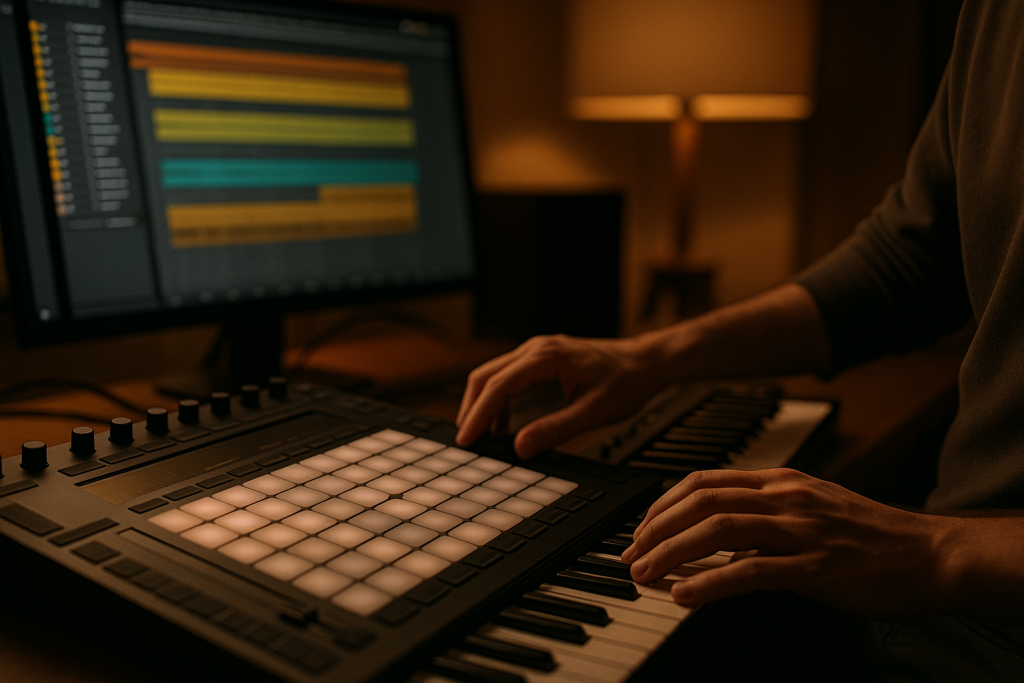
The biggest loudness improvements usually happen before the limiter. That sounds annoying until you hear it. On a custom Afro-house track last winter, the master was stuck at -9.5 LUFS without grit. The artist wanted -8. I could not get there cleanly until I fixed the groove.
The percussion bus had three loops all pushing the same 180 to 350 Hz pocket. The bass was not ducking enough under the kick. The vocal delay had a low-mid tail that stayed alive through every chorus. Once those pieces moved, lufs explained itself through the speakers.
Sidechain Ducking Beats Limiter Abuse
Sidechain ducking is not just an EDM pump trick. It is a loudness tool. If the kick and bass both demand full space at the same instant, the master bus pays the bill. I prefer a short, clean duck on the bass, often 80 to 140 ms release, adjusted by groove rather than a fixed preset.
Kickstart 2 is fast. ShaperBox 3 is more flexible. Ableton Compressor still works if the sidechain filter is set carefully. The tool matters less than the timing.
Mid/Side EQ for Cleaner Average Loudness
Mid/side EQ can rescue loudness without making the track smaller. If the sides carry too much low-mid pad energy, the limiter reacts to width instead of punch. I may cut 1 to 2 dB around 250 Hz on the side channel with Pro-Q 4, then leave the mono kick and bass alone.
Parallel compression helps too, but I use it on drum groups, not the full master, unless the track asks for grit. Smash a drum return, low-pass it around 10 kHz, high-pass it around 120 Hz, and blend until the groove gets denser without choking.
- Tighten kick and bass timing before adding limiter gain.
- Remove low-end from reverbs, delays, pads, and noise effects.
- Use mid/side EQ when wide low-mids trigger the limiter.
- Compress drum groups in parallel instead of crushing the stereo master.
- Automate build effects down if they inflate the integrated reading.
Reference Checks on CDJ-3000s and Small Speakers
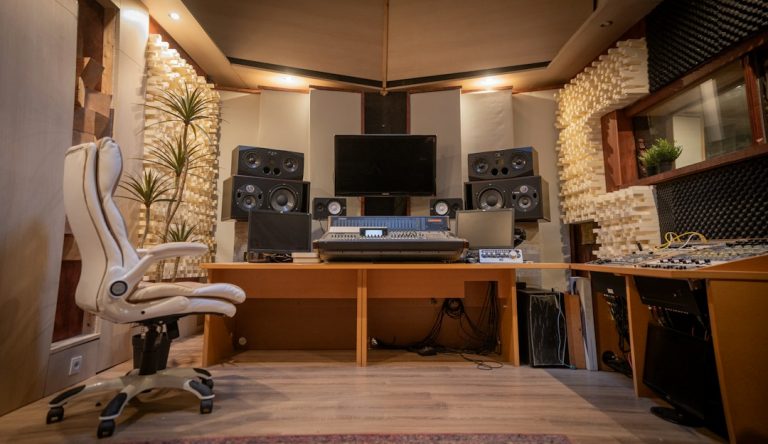
I never trust one listening setup. The failed-master scare taught me that. The room said yes. The meter said no. The CDJ-3000 test said maybe. My battered Yamaha HS7s and a mono Avantone MixCube settled the argument.
When lufs explained becomes part of the checking routine, reference tracks stop being intimidation tools. They become measuring sticks. I pull in two commercial tracks, turn them down until they match the working master, and ask boring questions. Is the kick longer? Is the bass wider? Is the vocal 1 dB too proud? Boring questions save records.
Gain-Matched References Keep You Honest
If a reference is 2 dB louder, you will usually prefer it. That is biology, not taste. I use ADPTR MetricAB or a simple utility gain plugin to match playback level. Then I listen for shape, not volume.
The best reference is not always the biggest hit. Pick something with a similar tempo, drum length, and low-end style. A 126 BPM piano house track is a poor loudness reference for a 150 BPM hard techno record.
Export Checks Before Sending Files
I print a 24-bit WAV, then pull that file back into a fresh session. It feels redundant until it catches a bad dither setting, a clipped export, or an offline bounce that changed a limiter response. I check the rendered file with Youlean again.
For clients, I usually send a clean master and, when needed, a DJ-focused alternate. Same mix DNA, different loudness pressure. That keeps the artist from playing a soft demo between mastered tracks and blaming the song.
- Test the rendered WAV, not only the live master chain.
- Reference at matched playback level before judging tone.
- Check mono compatibility on a single speaker.
- Listen quietly once to catch vocal and snare balance.
- Play the drop after silence to hear real impact.

The Loudness Mistakes I Still Hear in Bedroom Masters
Most loudness problems are not mysterious. They are habits. A producer finds a limiter preset that worked once, saves it, and uses it on every track from slap house to melodic techno. Then they wonder why one master punches and the next folds.
lufs explained properly should make you less preset-dependent. The meter tells you how loud the track is. Your ears tell you whether the groove survived. The limiter tells you how expensive that loudness became.
Chasing -6 LUFS on Every Song
Some records can sit at -6 integrated LUFS and still work. Many cannot. A sparse tech-house tool with short drums and a tight sub can survive that pressure. A vocal progressive track with long reverbs and big chords often turns cloudy before it gets there.
I would rather ship a clean -8.5 LUFS master than a broken -6.2. DJs remember impact. Listeners remember emotion. Nobody messages you because the integrated number looked macho.
Ignoring Low-End Headroom
Sub eats headroom faster than almost anything. If the 45 Hz fundamental is 4 dB too loud, the limiter reacts before the song feels louder. I use spectrum checks, but I also turn the monitor level down and listen for whether the bass line still reads.
On small speakers, the low-end story should still be understandable through harmonics. Saturation from Saturn 2, Decapitator, or Ableton Roar can help, but only if the actual sub stays controlled.
- Limiter presets do not understand your kick and bass relationship.
- A clipped mix bus cannot be repaired by a clean final limiter.
- Too much stereo low-end makes loud masters unstable.
- Harsh 4 kHz synths feel loud before the track has real weight.
- A quieter master can sound larger when transients stay intact.
| Tool | Best Use | My Usual Move | Watch Out For |
|---|---|---|---|
| Youlean Loudness Meter 2 | Final LUFS and true peak checks | Place it last after the limiter | Reading loops instead of the full song |
| FabFilter Pro-L 2 | Transparent limiting for house and techno | Aim for 1 to 3 dB gain reduction first | Pushing input until the kick goes soft |
| iZotope Ozone 11 Maximizer | Smooth density on melodic EDM | Try IRC modes against Pro-L 2 | Letting the assistant over-flatten transients |
| FabFilter Pro-Q 4 | Corrective EQ before loudness | Cut side low-mids around 250 Hz when needed | Over-EQing the master instead of fixing stems |
| ADPTR MetricAB | Reference matching | Level-match commercial tracks before judging | Choosing references from the wrong subgenre |
Further reading
- Ableton mixing manual — Ableton's official manual is a primary source for gain staging, metering, and mixer behavior inside Live.
- Sound On Sound loudness — Sound On Sound is a long-running professional audio publication with strong technical coverage of loudness and mastering.
Frequently asked questions
What does lufs explained mean for music producers?
lufs explained means understanding how perceived loudness is measured, not just watching peak meters. For producers, it helps compare masters fairly, set sensible limiter pressure, and avoid tracks that look loud but sound flat. Integrated LUFS, short-term LUFS, and true peak all matter in different parts of the session.
What LUFS should my song be for streaming?
For many EDM, house, and techno releases, I usually land around -8 to -10 integrated LUFS with a true peak ceiling near -1 dB. Softer vocal or melodic tracks may sit lower. Do not force every song to one target. Match the genre, arrangement, and reference records.
Is -14 LUFS required for Spotify?
No. Platforms may normalize playback, but they do not require you to master at -14 LUFS. Dance tracks often need more density than that to feel right beside similar releases. Keep true peak safe, avoid broken limiting, and make the master translate on more than one system.
Why does my master get quieter after upload?
Streaming platforms can turn loud masters down during playback. If your track was pushed hard just to win a meter reading, normalization may remove the loudness advantage while leaving the distortion and flattened transients behind. A cleaner master often survives platform playback better.
Should DJs use louder masters than streaming releases?
Sometimes, yes. A DJ promo WAV may be a little denser than a streaming master, especially for club-focused house or techno. I still avoid reckless ceilings and crushed kicks. The file needs to sit well between other mastered tracks without falling apart on a large sound system.
Which plugin is best for checking LUFS?
Youlean Loudness Meter 2 is the easiest recommendation for most bedroom producers because it is clear, affordable, and quick to read. iZotope Insight 2 is excellent for deeper analysis. The brand matters less than placing the meter last and checking the full rendered song.
Conclusion
lufs explained is not a rulebook. It is a way to stop guessing when loudness pressure starts changing the song. The meters show average energy, the limiter shows damage, and the references show whether the master belongs beside real releases. I still want loud records when the style calls for them. I just do not want loudness bought with a smaller kick, a smeared vocal, or a bass line that disappears on club speakers. Open a current session, put Youlean or Insight last, print one conservative master and one louder version, then level-match them before choosing. Try this in your next session before the final bounce.
Lufs explained — Quick Recap
The fastest way to lock in lufs explained is to internalise the workflow above and repeat it on every project. Start small: pick one technique from this lufs explained guide, apply it to your next session, and audit the result against a reference track.
- LUFS measures perceived loudness, while peak meters only show signal height.
- Integrated LUFS is useful, but short-term LUFS often explains why drops and breakdowns feel uneven.
- Most loudness gains come from arrangement, EQ, sidechain ducking, and clean low-end control.
- FabFilter Pro-L 2, Ozone 11, Youlean, SPAN, and MetricAB form a reliable loudness workflow.
Treat lufs explained as a habit, not a one-off — the producers who consistently nail lufs explained are the ones who run the same checks on every track. That’s the difference between a clean, club-ready master and a track that sounds great at home but falls apart on a real system.
In a real studio session, lufs explained comes down to the order in which you make decisions: reference first, gain stage second, then the creative work. Producers who treat lufs explained as a checklist instead of a vibe end up shipping more tracks.
Most producers and DJs undervalue lufs explained because the wins are invisible until the track plays back on a real system. Bake lufs explained into your template and the next ten projects benefit automatically.
When you struggle with lufs explained, the fix is rarely a new plugin. Loop a problem section, A/B against a reference, and isolate which element is breaking your lufs explained.
Treat lufs explained as a craft, not a chore. The producers releasing on the biggest labels lock lufs explained in early so they can spend their energy on melody and arrangement instead of fighting the mix.
Document your lufs explained process — even a short note in the project file. Future-you will rebuild the same lufs explained win in half the time.
If lufs explained sounds great in headphones but bad in the car, you have a translation problem, not a creative one. The lufs explained tweaks above are designed to survive every system.
Schedule a recurring lufs explained pass on every project: same checklist, same reference tracks. Repeating lufs explained drills is what separates a consistent producer from a lucky one.
Ultimately, lufs explained is a craft you compound. Every project you finish raises the floor of your next attempt at lufs explained, which is why shipping consistently matters more than chasing perfection.
My Career makes videos from your own track and posts them for you, pitches your release to 34,000+ labels, playlists, radio stations, YouTube channels and blogs, puts it in every store and briefs you every morning. Free plan, no card, two minutes to set up.