
Key takeaways
- A clean mix starts with source choices and arrangement discipline, not mastering tricks.
- Gain staging keeps plugins, buses and headroom predictable throughout the session.
- Subtractive EQ and controlled low-end relationships solve most muddy mix problems.
- Compression should shape movement without flattening transients or groove.
- References and real playback tests reveal whether your mix actually translates.
A clean mix is the difference between a track that sounds expensive and one that falls apart when it leaves your bedroom studio. A clean mix is not about making everything bright, loud or surgically perfect; it is about balance, headroom, separation and intention. If your kick disappears on small speakers, your vocal sounds cloudy, your drop feels smaller after mastering, or your DJ transitions get messy in the club, the problem usually starts inside the mix.
This guide gives you a practical workflow used by producers, mix engineers and ghost producers when preparing music for release. We will cover source selection, gain staging, EQ, compression, arrangement, stereo width, effects, referencing and final checks. Use it whether you are finishing your own single, polishing a DJ tool, or reviewing a custom production before approval.
Build a clean mix from the source, not the master bus
The fastest way to a clean mix is choosing sounds that already fit together. If the kick, bass, lead and vocal are fighting from bar one, no mastering chain will rescue the record without side effects. Start with fewer, better sounds and commit to a clear hierarchy.
In EDM, techno, house and pop production, the main elements are usually obvious: kick, bass, vocal or lead hook, drums and atmosphere. Decide what carries the track before you stack ten layers. A clean mix often comes from deleting the third-best sound, not adding another plugin.
Clean mix decisions start with sound selection
Audition sounds in context, not solo. A Serum bass patch that sounds massive alone may cover the kick fundamental and destroy the groove. A Splice clap with too much room tone may smear the snare. Check each sound against the loop it must live inside.
Use tools like Ableton Live’s Spectrum, FabFilter Pro-Q 3, Voxengo SPAN or Logic’s Channel EQ to see obvious clashes. If two layers peak in the same range and perform the same musical role, pick one or redesign them.
Commit to roles before processing
Give every channel a job. For example, one bass layer can carry sub below 90 Hz, while another layer provides midrange grit around 300 Hz to 1 kHz. One synth can be wide and airy, while the vocal or lead stays focused in the center.
This role-based thinking prevents the classic beginner mistake: every element trying to sound huge. A clean mix feels big because the parts leave space for each other.
- Mute duplicate layers before reaching for EQ.
- Choose kicks and basses that agree on pitch and length.
- Use mono-compatible sources for subs and key center elements.
- Avoid stacking reverbs baked into samples unless they serve the groove.
- Keep the best layer, not the loudest layer.
Set gain staging so every plugin behaves predictably
Gain staging is not old-school theory. It is how you keep your DAW channels, plugins and buses working in a predictable range. A clean mix needs headroom, because clipped channels and overdriven plugin inputs create harshness long before the master meter turns red.
As a simple rule, keep most individual tracks peaking around -12 to -6 dBFS during production, with the master bus peaking roughly between -8 and -5 dBFS before mastering. You do not need to obsess over exact numbers, but you do need consistent levels.
Use clip gain before faders
Adjust audio clip gain or instrument output first, then use the mixer fader for balance. This matters because many analog-modeled plugins, such as UAD compressors, Waves SSL Channel or Softube Saturation Knob, react differently when hit too hard.
If a vocal sample enters an EQ at -1 dBFS, every processor after it is dealing with unnecessary level. Pull it down before the chain. Your clean mix will immediately feel less brittle and easier to control.
Watch buses, not just the master
Drum, music, vocal and FX buses can clip internally even if your final output looks safe. Add a simple meter like Youlean Loudness Meter, Klanghelm VUMT or the stock Ableton Utility to check peaks and perceived loudness.
Leave room on each bus for automation and arrangement changes. If your build-up is already maxed out, the drop has nowhere to go except distortion.
- Pull down hot audio clips before inserting plugins.
- Bypass loud processors when comparing changes.
- Avoid using the master limiter as a volume knob.
- Leave extra headroom before the final chorus or drop.
- Match output gain after EQ and compression moves.
Use EQ to remove mud before you boost excitement
EQ is where many producers either create clarity or ruin the tone. For a clean mix, subtractive EQ usually comes before bright boosts. Mud lives mostly in the low mids, harshness in the upper mids, and rumble below the musical low end.
The goal is not to high-pass everything aggressively. The goal is to remove energy that does not support the arrangement. A vocal may need warmth at 180 Hz, while a pad may not. Listen in context and make small, repeatable moves.
Clean mix EQ moves that work in context
Start with the problem ranges. Sweep gently between 200 and 500 Hz on pads, vocals, guitars and synth stacks to find boxiness. Cut 2 to 4 dB with a medium Q if the mix feels cloudy. On harsh leads, check 2.5 to 5 kHz before adding top end.
Use high-pass filters carefully. A vocal might sit well with a filter around 80 to 120 Hz, but a tom, piano or synth stab may lose power if you filter too high.
Make the kick and bass agree
Low-end clarity is usually a relationship, not a single plugin. Decide whether the kick or bass owns the deepest sub. In many club tracks, the kick fundamental sits around 45 to 60 Hz, while the bass gives movement above it. In other tracks, the bass owns the sub and the kick is shorter.
Use sidechain compression, volume shaping with Cableguys ShaperBox, or dynamic EQ in FabFilter Pro-Q 3 to create space only when needed. That keeps a clean mix powerful instead of thin.
- Cut mud before boosting air.
- Use narrow cuts for resonances and wider cuts for tonal buildup.
- Check EQ decisions in mono for kick, bass and vocal focus.
- Do not high-pass every channel by habit.
- Compare EQ changes at matched loudness.
Control dynamics without flattening the groove
Compression can make a clean mix feel controlled, but it can also crush the life out of drums and vocals. The key is knowing what you want the compressor to do: tame peaks, add sustain, glue a group, shape attack or create movement.
Beginners often use compression because a tutorial said so. Professionals use it because they hear a specific dynamic problem. If the part already sits steady, volume automation may be cleaner than another compressor.
Set attack and release by feel
For punchy drums, use a slower attack so the transient passes through, then set the release to recover before the next hit. On vocals, a faster attack can control sharp peaks, while a medium release keeps the phrase natural.
Try 2 to 4 dB of gain reduction first. If you need 10 dB to make the part behave, fix clip gain, editing or performance consistency before relying on compression.
Use bus compression lightly
A drum bus compressor such as Ableton Glue Compressor, SSL-style bus compression or Cytomic The Glue can add cohesion. Keep ratios low, attack slower, and gain reduction subtle. You want drums to lean together, not pump accidentally.
Parallel compression is often safer. Blend a crushed drum duplicate underneath the dry kit for weight while preserving the transient shape that helps a clean mix translate on club systems.
- Use automation before heavy compression.
- Let important drum transients breathe.
- Set release in time with the groove.
- Avoid compressing reverb tails into clutter.
- Level-match compressed and bypassed signals.

Make space with arrangement and stereo placement
Plugins cannot fix an arrangement where every instrument plays all the time. A clean mix needs contrast: dense moments, open moments, center focus and side detail. This is especially important for artists preparing tracks for DJs, because crowded arrangements make transitions harder.
Think like a stage designer. The kick, bass, vocal and main lead usually need strong center information. Percussion, pads, ear candy and effects can fill the sides. When everything is wide, nothing feels wide.
Remove parts during the vocal or hook
If the vocal is the emotional center, carve the arrangement around it. Mute midrange synths during key phrases, simplify percussion under important words, and automate delays into gaps instead of across the whole line.
A clean mix often happens when the hook gets fewer competing rhythms. Listen to strong pop and dance records: the chorus may feel huge, but the supporting parts are usually disciplined.
Keep stereo width under control
Use panning before stereo wideners. Put shakers, rides or synth layers slightly left and right, then check mono. Wideners like iZotope Ozone Imager, Ableton Utility or Polyverse Wider can be useful, but do not use them to hide arrangement problems.
Keep sub bass mono below roughly 100 to 120 Hz. Wide low end can sound impressive in headphones but weak, phasey or unstable on large playback systems.
- Mute one part whenever a new hook enters.
- Keep kick, sub and lead vocal anchored in the center.
- Use contrast between narrow verses and wider drops.
- Check phase correlation after widening.
- Make DJ intros rhythmically clear and uncluttered.
Tame reverb and delay so depth stays clear
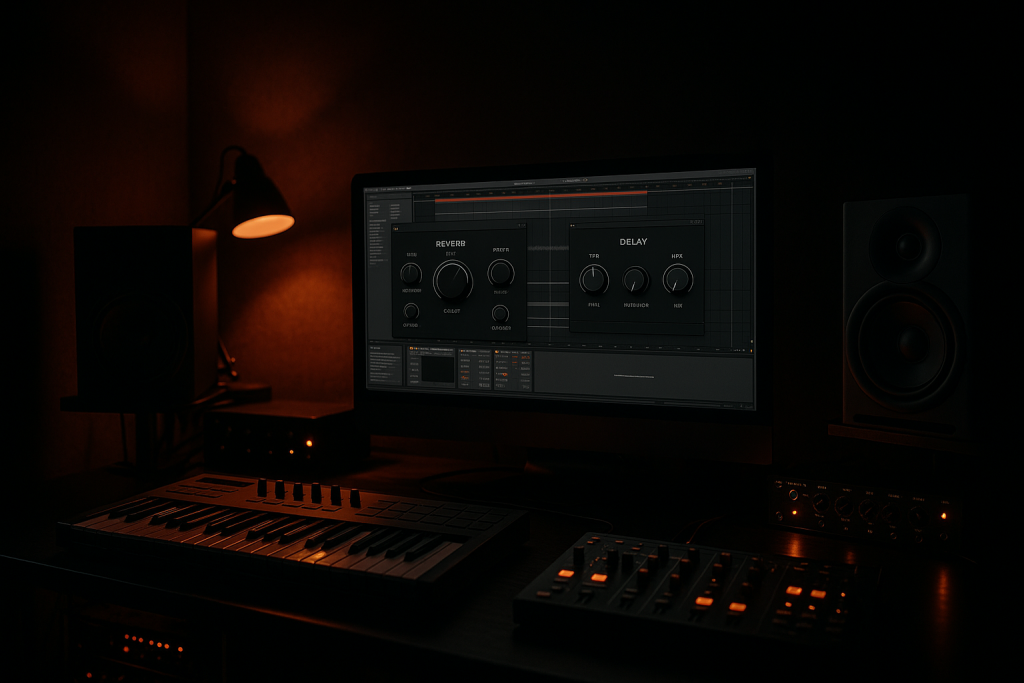
Reverb and delay create depth, but they are also common reasons a clean mix turns cloudy. Long tails, stereo wash and unfiltered delays can fill every gap between notes. The solution is not using no ambience; it is shaping ambience like an instrument.
Use sends for shared spaces when possible. A short room for drums, a plate for vocals and a timed delay for hooks can sound more professional than a different random reverb on every channel.
Filter your effects returns
Insert EQ after reverb and delay. High-pass the return to remove rumble, often somewhere between 150 and 300 Hz depending on the source. Low-pass bright tails if they compete with hats, vocals or lead synths.
For a clean mix with vocals, try ducking the reverb using sidechain compression from the dry vocal. The tail drops while the singer is present, then blooms in the gaps. FabFilter Pro-C 2, Ableton Compressor and Logic Compressor all handle this well.
Time delays to the groove
Quarter-note and eighth-note delays are useful, but dotted and ping-pong delays can quickly clutter a busy rhythm. Use feedback carefully and automate throws on selected words or synth hits instead of leaving delay active all the time.
In club music, check the breakdown and build separately. A huge atmospheric wash may sound exciting in isolation, then mask the snare roll and impact when the drop arrives.
- EQ every major reverb and delay return.
- Duck vocal reverbs when lyrics need focus.
- Automate throws instead of constant delay wash.
- Shorten tails before busy drops.
- Use one shared space to glue related elements.
Reference like a professional, not a fan
Referencing is not copying. It is calibrating your ears against records that already translate. A clean mix should be judged beside tracks in the same genre, tempo and energy level, not random songs that happen to sound good.
Pick two or three references: one for low end, one for vocal or lead placement, and one for overall loudness and arrangement density. Import them into your DAW, turn them down to match your rough mix, and switch often.
Clean mix referencing checklist
Listen for relationships, not isolated sounds. Is the kick louder than the bass? How bright are the hats compared with the vocal? Does the drop feel wider than the verse? Is the reference actually as bass-heavy as you thought?
Plugins like ADPTR MetricAB, Mastering The Mix REFERENCE and iZotope Audiolens make switching easier. Still, your ears matter most. Keep comparisons short, because long listening sessions reset your tolerance for mud and harshness.
Check translation on real playback systems
Test on studio monitors, headphones, earbuds, a car system and a small Bluetooth speaker. For DJ-focused tracks, also check how the intro and outro sit when mixed with another record at similar loudness.
If the bass vanishes on small speakers, add controlled harmonics around 120 to 250 Hz. If the vocal hurts in earbuds, revisit the 3 to 6 kHz range. Translation is where a clean mix proves itself.
- Level-match references before judging tone.
- Use genre-matched records with similar arrangement density.
- Compare low end, vocal level, width and brightness separately.
- Take notes instead of changing ten things at once.
- Check your mix after a short ear break.

Finish with bus checks, not panic mastering
The final stage of a clean mix is quality control. Before you send a track for mastering, export stems, or approve a ghost-produced version, listen like an engineer. You are checking clicks, timing, headroom, automation moves, noisy tails and unwanted distortion.
A rough limiter can help preview loudness, but it should not hide problems. If the mix only works when smashed into a limiter, return to balance, EQ and dynamics first.
Prepare stems and versions cleanly
Export clearly labeled stems: drums, bass, music, vocals, effects and any special lead elements. Leave sensible headroom and keep start points aligned. If a mastering engineer or collaborator opens the files, they should know exactly what each stem does.
For artists using custom music production or ghost production, request dry and wet vocal versions, instrumental, extended mix and radio edit when relevant. Clean files make revisions faster and prevent mix decisions from being lost.
Do the final 10-minute pass
Listen from start to finish without touching anything. Mark problems, then fix them after playback. This prevents endless micro-adjustments that create new issues. Check the first downbeat, transitions, drop impacts, vocal entrances and the final tail.
Finally, bounce a version with the limiter off and one with your preview limiter on. The unlimited export is useful for mastering, while the limited version helps you judge real-world excitement.
- Check the master is not clipping before limiting.
- Print clean stems from the same start point.
- Listen for clicks at edits and automation changes.
- Export a limited preview and an unlimited mix.
- Take one full pass without touching the mouse.
| Problem | Likely Cause | Best First Fix | Useful Tool |
|---|---|---|---|
| Muddy low mids | Too many parts around 200-500 Hz | Mute layers, then make small subtractive EQ cuts | FabFilter Pro-Q 3 |
| Weak kick and bass | Frequency masking or poor sidechain timing | Choose who owns the sub and shape volume movement | Cableguys ShaperBox |
| Harsh vocal or lead | Excess energy around 2.5-6 kHz | Use dynamic EQ before boosting air | TDR Nova |
| Flat, lifeless drums | Over-compression or fast attack settings | Slow the attack and blend parallel compression | Ableton Glue Compressor |
| Cloudy reverb | Unfiltered long tails filling gaps | EQ returns and duck ambience from the dry signal | Valhalla VintageVerb |
| Poor translation | Mix decisions made too loud or without references | Level-match references and test multiple speakers | ADPTR MetricAB |
Further reading
- Ableton mixing manual — Ableton’s official manual is an authoritative source for DAW mixing concepts, routing, meters and workflow.
- Sound On Sound EQ guide — Sound On Sound is a long-established professional audio publication with expert engineering tutorials.
Frequently asked questions
How do I get a clean mix in my DAW?
Start with good sound selection, set proper gain staging, then balance before adding heavy processing. Remove mud with subtractive EQ, control dynamics lightly, filter reverb returns and compare against level-matched references. Do not rely on the master limiter to fix problems that belong in the arrangement or mix.
Why does my mix sound muddy?
Mud usually comes from too many instruments building up in the 200-500 Hz range, long reverb tails, or kick and bass parts masking each other. Mute unnecessary layers first, then use small EQ cuts and tighter arrangement choices. Avoid boosting highs until the low-mid buildup is controlled.
Should I mix with a limiter on the master?
You can use a limiter for a loudness preview, but do not make all balance decisions through heavy limiting. Keep an unlimited version for honest mix checks and mastering. If the track collapses without the limiter, fix the kick, bass, vocal balance and bus gain before mastering.
What level should my mix peak before mastering?
A practical target is for the master to peak around -8 to -5 dBFS before mastering, with no clipping on individual channels or buses. The exact number matters less than clean headroom, controlled dynamics and no accidental distortion. Avoid normalizing or maximizing the pre-master export.
How can I make vocals sit cleaner in a mix?
Edit breaths and noise, level the vocal with clip gain, then use EQ to remove rumble and boxiness. Apply compression in stages if needed, de-ess harsh sibilance, and duck reverbs or delays from the dry vocal. Most vocal clarity comes from automation and arrangement space.
Do reference tracks really help mixing?
Yes, references keep your ears calibrated. Choose songs in the same genre and energy level, then level-match them to your mix. Compare low end, vocal level, width, brightness and arrangement density separately. Referencing works best in short checks rather than long passive listening.
Conclusion
A clean mix is built through dozens of small, intentional decisions: choosing sounds that fit, leaving headroom, removing mud, controlling dynamics, shaping ambience and referencing with discipline. The process is practical, not mysterious. If you are producing your own music, preparing a DJ-ready club track, or reviewing stems from a collaborator, focus on clarity before loudness.
In your next session, try this simple order: mute unnecessary layers, reset gain staging, balance the core groove, clean the low mids, then compare against one trusted reference. Work for 30 minutes without touching the master limiter. You will hear problems faster, make better decisions, and move closer to a release-ready result.
Clean mix — Quick Recap
The fastest way to lock in clean mix is to internalise the workflow above and repeat it on every project. Start small: pick one technique from this clean mix guide, apply it to your next session, and audit the result against a reference track.
- A clean mix starts with source choices and arrangement discipline, not mastering tricks.
- Gain staging keeps plugins, buses and headroom predictable throughout the session.
- Subtractive EQ and controlled low-end relationships solve most muddy mix problems.
- Compression should shape movement without flattening transients or groove.
Treat clean mix as a habit, not a one-off — the producers who consistently nail clean mix are the ones who run the same checks on every track. That’s the difference between a clean, club-ready master and a track that sounds great at home but falls apart on a real system.
In a real studio session, clean mix comes down to the order in which you make decisions: reference first, gain stage second, then the creative work. Producers who treat clean mix as a checklist instead of a vibe end up shipping more tracks.
Most producers and DJs undervalue clean mix because the wins are invisible until the track plays back on a real system. Bake clean mix into your template and the next ten projects benefit automatically.
My Career makes videos from your own track and posts them for you, pitches your release to 34,000+ labels, playlists, radio stations, YouTube channels and blogs, puts it in every store and briefs you every morning. Free plan, no card, two minutes to set up.


