
Serato DJ Beginner Guide – Get Started Fast
Serato DJ Beginner Guide – Get Started Fast
For budding DJs looking to make their mark, mastering Serato DJ is a rite of passage. This Serato DJ beginner guide aims to equip you with the essential knowledge and skills needed to navigate one of the most popular DJ software platforms today. Whether you’re spinning vinyl, using digital files, or incorporating live elements, Serato DJ offers a robust solution to elevate your performances.
Serato DJ has become a staple in the DJ community since its initial release in 1999. Known for its reliability and versatility, the software has been adopted by renowned artists such as A-Trak, DJ Jazzy Jeff, and Skratch Bastid. As of 2026, it continues to hold a significant share of the DJ software market, competing with other giants like Rekordbox and Traktor.
This guide will delve into the setup, hardware requirements, key features, and practical tips to help you start DJing with Serato. We’ll tackle common myths and provide actionable advice to ensure your journey with Serato DJ is smooth and rewarding.

Setting Up Serato DJ: A Step-by-Step Guide
Getting started with Serato DJ is straightforward, but there are several steps you need to follow to ensure optimal performance. Here is a quick setup guide:
- Download and Install: Begin by downloading the latest version of Serato DJ Pro from the official website. Ensure your system meets the software’s minimum requirements.
- Connect Your Gear: Connect your DJ controller or mixer to your computer via USB. Serato DJ is compatible with a wide range of hardware, which you can verify on the MusicRadar compatibility list.
- Install Drivers: Some controllers may require specific drivers. Check your manufacturer’s website for any necessary downloads.
- Library Setup: Import your music library into Serato DJ. You can organize your tracks using crates and playlists, much like creating a set list for your performances.
- Analyze Your Tracks: Allow Serato to analyze your tracks for BPM, key, and waveforms. This feature is crucial for seamless mixing and performance.
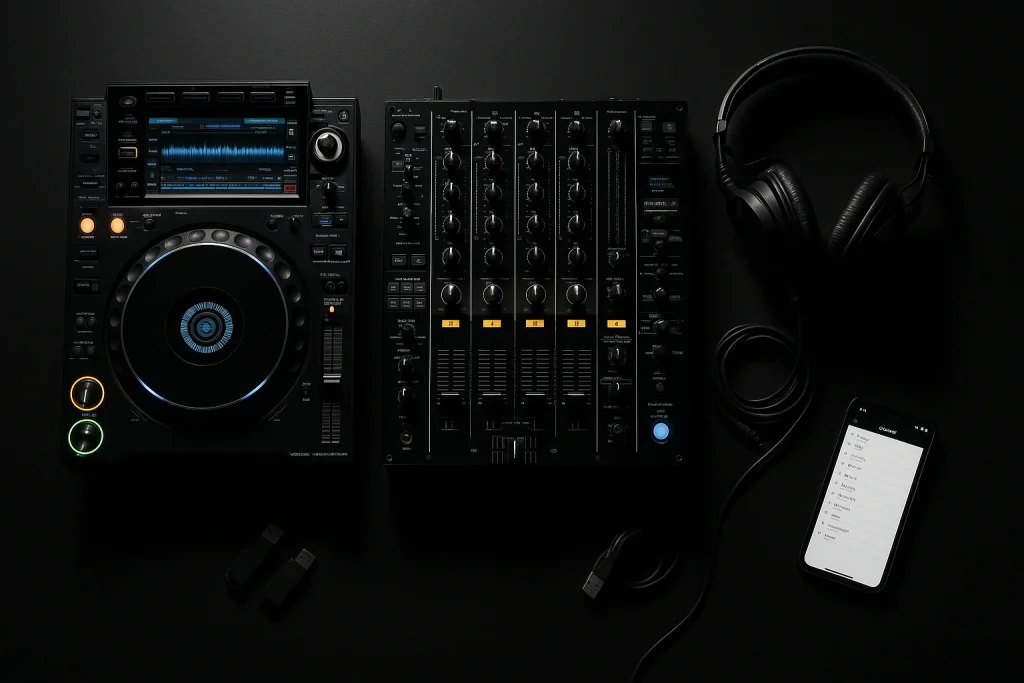
Essential Hardware for Serato DJs
Your choice of hardware can significantly impact your DJing experience. Here’s a look at some popular options:
- Controllers: Devices like the Pioneer DJ DDJ-SX3 and the Rane One offer excellent integration with Serato DJ, providing tactile control over your music.
- Mixers: If you prefer standalone mixers, the Rane Seventy and Pioneer DJM-S9 are highly recommended for their robust build and features tailored for Serato.
- Turntables: For those who love the feel of vinyl, turntables like the Technics SL-1200MK7 remain a favorite among Serato users.
When choosing hardware, consider factors such as your budget, the type of DJing you plan to do (e.g., mobile, club, or studio), and the setup’s portability. For a more detailed comparison, you might want to check the DJ Mag reviews of the latest gear.
Key Features of Serato DJ
Serato DJ is packed with features that cater to both beginners and seasoned professionals. Here are some highlights:
- Performance Pads: These allow for trigger cues, loops, and samples, adding an extra layer of creativity to your sets.
- FX: Serato FX packs, powered by iZotope, offer a range of effects to enhance your mixes.
- Expansion Packs: Additional features such as Serato Video and Serato Flip can be purchased to expand your capabilities.
- Pitch ‘n Time DJ: Allows for extreme tempo changes without affecting the track’s pitch, essential for creative transitions.
Common Myths and Realities about Serato DJ
New DJs often encounter myths that can cloud their understanding of Serato DJ. Let’s debunk a few:
- Myth 1: “Serato DJ is only for hip-hop DJs.” While Serato is popular in hip-hop circles, its versatility makes it suitable for all genres, from house to techno.
- Myth 2: “You need expensive gear to start with Serato.” Entry-level controllers are more affordable than ever and offer all the basic features needed to get started.
- Myth 3: “Serato is not suitable for live performances.” In reality, many top DJs use Serato for live gigs, thanks to its stability and extensive feature set.
Tips for Maximizing Your Serato DJ Experience
Here are some expert tips to take your Serato DJ skills to the next level:
- Practice Regularly: Consistent practice is key. Consider setting up a daily routine using our daily DJ practice guide.
- Explore Expansion Packs: Experiment with Serato’s expansion packs to discover new creative possibilities.
- Stay Updated: Keep your software and hardware firmware updated to ensure you have the best performance and new features.
- Network with Other DJs: Join online communities and forums, such as Resident Advisor, to share tips and learn from others.
| Feature | Serato DJ | Rekordbox |
|---|---|---|
| Performance Pads | Yes | Yes |
| Video DJing | Yes (with expansion) | Yes (with expansion) |
| Key Detection | Yes | Yes |
| Price | ~$129 | ~$139 |
Resources for Exclusive Music and Tracks
Having unique music sets you apart as a DJ. Consider sourcing exclusive tracks through services like exclusive track services offered by The Ghost Production. These services cater to DJs looking to enhance their brand with custom music.
For those interested in ghost production, understanding how to hire a ghost producer or buy exclusive tracks can be beneficial. Check out The Ghost Production’s music production services for more information on acquiring custom tracks for your DJ sets.
Frequently Asked Questions
What hardware do I need to start with Serato DJ?
To start with Serato DJ, you need a compatible DJ controller or mixer, a laptop with sufficient processing power, and a reliable audio interface if not integrated into your controller. The choice of hardware can vary based on your budget and style of DJing.
Can I use Serato DJ without a controller?
Yes, Serato DJ Pro allows you to use keyboard shortcuts and the on-screen deck controls, but a controller provides tactile feedback and more precise control over your mixes.
How do I organize my music library in Serato DJ?
Organize your library using crates and playlists. You can also use the Smart Crates feature for dynamic playlists based on specific criteria like BPM or genre, making it easier to manage large collections.
Is Serato DJ suitable for beginners?
Absolutely. Serato DJ offers an intuitive interface and user-friendly features that make it accessible for beginners while still providing advanced options for professional DJs.
Where can I find unique tracks for my DJ sets?
Explore platforms like The Ghost Production for exclusive tracks or consider joining a record pool to access a wide range of new music tailored for DJs.
Last updated:
Stand Out From Every Other DJ
The DJs who get booked and remembered play music nobody else has. Commission exclusive ghost-produced tracks and edits made specifically for your sound.